
Introduction
This manual provides detailed instructions for the setup, operation, maintenance, and troubleshooting of your MRSXWPY T600-00 7-inch GPS Navigator. Please read this manual thoroughly before using the device to ensure proper functionality and safety.
Package Contents
Verify that all items listed below are included in your package:
- GPS Navigator Unit
- Car Charger
- USB Cable
- Suction Cup Bracket
- Rear Bracket
- Sunshade
- User Manual (this document)

Image: All components included in the MRSXWPY T600-00 GPS Navigator package, including the main unit, car charger, USB cable, mounting brackets, sunshade, and user manual.
Setup
1. Mounting the GPS Navigator
- Attach the rear bracket to the GPS Navigator unit.
- Secure the suction cup bracket to the rear bracket.
- Clean the desired mounting surface on your windshield or dashboard.
- Press the suction cup firmly against the surface and engage the lever to create a secure seal.
- Adjust the viewing angle of the GPS Navigator for optimal visibility without obstructing your view of the road.
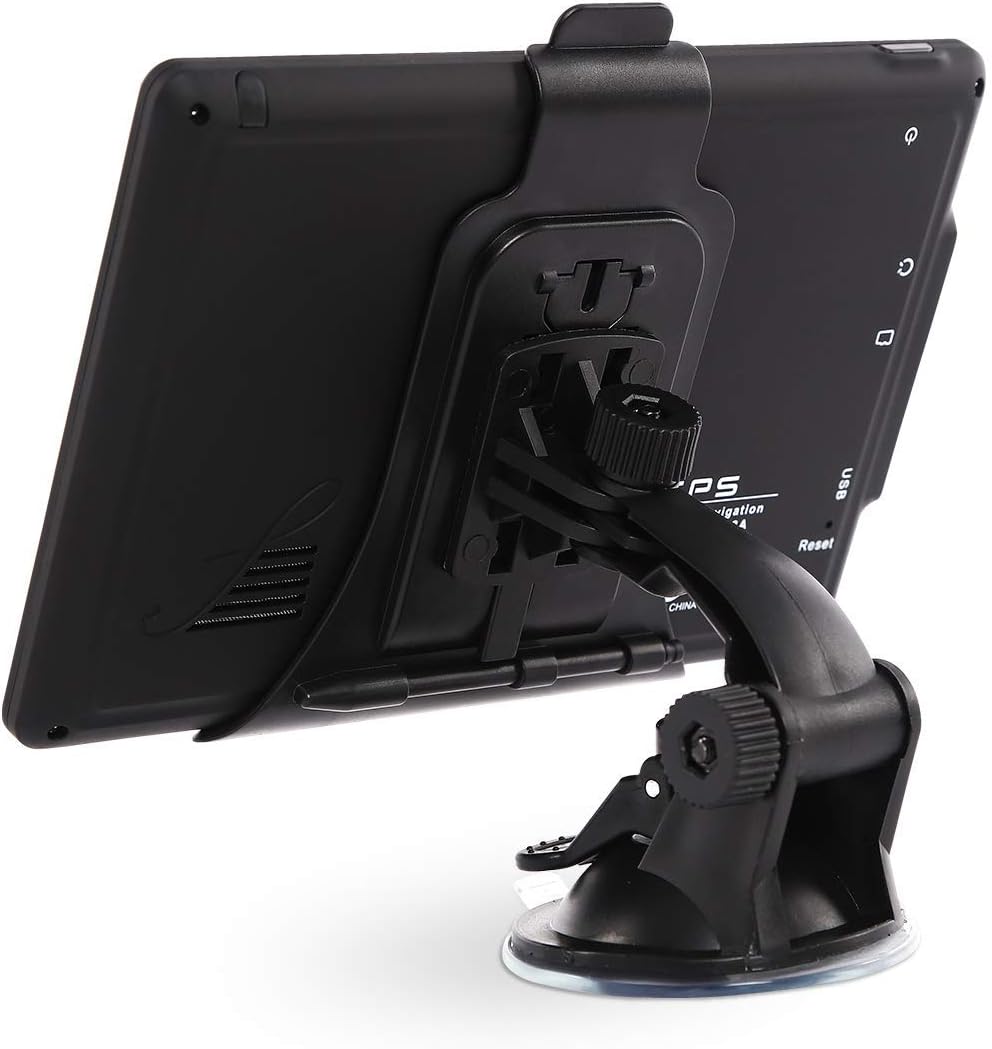
Image: The MRSXWPY T600-00 GPS Navigator attached to its suction cup mount, ready for installation in a vehicle.

Image: The MRSXWPY T600-00 GPS Navigator mounted on a car windshield, displaying navigation information.
2. Powering On and Initial Charge
- Connect the car charger to the GPS Navigator's USB Type-C port and plug it into your vehicle's 12V power outlet.
- Press and hold the Power On/Off button located on the top edge of the device to turn it on.
- For initial use, ensure the device is fully charged. The internal battery provides approximately 6 hours of operation.

Image: Rear view of the MRSXWPY T600-00 GPS Navigator, highlighting the Power On/Off button, Earphone Slot, IF Card Slot, USB Type-C port, and Reset button.
3. Map Updates
Your GPS Navigator comes preloaded with the latest North American (USA, Canada, Mexico) maps. Free lifetime map updates are available. To update maps:
- Connect the GPS Navigator to a computer using the provided USB cable.
- Follow the instructions provided with the device or on the manufacturer's website for the specific map update software.

Image: The GPS Navigator connected via USB to a laptop, illustrating the process for lifetime free map updates for North America and other regions.
Operating Instructions
1. Basic Navigation
To begin navigation, tap the "Navigation" icon on the main screen. You can enter your destination using several methods:
- Address: Enter the street number, street name, city, and state/province.
- Zip Code: Enter the postal code for the destination area.
- Coordinates: Input specific GPS coordinates (latitude and longitude).
- Points of Interest (POI): Search for nearby gas stations, restaurants, parking lots, or other common destinations.
- Favorites: Select from previously saved destinations.

Image: The MRSXWPY T600-00 GPS Navigator screen showing a split-view navigation display with map and lane guidance.
2. Route Options and Customization
The GPS Navigator offers various route planning options:
- Standard Options: Choose between Fast, Green (eco-friendly), Short, or Convenient routes.
- Custom Truck Routing: For truck drivers, customize routes based on your vehicle's weight, length, height, and width to avoid restricted roads. Access this feature in the navigation settings.
3. Intelligent Voice Navigation Features
The device provides clear voice guidance and alerts to enhance your driving experience:
- Turn-by-Turn Directions: Voice prompts for upcoming turns and road names.
- Speed Camera Reminder: Alerts for surveillance cameras on the road.
- Speed Limit Reminder: Notifies you of current speed limits and warns if you exceed them.
- Red Light Warning: Provides alerts for upcoming traffic lights.
- Height Limit Reminder: Warns drivers of bridge and road height restrictions.
- Lane Assistance: Guides you to the correct lane for upcoming maneuvers.
- Estimated Arrival Time (ETA): Displays your projected arrival time and remaining distance.

Image: Visual representation of the traffic light reminder and speed limit reminder features on the GPS Navigator.

Image: Visual representation of the speed camera reminder and height limit reminder features on the GPS Navigator.
4. Vehicle Service Types
The MRSXWPY T600-00 supports navigation for a wide range of vehicle types:
- Car
- Truck
- RV (Recreational Vehicle)
- Bus
- Taxi
- Bicycle
- Pedestrian
- Emergency Vehicle

Image: The GPS Navigator screen displaying a map alongside icons representing the wide applicability across different vehicle modes, including cars, trucks, RVs, buses, taxis, bicycles, and pedestrians.
Maintenance
1. Cleaning the Device
- Use a soft, lint-free cloth to gently wipe the screen and device exterior.
- Do not use abrasive cleaners, alcohol, or solvents, as these can damage the screen and finish.
- Ensure the device is powered off before cleaning.
2. Battery Care
- To prolong battery life, avoid exposing the device to extreme temperatures.
- Charge the device regularly, especially if it will be stored for an extended period.
- The device uses a 12V battery and has a battery life of approximately 6 hours.
3. Map Updates
Regularly check for and install map updates to ensure the most accurate navigation data. Refer to the "Setup" section for instructions on updating maps.
Troubleshooting
If you encounter issues with your MRSXWPY T600-00 GPS Navigator, please refer to the following common solutions:
- Device not powering on: Ensure the device is charged. Connect it to the car charger or a USB power source.
- No GPS signal: Ensure the device has a clear view of the sky. Move away from tall buildings or dense foliage.
- Incorrect route guidance: Verify that the maps are up-to-date. Check your selected vehicle type and route preferences in the settings.
- Screen unresponsive: Perform a soft reset by pressing the reset button (often a small pinhole) on the back of the device using a thin object like a paperclip.
- Map loading issues: Ensure sufficient storage space on the device. Re-attempt map updates if necessary.
Specifications
| Feature | Detail |
|---|---|
| Model Name | T600-00 |
| Brand | MRSXWPY |
| Display Size | 7 Inches |
| Product Dimensions | 5.8 x 3 x 8.2 inches |
| Item Weight | 1.25 pounds |
| Battery Type | 12V (included) |
| Battery Life | Approximately 6 Hours |
| Connectivity Technology | USB |
| Map Type | Street (North America preloaded) |
| Special Feature | Turn-by-turn Navigation, Voice Guidance, Custom Truck Routing |
| Vehicle Service Type | Car, RV, Truck, Bus, Taxi, Bicycle, Pedestrian, Emergency Vehicle |
| Audio Output Mode | Stereo |
Warranty Information
The MRSXWPY T600-00 GPS Navigator comes with a 2-year warranty from the date of purchase. This warranty covers manufacturing defects and malfunctions under normal use. Please retain your proof of purchase for warranty claims.
For detailed warranty terms and conditions, please refer to the documentation included with your product or contact customer support.
Customer Support
Should you require assistance with your MRSXWPY T600-00 GPS Navigator, our professional support team is available to help. Please contact us through the following channels:
- Email: [Insert Manufacturer's Support Email Here]
- Phone: [Insert Manufacturer's Support Phone Number Here]
- Website: [Insert Manufacturer's Support Website Here]
When contacting support, please have your product model (T600-00) and purchase information ready.


