
Introduction
This manual provides detailed instructions for the Mivi SuperBox Classic 120W Portable Bluetooth Speaker. Designed for premium sound quality, this speaker features a built-in subwoofer, bass and treble control knobs, and multiple connectivity options. Please read this manual thoroughly before using your speaker to ensure proper operation and to maximize your listening experience.
What's in the Box
Upon unpacking, please ensure all the following items are present:
- Mivi SuperBox Classic Speaker
- Charging Cable
- Power Cable
- Warranty Card
Product Overview
The Mivi SuperBox Classic is engineered for powerful and clear audio. Familiarize yourself with its key components and features.
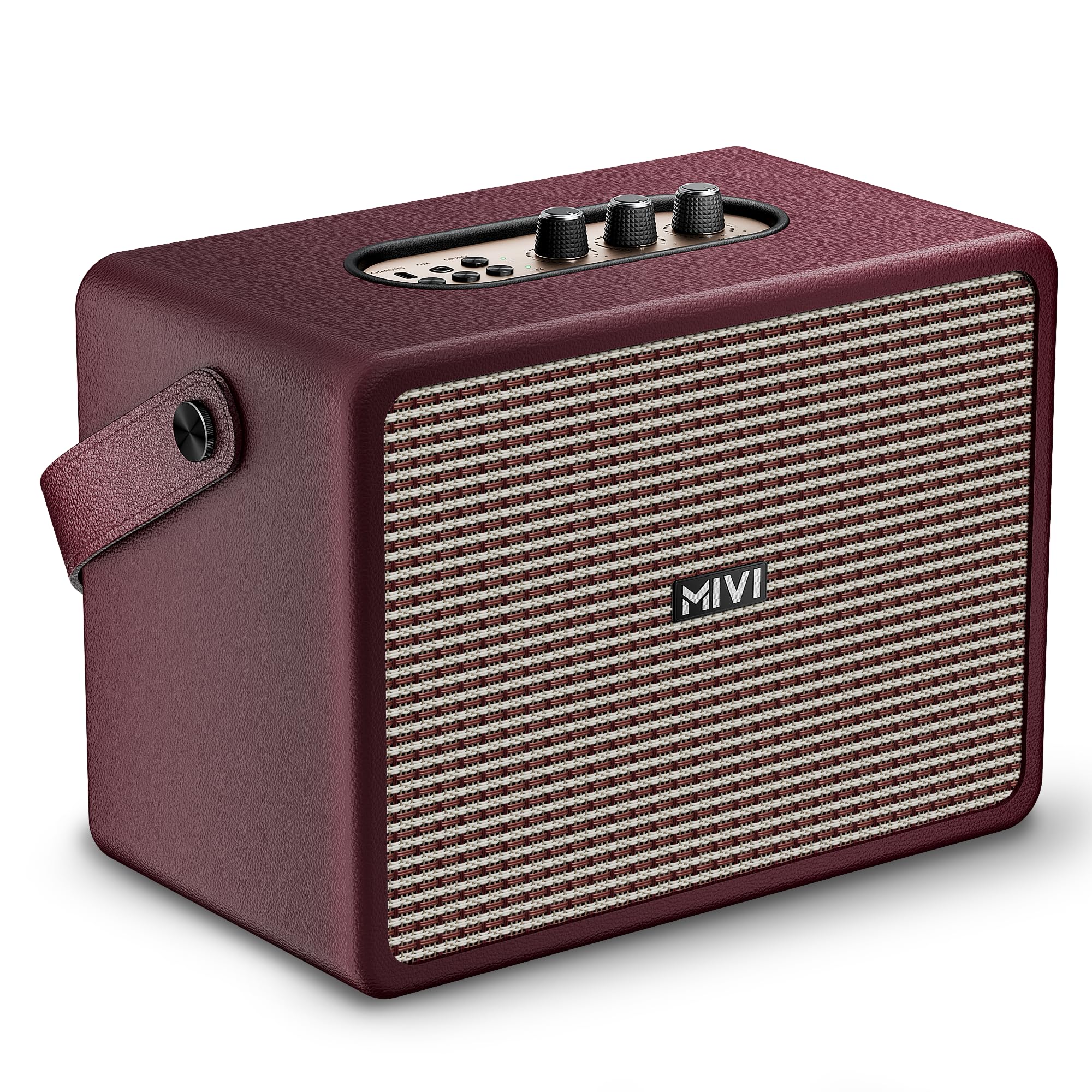
Figure 1: Mivi SuperBox Classic Speaker.
Key Features:
- 120W Powerful Sound Output: Experience room-filling, high-fidelity audio with deep bass and clear treble.
- Built-in Subwoofer: Enjoy punchy, well-balanced bass with an integrated subwoofer for enhanced audio depth.
- Bass & Treble Controls: Fine-tune your audio using physical top-mounted adjustment knobs.
- Easy Playback Controls: Dedicated Play, Pause, Rewind, and Forward buttons for effortless music control.
- Bluetooth Connectivity: Seamlessly stream from your smartphone, laptop, or tablet using Bluetooth v5.3.
- 4000 mAh Battery: Long-lasting battery for extended listening sessions.

Figure 2: Overview of Mivi SuperBox Classic features.

Figure 3: Top control panel with volume, bass, treble knobs, and playback buttons.
The control panel features intuitive rotary knobs for Volume, Bass, and Treble adjustments, along with buttons for playback control (Play/Pause, Skip Forward/Backward) and source selection (Bluetooth, AUX).
Setup
1. Initial Charging
Before first use, fully charge the speaker. Connect the provided charging cable to the Type-C port on the speaker and the other end to a suitable power adapter (not included). The charging indicator light will show the charging status.
2. Powering On/Off
To power on the speaker, rotate the Volume/Power knob clockwise until you hear an audible click and the indicator lights illuminate. To power off, rotate the knob counter-clockwise until it clicks off.
3. Bluetooth Pairing
- Ensure the speaker is powered on and in Bluetooth mode. The Bluetooth indicator light (BT) will blink, indicating it's ready for pairing.
- On your device (smartphone, tablet, laptop), enable Bluetooth and search for available devices.
- Select "Mivi SuperBox Classic" from the list of devices.
- Once connected, the Bluetooth indicator light will become solid, and you will hear a confirmation tone.

Figure 4: Bluetooth connectivity for effortless pairing.
Operating Instructions
1. Playback Controls
- Play/Pause: Press the Play/Pause button once to play or pause audio.
- Next Track: Press the Forward button once to skip to the next track.
- Previous Track: Press the Rewind button once to go to the previous track.
2. Volume, Bass, and Treble Adjustment
- Volume: Rotate the Volume knob clockwise to increase volume and counter-clockwise to decrease.
- Bass: Rotate the Bass knob to adjust the low-frequency output.
- Treble: Rotate the Treble knob to adjust the high-frequency output.
3. Source Selection
Press the Source button to cycle through available input modes: Bluetooth (BT), Auxiliary (AUX), and USB.
- Bluetooth Mode: For wireless audio streaming.
- AUX Mode: Connect an external audio device using a 3.5mm audio cable (not included) to the AUX port.
- USB Mode: Insert a USB drive with audio files into the USB port for direct playback.
Maintenance
- Cleaning: Use a soft, dry cloth to clean the speaker's exterior. Do not use abrasive cleaners or solvents.
- Storage: Store the speaker in a cool, dry place away from direct sunlight and extreme temperatures.
- Water Resistance: This speaker is not waterproof. Avoid exposure to water or excessive moisture.
Troubleshooting
| Problem | Possible Cause | Solution |
|---|---|---|
| Speaker does not power on. | Low battery or power cable not connected. | Charge the speaker fully. Ensure the power cable is securely connected. |
| No sound. | Volume too low, incorrect source selected, or device not connected. | Increase volume. Press the Source button to select the correct input. Re-pair Bluetooth device or check AUX/USB connection. |
| Bluetooth pairing fails. | Speaker not in pairing mode, device too far, or interference. | Ensure speaker is in Bluetooth pairing mode (blinking BT light). Move device closer to speaker. Turn off other Bluetooth devices. |
| Sound distortion. | Volume too high, audio source quality, or incorrect bass/treble settings. | Lower the volume. Check the audio source. Adjust Bass and Treble knobs. |
Specifications
| Brand | Mivi |
| Model Number | SBFTC36 |
| Model Name | Mivi Superbox Classic |
| Speaker Maximum Output Power | 120 Watts |
| Connectivity Technology | Auxiliary, Bluetooth, Wireless |
| Bluetooth Version | v5.3 |
| Audio Output Mode | Stereo, Surround |
| Mounting Type | Tabletop Mount |
| Enclosure Material | Plastic |
| Speaker Type | Surround Sound |
| Product Features | Lightweight |
| Control Method | Touch |
| Speaker Size | 18 Centimetres |
| Woofer Driver Diameter | 134 Millimetres |
| Tweeter Driver Diameter | 50 Millimetres |
| Specific Uses For Product | Home entertainment, personal audio, indoor and outdoor use |
| Item Dimensions (D x W x H) | 20D x 15W x 18H Centimeters |
| Item Weight | 0.9 Kilograms |
| Compatible Devices | Laptop, Smartphone, Tablet, Television |
| Country of Origin | India |
Warranty and Support
Your Mivi SuperBox Classic speaker comes with a 1 Year Warranty from the date of purchase. Please retain your purchase receipt and the included Warranty Card for any warranty claims.
For technical support, service, or warranty inquiries, please contact Mivi customer service using the details below:
Manufacturer: Mivi
Address: Plot No, 29, Rd Number 76, Jubilee Hills, Hyderabad, Telangana 500033
For further information and support, please visit the official Mivi website or refer to your Warranty Card.
Important Safety Information
- Do not expose the speaker to extreme temperatures or humidity.
- Avoid dropping or subjecting the speaker to strong impacts.
- Do not attempt to disassemble or modify the speaker. This will void the warranty.
- Keep the speaker away from medical devices, as it contains magnets.
- Use only the provided charging cable.
Product Videos
Below are relevant product videos to assist you with understanding and operating your Mivi SuperBox Classic speaker. Please note that video content may vary slightly from the current product version.
Video 1: Mivi SuperBox Classic Speaker Overview. This video provides a general introduction to the speaker's design and main features.
Video 2: Mivi SuperBox Classic Controls Demonstration. This video demonstrates the use of the control panel, including volume, bass, treble, and playback buttons.