
1. Introduction
Thank you for purchasing the Orixforce 6 Quart Digital Electric Pressure Cooker. This appliance is designed to simplify your cooking process with its versatile functions and user-friendly interface. Please read this manual thoroughly before first use to ensure safe operation and optimal performance.
2. Important Safety Instructions
WARNING: Failure to follow these safety instructions may result in serious injury or property damage.
- Always ensure the lid is properly sealed and locked before operating.
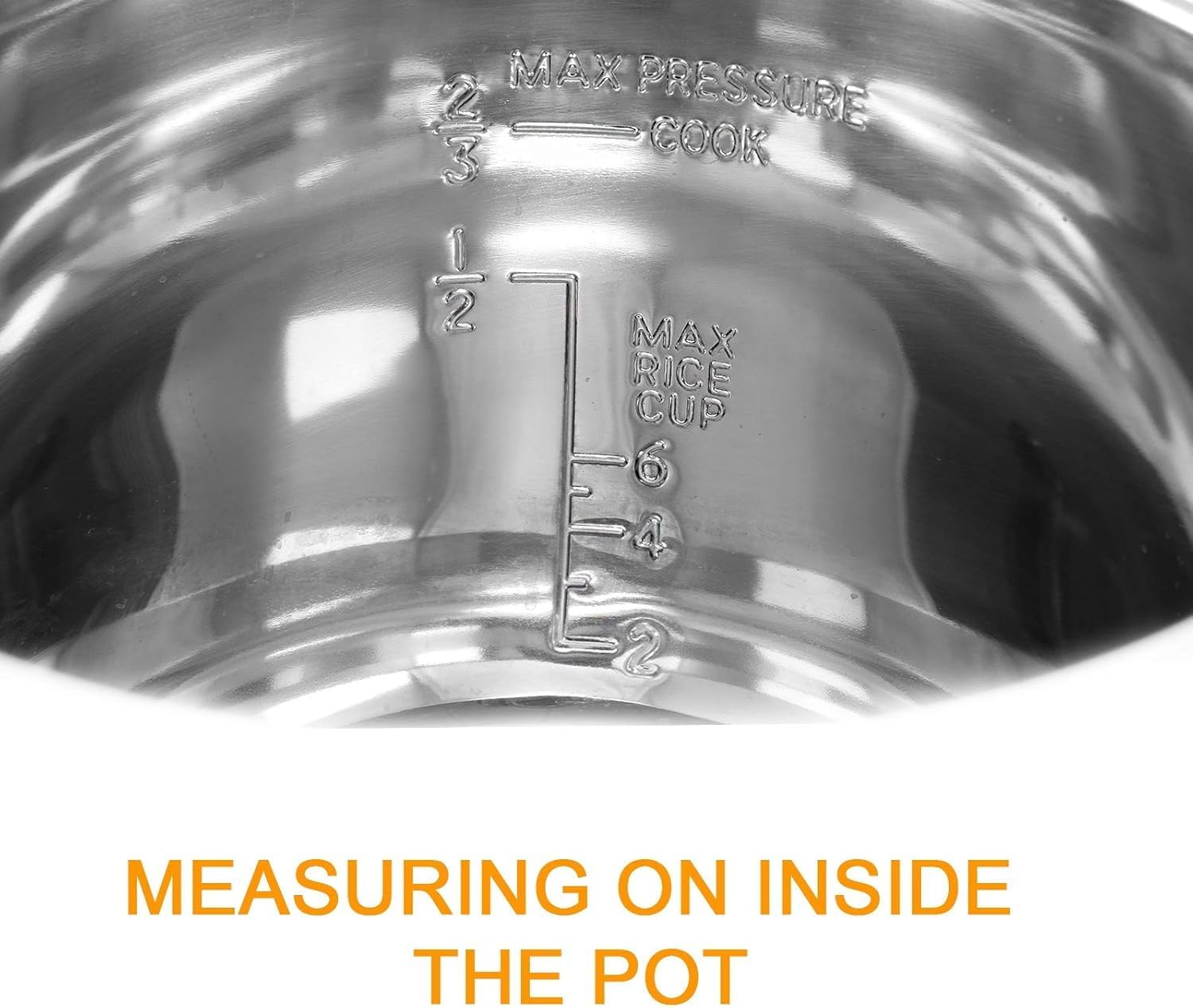
- Do not fill the inner pot above the MAX fill line (2/3 full for most foods, 1/2 full for foods that expand like rice or beans).
- Never force the lid open while the cooker is pressurized. Wait until the pressure has been fully released.
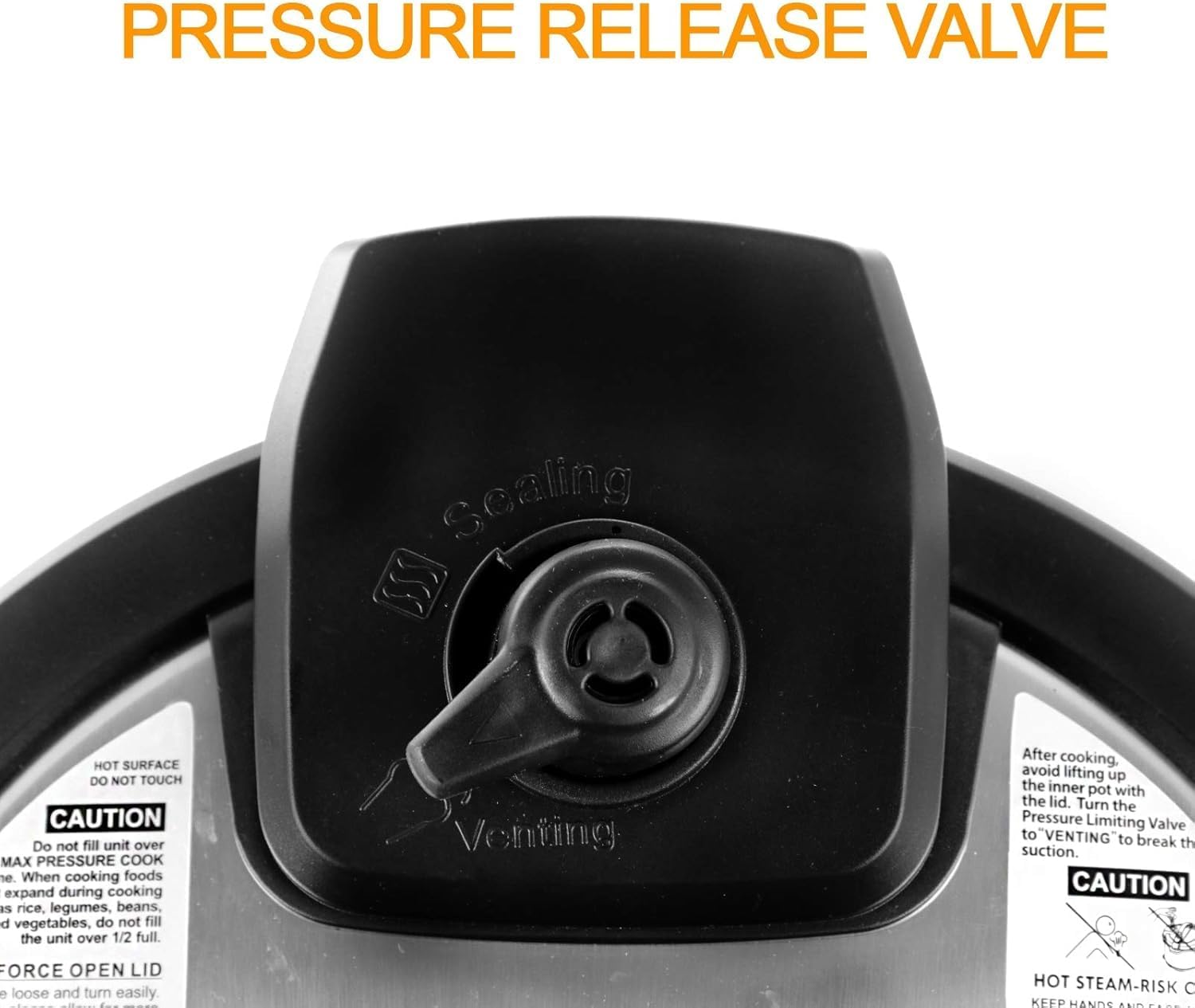
- Use caution when releasing steam from the pressure release valve as hot steam can cause burns.
- Do not immerse the main unit in water or other liquids.
- Keep out of reach of children.
- Always unplug the appliance when not in use and before cleaning.
- This appliance is not dishwasher safe. Refer to cleaning instructions.
3. Product Components
Familiarize yourself with the parts of your Orixforce Electric Pressure Cooker:

- Main Unit: Houses the heating element and control panel.
- Inner Pot: Removable stainless steel cooking pot. Features internal measuring marks.
- Lid: Features a pressure release valve, float valve, and sealing ring.
- Sealing Ring: Essential for creating a pressure seal. Located inside the lid.
- Pressure Release Valve: Controls steam release.
- Lid Unlock Button: Releases the lid for opening.
- Digital Control Panel: For selecting programs and adjusting settings.

4. Initial Setup and First Use
- Unpack: Remove all packaging materials and accessories.
- Clean: Wash the inner pot, sealing ring, and lid thoroughly with warm, soapy water. Rinse and dry completely. Wipe the exterior of the main unit with a damp cloth.
- Assemble: Place the inner pot into the main unit. Ensure the sealing ring is correctly seated in the lid.
- Test Run (Water Test):
- Add 3 cups of water to the inner pot.
- Close the lid, ensuring it locks into place. Turn the pressure release valve to the "Sealing" position.
- Plug in the cooker. Select the "Steam" program and set the time to 5 minutes. Press "Start".
- Once cooking is complete, allow pressure to release naturally or carefully turn the pressure release valve to "Venting" for quick release.
- Open the lid once the float valve has dropped. This test helps you familiarize yourself with the cooker's operation and ensures all components are working correctly.
5. Operating Instructions
5.1 Control Panel Overview
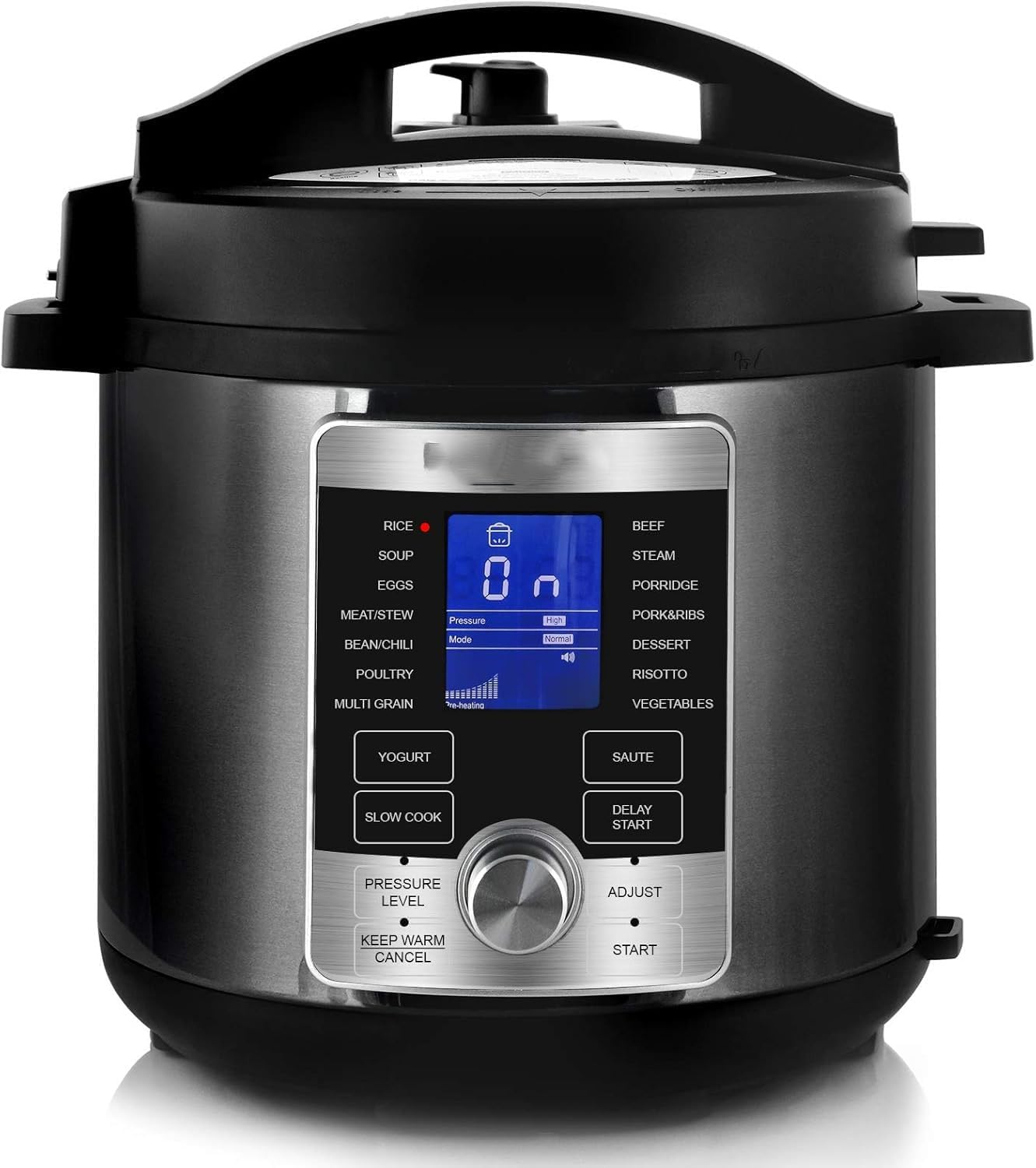
The digital control panel features 14 one-touch programs and manual adjustment options:
- Pre-set Programs: Rice, Soup, Eggs, Meat/Stew, Bean/Chili, Poultry, Multi-Grain, Yogurt, Slow Cook, Beef, Steam, Porridge, Pork&Ribs, Dessert, Risotto, Vegetables.
- Sauté: For browning ingredients before pressure cooking.
- Delay Start: Program cooking to begin at a later time.
- Adjust: Modify cooking time, temperature, or pressure level for selected programs.
- Start: Begins the selected cooking program.
- Keep Warm/Cancel: Maintains food temperature after cooking or cancels a program.
- Pressure Level: Adjusts pressure (High/Low) for certain programs.
5.2 Basic Cooking Steps
- Prepare Ingredients: Place food and liquids into the inner pot. Do not exceed the MAX fill lines.
- Close Lid: Place the lid on the cooker, align the arrow on the lid with the arrow on the base, and turn clockwise until it locks.
- Set Venting: Ensure the pressure release valve is set to the "Sealing" position for pressure cooking. For slow cooking or sautéing, it can be in "Venting".
- Select Program: Plug in the cooker. Use the rotary knob or direct buttons to select your desired cooking program (e.g., "Rice", "Soup").
- Adjust Settings (Optional): If needed, press "Adjust" to modify the cooking time or pressure level.
- Start Cooking: Press the "Start" button. The cooker will preheat, then begin the cooking cycle.
- Pressure Release: Once cooking is complete, the cooker will beep. You can choose:
- Natural Release: Allow the pressure to dissipate naturally. This is recommended for foamy foods or large cuts of meat. The float valve will drop on its own.
- Quick Release: Carefully turn the pressure release valve to the "Venting" position. Use extreme caution as hot steam will be released rapidly. Only open the lid once the float valve has dropped completely.
- Open Lid: Press the lid unlock button and turn the lid counter-clockwise to open.

6. Care and Maintenance
Proper cleaning and maintenance ensure the longevity and safe operation of your pressure cooker.
- Inner Pot: Wash with warm, soapy water and a non-abrasive sponge. Rinse thoroughly and dry. The inner pot is not dishwasher safe.
- Lid: Remove the sealing ring and wash it with warm, soapy water. Clean the lid, including the pressure release valve and float valve area, with a damp cloth. Ensure all parts are dry before reassembly.
- Main Unit: Wipe the exterior with a damp cloth. Never immerse the main unit in water.
- Sealing Ring: Inspect regularly for cracks or damage. Replace if necessary (recommended every 12-18 months for optimal performance).
- Storage: Store the cooker with the lid inverted or slightly ajar to prevent odors and prolong the life of the sealing ring.
7. Troubleshooting Guide
| Problem | Possible Cause | Solution |
|---|---|---|
| Cooker not building pressure. | Lid not properly closed; Sealing ring damaged or misplaced; Pressure release valve in "Venting" position; Insufficient liquid. | Ensure lid is locked; Check and reposition/replace sealing ring; Turn valve to "Sealing"; Add more liquid. |
| Steam leaking from lid. | Sealing ring dirty, damaged, or improperly installed; Food debris on rim. | Clean/inspect sealing ring and lid rim; Reinstall sealing ring correctly. |
| Lid cannot be opened after cooking. | Pressure still inside the cooker. | Ensure float valve has dropped completely. Release any remaining pressure manually if necessary. |
| Food is undercooked. | Insufficient cooking time; Not enough liquid; Cooker did not reach full pressure. | Increase cooking time; Ensure adequate liquid; Verify pressure building correctly. |
8. Product Specifications
| Feature | Detail |
|---|---|
| Brand | Orixforce |
| Model Number | MCPR-6100 |
| Capacity | 6 Quarts |
| Material | Stainless Steel (inner pot) |
| Color | Chrome and Black |
| Product Dimensions | 20"D x 16"W x 16"H |
| Wattage | 1000 watts |
| Item Weight | 12 Pounds |
| Control Method | Touch |
| Operation Mode | Automatic |
| Dishwasher Safe | No (for inner pot and main unit) |
| UPC | 763482209605 |
9. Warranty Information
Orixforce products are manufactured to the highest quality standards. This product comes with a standard manufacturer's warranty against defects in materials and workmanship from the date of purchase. Please retain your proof of purchase for warranty claims.
For specific warranty terms and conditions, please refer to the warranty card included with your product or visit the official Orixforce website.
10. Customer Support
If you have any questions, require assistance, or need to report an issue with your Orixforce Electric Pressure Cooker, please contact our customer support team:
- Website: www.orixforce.com (Example link, replace with actual if available)
- Email: support@orixforce.com (Example email, replace with actual if available)
- Phone: 1-800-XXX-XXXX (Example number, replace with actual if available)
Please have your model number (MCPR-6100) and purchase date ready when contacting support.