
Introduction
This manual provides essential information for the safe and efficient operation of your Aeitto Nugget Ice Maker. Please read all instructions carefully before first use and retain this manual for future reference. Your Aeitto ice maker is designed to produce soft, chewable nugget ice quickly, with a daily output of up to 40 lbs. It features one-click operation and an automatic self-cleaning function for convenience.
Safety Information
- Ensure the ice maker is placed on a stable, level surface away from direct sunlight and heat sources.
- Do not immerse the appliance, power cord, or plug in water or other liquids.
- Keep hands clear of the ice-making mechanism during operation to prevent injury.
- Use only potable water in the ice maker.
- Unplug the appliance before cleaning or when not in use for extended periods.
- This appliance is for household use only.
What's in the Box
- Ice Maker x1
- Ice Scoop x1
- Ice Basket x1
- Drip Tray x1
Setup
- Unpack: Carefully remove all packaging materials and inspect the ice maker for any damage.
- Placement: Place the ice maker on a flat, stable, and heat-resistant surface. Ensure there is adequate ventilation around the unit.
- Clean Before First Use: Before making ice for consumption, it is recommended to clean the unit. Refer to the 'Maintenance' section for self-cleaning instructions.
- Connect Power: Plug the power cord into a grounded electrical outlet.

Image: The Aeitto Nugget Ice Maker positioned on a countertop, ready for use.
Operating Instructions
Making Ice
- Add Water: Open the lid and pour potable water into the water reservoir. Do not exceed the MAX fill line.
- Start Ice Production: Press the 'ICE' button on the control panel. The indicator light will illuminate, and the ice-making process will begin.
- Collect Ice: The first batch of ice may take approximately 5 minutes. Subsequent batches will be produced continuously. Use the provided ice scoop to retrieve ice from the ice basket.
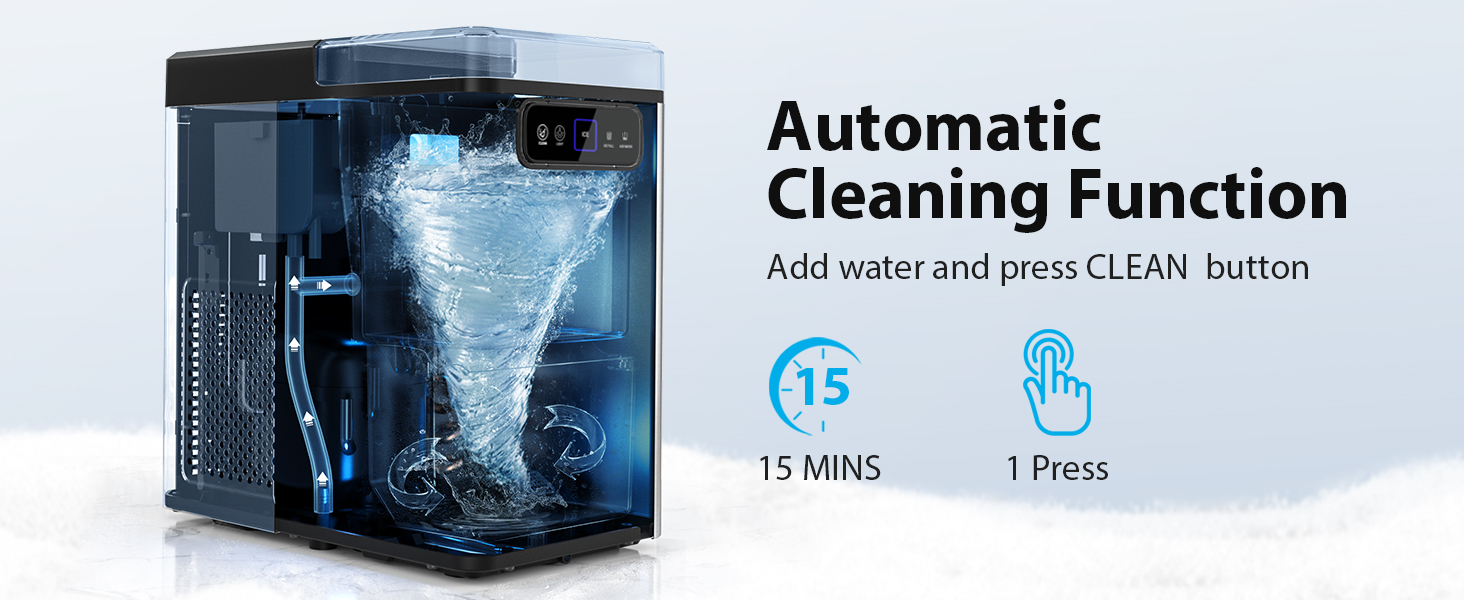
Image: Visual guide showing the three simple steps to produce nugget ice: adding water, pressing the 'ICE' button, and enjoying the ice.
Control Panel Functions
- ICE Button: Press to start or stop the ice-making cycle.
- LIGHT Button: Toggles the interior light on/off.
- CLEAN Button: Initiates the automatic self-cleaning cycle.
- ICE FULL Indicator: Illuminates when the ice basket is full, pausing ice production.
- ADD WATER Indicator: Illuminates when the water reservoir is low, pausing ice production.

Image: Detailed view of the control panel, highlighting the 'CLEAN', 'LIGHT', 'ICE', 'ICE FULL', and 'ADD WATER' indicators.
Ice Full Reminder
The ice maker is equipped with a sensor that detects when the ice basket is full. When this occurs, the 'ICE FULL' indicator will light up, and the machine will automatically pause ice production to prevent overflow and conserve energy. Once ice is removed, the machine will resume operation.

Image: The ice maker's interior with a red light indicating the 'Ice Full' status, prompting the user to empty the basket.
Maintenance
Automatic Self-Cleaning
The ice maker features an automatic self-cleaning function to maintain hygiene. To activate:
- Ensure the water reservoir is filled with clean water.
- Press the 'CLEAN' button on the control panel. The cleaning cycle will run for approximately 15 minutes.
- After the cycle, drain the water as described in the 'Draining Water' section.

Image: An illustration of the ice maker's internal self-cleaning mechanism, showing water circulating to clean the components.
Draining Water
To drain residual water from the unit, locate the drainage hose at the back of the ice maker. Remove the stopper and allow the water to flow into a suitable container or sink. Re-secure the stopper after draining.

Image: A visual demonstrating the unique water outlet design for easy and leak-free draining.
Descaling
Hard water can lead to mineral buildup (scale) in your ice maker, affecting performance and ice quality. Descale your ice maker regularly:
- Monthly: In moderately hard water areas.
- Every two or three weeks: In hard to very hard water areas.
Use a descaling solution suitable for ice makers or a mixture of water and white vinegar. Follow the product instructions for the descaling agent, then run several self-cleaning cycles with fresh water to rinse thoroughly.

Image: A map illustrating water hardness levels across different regions, with corresponding descaling recommendations.
Troubleshooting
| Problem | Possible Cause | Solution |
|---|---|---|
| Ice maker not producing ice. | No water in reservoir; 'ADD WATER' indicator on. | Add water to the reservoir. |
| Ice maker stops producing ice. | Ice basket is full; 'ICE FULL' indicator on. | Remove ice from the basket. |
| Ice production is slow or ice is not forming correctly. | Poor ventilation; high ambient temperature; mineral buildup. | Ensure proper ventilation; operate in a cooler environment; descale the unit. |
| Unusual noise during operation. | Normal operation sounds (compressor, water pump); loose component. | This is often normal. If excessive or new, check for loose parts or contact support. |
Specifications
- Brand: Aeitto
- Model Name: Nugget
- Product Dimensions: 12.99"D x 7.29"W x 12.79"H
- Capacity: 1.8 Pounds (ice basket)
- Wattage: 110 watts
- Refrigerant: R600a
- Ice Production per Day: 40 Pounds
- Material: Stainless Steel
- Item Weight: 19.36 pounds
Warranty and Support
Aeitto products are manufactured with quality and performance in mind. For warranty information or technical support, please contact Aeitto customer service:
- Phone: 1-855-831-9989 (Monday-Friday, 9:00 AM - 5:00 PM EST)
- Website: www.aeitto.com