
Introduction
The FAHREN M5 2-in-1 Wireless CarPlay and Android Auto Adapter allows you to seamlessly convert your vehicle's wired CarPlay or Android Auto system into a wireless one. This device provides a stable and responsive connection, enhancing your in-car entertainment and navigation experience without the need for cables. It supports both Apple CarPlay (iOS 10 and above) and Android Auto (Android 11 and above).
Package Contents
Upon unboxing your FAHREN M5 adapter, you will find the following items:
- FAHREN M5 Wireless Adapter
- USB-C to USB-A Converter
- USB-A Extension Cable
- User Manual

Image: The FAHREN M5 Wireless Adapter, a compact device with a USB-A connector, shown alongside its packaging.
Setup Instructions
1. Connect the Adapter to Your Vehicle
Locate the USB data port in your car. Plug the FAHREN M5 Wireless Adapter directly into the USB port. If your car has a USB-C port, use the provided USB-C to USB-A converter. For more flexible placement, utilize the included USB-A extension cable.
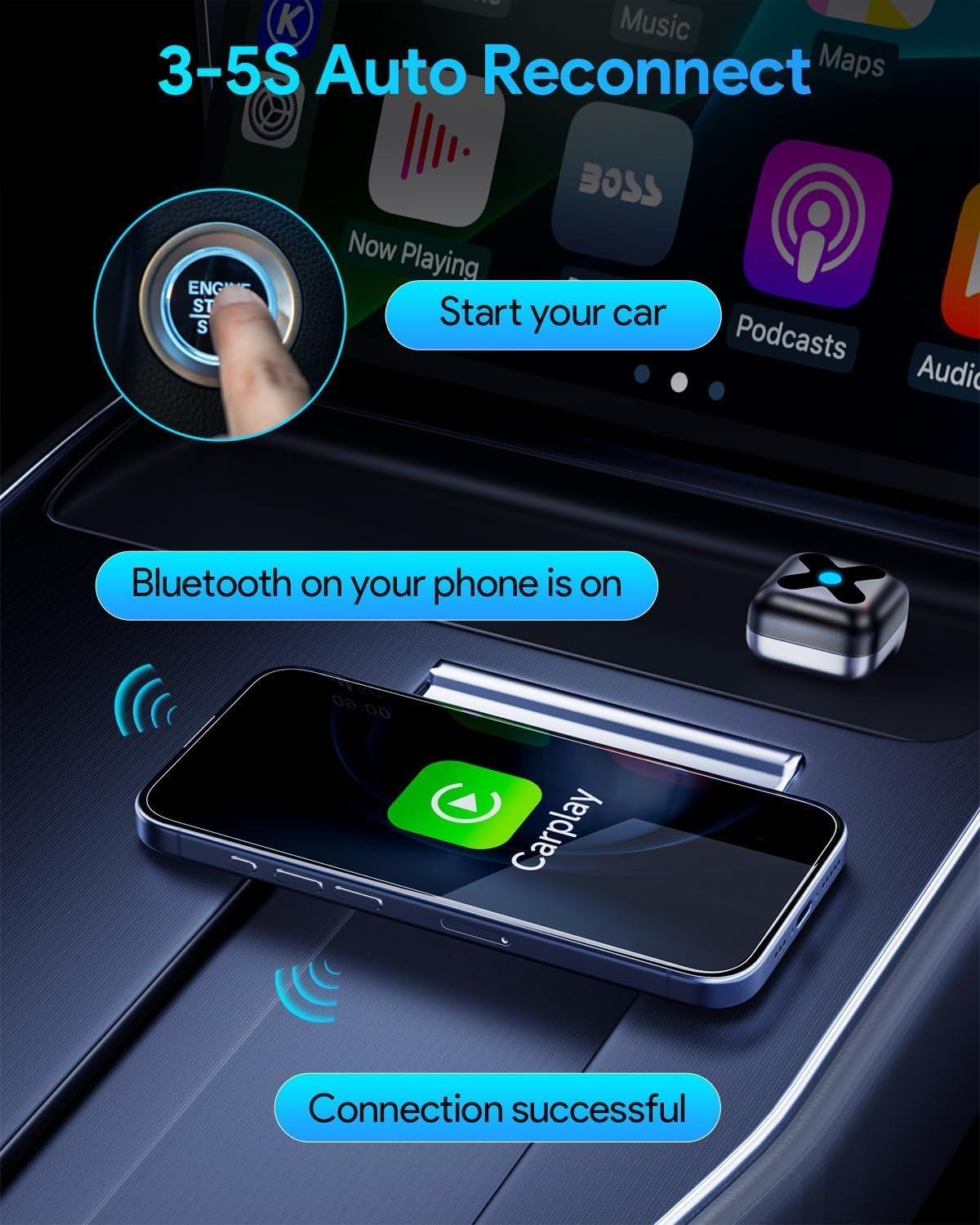
Image: The FAHREN M5 adapter connected to a car's USB-A port via an extension cable, demonstrating flexible installation options.
2. Initial Pairing with Your Smartphone
Once the adapter is connected, the car's infotainment screen will display instructions. Follow these steps to pair your phone:
- Turn on Bluetooth and Wi-Fi on your mobile phone.
- On your phone, search for the adapter's Bluetooth name (e.g., "AI-BOX-XXXX") and pair with it.
- Confirm the pairing request on both your phone and the car's screen.
- For CarPlay, select "Use CarPlay" when prompted. For Android Auto, the connection will typically establish automatically after Bluetooth pairing.

Image: A visual guide illustrating the three steps for connecting the adapter: connecting to car multimedia, turning on phone's Bluetooth and Wi-Fi, and connecting the iPhone via Bluetooth.
Video: An instructional video demonstrating the unboxing and setup process of the FAHREN M5 Wireless CarPlay Adapter, including connecting it to a car's infotainment system and pairing with a smartphone.
Operating Instructions
Automatic Reconnection
After the initial successful pairing, the FAHREN M5 adapter will automatically connect to your smartphone within 3-5 seconds each time you start your car. Ensure your phone's Bluetooth and Wi-Fi are enabled for seamless reconnection.

Image: A visual representation of the adapter's 3-5 second auto-reconnect feature, showing the car starting, phone's Bluetooth on, and successful connection.
Using CarPlay/Android Auto
Once connected, you can access all the features of CarPlay or Android Auto wirelessly on your car's infotainment screen. This includes navigation (e.g., Google Maps, Waze), music streaming (e.g., Spotify, Apple Music), making and receiving calls, sending messages, and using voice assistants like Siri or Google Assistant.
Compatibility
The FAHREN M5 adapter is compatible with iPhones running iOS 10 and newer, and Android phones running Android 11 and newer. It is designed to work with vehicles that have a factory-installed wired CarPlay or Android Auto system.

Image: A graphic illustrating compatibility with iPhones (iOS 10+) and Android phones (Android 10+), featuring QR codes to scan for matching car models.
For a detailed list of compatible car models, please refer to the following resources:
- For Apple CarPlay compatible models: Apple CarPlay Available Models
- For Android Auto compatible models: Android Auto Compatibility List
Maintenance
To ensure optimal performance and longevity of your FAHREN M5 adapter, follow these simple maintenance guidelines:
- Cleaning: Gently wipe the adapter with a soft, dry cloth to remove dust or debris. Avoid using liquid cleaners or abrasive materials.
- Storage: When not in use for extended periods, store the adapter in a cool, dry place away from direct sunlight and extreme temperatures.
- Handling: Handle the adapter with care. Avoid dropping it or exposing it to excessive force, which could damage internal components.
Troubleshooting
If you encounter issues with your FAHREN M5 adapter, try the following solutions:
- Connection Unsuccessful: If the adapter fails to connect, unplug it from the car's USB port, wait a few seconds, and then plug it back in. Restart your phone and try pairing again.
- No Wi-Fi Password Required: The adapter's Wi-Fi connection does not require a password. If prompted for one, ensure you are connecting to the correct device and not another Wi-Fi network.
- Device Not Recognized: Ensure your car's infotainment system supports wired CarPlay or Android Auto. Check your car's manual or manufacturer's website for compatibility.
- Intermittent Connection: If the connection is unstable, try disabling other Wi-Fi devices in your car that might interfere. Also, ensure your phone's Wi-Fi and Bluetooth are stable.
- Resetting Car Head Unit: If problems persist, try resetting your car's head unit to factory settings (consult your car's manual for instructions).
For further assistance, please refer to the detailed troubleshooting section in the physical user manual included with your product.
Product Specifications
| Feature | Specification |
|---|---|
| Model Number | M5 |
| Product Dimensions (L x W x H) | 1.1 x 2.48 x 3.54 inches |
| Item Weight | 1.41 ounces (0.04 Kilograms) |
| Wi-Fi Frequency | 5.8GHz |
| Bluetooth Version | 5.4 (based on product description, not explicitly in specs list) |
| Processor | A9 Quad-Core Chip (based on product description) |
| Compatibility | iOS 10+, Android 11+ |
| Auto Reconnect Time | 3-5 seconds |

Image: A table comparing CarPlay performance metrics like HD Streaming Capability, Real-time Interaction Latency, and Emergency Command Direct Access across various Wi-Fi generations, emphasizing the benefits of 5.8GHz Wi-Fi.
Warranty and Support
FAHREN products are designed for reliability and performance. For information regarding product warranty, please refer to the warranty card included in your product packaging or visit the official FAHREN website. If you require technical assistance or have any questions, please contact FAHREN customer support through the contact information provided in your user manual or on the brand's official channels.