
Rogbid Model X (RAM4GB+ROM128GB)
Rogbid Model X Smartwatch User Manual
4G LTE Smart Watch Phone with Dual Cameras and Advanced Health Monitoring
1. Introduction
Thank you for choosing the Rogbid Model X 4G LTE Smartwatch. This device combines the functionality of a smartphone with advanced health and fitness tracking capabilities, all in a sleek, durable ceramic design. This manual will guide you through the setup, operation, and maintenance of your new smartwatch.

Figure 1.1: Rogbid Model X Smartwatch, showcasing its main display and robust design.

Figure 1.2: The ergonomic curved design and all-ceramic integrated body of the Rogbid Model X, ensuring comfort and durability.
2. Package Contents
Please verify that all items are present in your package:
- 1x Rogbid Model X Smartwatch
- 1x Watch Band (pre-installed or separate)
- 1x Charging Cable
- 1x User Manual (this document)
- 1x Operating Tool (for SIM card installation)
3. Getting Started (Setup)
3.1 Charging the Device
Before first use, fully charge your smartwatch. Connect the magnetic charging cable to the charging port on the back of the watch and plug the USB end into a compatible power adapter (not included).
3.2 SIM Card Installation
The Rogbid Model X supports a Nano SIM card for 4G LTE connectivity. Use the provided operating tool to open the SIM card slot.
- Locate the SIM card slot on the side of the smartwatch.
- Carefully insert the operating tool into the small hole next to the SIM tray to eject it.
- Place your Nano SIM card into the tray, ensuring correct orientation.
- Gently push the SIM tray back into the slot until it clicks into place.

Figure 3.1: Inserting a Nano SIM card into the Rogbid Model X for 4G LTE global connectivity.
3.3 Powering On/Off
- To Power On: Press and hold the power button (usually on the side) until the screen lights up.
- To Power Off: Press and hold the power button, then select 'Power Off' from the options on the screen.
3.4 Initial Setup and Pairing
Follow the on-screen instructions upon first power-on to complete the initial setup, including language selection, time zone, and connecting to Wi-Fi. For full functionality, you may need to download a companion app on your smartphone and pair the devices via Bluetooth.
4. Basic Operation
4.1 Touch Screen Navigation
The Rogbid Model X features a 2.1-inch curved high-definition touch screen for intuitive navigation.
- Swipe Up/Down/Left/Right: Navigate through menus, notifications, and quick settings.
- Tap: Select an item or open an application.
- Press and Hold: Access additional options or customize watch faces.

Figure 4.1: The ultra-large 2.1-inch HD curved display of the Rogbid Model X, offering a super clear viewing experience with 400*454 resolution and 600 NITS brightness.
4.2 Making and Receiving Calls
With a Nano SIM card installed, your smartwatch can make and receive calls independently.
- To Make a Call: Open the 'Phone' app, dial the number, or select a contact from your address book.
- To Receive a Call: Tap the 'Answer' icon on the screen when a call comes in.

Figure 4.2: The Rogbid Model X supports 4G calling and features a 13MP side camera and a 5MP front camera for versatile use.
4.3 Using the Cameras
The smartwatch is equipped with a 13MP side camera and a 5MP front camera.
- To Take Photos/Videos: Open the 'Camera' app. Select between front and side cameras. Tap the shutter button to capture.
- The 13MP side camera is ideal for capturing moments around you, while the 5MP front camera is perfect for video calls and selfies.
4.4 Connectivity
The Rogbid Model X supports various connectivity options:
- Wi-Fi: Connect to Wi-Fi networks for faster data transfer and app updates.
- Bluetooth: Pair with headphones, external sensors, or your smartphone.
- 4G LTE: Provides independent cellular connectivity for calls, texts, and data.
5. Advanced Features
5.1 Health Monitoring
Monitor your health with built-in sensors:
- Heart Rate: Provides 24-hour heart rate monitoring. Access the Heart Rate app to view your current and historical data.
- Blood Oxygen: Measure your SpO2 levels.
- Sleep Monitoring: Tracks your sleep patterns and quality.
NOTE: All health data is for reference only and has no medical value. Consult a medical professional for health-related concerns.
5.2 GPS Tracking and Sports Modes
The smartwatch features dual-satellite GPS for precise positioning and supports 9 sports modes.
- GPS: Accurately tracks your location and route during outdoor activities.
- Sports Modes: Select a sport mode (e.g., running, cycling) to track specific metrics like distance, calories burned, and duration.
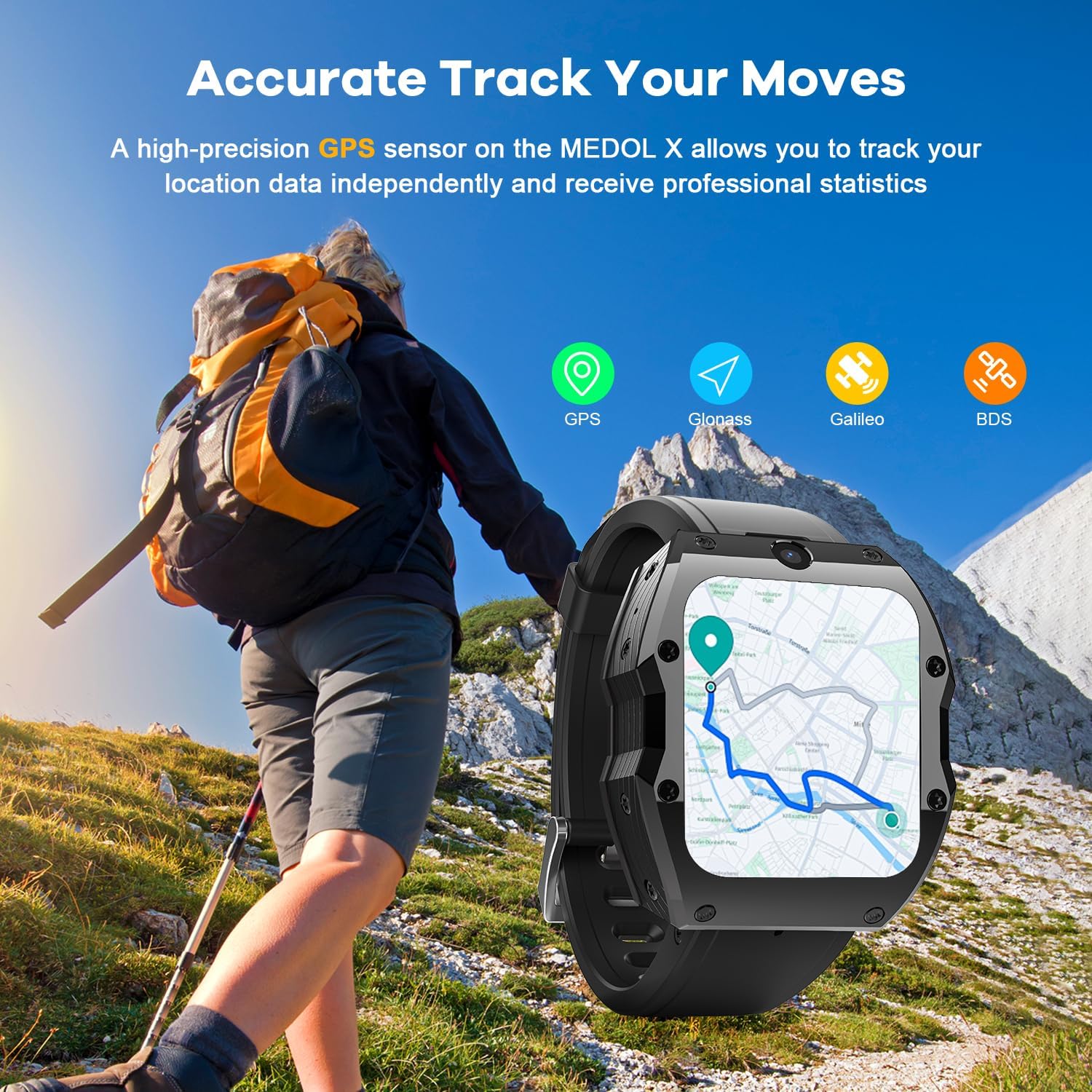
Figure 5.1: The Rogbid Model X utilizes high-precision GPS (GPS, Glonass, Galileo, BDS) to accurately track your movements and provide professional statistics.
5.3 Notifications and Apps
Receive notifications from your paired smartphone or directly from apps installed on the watch. The watch supports over 100 dynamic watch faces for personalization.

Figure 5.2: The Rogbid Model X offers a wide range of functions including social media notifications, music playback, weather updates, and comprehensive health tracking.
5.4 Face Recognition
Utilize the facial recognition function for enhanced security and quick access to your device.
5.5 Dual-Chip Modes
The smartwatch is powered by Unisoc SC9832 and Par2822 dual chips, offering two operational modes:
- 4G Mode: Full functionality with active 4G connectivity.
- Sport Mode: Optimized for extended battery life (up to 5-7 days) by reducing power consumption, ideal for fitness tracking.

Figure 5.3: The Rogbid Model X features a dual-chip system (SC9832 and PAR2822) allowing for two-mode switching between 4G and Sport modes to optimize performance and battery life.
6. Maintenance and Care
6.1 Cleaning
Wipe the watch and band regularly with a soft, damp cloth. Avoid using harsh chemicals or abrasive materials.
6.2 Water Resistance
The Rogbid Model X is IP67 water-resistant. This means it is protected from dust and can withstand immersion in water up to 1 meter for up to 30 minutes. It is suitable for daily use and light splashes but not recommended for swimming or showering.
6.3 Battery Management
- To prolong battery life, use Sport Mode when 4G connectivity is not essential.
- Avoid extreme temperatures, which can affect battery performance.
- Charge the watch regularly, avoiding complete discharge.
7. Troubleshooting
If you encounter issues with your Rogbid Model X, try the following solutions:
- Watch not turning on: Ensure the battery is charged. Connect to the charger for at least 30 minutes.
- No network signal: Check if the SIM card is correctly inserted. Verify your SIM card is active and has a valid plan. Restart the watch.
- Bluetooth pairing issues: Ensure Bluetooth is enabled on both devices. Move devices closer. Restart both devices.
- Inaccurate health data: Ensure the watch is worn snugly on your wrist. Clean the sensors on the back of the watch.
- Touch screen unresponsive: Restart the watch. If the issue persists, contact customer support.
8. Specifications
| Feature | Specification |
|---|---|
| Model | Rogbid Model X |
| Display | 2.1-inch Curved HD Screen |
| Resolution | 400*454 |
| Brightness | 600 NITS |
| Front Camera | 5MP |
| Side Camera | 13MP |
| RAM | 4GB |
| ROM | 128GB |
| Processor | Unisoc SC9832 & Par2822 Dual Chips |
| Operating System | Android Wear 2.9 |
| Battery Capacity | 1050 mAh |
| Connectivity | 4G LTE (Global Bands), Wi-Fi, Bluetooth |
| GPS | Dual-satellite (GPS, Glonass, Galileo, BDS) |
| Water Resistance | IP67 |
| Material | All-Ceramic Integrated Body |

Figure 8.1: A summary of key features of the Rogbid Model X, highlighting its advanced capabilities.
9. Warranty and Support
Your Rogbid Model X Smartwatch comes with a standard manufacturer's warranty. Please refer to the warranty card included in your package for specific terms and conditions.
For technical support, troubleshooting assistance, or warranty claims, please contact Rogbid customer service through their official website or the contact information provided with your purchase.
Ask a question about this manual
Ask about setup, troubleshooting, compatibility, parts, safety, or missing instructions. Manuals+ will review the question and use this page’s manual context to help answer it.