
1. Product Overview
The padom Smart Glasses UF-11 are designed to integrate audio and smart features into eyewear. They feature adaptive photochromic lenses that adjust to light conditions, Bluetooth 5.3 for wireless audio, touch controls for managing calls and music, and voice assistant activation. The glasses are also equipped with remote photography capabilities and are IP54 water-resistant.

Image 1.1: Overview of padom Smart Glasses UF-11 features, including hands-free calling, music playback, remote camera, IP54 waterproofing, touch control, voice assistant, Bluetooth 5.3, and photochromic lenses.
2. Setup and Connectivity
2.1 Charging the Glasses
Before first use, fully charge the smart glasses. Connect the magnetic charging cable to the charging port on the glasses and a USB power source. A full charge takes approximately 1.5 hours and provides 5-6 hours of continuous music playback or up to 7 days of standby time.
2.2 Bluetooth Pairing
- Ensure the glasses are powered off.
- Press and hold the power button on the glasses for 5 seconds until the indicator light flashes, indicating pairing mode.
- On your smartphone or device, enable Bluetooth and search for available devices.
- Select "UF-11" from the list of devices to connect.
- Once connected, the indicator light on the glasses will stop flashing.
The glasses utilize Bluetooth 5.3 for stable connectivity with iOS, Android, and Windows devices within a 33ft (10m) range.
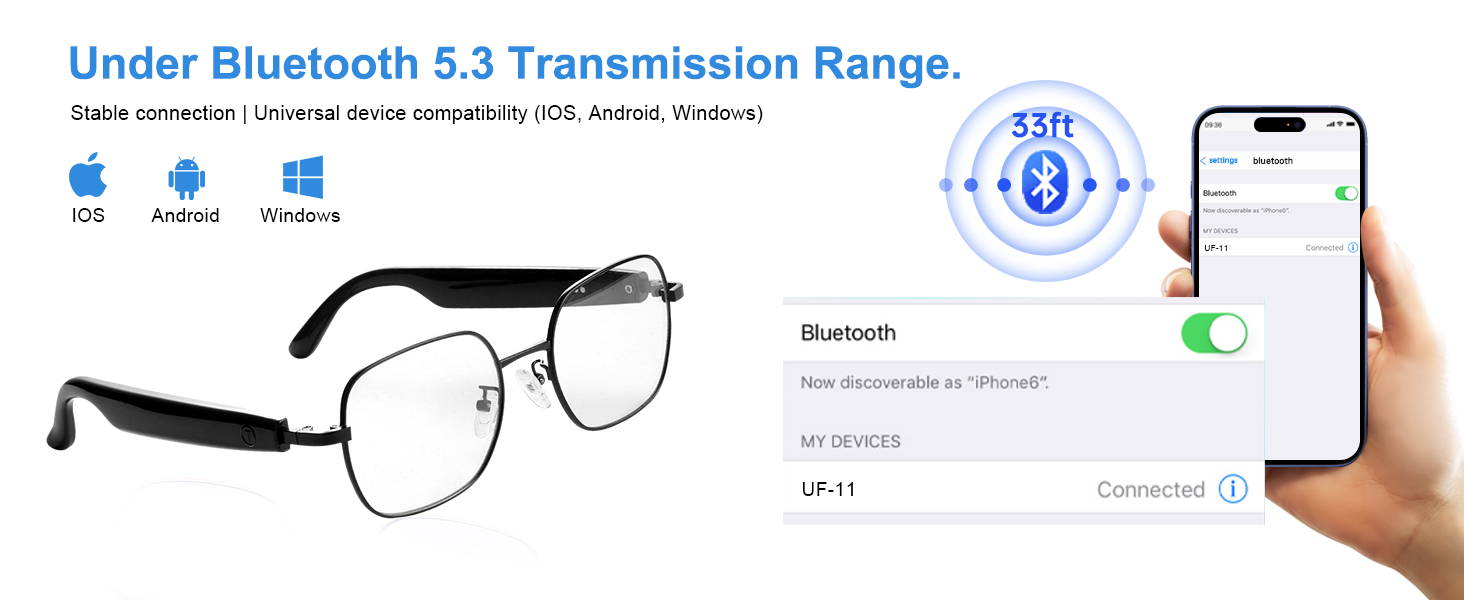
Image 2.1: Illustration of Bluetooth 5.3 connectivity, showing the glasses paired with a smartphone.
3. Operating Instructions
3.1 Power On/Off
- Power On: Long press the touch area for 3 seconds.
- Power Off: Long press the touch area for 5 seconds.
3.2 Music Playback
- Play/Pause: Double-click the touch area.
- Volume Up: Long press the right touch area.
- Volume Down: Long press the left touch area.
3.3 Call Management
- Answer/End Call: Double-click the touch area.
- Reject Call: Long press the touch area for 3 seconds.
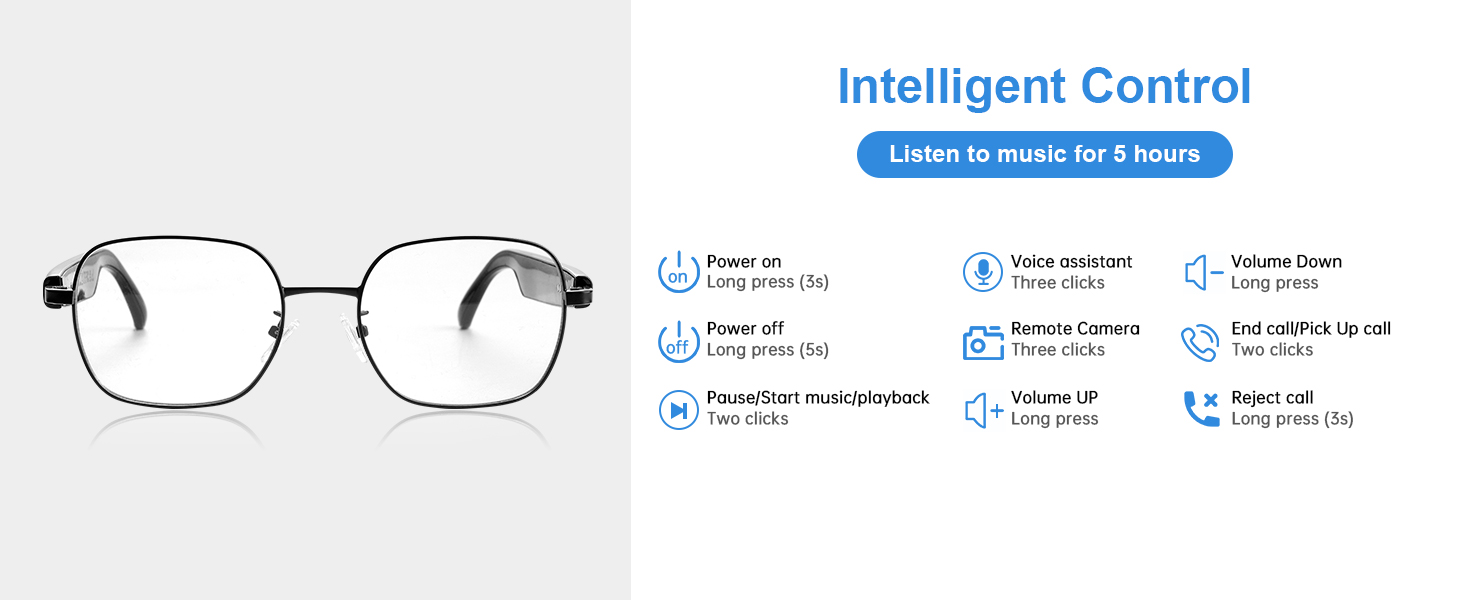
Image 3.1: Detailed diagram of touch controls for various functions on the smart glasses.
3.4 Voice Assistant Activation
Triple-tap the touch area to activate your smartphone's voice assistant (Siri, Alexa, Google Assistant). This allows for hands-free commands for navigation, reminders, and more.

Image 3.2: Demonstrating voice assistant activation via triple-tap for hands-free commands.
3.5 Remote Photography
To capture photos remotely, first open your phone's camera application. Then, triple-click the touch area on the smart glasses to snap a photo. This feature is useful for capturing moments without directly handling your phone.

Image 3.3: Remote photography feature, allowing users to capture photos by tapping the glasses while the phone's camera is open.
4. Lens Features
The UF-11 Smart Glasses are equipped with advanced photochromic lenses that adapt to various lighting conditions, providing optimal vision and protection.
- Adaptive Light-Sensing: Lenses transition from clear indoors to dark grey outdoors, offering UV400 protection.
- Anti-Blue Light: Clear lenses filter blue light from digital screens, reducing eye strain during indoor use.
- Polarized Sunglasses: Outdoor mode darkens to block UV rays and reduce glare, suitable for driving and sunny conditions.
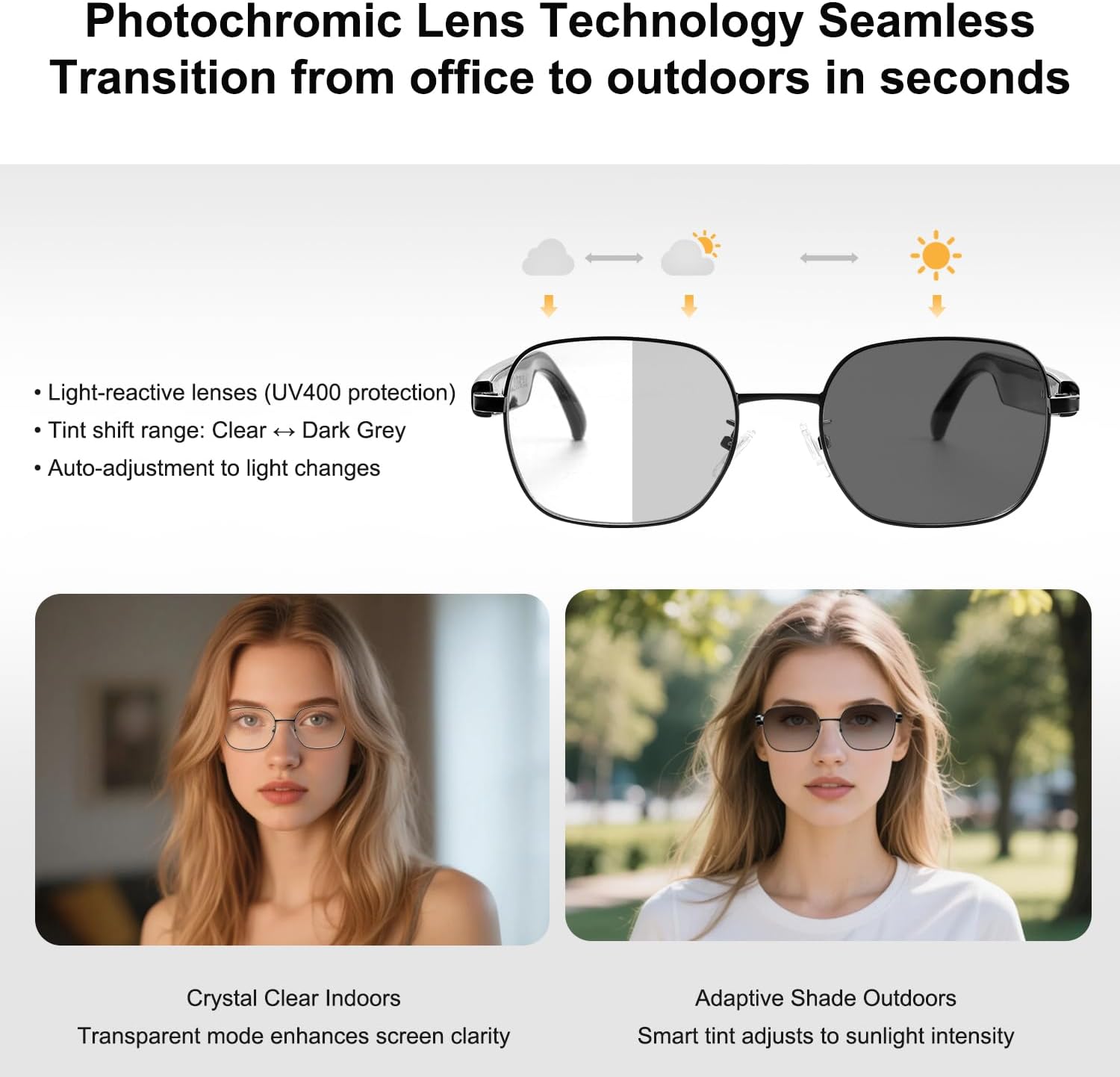
Image 4.1: Explanation of photochromic lens technology, demonstrating the automatic tint adjustment from clear to dark grey based on light exposure.
5. Care and Maintenance
To ensure the longevity and optimal performance of your padom Smart Glasses UF-11, follow these care guidelines:
- Cleaning: Use the provided cleaning cloth to gently wipe the lenses and frame. Avoid abrasive materials or harsh chemicals.
- Water Resistance: The glasses are IP54 water-resistant, meaning they can withstand sweat, light rain, and splashes. Do not submerge them in water or expose them to heavy downpours.
- Storage: Store the glasses in the provided glasses case when not in use to protect them from scratches and damage.
- Temperature: Avoid exposing the glasses to extreme temperatures, both hot and cold, as this can affect battery life and electronic components.
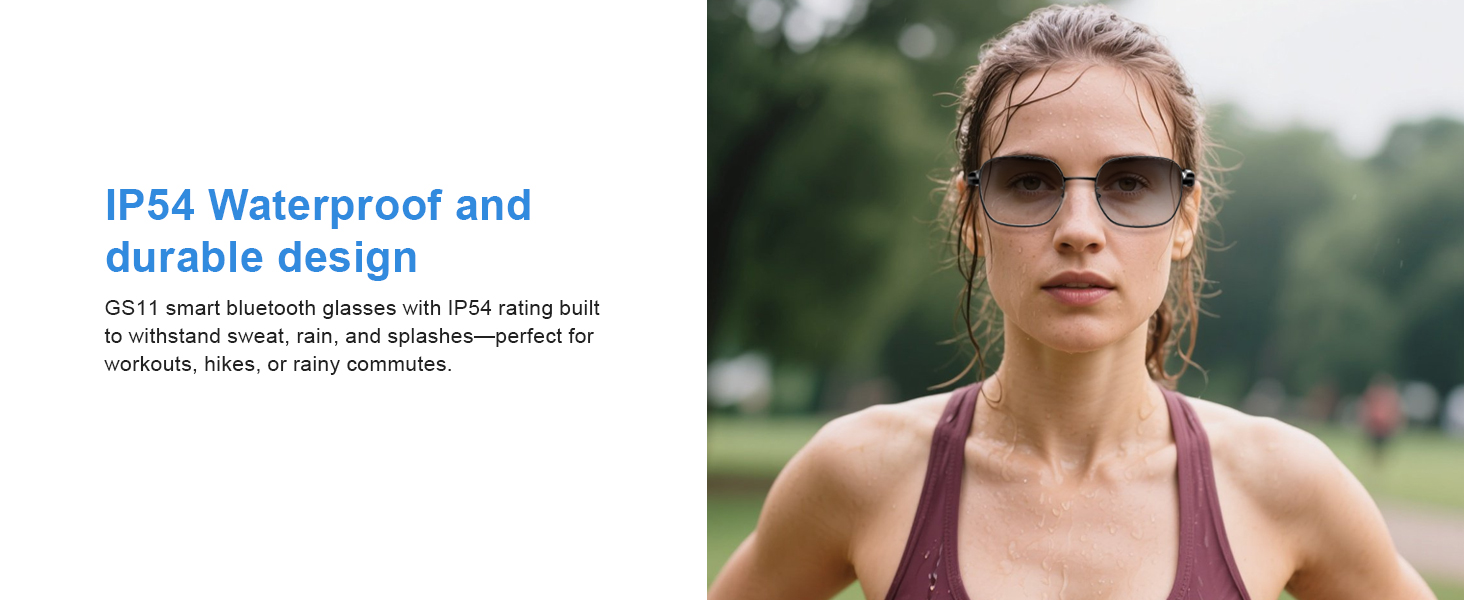
Image 5.1: The IP54 waterproof rating ensures durability against sweat and splashes, making the glasses suitable for various activities.
6. Troubleshooting
If you encounter issues with your padom Smart Glasses UF-11, refer to the following common solutions:
| Problem | Solution |
|---|---|
| Cannot power on | Ensure the glasses are fully charged. Long press the power button for 3 seconds. |
| Cannot pair via Bluetooth | Ensure Bluetooth is enabled on your device and the glasses are in pairing mode (flashing indicator light). Move closer to your device. Restart both devices. |
| No audio or poor sound quality | Check Bluetooth connection. Ensure volume is not muted on glasses or connected device. Recharge glasses if battery is low. |
| Touch controls unresponsive | Ensure your fingers are clean and dry. Restart the glasses. |
| Lenses not changing tint | Ensure the glasses are exposed to sufficient UV light for photochromic activation. Extreme cold temperatures can affect lens transition speed. |
7. Specifications
| Feature | Detail |
|---|---|
| Model Name | UF-11 smart glasses |
| Connectivity Technology | Bluetooth 5.3 |
| Special Features | Voice Control, Remote Camera, Photochromic Lenses, Anti-Blue Light, Polarized |
| Water Resistance Level | IP54 (Water Resistant) |
| Battery Type | Lithium Polymer |
| Battery Charge Time | 1.5 Hours |
| Continuous Music Use | 5-6 Hours |
| Standby Time | 7 Days |
| Compatible Devices | iOS and Android smartphones |
| Human Interface Input | Microphone, Touchscreen |
| Item Weight | 30 Grams |
| Frame Bridge | 140 mm |
| Nose Bridge | 22 mm |
| Lens Width | 54 mm |
| Lens Height | 45 mm |
| Temple Length | 152 mm |
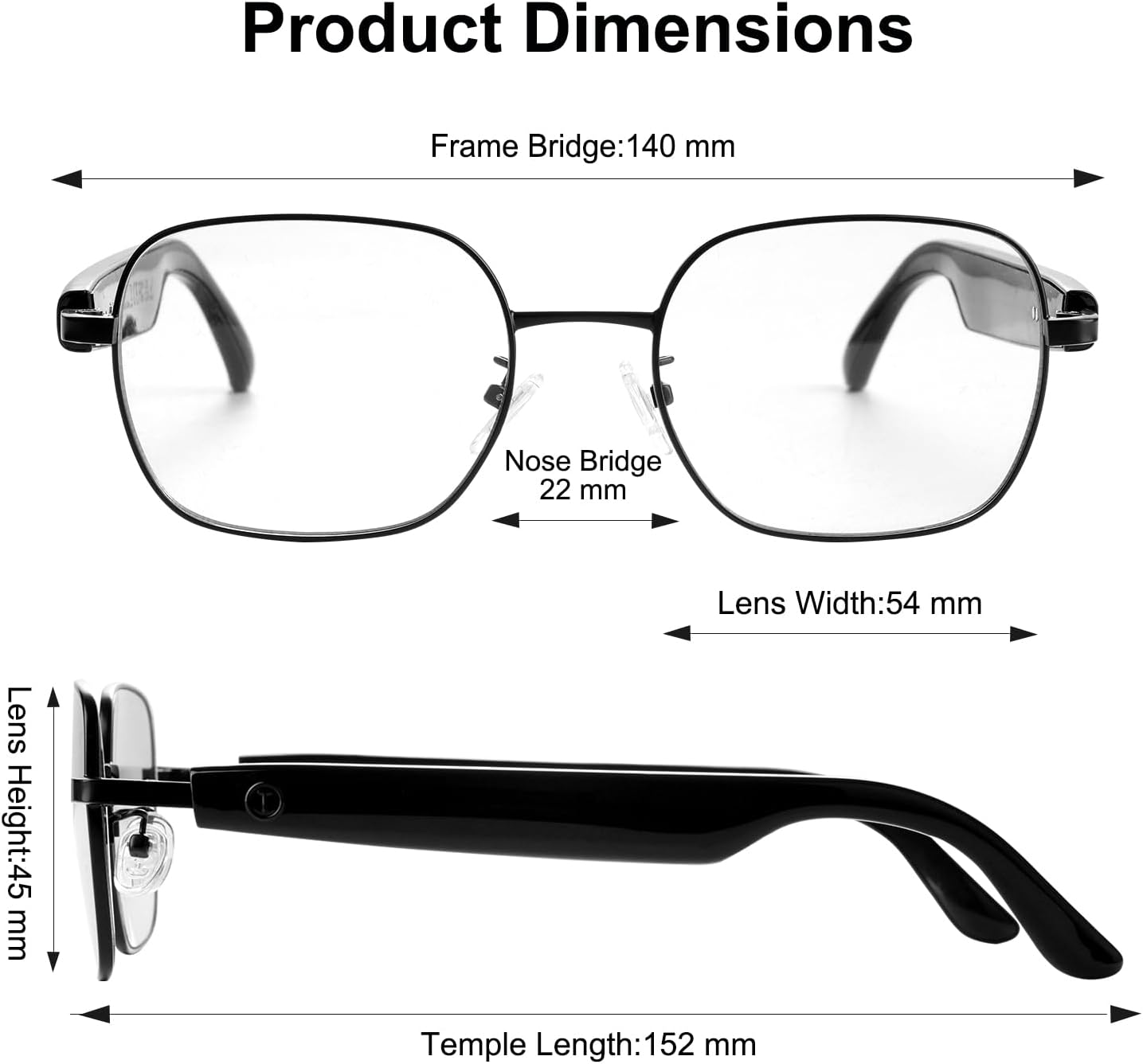
Image 7.1: Product dimensions of the padom Smart Glasses UF-11.
8. What's in the Box
The padom Smart Glasses UF-11 package includes:
- 1x Bluetooth Audio Glasses (UF-11)
- 1x Instruction Manual
- 1x Cleaning Cloth
- 1x Magnetic Charging Cable
- 1x Glasses Case
- 1x Eyeglasses Storage Bag

Image 8.1: Contents of the product packaging.
9. Warranty and Support
This product comes with a standard warranty. For detailed warranty information or technical support, please refer to the contact information provided in the packaging or visit the official padom website.
