
1. Introduction
The Psadhi J500 Plus AI Language Translation Earbuds are designed to facilitate seamless communication across language barriers. These earbuds offer real-time two-way translation for 164 languages and accents, integrating advanced AI features for various communication scenarios. This manual provides essential information for the proper use and maintenance of your device.

Image 1.1: Psadhi J500 Plus AI Language Translation Earbuds in their charging case.
2. Package Contents
Please verify that all items are present in your package:
- 2 x AI Translator Earbuds
- 1 x Charging Case
- 1 x USB-C Charging Cable
- 1 x User Manual (this document)
3. Product Overview
The J500 Plus AI earbuds feature an open-ear design for comfort and situational awareness. They are equipped with advanced audio components and multiple microphones for clear sound and accurate voice pickup.

Image 3.1: Internal components of the earbud, highlighting the 15mm dynamic driver for audio output.
The earbuds support a wide range of languages and accents for translation, aiming for high accuracy and speed.

Image 3.2: Overview of the translation capabilities, indicating support for 144 languages and 98% accuracy.
4. Setup
4.1 Charging the Earbuds and Case
- Place the earbuds into the charging case. Ensure they are correctly seated.
- Connect the USB-C cable to the charging case and a compatible power source.
- The charging case display will indicate the charging status. A full charge provides up to 10 hours of earbud playtime, with the case offering an additional 50 hours.
4.2 App Installation
The Psadhi J500 Plus AI earbuds require the Ear Dance application for full functionality, especially for translation features.
- Download the "Ear Dance" app from the Apple App Store (for iOS devices) or Google Play Store (for Android devices).
4.3 Initial Pairing and App Connection
- Ensure the earbuds are charged and removed from the charging case. They will automatically power on and enter pairing mode.
- On your smartphone, enable Bluetooth and search for available devices. Select "J500 Plus AI" to pair.
- Open the "Ear Dance" app.
- Within the app, navigate to the connection section (often labeled "Connect Device" or similar).
- Follow the in-app instructions to bind the device. This may involve scanning an authorization QR code or manually entering a code provided in the manual or on the device packaging.

Image 4.1: Visual guide for downloading the 'Ear Dance' app and connecting the earbuds via Bluetooth.
5. Operating Instructions
5.1 Basic Controls
The earbuds feature smart touch controls for managing music and calls:
- Play/Pause Music: Single tap on either earbud.
- Answer/End Call: Single tap on either earbud.
- Reject Call: Press and hold on either earbud.
- Next Track: Double tap on the right earbud.
- Previous Track: Double tap on the left earbud.
- Activate Voice Assistant: Triple tap on either earbud (functionality depends on connected device).
5.2 Translation Modes
The Ear Dance app provides various translation modes to suit different communication needs:
- Face-to-Face Translation: Ideal for direct conversations. One person wears an earbud, the other speaks into the phone.
- Simultaneous Interpretation: Provides real-time translation of ongoing speech, suitable for lectures or presentations.
- Live Recording: Records spoken content and provides a translated transcript.
- Video Call Translation: Integrates with video call platforms to translate conversations in real-time.
- Voice Call Translation: Translates during standard voice calls.
- Free Talk Mode: When traveling, both parties can wear a translation earphone and converse freely.
- Headphone + Phone Mode: One person uses the earbuds, the other uses the phone for real-time translated conversations.
- Translation Machine Mode: Allows communication through the app's translation function without needing to manually initiate translation for each phrase.

Image 5.1: Illustration of breaking language barriers with real-time translation across multiple languages.
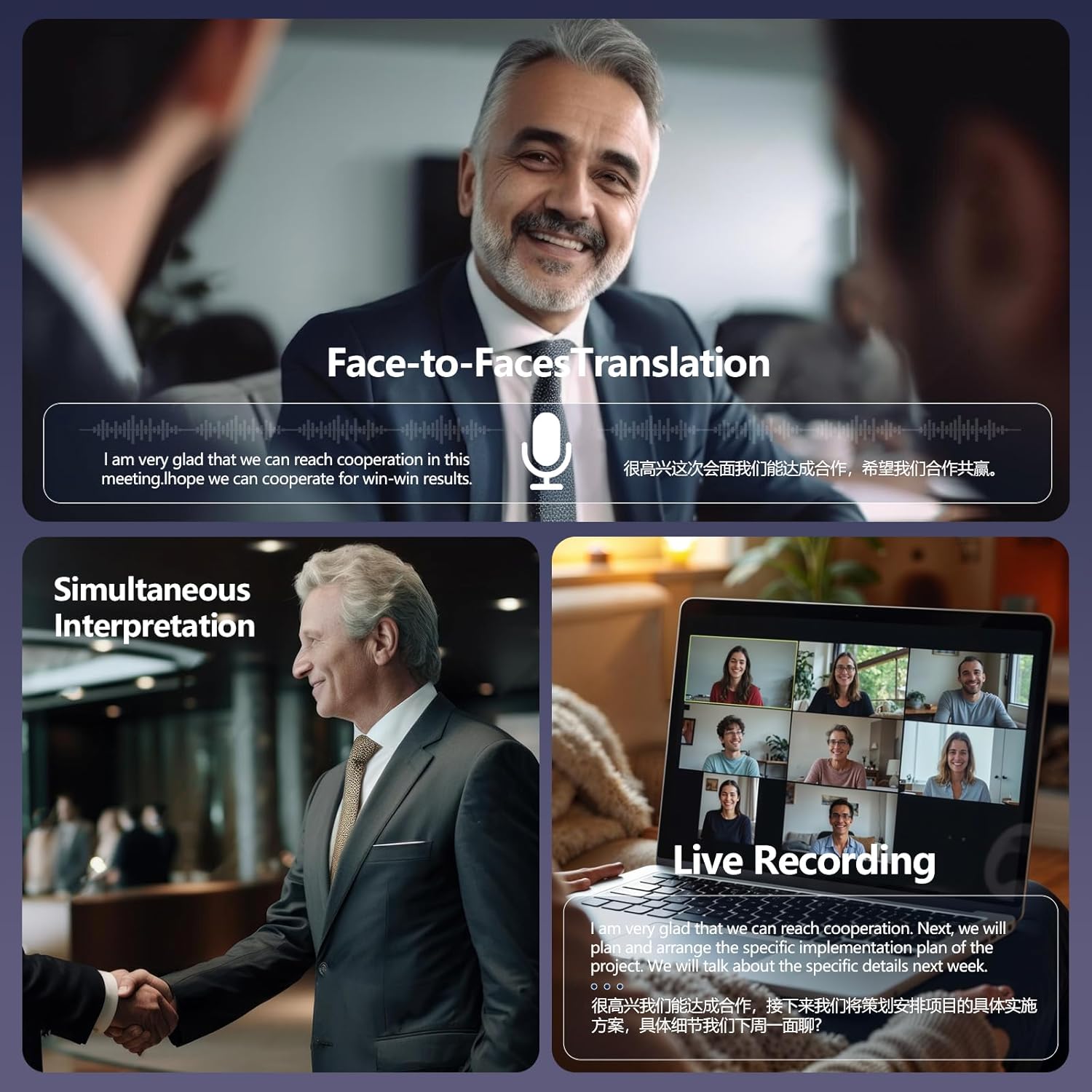
Image 5.2: Depiction of various translation modes including Face-to-Face, Simultaneous Interpretation, and Live Recording.

Image 5.3: Accessible Video Call Translation Feature, enabling real-time translation during video conferences.

Image 5.4: Free Talk Mode, allowing two users with earbuds to converse freely during travel.

Image 5.5: Headphone + Phone Mode, facilitating communication where one person uses earbuds and the other uses a smartphone.

Image 5.6: Translation Machine Mode, enabling seamless communication through the app's translation function.
5.3 AI Features and App Functions
The Ear Dance app provides additional AI-powered tools:
- AI Assistant: For general queries and information.
- AI Chat Mode: Powered by advanced AI, this mode can quickly answer questions and assist in problem-solving (supports 10 languages).
- AI Image Generation: (Specific functionality details not provided, refer to app for usage).
- Voice Notes: Record audio from meetings or conferences and convert it into text. The text content can be edited, with a maximum recording time of 30 minutes.
- Audio and Video Translation: Breaks language barriers in various media.
- Photo Translation: Use your phone's camera to translate text from images, such as menus or signs.

Image 5.7: The 'Exclusive APP' interface, showcasing its 7 major functions for enhanced user experience.

Image 5.8: Voice Notes feature, allowing recording and transcription of important meetings or academic conferences.

Image 5.9: AI Chat Mode, providing quick answers and problem-solving capabilities.

Image 5.10: Audio and Video Translation feature, designed to connect users across language barriers.

Image 5.11: Photo Translation feature, allowing users to translate text from images.
6. Maintenance
To ensure the longevity and optimal performance of your Psadhi J500 Plus AI earbuds, follow these maintenance guidelines:
- Cleaning: Regularly wipe the earbuds and charging case with a soft, dry, lint-free cloth. Avoid using abrasive materials or harsh chemicals.
- Water Resistance: The earbuds are IPX5 water-resistant, meaning they can withstand splashes and light rain. Do not submerge them in water or expose them to strong jets of water. Ensure they are dry before placing them back in the charging case.
- Storage: Store the earbuds in their charging case when not in use to protect them from dust and damage. Store in a cool, dry place away from direct sunlight and extreme temperatures.
- Charging: Use only the provided USB-C cable or a certified equivalent for charging. Avoid overcharging the device.
7. Troubleshooting
If you encounter issues with your Psadhi J500 Plus AI earbuds, refer to the following troubleshooting steps:
| Problem | Possible Cause | Solution |
|---|---|---|
| Earbuds not powering on | Low battery; improper seating in case | Ensure earbuds are fully charged. Verify they are correctly placed in the charging case. |
| Unable to pair via Bluetooth | Earbuds not in pairing mode; Bluetooth off on device; interference | Ensure earbuds are out of the case and in pairing mode. Turn Bluetooth off and on again on your phone. Move closer to your device. |
| Translation not working or delayed | App not connected; incorrect language settings; poor internet connection; background noise | Verify the earbuds are connected to the 'Ear Dance' app. Check language settings in the app. Ensure a stable internet connection. Reduce background noise. |
| App connection issues | App not updated; incorrect authorization code; Bluetooth issue | Update the 'Ear Dance' app to the latest version. Re-enter the authorization code if prompted. Restart the app and your phone. |
| Poor audio quality during music/calls | Earbuds not properly seated; low battery; distance from device; interference | Adjust earbud position. Charge earbuds. Stay within Bluetooth range (up to 33 feet). Avoid environments with strong wireless interference. |
If the issue persists after trying these steps, please contact customer support.
8. Specifications
| Feature | Specification |
|---|---|
| Brand | Psadhi |
| Model | J500 Plus AI |
| Connectivity | Bluetooth 5.4 |
| Translation Languages | 164 languages and accents |
| Translation Accuracy | Up to 98% |
| Translation Speed | As fast as 0.5 seconds |
| Earbud Weight | 8g (each) |
| Water Resistance | IPX5 |
| Speaker Size | 14.2mm Dynamic Driver |
| Microphones | 4 high-precision microphones |
| Earbud Battery Life | Up to 10 hours (single charge) |
| Total Battery Life (with case) | Up to 60 hours |
| Rapid Charging | 5 minutes charge for 1 hour playback |
| Companion App | Ear Dance |
9. Warranty and Support
For warranty information and customer support, please refer to the documentation included with your purchase or contact the seller directly. Keep your proof of purchase for any warranty claims.
Note on Videos: No official product videos from the seller were available with the necessary metadata for embedding according to the specified criteria.