Introduction
This manual provides essential information for the safe operation, setup, maintenance, and troubleshooting of your Pondliner MJX HyperGo 10208 V2 1/10 Scale Supertruck. Please read this manual thoroughly before operating the vehicle to ensure proper function and longevity.
Safety Information
Warning:
- This vehicle can travel at high speeds. Adult supervision is required during operation, especially for children.
- The product contains small parts. Keep out of reach of small children to prevent choking hazards.
- Always ensure the battery is properly connected and secured before operation.
- Avoid operating the vehicle in crowded areas or near pedestrians.
What's in the Box
- Remote Control
- Screwdriver
- Product Manual
- MJX HyperGo 10208 V2 Vehicle
Setup
1. Battery Installation (Battery and Charger Not Included)
The MJX HyperGo 10208 V2 requires a 3S or 4S LiPo battery (not included). The battery connection is XT60. Ensure the battery is fully charged before installation.
- Locate the battery compartment on the vehicle. Refer to the diagram below for its position and dimensions.
- Carefully insert the charged LiPo battery into the compartment.
- Connect the battery to the vehicle's XT60 connector.
- Secure the battery compartment cover.

Image: Vehicle dimensions and battery compartment location. The battery compartment measures 148mm in length and 53mm in width.
2. Remote Control Setup
The vehicle comes with a 2.4GHz 3-channel radio remote control. Ensure fresh batteries are installed in the remote control.
- Install appropriate batteries into the remote control.
- Turn on the remote control, then turn on the vehicle. The remote and vehicle should automatically pair.
- Test basic controls (throttle, steering) before operating the vehicle at speed.

Image: The MJX HyperGo 10208 V2 Supertruck and its accompanying remote control unit.
3. ESC App Adjustment
The 100A independent brushless ESC (Electronic Speed Controller) allows for parameter customization via a dedicated mobile application. This app is compatible with iOS 11 / Android 9 and higher versions.
- Download the official MJX HyperGo app from your device's app store.
- Connect your mobile device to the vehicle's ESC via Bluetooth (refer to the app's instructions for specific pairing steps).
- Adjust parameters such as running mode, throttle curve, brake force, and LiPo cell settings as desired.

Image: The ESC unit and examples of the mobile app interface for adjusting various electronic speed controller settings.
Operating Instructions
1. Basic Operation
Use the remote control to operate the vehicle. The trigger controls forward and reverse movement, while the steering wheel controls left and right turns.
- Throttle: Pull the trigger to move forward. Push the trigger to brake or reverse.
- Steering: Turn the steering wheel left or right to control the vehicle's direction.
2. Performance Characteristics
- High Speed: The vehicle is capable of reaching speeds of up to 80 km/h when using a 4S battery.
- Remote Control Range: The independent receiver provides a remote control range of up to 120 meters.
- Adjustable Suspension: The vehicle features adjustable shock absorbers and spring tension, allowing you to fine-tune handling for different terrains.
3. Body Mounts
The body shell utilizes a clip-less mounting system with sturdy internal reinforcement for easy access and secure attachment.
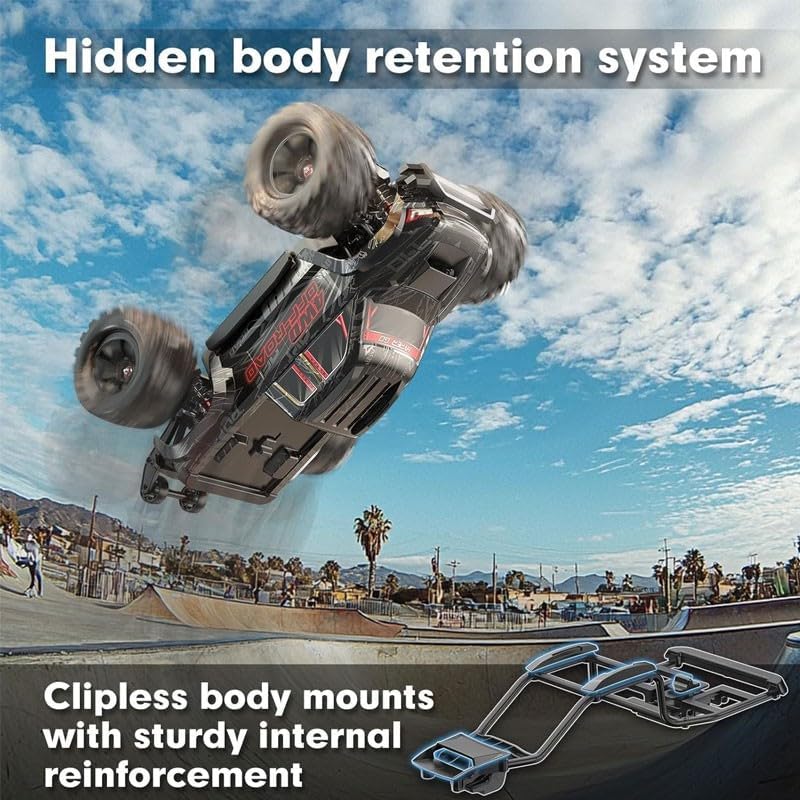
Image: The hidden body retention system, illustrating the clip-less body mounts and internal reinforcement.
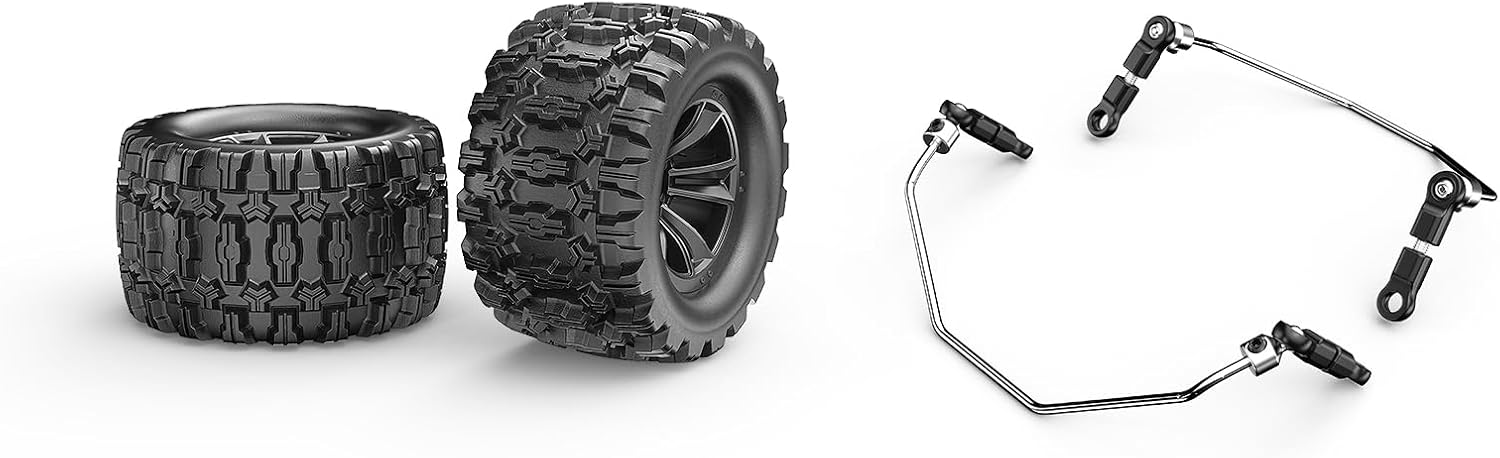
Image: Close-up of the vehicle's tires and the components of the clip-less body mounting system.
Maintenance
1. General Cleaning
After each use, especially in dusty or wet conditions, clean the vehicle to remove dirt and debris. Use a soft brush or compressed air for hard-to-reach areas. Avoid using water directly on electronic components.
2. Drivetrain Inspection
Regularly inspect the metal drivetrain, including the shafts, gears, and differentials, for any signs of wear or damage. The vehicle features ball bearings and powder metallurgy metal gears for smooth operation.
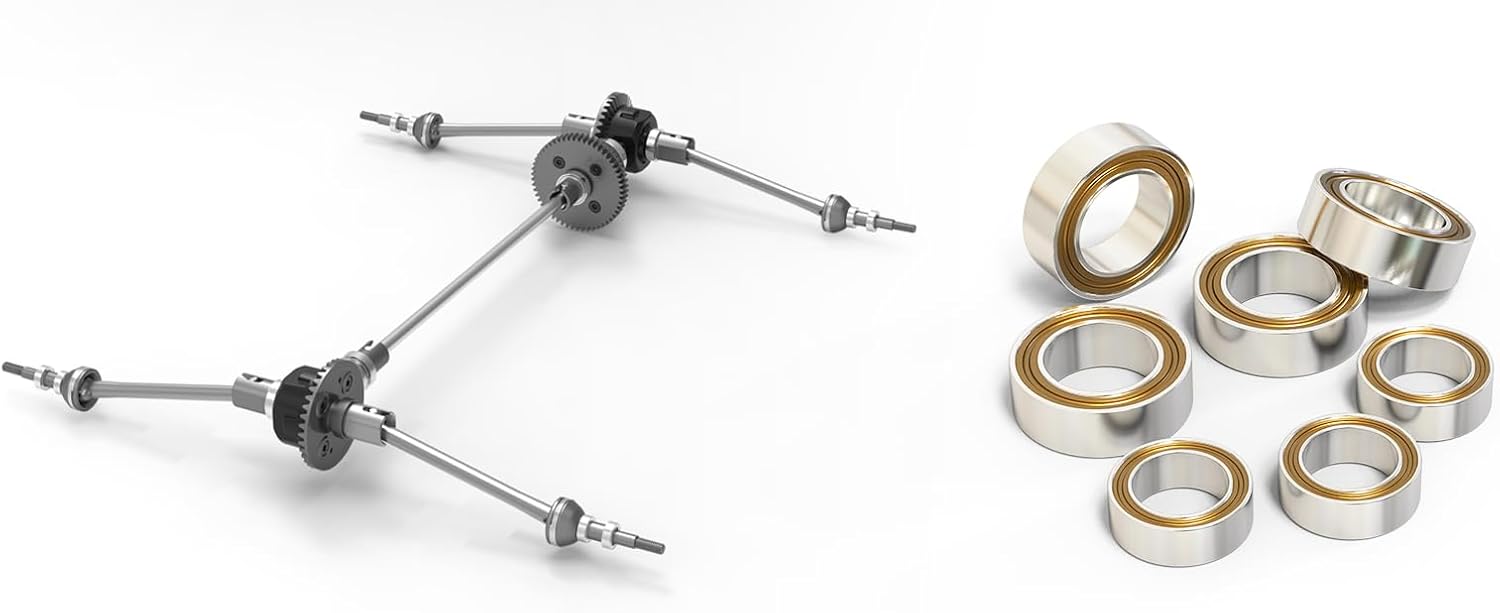
Image: Detailed view of the vehicle's drivetrain components, including the front and rear differentials, central drive shaft, and various ball bearings.

Image: Assortment of metal gears and drive shafts, highlighting the robust construction of the vehicle's transmission.
3. Motor and ESC Cooling
The 3970 2500KV brushless motor is equipped with a cooling system. Ensure the cooling fan and heatsinks are free from obstructions to maintain optimal operating temperatures.
Troubleshooting
- Vehicle not responding: Check if the battery is charged and properly connected. Ensure the remote control has fresh batteries and is powered on. Re-pair the remote and vehicle if necessary.
- Reduced performance: A low battery charge is a common cause. Inspect the drivetrain for debris or damage that might impede movement. Check motor and ESC temperatures.
- Unusual noises: Immediately stop operation. Inspect gears, differentials, and other moving parts for foreign objects or damage.
- ESC issues: If experiencing erratic behavior from the ESC, refer to the mobile app for diagnostics and parameter adjustments.
Specifications
| Feature | Detail |
|---|---|
| Model Number | MJX10208 |
| Scale | 1/10 |
| Drive System | 4WD |
| Motor | 3970 2500KV Brushless with Cooling System |
| ESC | 100A Independent Brushless, App-Adjustable |
| Servo | 35KG Metal Servo |
| Max Speed | Up to 80 km/h (with 4S battery) |
| Remote Control Range | Up to 120 meters |
| Battery Connector | XT60 |
| Differentials | Front, Rear, and Center |
| Drivetrain | Metal Driveline, Powder Metallurgy Metal Gears |
| Body Mounts | Clip-less System |
| Product Dimensions | 19 x 13 x 8 inches |
| Item Weight | 15 pounds |
| Recommended Age | 14 years and up |
Warranty and Support
For warranty information or technical support, please contact the manufacturer, MJX, or the brand, Pondliner, directly through their official channels. Details are typically provided with your purchase documentation or on their official websites.