
1. Product Overview
This manual provides essential information for the safe and effective use of your Litanki 7.4V 3000mAh Li-Ion replacement battery. This battery is specifically designed for compatibility with V198, V198PRO, V198MAX, V168, V168PRO, and V168MAX series drones, ensuring a seamless power solution for extended flight operations.
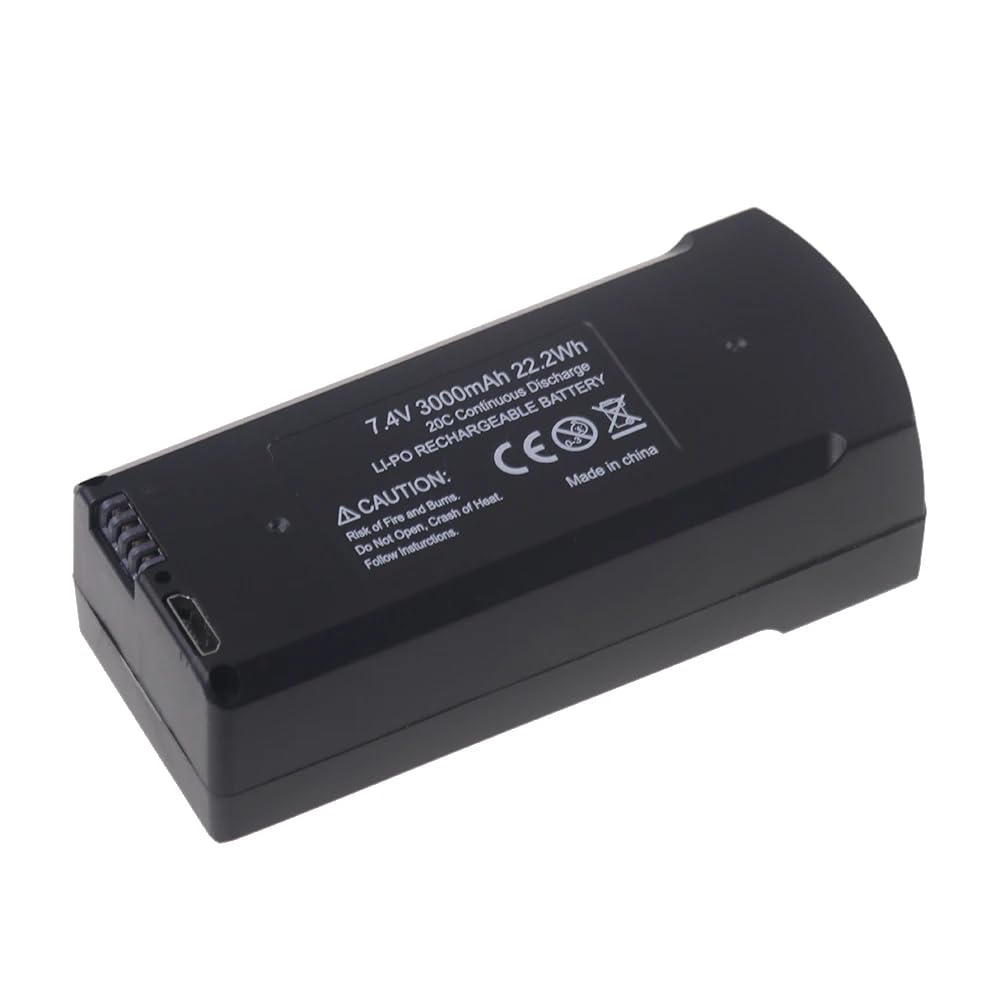
Image 1.1: Litanki 7.4V 3000mAh Replacement Drone Battery. This image shows the overall design of the battery pack.
Key features include:
- Precise Compatibility: Engineered for V198/V198PRO/V198MAX and V168/V168PRO/V168MAX drones.
- Extended Flight Time: 3000mAh high-capacity Li-Ion for longer drone operation.
- Stable Power Output: Consistent 7.4V voltage for optimal drone performance.
- Lightweight & Durable: Ultra-lightweight design with robust construction.
- Ready-to-Use: 100% brand-new, pre-charged, and securely packaged for immediate installation.
2. Safety Information
Read and understand all safety warnings before using this battery. Failure to follow these instructions may result in fire, injury, or property damage.
- Risk of Fire and Burns: Do not open, crush, or heat the battery.
- Do Not Disassemble: The battery contains built-in protections against overcharging, overheating, and short circuits. Disassembling the battery can damage these safety features and pose a risk.
- Charging: Only use chargers specifically designed for 7.4V Li-Ion batteries. Do not overcharge.
- Storage: Store the battery in a cool, dry place away from direct sunlight and extreme temperatures.
- Disposal: Dispose of used batteries according to local regulations. Do not dispose of in household waste.
- Damage: If the battery appears damaged, swollen, or leaks, discontinue use immediately and dispose of it safely.

Image 2.1: Close-up of the battery's caution label and connectors. The label warns against opening, crushing, or heating the battery.
3. Setup and Installation
This battery is designed for easy installation. Always ensure your drone is powered off before handling the battery.
- Power Off Drone: Ensure the drone's power switch is in the OFF position.
- Locate Battery Compartment: Refer to your drone's specific instruction manual to locate and open the battery compartment.
- Remove Old Battery (if applicable): Carefully disconnect and remove the existing battery.
- Insert New Battery: Align the Litanki 7.4V 3000mAh battery with the compartment and gently slide it into place. Ensure the connectors are properly aligned.
- Connect Battery: Firmly connect the battery's power connector to the drone's power port. Ensure a secure connection.
- Close Compartment: Close the battery compartment securely.
- Initial Charge: Although the battery is pre-charged, it is recommended to fully charge it before the first flight for optimal performance.
4. Operating Instructions
4.1. Charging the Battery
To ensure longevity and safety, follow these charging guidelines:
- Use only the original charger provided with your drone or a compatible 7.4V Li-Ion battery charger.
- Connect the battery to the charger.
- Plug the charger into a power source.
- Monitor the charging indicator on your charger. Disconnect the battery once fully charged to prevent overcharging.
- Do not leave charging batteries unattended.
4.2. Using the Battery
Once installed and charged, the battery is ready for use with your compatible drone. Always ensure the battery is securely connected before powering on the drone.
- Power on your drone after the battery is securely installed.
- Monitor the drone's battery indicator during flight.
- Land the drone and replace or recharge the battery when the charge is low to avoid sudden power loss.
5. Maintenance
Proper maintenance extends the life of your battery.
- Cleaning: Use a dry, soft cloth to clean the battery terminals and exterior. Do not use liquids or solvents.
- Storage: For long-term storage, charge the battery to approximately 50-60% capacity. Store in a cool, dry environment (10°C to 25°C or 50°F to 77°F) away from direct sunlight.
- Avoid Extreme Temperatures: Do not expose the battery to temperatures below 0°C (32°F) or above 40°C (104°F) during use or storage.
- Regular Inspection: Periodically inspect the battery for any signs of damage, swelling, or leakage.
6. Troubleshooting
If you encounter issues with your battery, refer to the following common problems and solutions:
| Problem | Possible Cause | Solution |
|---|---|---|
| Battery not charging | Loose connection, faulty charger, damaged battery | Check all connections. Try a different compatible charger. Inspect battery for damage; if damaged, discontinue use. |
| Short flight time | Battery not fully charged, old battery, extreme temperatures | Ensure full charge. Battery capacity naturally degrades over time; consider replacement. Operate drone within recommended temperature ranges. |
| Drone not powering on | Battery not connected, battery discharged, faulty battery | Verify battery is securely connected. Charge the battery. If issues persist, test with another known-good battery if available. |
7. Specifications
| Feature | Detail |
|---|---|
| Battery Type | Li-Ion |
| Voltage | 7.4V |
| Capacity | 3000mAh |
| Compatibility | V198, V198PRO, V198MAX, V168, V168PRO, V168MAX Drones |
| Condition | 100% Brand New |
| Reusability | Rechargeable |
| Manufacturer | Litanki |
8. Warranty and Support
The product comes with a manufacturer's warranty. For specific warranty details and support, please refer to the documentation provided with your purchase or contact Litanki customer service.
- Manufacturer: Litanki
- Warranty: Please refer to your purchase documentation for warranty period and terms.
- For technical assistance or warranty claims, contact your retailer or the manufacturer directly.