Introduction
This manual provides comprehensive instructions for the safe and effective use of your Generic KM-1903 Electric Shaver and Trimmer. Please read all instructions carefully before initial use and retain this manual for future reference.
The KM-1903 is designed for men's grooming, offering precise shaving and trimming capabilities with a durable metal design and a powerful internal motor.
Safety Information
WARNING: To reduce the risk of burns, electrocution, fire, or injury to persons:
- Always keep the shaver dry during charging.
- Avoid using the shaver near water (e.g., bathtub, shower, sink).
- Exercise caution during shaving to prevent cuts or skin irritation.
- Regularly clean the shaver to prevent bacterial growth.
- Always unplug the charger when not in use.
- This appliance is not intended for use by persons (including children) with reduced physical, sensory or mental capabilities, or lack of experience and knowledge, unless they have been given supervision or instruction concerning use of the appliance by a person responsible for their safety.
- Children should be supervised to ensure that they do not play with the appliance.
Package Contents
Verify that all items are present and in good condition:
- Generic KM-1903 Electric Shaver and Trimmer Unit
- Interchangeable Trimming Heads (various sizes, if applicable)
- Cleaning Brush
- USB Type-C Charging Cable
- User Manual
- Carrying Case (if included)
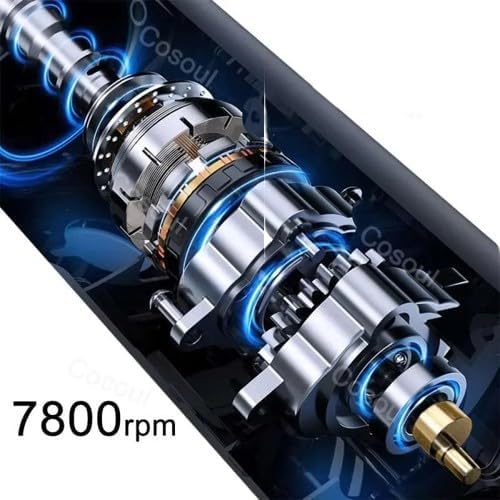
Image: The Generic KM-1903 Electric Shaver and Trimmer, shown with its USB Type-C charging cable, highlighting its cordless design and charging capability.
Setup
Charging the Device
- Ensure the shaver is turned off.
- Connect the USB Type-C charging cable to the charging port on the shaver.
- Plug the other end of the USB cable into a compatible USB power adapter (not included) or a computer USB port.
- The LED display will indicate the charging status. A full charge is indicated when the battery icon is full or the percentage reaches 100%.
- Disconnect the shaver from the charger once fully charged or when not in use.
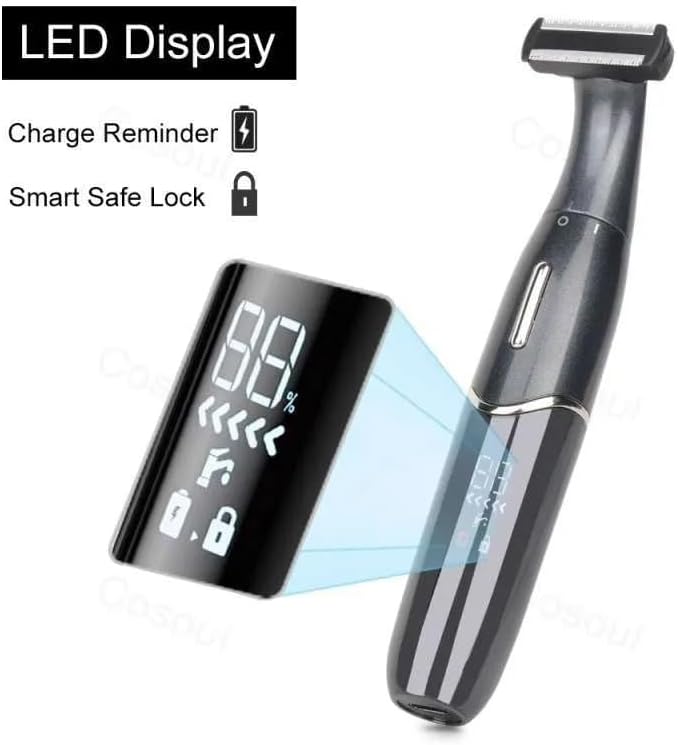
Image: The LED display of the KM-1903 shaver, showing battery percentage, a charge reminder icon, and a smart safe lock indicator.
Attaching/Detaching Trimming Heads
- To attach a trimming head, align it with the shaver body and gently push until it clicks into place.
- To detach, firmly grasp the head and pull it away from the shaver body.
Operating Instructions
Power On/Off
- Press the power button to turn the shaver on.
- Press the power button again to turn the shaver off.
Shaving and Trimming
- Ensure your skin is clean and dry for optimal results.
- For shaving, hold the shaver at a right angle to your skin and move it against the direction of hair growth.
- For trimming, use the appropriate trimming head. Move the shaver slowly and steadily over the desired area.
- The shaver features a flexible design, allowing the head to adjust up to 45 degrees for better contouring to the skin.
- The powerful 7800 RPM motor ensures efficient cutting even through thick hair.
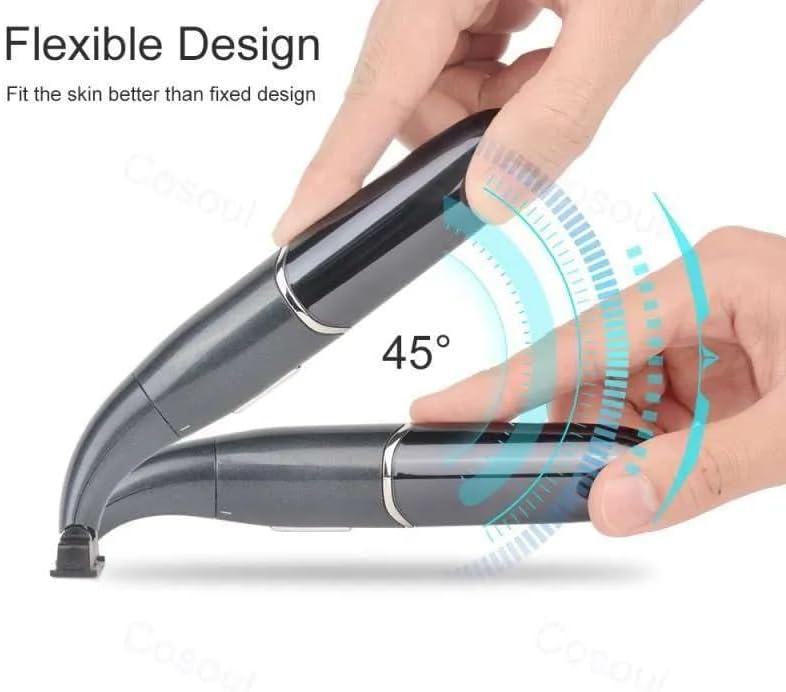
Image: The KM-1903 shaver illustrating its flexible head design, which can pivot up to 45 degrees to conform to facial contours for a closer shave.

Image: An internal diagram of the KM-1903 shaver's motor, indicating a powerful 7800 RPM for efficient performance.
Cleaning and Maintenance
Cleaning the Blades
- Turn off the shaver and disconnect it from any power source.
- Remove the trimming head.
- Use the provided cleaning brush to remove any trapped hair from the blades and inside the shaver head.
- For a more thorough clean, the blades can be rinsed under running water. Ensure the shaver body remains dry.
- Allow all parts to air dry completely before reattaching the head or storing the shaver.

Image: A close-up view of the KM-1903 shaver's blades, highlighting its safe design with 'Blades Top Grinding' technology to prevent skin irritation.
Storage
Store the shaver in a cool, dry place, away from direct sunlight and moisture. Use the provided carrying case for protection during travel or storage.
Troubleshooting
| Problem | Possible Cause | Solution |
|---|---|---|
| Shaver does not turn on. | Low battery or device is locked. | Charge the shaver. If locked, press and hold the power button for 3 seconds to unlock (refer to LED display for lock indicator). |
| Poor shaving/trimming performance. | Blades are dull or clogged with hair. | Clean the blades thoroughly. Consider replacing trimming heads if performance does not improve. |
| Shaver gets hot during use. | Prolonged use or clogged blades. | Turn off the shaver and allow it to cool down. Clean the blades. Avoid excessive pressure during use. |
| Charging indicator not working. | Cable or adapter issue, or shaver is already fully charged. | Check the charging cable and adapter. Ensure connections are secure. If fully charged, the indicator may turn off. |
Technical Specifications
- Model: KM-1903
- Brand: Generic
- Power Source: Battery operated (Rechargeable)
- Blade Material: Stainless Steel
- Head Type: Foil
- Motor Speed: 7800 RPM
- Weight: 170 grams
- Dimensions: Approximately 13.5 x 9.8 x 6.5 cm
- Included Components: Cleaning brush, USB Type-C charging cable, user manual, (potentially interchangeable heads, carrying case)
Warranty and Support
Specific warranty information is not provided in the product details. Please refer to your purchase receipt or contact the retailer for details regarding warranty coverage and support services.
For further assistance or inquiries, please contact the customer support of your point of purchase.


