
Introduction
This manual provides instructions for the safe and effective use of your Finezeal 670nm Red Light Reading Lamp. Please read this manual thoroughly before operating the device and retain it for future reference.
Safety Information
- Do not expose the lamp to water or excessive moisture.
- Keep the lamp away from heat sources.
- Use only the provided USB charging cable or a certified equivalent.
- Do not attempt to disassemble or repair the lamp yourself. Contact customer support for assistance.
- Keep out of reach of children.
Product Overview
The Finezeal 670nm Red Light Reading Lamp is a portable, rechargeable LED lamp designed for comfortable reading and various tasks. It features a flexible gooseneck, multiple light modes, and dimmable brightness.
Included Components:
- Finezeal 670nm Red Light Reading Lamp
- USB Charging Cable

Image: The Finezeal 670nm Red Light Reading Lamp shown with its included USB-C charging cable, highlighting its rechargeable feature.
Setup
Unpacking
- Carefully remove all components from the packaging.
- Inspect the lamp and accessories for any signs of damage.
Initial Charge
- Before first use, fully charge the lamp. Connect the provided USB charging cable to the lamp's charging port and to a compatible USB power source (e.g., computer, wall adapter).
- The charging indicator light will show charging status (e.g., red for charging, green for fully charged).

Image: The Finezeal 670nm Red Light Reading Lamp connected via its USB charging port, demonstrating its ability to power other devices when plugged in.
Operating Instructions
Power On/Off and Light Mode Selection
- Power On: Lightly tap the touch control button located on the lamp base to turn on the lamp.
- Change Light Mode: Continue to lightly tap the touch control button to cycle through the four available light modes:
- 670nm Red Light: Ideal for night reading and minimizing blue light exposure.
- 2200K Warm White: Provides a relaxing ambiance.
- 3600K Natural White: Suitable for general reading and crafts.
- 6500K Cool White: Best for detailed work.
- Power Off: After cycling through all modes, lightly tap the button one more time to turn off the lamp.

Image: A visual representation of the four distinct light modes available on the Finezeal lamp, demonstrating their varied uses from red light for night to cool white for detailed tasks.
Brightness Adjustment (Stepless Dimming)
- While the lamp is on, press and hold the touch control button.
- The brightness will smoothly adjust from 1% to 100%. Release the button when the desired brightness level is reached.

Image: An illustration showing the stepless dimming function of the lamp, allowing users to adjust brightness from 10% to 100% by pressing and holding the control button.
Adjusting the Gooseneck
- The lamp features a 360° adjustable gooseneck. Gently bend and position the neck to direct light precisely where needed.
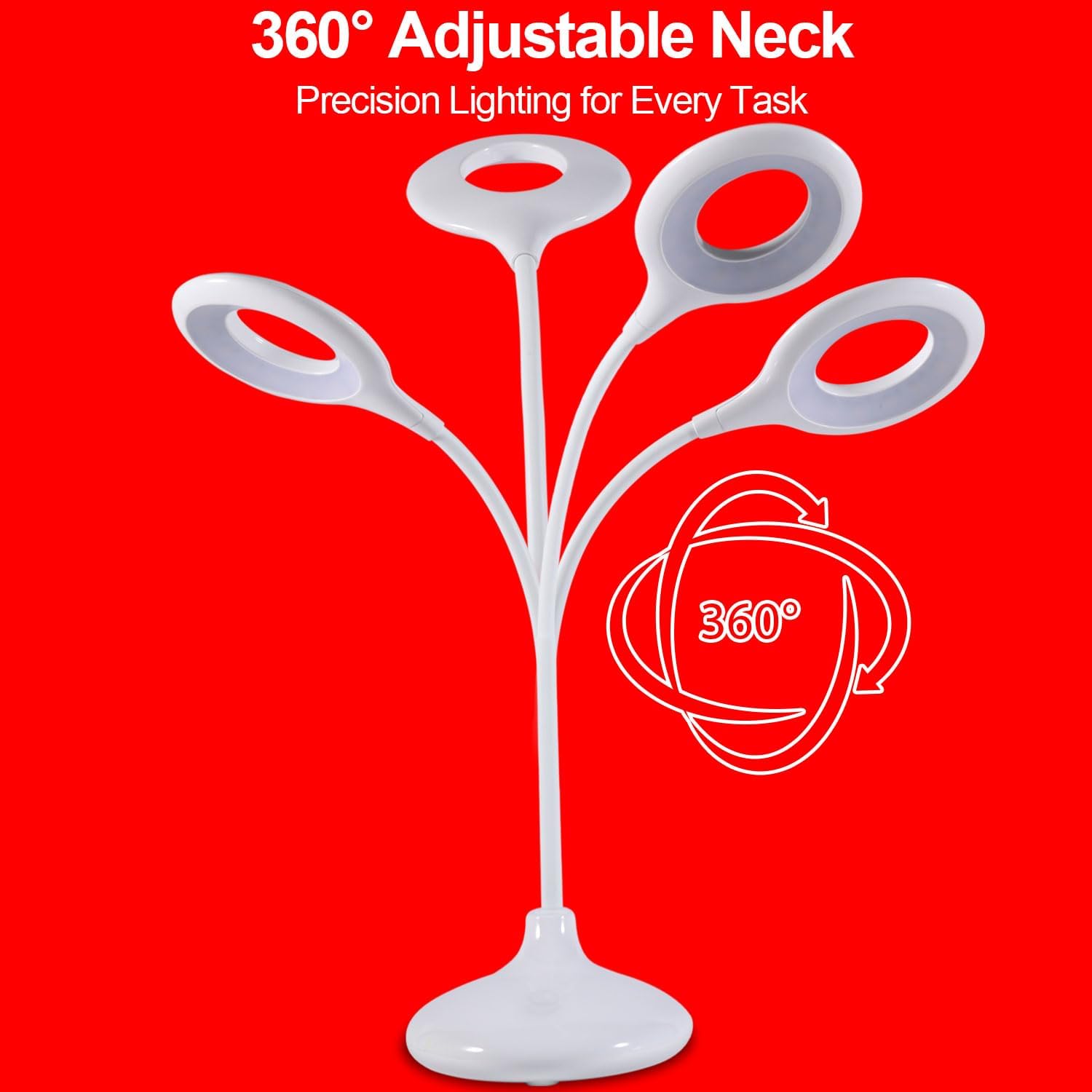
Image: The lamp's flexible gooseneck is depicted, illustrating its 360-degree adjustability for precise light positioning.
Demonstration Video
Video: This video demonstrates the features of the Finezeal 670nm Red Light Reading Lamp, including its zero blue light emission and adjustable neck, highlighting its benefits for sleep and eye comfort.
Maintenance
Cleaning
- Ensure the lamp is turned off and unplugged before cleaning.
- Wipe the lamp with a soft, dry cloth. Do not use abrasive cleaners or solvents.
Storage
- Store the lamp in a cool, dry place when not in use for extended periods.
Troubleshooting
| Problem | Possible Cause | Solution |
|---|---|---|
| Lamp does not turn on. | Battery is depleted. | Connect the lamp to a power source using the USB cable and charge it fully. |
| Lamp does not hold a charge for long. | Battery degradation over time or frequent use at high brightness. | Ensure the lamp is fully charged before use. If battery life significantly decreases, consider keeping it plugged in during use or contact customer support. |
| Light modes do not change. | Touch control not responding. | Ensure your finger is making full contact with the touch control area. Try restarting the lamp by turning it off and on. |
| Brightness adjustment is not smooth. | Incorrect operation. | Ensure you are pressing and holding the touch control button, not just tapping it, to activate stepless dimming. |
Specifications
| Feature | Detail |
|---|---|
| Model Number | 670nm |
| Light Source Type | LED |
| Number of Light Sources | 4 (modes) |
| Light Modes | 670nm Red Light, 2200K Warm White, 3600K Natural White, 6500K Cool White |
| Dimming | 1% to 100% Stepless Dimming |
| Switch Type | Touch |
| Gooseneck Adjustment | 360° Flexible |
| Power Source | Rechargeable Battery, USB Powered |
| USB Charging Port | Yes (for charging lamp and powering other devices when plugged in) |
| Base Material | Plastic |
| Shade Material | Plastic |
| Indoor/Outdoor Usage | Indoor |
| Weight | 0.65 pounds |
| Dimensions (approx.) | 17.7 inches (height), 5.3 inches (base width), 3.7 inches (lamp head width) |

Image: A diagram illustrating the product dimensions and weight of the Finezeal 670nm Red Light Reading Lamp.
Warranty and Support
Manufacturer's Warranty
This product comes with a 1-year manufacturer's warranty from the date of purchase. This warranty covers defects in materials and workmanship under normal use.
Customer Support
For warranty claims, technical assistance, or any questions regarding your Finezeal 670nm Red Light Reading Lamp, please contact Finezeal Direct customer service. Refer to your purchase documentation for contact details or visit the official Finezeal website.
Seller: Finezeal Direct