
1. Introduction
Welcome to the Jasion YR16 Electric Bike user manual. This guide provides essential information for the safe assembly, operation, and maintenance of your new electric bicycle. Please read this manual thoroughly before your first ride to ensure optimal performance and safety.
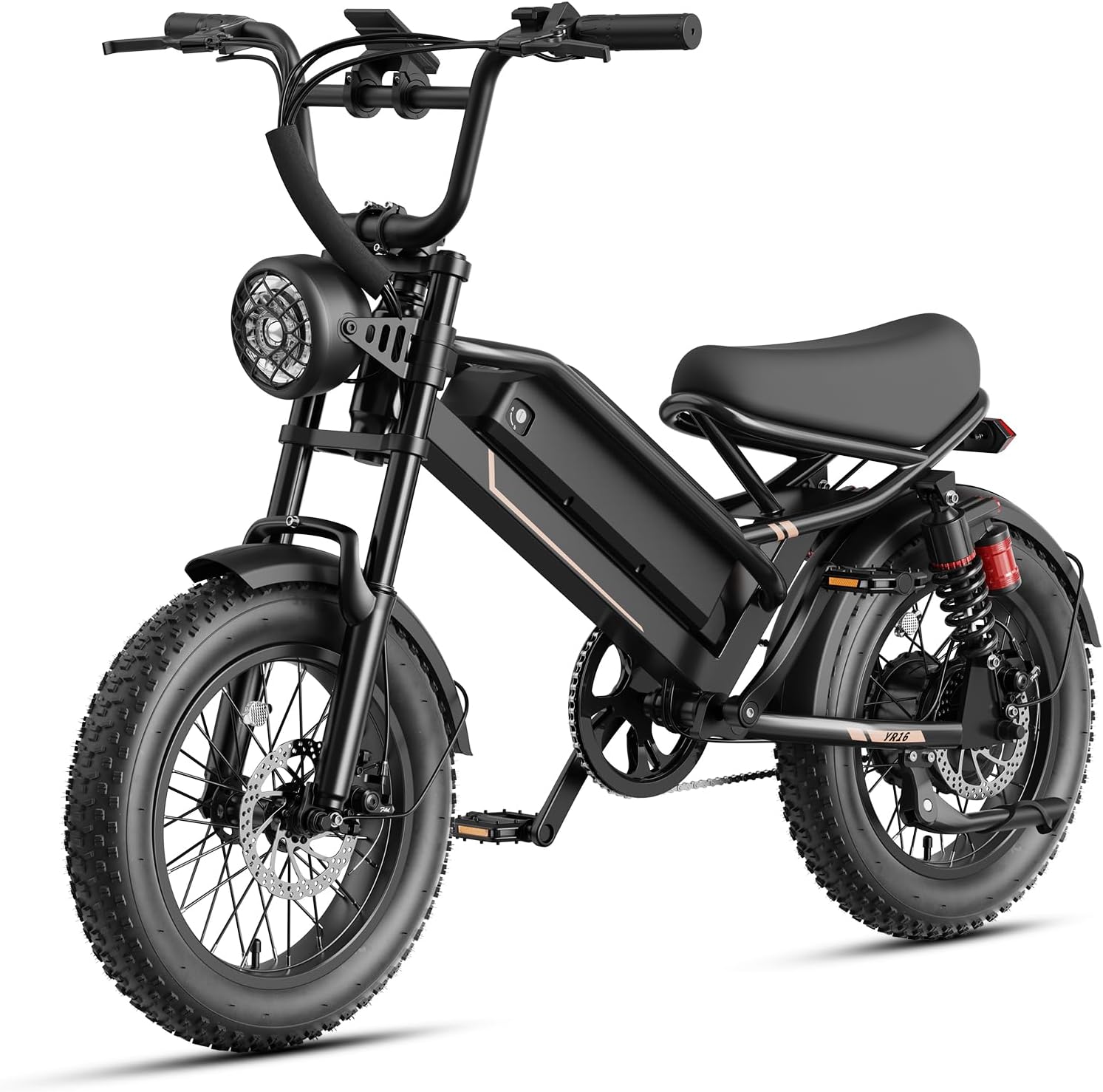
Image 1.1: The Jasion YR16 Electric Bike.
2. Safety Information
Your safety is paramount. Always wear a helmet when riding. Familiarize yourself with local traffic laws and regulations regarding electric bicycles. Perform pre-ride checks before each use. Avoid riding in adverse weather conditions or under the influence of substances.
- Always wear a certified helmet.
- Ensure all components are securely fastened before riding.
- Check tire pressure, brake function, and battery level before each ride.
- Be aware of your surroundings and ride defensively.
- Do not exceed the maximum load capacity of 330 lbs (150 kg).
3. Package Contents
Upon unboxing, please verify that all the following components are included:
- Jasion YR16 Electric Bike (partially assembled)
- Battery Charger
- Fenders
- Horn
- Kickstand
- Tool Kit
- User Manual (this document)

Image 3.1: Essential components included with the Jasion YR16.
4. Assembly Instructions
The Jasion YR16 Electric Bike arrives 85% pre-assembled. The following components require installation:
- Handlebar: Attach the handlebar to the stem and secure it with the provided bolts. Ensure it is centered and aligned for comfortable riding.
- Front Wheel: Install the front wheel into the fork. Ensure the brake rotor is correctly seated within the caliper and secure the axle nuts tightly.
- Front Light: Mount the front light to its designated position and connect any necessary wiring.
- Pedals: Identify the left (L) and right (R) pedals. Thread the left pedal counter-clockwise and the right pedal clockwise into the crank arms. Tighten firmly with a wrench.
Refer to the included tool kit for necessary wrenches and hex keys. If you are unsure about any assembly step, it is recommended to seek assistance from a qualified bicycle mechanic.
5. Components Overview
5.1. Motor
The YR16 is equipped with a powerful Peak 1200W brushless hub motor, providing strong acceleration and a top speed of 22 MPH (35 km/h). This motor is designed for efficient power delivery across various terrains, including moderate hills.

Image 5.1: Powerful 1200W Peak Brushless Motor.
5.2. Battery
The bike features a removable 48V 12.5Ah lithium-ion battery with a 600Wh capacity. It supports a range of up to 55 miles (88 km) in pedal-assist mode. The battery is housed securely within the frame and can be removed for convenient charging.
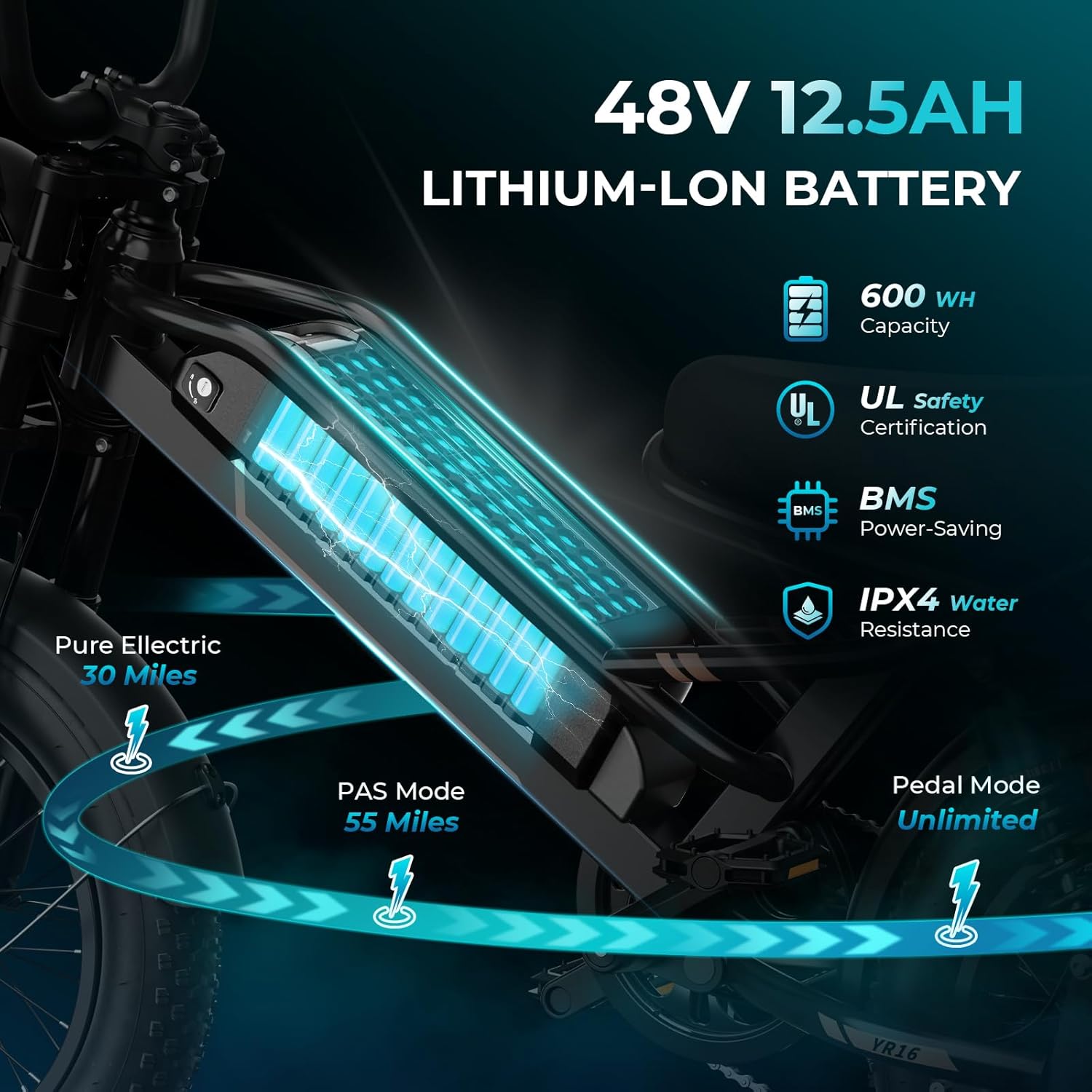
Image 5.2: 48V 12.5Ah Lithium-Ion Battery.
5.3. Suspension System
The YR16 incorporates a dual suspension system, featuring a front suspension fork and a rear coil shock. This system is designed to absorb bumps and rough surfaces, providing a smoother and more comfortable ride while enhancing stability and control.

Image 5.3: Dual Suspension System.
5.4. Wheels and Tires
The bike features compact 16-inch by 4-inch fat tires. These chunky tread tires provide powerful traction on various terrains, contributing to faster acceleration, reduced vibration, and improved control compared to larger wheels.
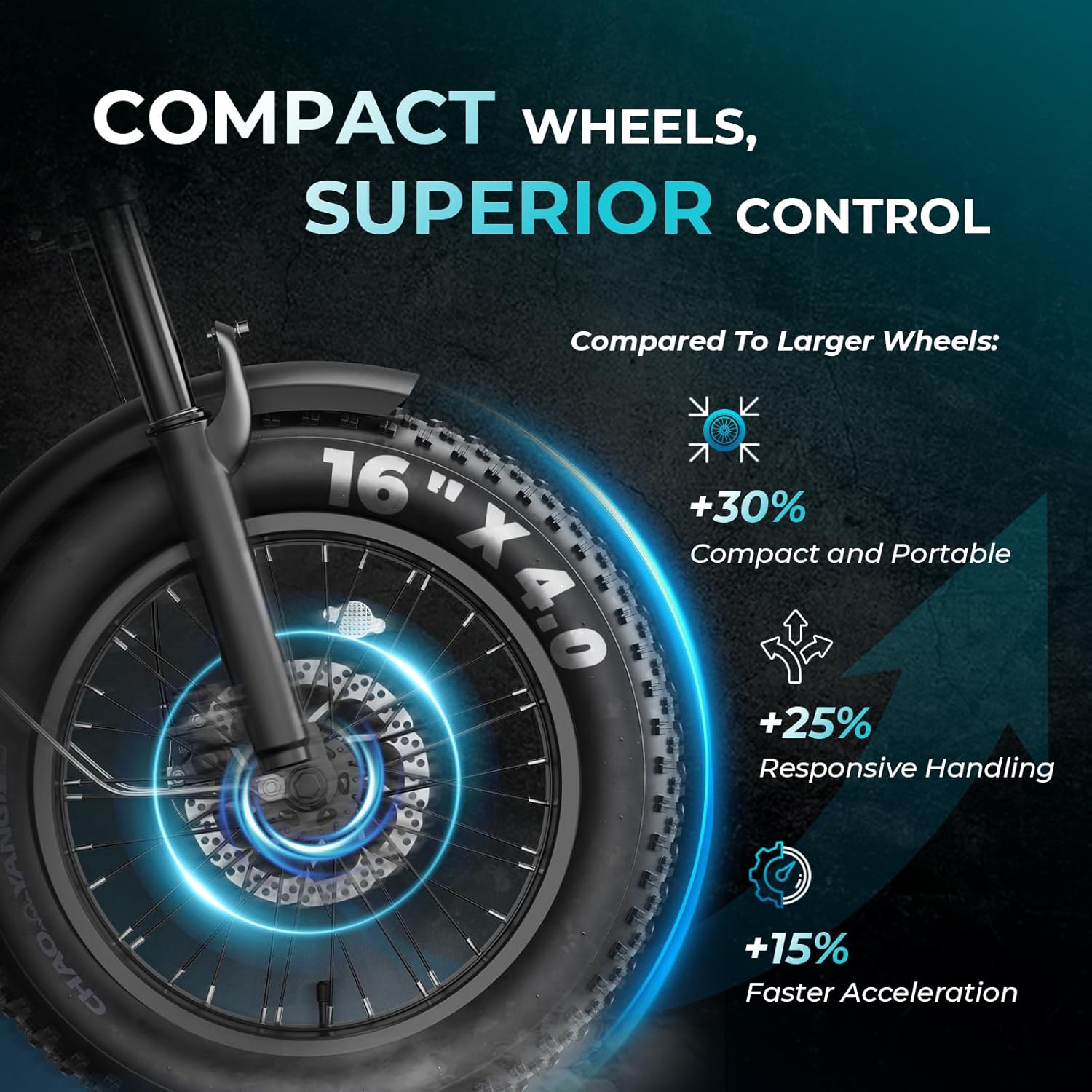
Image 5.4: Compact 16-inch Fat Tires.
5.5. Smart LCD Display
An intelligent LCD display provides real-time metrics such as speed, battery level, assist mode, and mileage record. It also includes a backlight adjustment feature and can assist with troubleshooting.
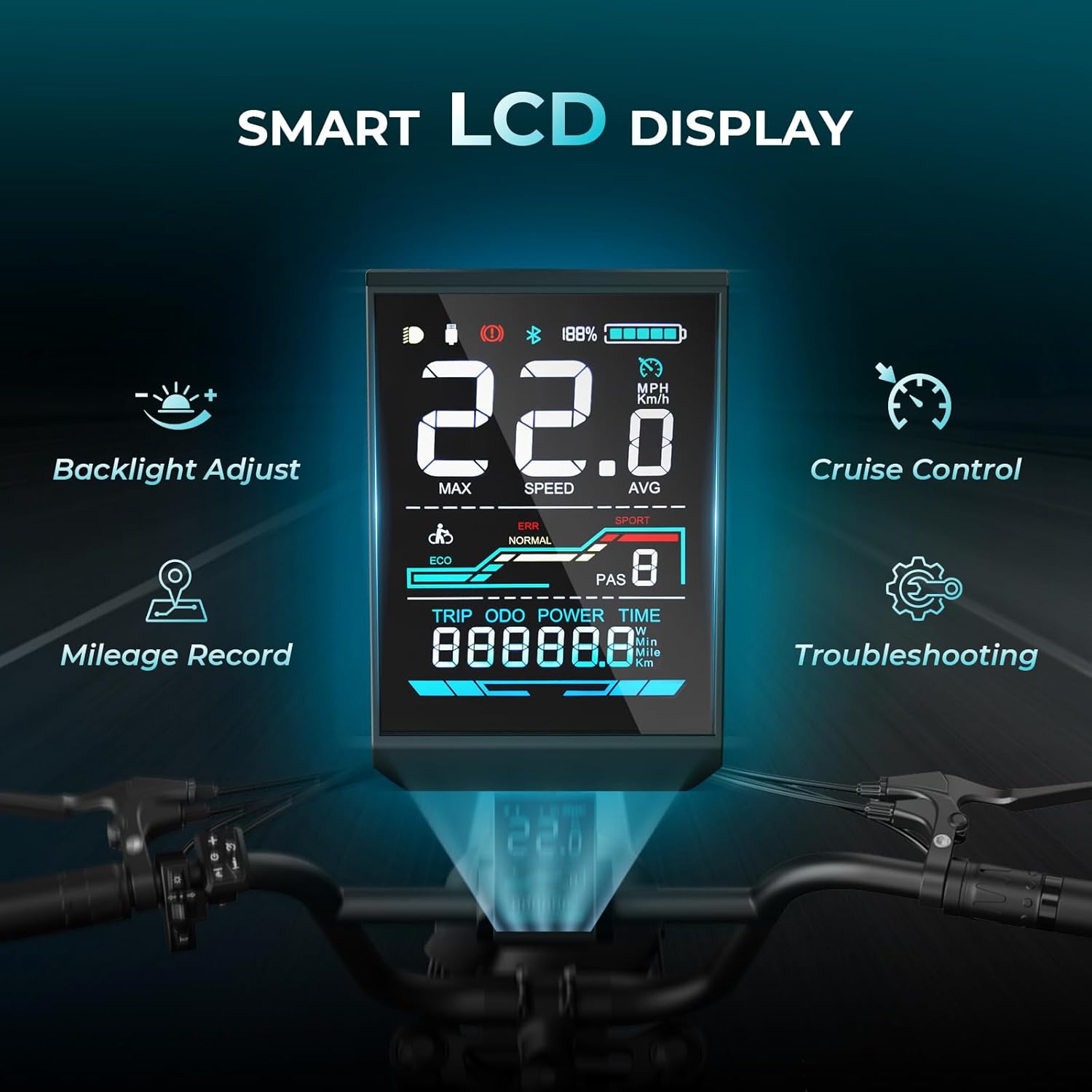
Image 5.5: Smart LCD Display.
5.6. Braking and Lighting System
For enhanced safety, the YR16 is equipped with dual disc brakes for reliable stopping power. It also features a large front light for visibility and a rear brake light with integrated turn signals for clear communication with other road users.

Image 5.6: Enhanced Safety Features: Dual Disc Brakes and Lighting.
6. Operating Instructions
The Jasion YR16 offers multiple riding modes to suit various preferences and conditions:

Image 6.1: Available Riding Modes.
- Pedal Mode: Ride the bike like a traditional bicycle, using only your leg power.
- Pedal-Assist Mode (PAS): The motor provides assistance as you pedal. The level of assistance can be adjusted via the LCD display. This mode offers the longest range.
- Throttle Only Mode: Engage the throttle to propel the bike without pedaling. This mode consumes battery power more quickly.
- Cruise Control: The integrated cruise control feature maintains a steady speed, reducing wrist strain on longer rides. Activate and deactivate via the controls on the handlebar.
- Walk-Assist Mode: Provides low-speed motor assistance to help you push the bike when walking alongside it.
To power on the bike, press and hold the power button on the LCD display. Use the control buttons near the display to switch between assist levels, activate cruise control, and view ride data.
7. Battery Management
7.1. Charging
To charge the battery, you can either leave it installed on the bike or remove it for charging indoors. Connect the charger to the battery's charging port and then plug the charger into a standard wall outlet. The charger's indicator light will show the charging status (typically red for charging, green for fully charged). Charging time is approximately 4-6 hours.
7.2. Battery Care
- Avoid fully discharging the battery regularly.
- Store the battery in a cool, dry place when not in use.
- Charge the battery at least once every two months, even if not in use, to maintain its health.
- Use only the official Jasion charger provided with your bike.
8. Maintenance
Regular maintenance ensures the longevity and safe operation of your Jasion YR16 Electric Bike.
- Tires: Check tire pressure before each ride. Recommended pressure is typically indicated on the tire sidewall. Inspect for wear and punctures.
- Brakes: Regularly check brake pads for wear and ensure brake levers provide firm and responsive stopping power. Adjust as needed.
- Chain: Keep the chain clean and lubricated to prevent rust and ensure smooth pedaling.
- Fasteners: Periodically check all bolts, nuts, and quick releases to ensure they are tight and secure.
- Cleaning: Clean the bike with a damp cloth. Avoid using high-pressure washers directly on electrical components.
9. Troubleshooting
If you encounter issues with your Jasion YR16, refer to the following common problems and solutions:
- Bike not powering on: Ensure the battery is fully charged and properly seated. Check all electrical connections.
- Motor not assisting: Verify that pedal-assist mode is active and the battery has sufficient charge. Check for any error codes on the LCD display.
- Brakes feeling spongy: This may indicate air in the hydraulic system or worn brake pads. Professional service is recommended.
- Unusual noises: Inspect the chain, gears, and wheels for any obstructions or loose components.
For more complex issues or if the problem persists, please contact Jasion customer support.
10. Specifications
| Feature | Specification |
|---|---|
| Model Number | YR16 |
| Bike Type | Electric Bike |
| Age Range | Adult & Teens |
| Motor | Peak 1200W Brushless Hub Motor |
| Battery | 48V 12.5Ah Lithium-Ion (600Wh) |
| Max Speed | 22 MPH (35 km/h) |
| Max Range (PAS) | Up to 55 miles (88 km) |
| Frame Material | Carbon Steel |
| Wheel Size | 16 Inches |
| Tire Size | 16" x 4.0" Fat Tires |
| Suspension | Dual (Front Fork & Rear Coil Shock) |
| Brake Type | Disc Brakes |
| Number of Speeds | 1 |
| Max Load Capacity | 330 lbs (150 kg) |
| Bicycle Weight | 75 lbs (34 kg) |
| Recommended Rider Height | 4'7" - 5'5" (140 cm - 165 cm) |

Image 10.1: Jasion YR16 Dimensions and Specifications.
11. Warranty Information
Jasion provides a limited warranty for its electric bikes. Please refer to the warranty card included with your purchase or visit the official Jasion website for detailed terms and conditions regarding coverage, duration, and claims process. Keep your proof of purchase for warranty validation.
12. Customer Support
For any questions, technical assistance, or support needs, please contact Jasion customer service:
- Phone: +1 (888) 825 6366 (9 AM - 6 PM EST, Monday - Friday)
- Email: support@jasionbike.com
- Online Store: Visit the Jasion Store on Amazon

Image 12.1: Jasion Customer Support Information.