
1. Introduction
Thank you for choosing the WinBridge Wireless Voice Amplifier with Microphone WB009. This portable PA system is designed to amplify your voice clearly and effectively, making it ideal for teachers, fitness coaches, tour guides, and public speakers. It features a long-range wireless microphone, rechargeable batteries, and Bluetooth connectivity for versatile use. Please read this manual thoroughly to ensure proper operation and maintenance of your device.

Image 1.1: The WinBridge WB009 Wireless Voice Amplifier and its accompanying handheld microphone.
2. Safety Information
- Do not expose the device to water, moisture, or extreme temperatures.
- Avoid dropping or subjecting the device to strong impacts.
- Do not attempt to disassemble or repair the device yourself. Contact authorized service personnel.
- Use only the provided charging cable and adapter to prevent damage.
- Keep the device away from children.
- Ensure proper ventilation when charging to prevent overheating.
3. Package Contents
Please check the package for the following items:
- 1 x WinBridge Voice Amplifier
- 1 x Handheld Wireless Microphone
- 1 x Adjustable Strap
- 1 x USB Charging Cable
- 1 x User Manual (this document)
4. Product Overview
4.1 Amplifier Components

Image 4.1: Detailed view of the amplifier's controls and ports, including Volume -, Mute, Power button, Volume +, DC charging jack, Mic jack, and Belt Buckle.
- Volume -: Decrease volume.
- Mute: Mute/unmute audio output.
- Power Button: Power on/off the amplifier.
- Volume +: Increase volume.
- DC Charging Jack: Port for charging the amplifier.
- Mic Jack: Input for wired microphone (if applicable, or for direct connection).
- Belt Buckle: For attaching to a belt or strap.
4.2 Handheld Wireless Microphone Components
The handheld microphone features intuitive controls for ease of use during presentations or performances.
- Power Button: Turns the microphone on or off.
- Volume Buttons (+/-): Adjusts the microphone's input sensitivity.
- Mute Button (M): Instantly mutes the microphone output.
5. Setup Instructions
5.1 Charging the Devices
Before first use, fully charge both the voice amplifier and the wireless microphone.
- Connect the USB charging cable to the DC charging jack on the amplifier and to a USB power adapter (not included).
- Connect the USB charging cable to the charging port on the wireless microphone and to a USB power adapter.
- The charging indicator lights will show charging status. Once fully charged, the lights will change or turn off.

Image 5.1: The amplifier offers 7-9 hours of working time (2600mAh battery), and the microphone offers 10+ hours (2000mAh battery) on a full charge.
5.2 Pairing the Wireless Microphone
The amplifier and microphone are designed for automatic pairing. Follow these steps:
- Ensure both the amplifier and the wireless microphone are fully charged.
- Power on the voice amplifier by pressing and holding the Power button.
- Power on the handheld wireless microphone by pressing and holding its Power button.
- The devices should automatically connect within a few seconds. A successful connection is usually indicated by a stable indicator light on both devices.
- Test the connection by speaking into the microphone and listening for amplification from the speaker.
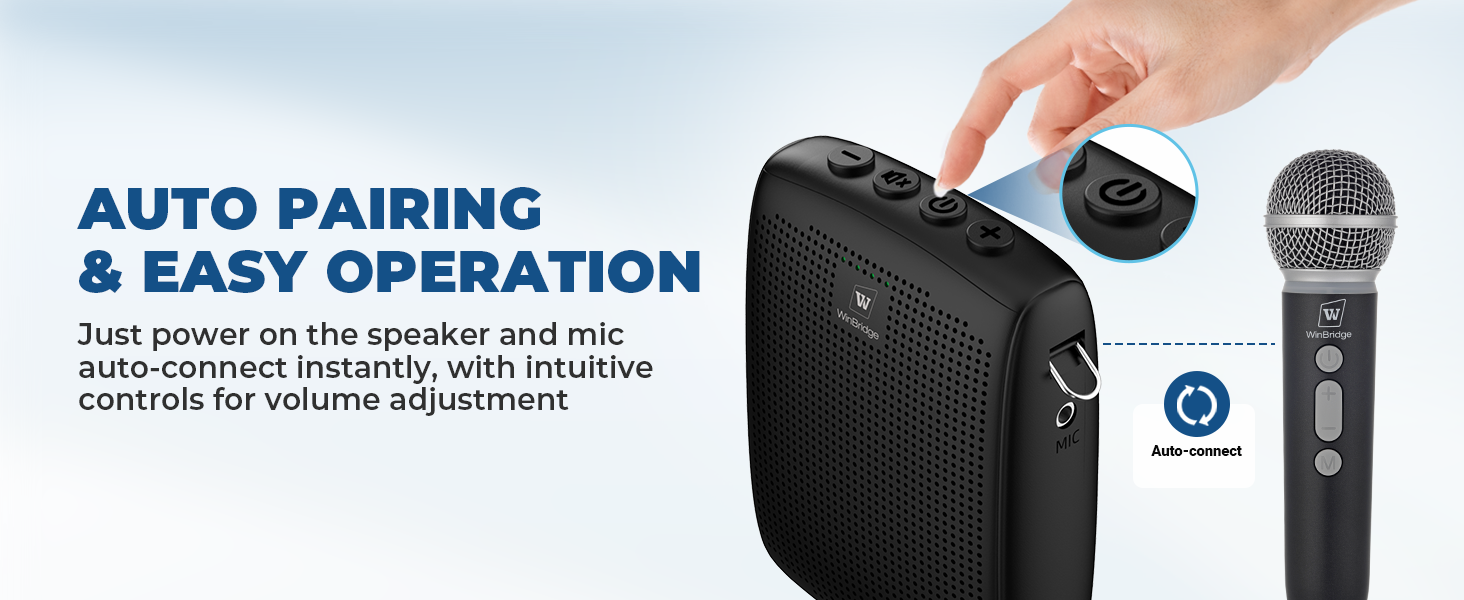
Image 5.2: The amplifier and microphone feature auto-pairing for quick and easy setup.
6. Operating Instructions
6.1 Basic Voice Amplification
- Ensure both devices are powered on and paired.
- Speak clearly into the handheld microphone.
- Adjust the volume on the amplifier using the Volume + and Volume - buttons to achieve the desired sound level.
- For optimal sound quality and to minimize feedback, position the microphone appropriately and avoid pointing it directly at the amplifier speaker.
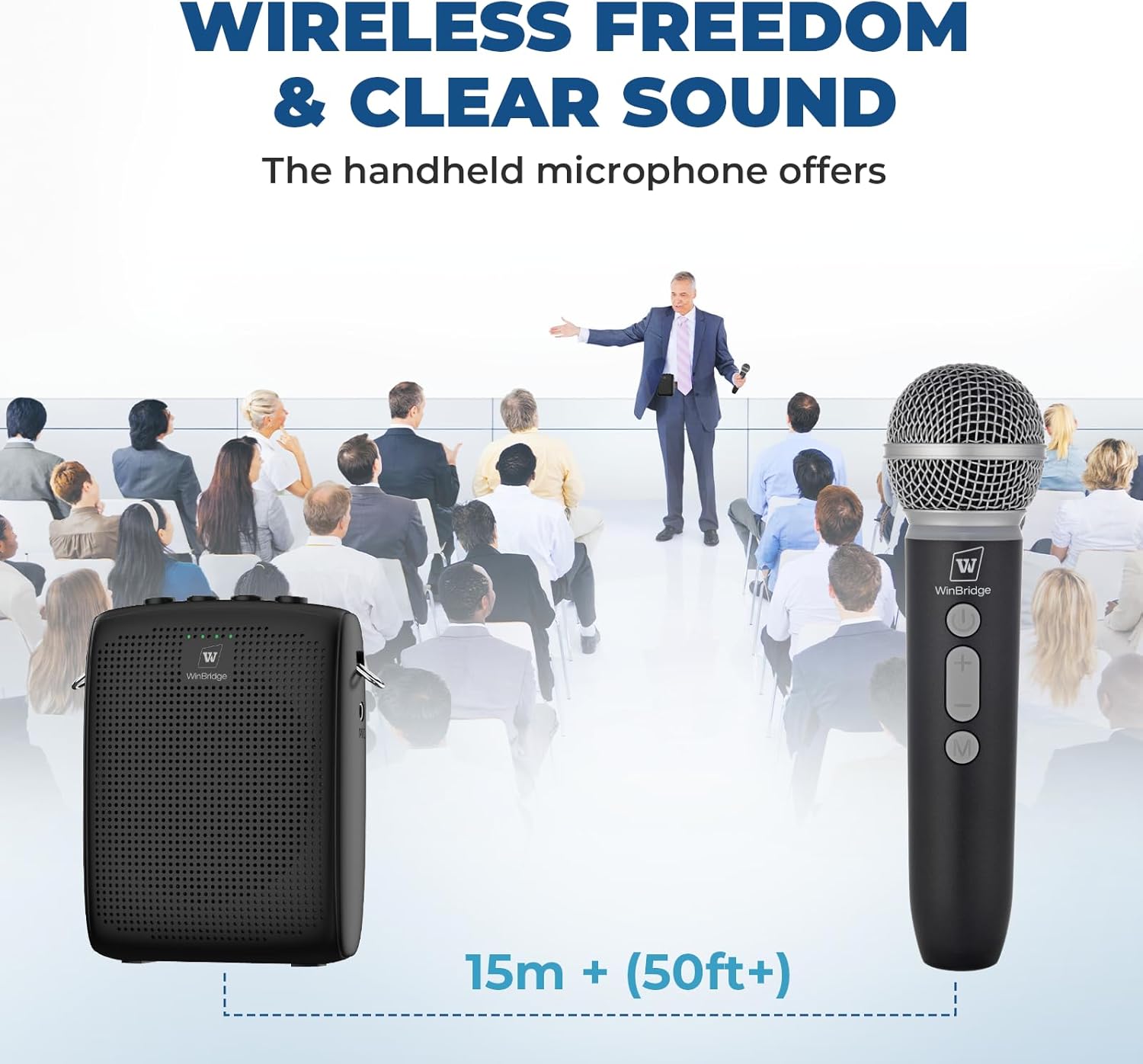
Image 6.1: The wireless microphone offers stable transmission over 15 meters (50 feet) for clear public speaking.
6.2 Mute Function
Both the amplifier and the microphone have a one-touch mute function for instant silence.
- On Amplifier: Press the Mute button to temporarily silence the output. Press again to unmute.
- On Microphone: Press the M button to mute the microphone input. Press again to unmute.
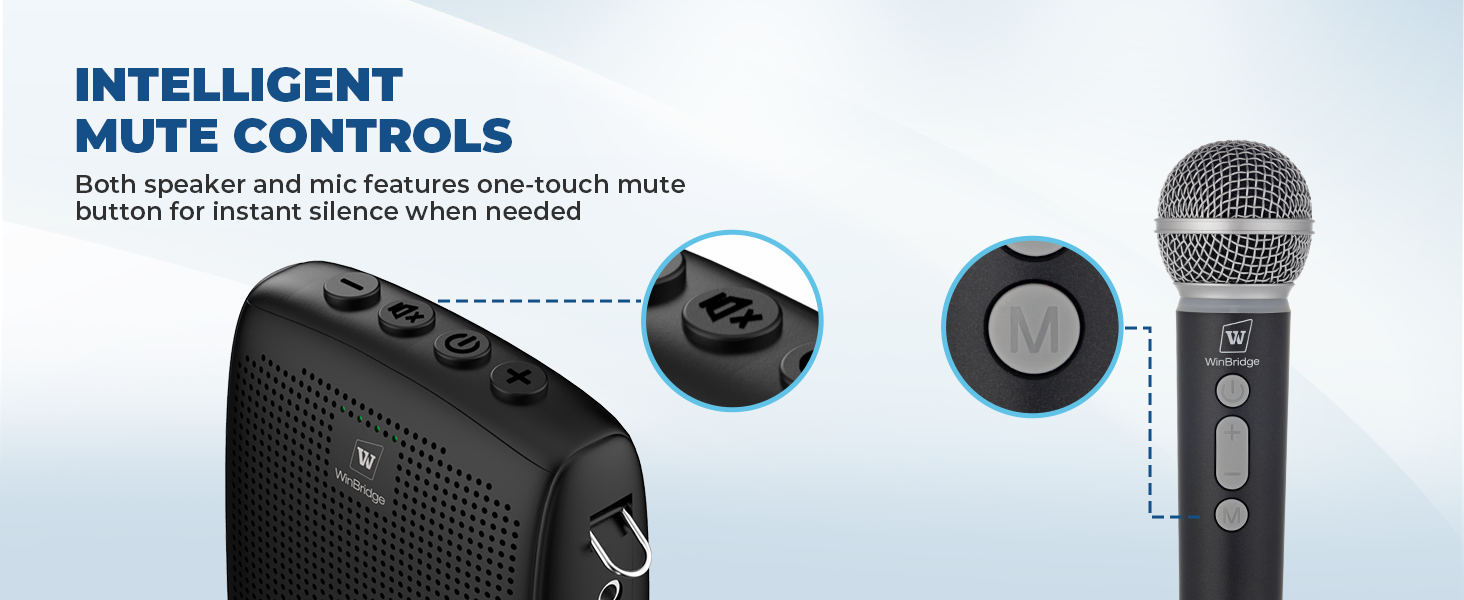
Image 6.2: Dedicated mute buttons on both the amplifier and microphone allow for quick audio control.
6.3 Bluetooth Connectivity (Dual-Mode)
The amplifier supports Bluetooth 5.0, allowing you to connect it to a smartphone or other Bluetooth-enabled device for playing background music or audio.
- Turn on the amplifier.
- Activate Bluetooth on your smartphone or audio device.
- Search for "WB009" or a similar device name in your device's Bluetooth settings.
- Select and pair with the amplifier. A confirmation tone may sound.
- You can now play audio from your connected device through the amplifier. Voice amplification from the microphone will still function simultaneously.
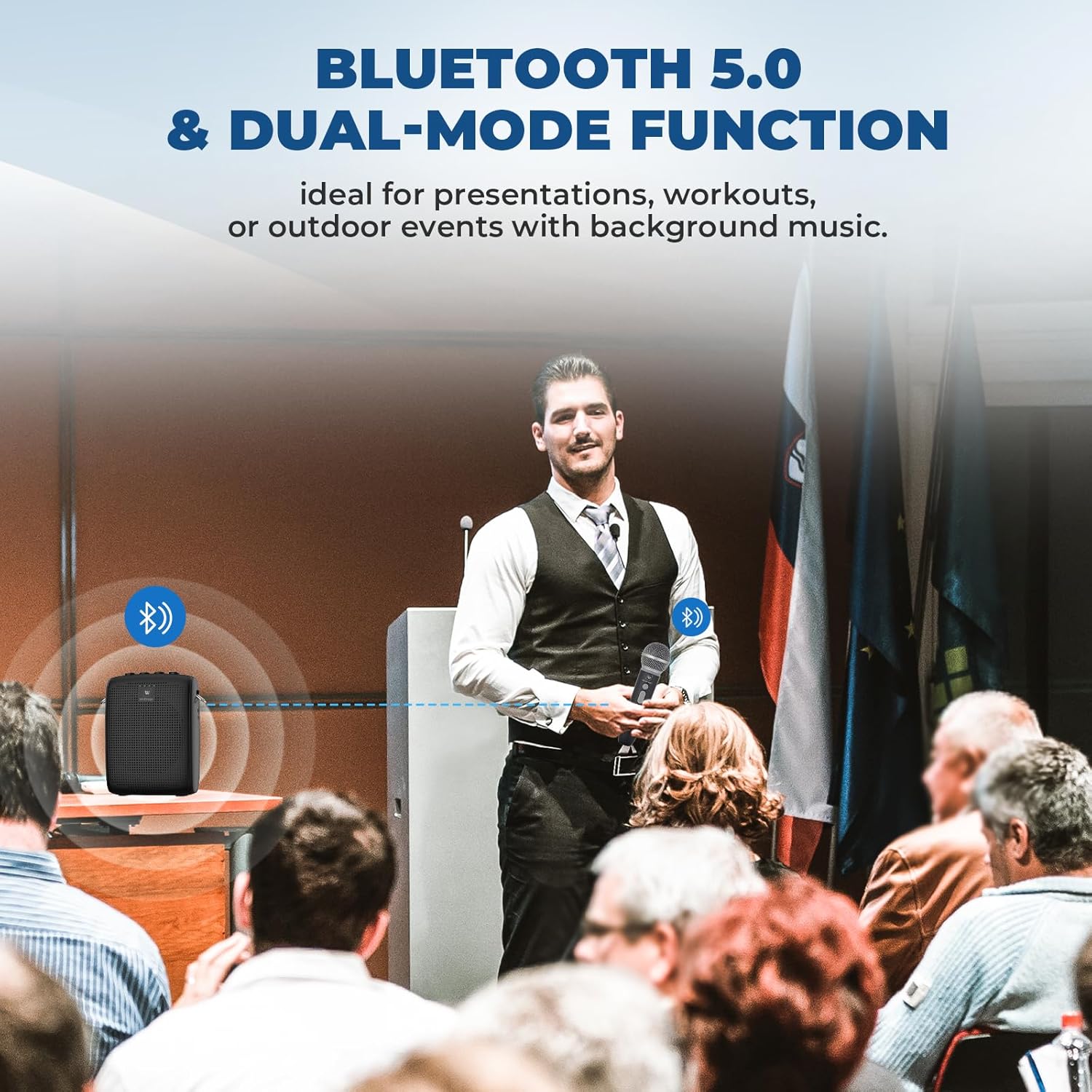
Image 6.3: Bluetooth 5.0 allows for dual-mode functionality, enabling voice amplification alongside background music playback.
6.4 Wearing Options
The compact design and included strap offer various ways to wear the amplifier for convenience.
- Shoulder/Neck Strap: Attach the strap to the amplifier's loops and wear it over your shoulder or around your neck.
- Belt Clip: Use the integrated belt buckle to clip the amplifier to your belt or waistband.

Image 6.4: Versatile wearing options ensure comfort and convenience for various activities.
7. Maintenance
- Cleaning: Wipe the device surfaces with a soft, dry cloth. Do not use abrasive cleaners or solvents.
- Storage: Store the amplifier and microphone in a cool, dry place away from direct sunlight when not in use.
- Battery Care: To prolong battery life, avoid fully discharging the batteries frequently. Recharge them regularly, even if the device is not used for extended periods.
8. Troubleshooting
| Problem | Possible Cause | Solution |
|---|---|---|
| No sound from amplifier | Amplifier or microphone is off; Low battery; Not paired; Volume too low. | Ensure both devices are powered on and charged. Re-pair the microphone. Increase volume. |
| Feedback/Whistling sound | Microphone too close to speaker; Volume too high; Microphone pointed at speaker. | Increase distance between microphone and amplifier. Lower volume. Adjust microphone position. |
| Microphone not pairing | Low battery; Out of range; Interference. | Charge both devices. Ensure devices are within 15m (50ft). Restart both devices. |
| Bluetooth device not connecting | Bluetooth not enabled on source device; Amplifier not in pairing mode; Incorrect device selected. | Ensure Bluetooth is on and discoverable on your device. Select "WB009" from the list. |
9. Specifications
- Model: WB009
- Brand: W WINBRIDGE
- Mounting Type: Portable
- Power Source: Battery Powered
- Amplifier Battery: 2600mAh (7-9 hours working time)
- Microphone Battery: 2000mAh (10+ hours working time)
- Item Weight: 6.5 Ounces (Amplifier)
- Product Dimensions: 3.1 x 1.2 x 4.1 inches (Amplifier)
- Connectivity Technology: Bluetooth 5.0
- Wireless Range: 15m+ (50ft+)
- Audio Input: Bluetooth
- Recommended Uses: Teaching, fitness coaching, outdoor tours, retail announcements, public speaking, crowd control.
10. Warranty and Support
WinBridge products are manufactured with high-quality standards. For warranty information and technical support, please refer to the warranty card included in your package or visit the official WinBridge website. Please retain your proof of purchase for warranty claims.
For further assistance, you may contact WinBridge customer service through their official channels.