
InCliick D7W
InCliick Mini Cam Portable Camera Pen D7W User Manual
Model: D7W
Introduction
This manual provides essential instructions for the safe and effective operation of your InCliick Mini Cam Portable Camera Pen, Model D7W. Please read this manual thoroughly before using the device and retain it for future reference.
The InCliick D7W is a compact, portable camera designed for discreet picture taking during the daytime. It features 1080P image capture, 2.4G Wi-Fi connectivity, loop recording, and comes with a 32GB SD card. This device does not record audio and does not have night vision capabilities.
Package Contents
- InCliick Mini Cam Portable Camera Pen (Model D7W)
- User Manual
- 32GB SD Card
- Pen refills (quantity may vary)
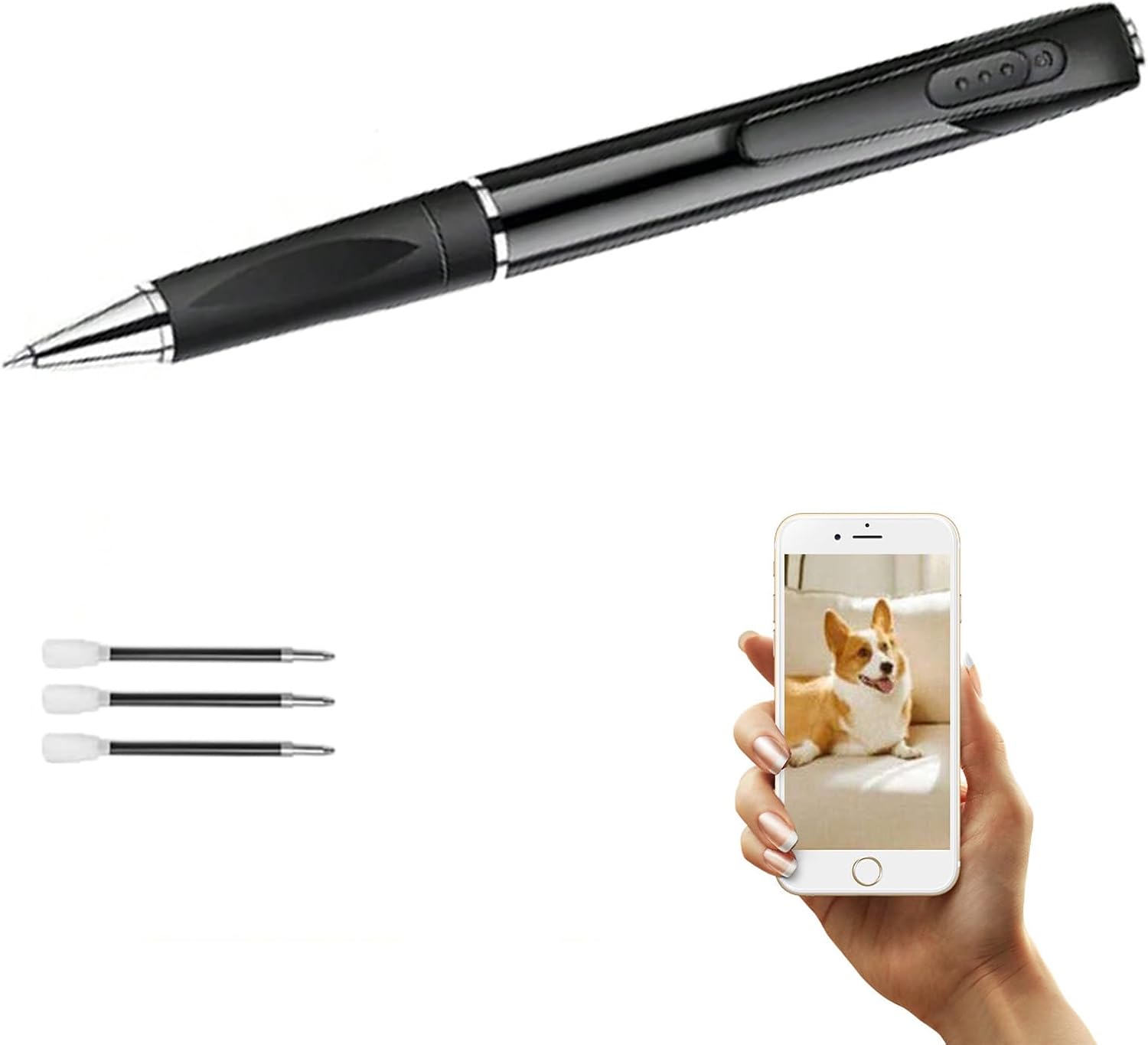
Figure 1: InCliick Mini Cam Portable Camera Pen D7W. The image displays the black camera pen, three black ink refills, and a hand holding a smartphone showing a picture of a dog, illustrating the camera's function.
Setup
1. Charging the Device
Before first use, fully charge the camera pen. Connect the pen to a USB power source using a compatible charging cable (not explicitly mentioned but standard). The built-in 250mAh battery provides approximately 60-90 minutes of continuous operation when fully charged.
2. Inserting the SD Card
Locate the SD card slot on the camera pen. Gently insert the included 32GB SD card into the slot until it clicks into place. Ensure the card is inserted in the correct orientation to avoid damage.
3. Powering On
Press and hold the power button (refer to device diagram for location) for a few seconds until the indicator light illuminates, indicating the device is powered on.
4. Wi-Fi Connection (Optional)
The camera pen supports 2.4G Wi-Fi connectivity. For remote viewing or control, download the dedicated application (application name not provided, user should refer to packaging or manufacturer's website) on your smartphone. Follow the in-app instructions to connect the camera pen to your Wi-Fi network.
Operating Instructions
1. Taking Pictures
The InCliick D7W is designed for taking 1080P still images during daytime conditions. It does not support night vision or audio recording.
- Ensure the camera pen is powered on.
- Point the camera lens towards your desired subject.
- Press the designated button (one-click operation) to capture a picture. The indicator light may flash to confirm capture.
2. Loop Recording
The camera pen features loop recording functionality. When the SD card storage is full, the camera will automatically overwrite the oldest files to continue recording. This ensures continuous operation without manual deletion of old content.
3. Viewing Captured Content
To view captured images, connect the camera pen to a computer using a USB cable, or remove the SD card and insert it into a compatible card reader. Alternatively, if Wi-Fi is configured, you may be able to view content via the dedicated smartphone application.
Maintenance
- Cleaning: Use a soft, dry cloth to clean the camera pen's exterior. For the lens, use a specialized lens cleaning cloth. Avoid using harsh chemicals or abrasive materials.
- Storage: Store the camera pen in a cool, dry place away from direct sunlight and extreme temperatures.
- Battery Care: To prolong battery life, avoid fully discharging the battery frequently. Charge the device regularly, even if not in use for extended periods.
- SD Card: Periodically back up important files from the SD card to prevent data loss.
Troubleshooting
| Problem | Possible Cause | Solution |
|---|---|---|
| Device does not power on. | Low battery. | Charge the device fully. |
| Cannot capture images. | SD card full or improperly inserted. | Check SD card insertion. Due to loop recording, storage should not be an issue unless the card is corrupted. Try reformatting the SD card (this will erase all data). |
| Poor image quality. | Insufficient lighting (daytime only camera). Dirty lens. | Ensure adequate lighting. Clean the camera lens. |
| Wi-Fi connection issues. | Incorrect Wi-Fi password. Out of range. App issues. | Verify Wi-Fi password. Move closer to the Wi-Fi router. Restart the camera and the app. Ensure you are connecting to a 2.4Ghz network. |
Specifications
| Brand | InCliick |
| Model Name | D7W |
| Product Dimensions | 5.9 x 0.63 x 0.63 inches |
| Item Weight | 2.56 ounces |
| Video Capture Resolution | 1080p (for images) |
| Connectivity Technology | Wireless (2.4G Wi-Fi) |
| Battery | 250mAh (Nonstandard Battery, included) |
| Storage | 32GB SD Card (included) |
| View Angle | 100° Wide View (fixed) |
| Audio Recording | No |
| Night Vision | No |
Warranty Information
Specific warranty details for the InCliick Mini Cam Portable Camera Pen D7W are not provided within this manual. For information regarding warranty coverage, terms, and conditions, please refer to the product packaging, the manufacturer's official website, or contact InCliick customer support directly.
Customer Support
If you encounter any issues or have questions not addressed in this manual, please visit the InCliick official website or contact their customer support for assistance. Contact information is typically available on the product packaging or the manufacturer's website.
You can also visit the InCliick Store on Amazon for more product information.
Ask a question about this manual
Ask about setup, troubleshooting, compatibility, parts, safety, or missing instructions. Manuals+ will review the question and use this page’s manual context to help answer it.