
1. Product Overview
The NPTCL V37 Wireless Lavalier Microphone system provides high-quality audio recording for various applications. Featuring AI noise cancellation, extended battery life, and broad compatibility, this microphone is designed for content creators, vloggers, and livestreamers. Its plug-and-play functionality ensures ease of use with both USB-C and Lightning-compatible devices.
2. Package Contents
Please verify that all items listed below are included in your package:
- Microphone (Transmitter)
- USB C Receiver
- Lightning Adapter
- Charging Case
- USB Charging Cable
- Wind Muff (Furry Windscreen)
3. Product Components
The NPTCL V37 system consists of a compact microphone (transmitter) and a receiver. The microphone features a clip for attachment to clothing and a magnetic clip for versatile placement. The receiver connects directly to your recording device.

Image: The compact design of the NPTCL V37 microphone, measuring approximately 1.2 inches (3cm) on each side.

Image: Illustration of the microphone's features, including its clip-on design, 360-degree sound pickup capability, and magnetic attachment option.
4. Setup and Pairing
The NPTCL V37 microphone system is designed for simple plug-and-play operation with automatic pairing.
- Connect the Receiver: Plug the USB-C receiver directly into your smartphone or tablet. If your device uses a Lightning port (e.g., iPhone 14/13/12), attach the provided Lightning adapter to the USB-C receiver before plugging it into your device.
- Power On Microphone: Remove the microphone (transmitter) from the charging case. It will automatically power on.
- Automatic Pairing: The microphone and receiver will automatically pair. A solid indicator light on both units confirms a successful connection. No Bluetooth pairing or app installation is required.
- Start Recording: Open your preferred video or audio recording application on your device and begin recording. The external microphone will be automatically detected and used.

Image: A visual guide demonstrating the simple three-step process for connecting and using the NPTCL V37 microphone: plug the receiver into your phone, turn on the microphone, and it will automatically pair for recording.
5. Operation
The NPTCL V37 microphone is equipped with advanced features to enhance your audio recording experience.
AI Noise Cancellation
The microphone utilizes an advanced AI audio algorithm to filter out ambient noise, ensuring clear and high-fidelity audio capture. This feature is particularly beneficial when recording in noisy environments, allowing your voice to stand out.
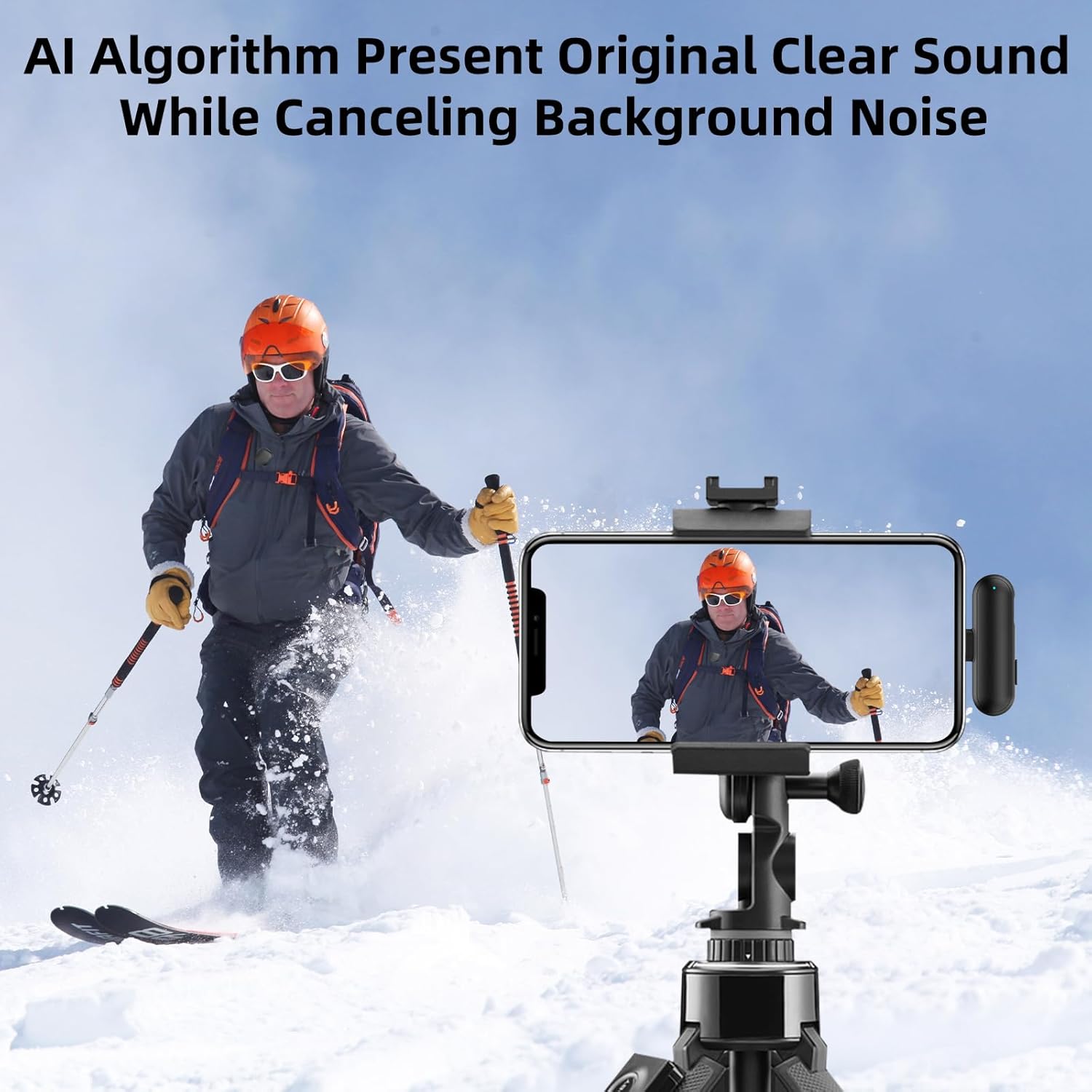
Image: Demonstrates the AI noise cancellation feature, showing a clear recording of a person skiing despite potential background noise.

Image: Two individuals engaged in conversation, with one wearing the NPTCL V37 microphone, showcasing its ability to capture clear original sound while canceling background noise.
Discreet Placement
The compact size and magnetic clip allow for discreet placement, such as hidden within a collar, making it ideal for professional-looking video content.

Image: A close-up view showing how the NPTCL V37 mini microphone can be discreetly hidden within a collar for unobtrusive recording.
6. Charging and Battery Life
The NPTCL V37 system offers extended usage times for prolonged recording sessions.
- Each microphone provides up to 7 hours of continuous use on a single charge.
- The portable charging case extends the total usage time to approximately 35 hours, allowing multiple recharges on the go.
- To charge the microphones, place them back into the charging case. To charge the case, connect it to a power source using the provided USB charging cable.

Image: A visual representation of the NPTCL V37's battery performance, highlighting 7 hours of use per microphone and a total of 35 hours with the charging case.

Image: The charging case and microphones, emphasizing the extended working time of 7 hours per mic and 35 hours total with the case.
7. Connectivity and Range
The NPTCL V37 offers wide compatibility and a robust wireless connection.
- Wide Compatibility: Compatible with iPhone 17/16/15/14, Android phones, Samsung Galaxy, Google Pixel, LG, and iPads (USB-C and Lightning). Ensure to use the correct adapter for your device.
- Long Range: The system supports stable and low-latency recording up to 328 feet (100 meters), providing flexibility for various recording scenarios.

Image: Illustrates the broad compatibility of the NPTCL V37 with various devices, including iPhones (15/16 with USB-C, 14/13/12 with Lightning adapter), Android phones, and iPads.

Image: Depicts the microphone's long-range capability, showing stable recording from up to 328 feet (100 meters) away in an open environment.
8. Multiple Application Scenarios
The NPTCL V37 is suitable for a variety of content creation and communication needs:
- Interviews
- YouTube Videos
- TikTok Content
- Vlogging
- Podcasting
- Livestreaming

Image: A collage illustrating various uses for the NPTCL V37 microphone, including interviews, YouTube content creation, TikTok videos, and vlogging.
9. Maintenance
To ensure the longevity and optimal performance of your NPTCL V37 Wireless Lavalier Microphone, follow these maintenance guidelines:
- Cleaning: Use a soft, dry cloth to clean the microphone and receiver. Avoid using harsh chemicals or abrasive materials.
- Storage: Store the microphone system in its charging case when not in use to protect it from dust, moisture, and physical damage.
- Battery Care: For long-term storage, ensure the charging case and microphones have a partial charge (around 50%) to preserve battery health. Avoid fully discharging or overcharging for extended periods.
- Wind Muff: Regularly clean or replace the furry wind muff if it becomes dirty or worn to maintain effective wind noise reduction.
10. Troubleshooting
If you encounter issues with your NPTCL V37 microphone, refer to the following common troubleshooting steps:
- No Sound/Low Volume:
- Ensure the receiver is fully plugged into your device.
- Verify the microphone is powered on and paired (indicator light solid).
- Check your device's audio input settings to confirm the external microphone is selected.
- Ensure the microphone is positioned correctly and not obstructed.
- Interference/Poor Audio Quality:
- Move closer to the receiver if you are near the maximum range (328ft/100m).
- Avoid environments with strong electromagnetic interference.
- Ensure the wind muff is properly installed in windy conditions.
- Microphone Not Pairing:
- Ensure both the microphone and receiver are charged.
- Power cycle both units (turn off and on again).
- Ensure no other wireless devices are causing interference during pairing.
- Charging Issues:
- Verify the charging cable is securely connected to both the case and the power source.
- Try a different USB charging cable or power adapter.
- Ensure the microphones are correctly seated in the charging case.
If these steps do not resolve the issue, please contact NPTCL customer support for further assistance.
11. Specifications
| Brand | NPTCL |
| Model Name | V37 |
| Connectivity Technology | USB-C |
| Connector Type | Lightning, USB Type-C |
| Special Features | Battery Indicator Light, Clip, Mute Function, Noise Reduction |
| Compatible Devices | Smartphone, Tablet |
| Color | Black |
| Included Components | Charging Case, Lightning Adapter, Microphone, USB C Receiver |
| Polar Pattern | Unidirectional |
| Microphone Form Factor | Lavalier |
| Power Source | Battery Powered |
| Number of Batteries | 1 9V batteries required (included) |
| Hardware Platform | Smartphone, Tablet |
| Number of Channels | 1 |
| Enclosure Material | Polycarbonate |
12. Warranty Information
The NPTCL V37 Wireless Lavalier Microphone comes with a 1-Year Warranty from the date of purchase. This warranty covers manufacturing defects and ensures the product meets its specified performance standards under normal use. Please retain your proof of purchase for warranty claims.
For warranty service or technical support, please contact NPTCL customer service through the retailer where the product was purchased or visit the official NPTCL website.
