
1. Introduction
Thank you for choosing the GarveeHome Power Recliner Chair. This manual provides essential information for the safe assembly, operation, and maintenance of your new recliner. Please read these instructions carefully before use and retain them for future reference.
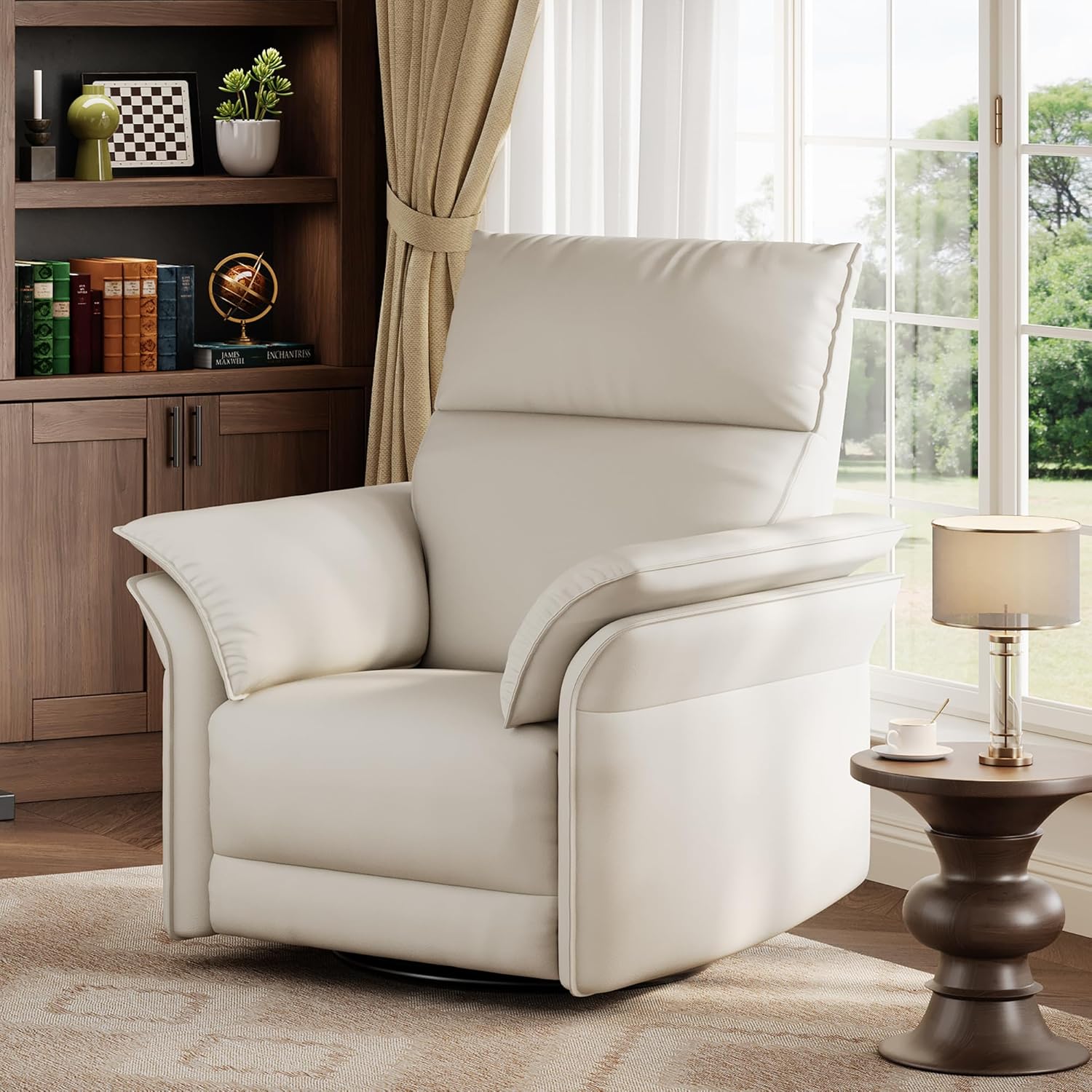
Image 1.1: The GarveeHome Power Recliner Chair in a living room environment.
2. Safety Information
Important Safety Precautions:
- Always assemble the chair according to the provided instructions.
- Do not exceed the maximum weight capacity of 350 lbs (158 kg).
- Keep the power cord out of reach of children and pets to prevent accidents.
- Ensure the chair is placed on a stable, level surface.
- Keep hands and feet clear of the reclining mechanism during operation.
- Do not allow children to play on or around the recliner unsupervised.
3. Package Contents
Before assembly, verify that all components are present. If any parts are missing or damaged, please contact customer support.
- Recliner Backrest
- Recliner Seat Base (with integrated armrests and power mechanism)
- Power Adapter
- Instruction Manual
4. Assembly Instructions
Assembly of the GarveeHome Power Recliner Chair is designed to be quick and straightforward, typically taking less than 10 minutes.
- Unpack Components: Carefully remove all parts from the packaging. Place the seat base on a clean, soft surface to prevent damage.
- Attach Backrest: Align the metal brackets on the backrest with the corresponding slots on the seat base. Slide the backrest down firmly until it clicks securely into place. Ensure both sides are fully engaged.
- Connect Power: Locate the power cord extending from the chair and connect it to the provided power adapter. Plug the adapter into a standard electrical outlet.
- Final Check: Gently push and pull on the backrest to confirm it is securely attached. Test the reclining function to ensure proper operation.

Image 4.1: The recliner chair ready for use after assembly.
5. Operating Instructions
The GarveeHome Power Recliner offers multiple comfort features for enhanced relaxation.
5.1 Reclining Function
To recline the chair, locate the control button on the side of the chair. Press and hold the button to smoothly adjust the reclining angle between 90 and 140 degrees. Release the button at your desired position. To return to the upright position, press and hold the button again.

Image 5.1: The recliner in a partially reclined position, demonstrating the footrest extension.

Image 5.2: The recliner in a fully reclined position, showing the extended footrest and laid-back backrest.
5.2 Swivel and Gliding
The chair features a 270-degree swivel base, allowing you to rotate freely. It also provides a smooth gliding motion, ideal for nursing or gentle relaxation. These functions operate independently of the power recline.
5.3 USB Charging Port
A built-in USB charging port is located on the side of the chair, near the recline control button. Use this port to conveniently charge your electronic devices while relaxing.

Image 5.3: Detail of the armrest, highlighting the USB charging port and a convenient side pocket.
6. Maintenance and Care
Proper care will extend the life and appearance of your recliner.
- Cleaning: The chair's PU leather surface is easy to clean. Wipe clean with a soft, damp cloth. Avoid harsh chemicals or abrasive cleaners, as these can damage the material.
- Spills: Blot spills immediately with a clean, dry cloth. Do not rub.
- Mechanism: Periodically check all bolts and screws to ensure they are tight. Do not lubricate the reclining mechanism unless specifically instructed by customer support.
- Placement: Avoid placing the chair in direct sunlight or near heat sources, which can cause the material to fade or crack over time.
7. Troubleshooting
If you encounter issues with your GarveeHome Power Recliner, refer to the following common problems and solutions:
| Problem | Possible Cause | Solution |
|---|---|---|
| Chair does not recline | Power cord not connected or loose. Power outlet not working. | Ensure power cord is securely plugged into both the chair and a working electrical outlet. Test the outlet with another device. |
| Recline motion is jerky or noisy | Obstruction in mechanism. Loose hardware. | Check for any objects obstructing the mechanism. Ensure all assembly bolts are tightened. |
| Footrest does not extend independently of backrest | This model is designed for synchronized recline. | The GarveeHome Power Recliner Chair operates with a synchronized recline, meaning the footrest extends as the backrest reclines. Independent footrest operation is not a feature of this model. |
| USB port not charging | Chair not powered on. Device cable faulty. | Ensure the chair is powered and the recline button is pressed to activate power. Try a different USB cable or device. |
If the problem persists after attempting these solutions, please contact GarveeHome customer support.
8. Specifications
Detailed specifications for the GarveeHome Power Recliner Chair:
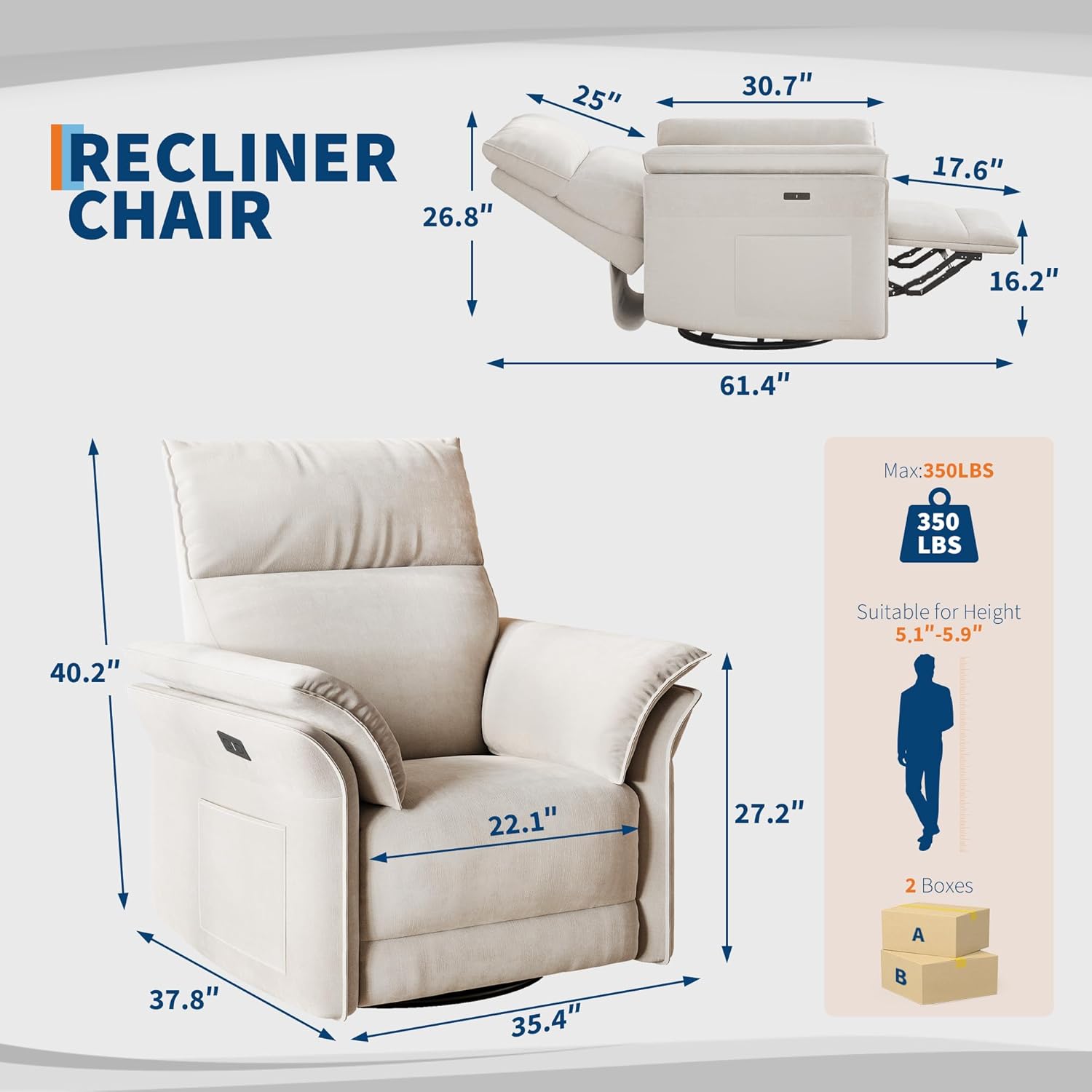
Image 8.1: Dimensional diagram of the GarveeHome Power Recliner Chair.
| Feature | Detail |
|---|---|
| Brand | GarveeHome |
| Model Name | power recliner |
| Color | White |
| Product Dimensions (D x W x H) | 37.4" x 35.43" x 40.16" (95cm x 90cm x 102cm) |
| Item Weight | 122 lbs (55.3 kg) |
| Maximum Weight Capacity | 350 lbs (158 kg) |
| Material | Faux Leather (PU Leather), Foam Fill |
| Reclining Angle | 90-140 degrees |
| Rocking Angle | 30 degrees |
| Swivel Range | 270 degrees |
| Special Features | Power Recline, Swivel, Glider, USB Charging Port, Padded Armrests, Lumbar Cushion |
| UPC | 199414610575 |
9. Warranty and Support
For warranty information or technical support, please contact GarveeHome customer service. Details regarding specific warranty periods and coverage are typically provided at the point of purchase or can be obtained directly from the manufacturer.
Customer Support: Please refer to your purchase documentation or the GarveeHome official website for contact information.