
1. Product Overview
The taopodo M13 Portable Bluetooth Speaker delivers a high-fidelity 360° stereo sound experience with deep bass and clear vocals. Featuring the latest Bluetooth 5.4 technology for stable and fast connections, it offers up to 30 hours of playtime on a single charge thanks to its 4000mAh battery. With 30W dual speakers and TWS pairing capability, you can enjoy immersive stereo sound. The speaker also boasts colorful RGB lights with multiple dynamic modes, IPX7 waterproof and dustproof durability, and a built-in microphone for hands-free calls, making it ideal for various indoor and outdoor activities.

Image: The taopodo M13 Portable Bluetooth Speaker, showcasing its sleek design, vibrant RGB lighting, and water-resistant capabilities.
2. What's in the Box
- 1 x taopodo M13 Portable Bluetooth Speaker
- 1 x Type-C Charging Cable
- 1 x Nylon Lanyard
- 1 x Owner's Manual (this document)
3. Key Features
- High Fidelity 360° Stereo Sound: Immersive audio experience with balanced and clear music surround sound.
- Powerful 30W Dual Speakers: Two 55MM drivers deliver rich bass, delicate midrange, and thick treble.
- Latest Bluetooth 5.4 Technology: Provides stable and fast wireless connection up to 100 feet.
- Extended Playtime: Equipped with a 4000mAh battery, offering over 30 hours of music playback on a single charge.
- True Wireless Stereo (TWS) Pairing: Connect two M13 speakers for an enhanced, room-filling stereo sound experience.
- Dynamic RGB Color Lights: Features multiple light modes that sync with music, creating an engaging visual atmosphere.
- IPX7 Waterproof & Dustproof: Designed to withstand splashes, rain, and even submersion, making it suitable for outdoor use.
- Built-in Microphone: Supports voice calls and hands-free communication.
- Multiple Playback Modes: Supports Bluetooth, TF Card, and AUX-in connections.
- 3 EQ Modes: Customize your audio experience with different equalization settings (Bass, Treble, Vocals).

Image: Key features of the taopodo M13 speaker, highlighting Bluetooth 5.4 connectivity, IPX7 waterproofing, and the built-in microphone.

Image: Illustration of TWS (True Wireless Stereo) pairing, showing two speakers connected wirelessly to deliver an immersive audio experience.
4. Specifications
| Feature | Specification |
|---|---|
| Model Name | M13 |
| Brand | taopodo |
| Connectivity Technology | Bluetooth 5.4 |
| Speaker Maximum Output Power | 30 Watts |
| Speaker Size | 55 Millimeters (Dual Drivers) |
| Battery Capacity | 4000mAh |
| Playtime | Up to 30 hours (at 20% volume with lights off) |
| Waterproof Rating | IPX7 |
| Bluetooth Range | Up to 15 Meters (approx. 50 feet) / 100 feet (as per feature bullet) |
| Product Dimensions | 2.5"D x 1.9"W x 2.5"H |
| Item Weight | 1.68 pounds |
| Input Voltage | 12 Volts |
| Frequency Response | 16000 Hz |
| Signal-to-Noise Ratio | 85 dB |
| Number of Microphones | 2 |
| Controller Type | Button |
| Mounting Type | Tabletop Mount |
| Recommended Uses | For Smartphones or Tablets, Travel/Party/Home Theatre |
| Special Features | Built-in Microphone, Dustproof, LED Light, Lightweight, Shockproof, Stereo Pairing, USB Port, Waterproof |
5. Setup Guide
5.1 Charging the Speaker
Before first use, fully charge the speaker. Connect the provided Type-C charging cable to the speaker's Type-C port and the other end to a compatible USB power adapter (not included).
- The charging indicator light will show charging status.
- A full charge typically takes a few hours.

Image: The charging port (Type-C) and other input options on the speaker.
5.2 Powering On/Off
- To power on, press and hold the Power button (power icon) for 2 seconds.
- To power off, press and hold the Power button (power icon) for 2 seconds again.
5.3 Bluetooth Pairing
- Ensure the speaker is powered on and in Bluetooth pairing mode (indicated by a flashing light).
- On your device (smartphone, tablet, computer), enable Bluetooth.
- Search for available Bluetooth devices and select "taopodo M13" from the list.
- Once connected, the speaker will emit a confirmation sound, and the light indicator will become solid.
Video: An official demonstration of the taopodo M13 Bluetooth Speaker's features, including sound quality, battery life, waterproofing, and connectivity options.
5.4 TWS (True Wireless Stereo) Pairing
To achieve a true stereo sound experience, you can pair two taopodo M13 speakers together.
- Ensure both M13 speakers are powered on and not connected to any other Bluetooth device.
- On one speaker (this will be the primary speaker), press and hold the TWS button (infinity symbol) for 2 seconds. It will enter TWS pairing mode.
- The primary speaker will search for the secondary speaker. Once connected, both speakers will emit a confirmation sound.
- Now, connect your device to the primary speaker via Bluetooth as described in Section 5.3. Audio will play through both speakers in stereo.
6. Operating Instructions
6.1 Button Functions
The taopodo M13 features intuitive button controls for easy operation.

Image: Detailed diagram illustrating the function of each button on the speaker.
| Button/Action | Function |
|---|---|
| Power Button (power icon) - Press and hold 2s | Power On/Off |
| Power Button (power icon) - Press x1 | Play/Pause |
| Power Button (power icon) - Press x2 | Toggle RGB Light Mode |
| Volume Down Button (minus icon) - Press x1 | Decrease Volume |
| Volume Down Button (minus icon) - Press and hold 2s | Previous Track |
| Volume Up Button (plus icon) - Press x1 | Increase Volume |
| Volume Up Button (plus icon) - Press and hold 2s | Next Track |
| EQ Button (EQ icon) - Press x1 | Cycle through EQ Modes (Bass, Treble, Vocals) |
| TWS Button (infinity symbol) - Press and hold 2s | Initiate TWS Pairing |
| Call Button (phone icon) - Press x1 | Answer/End Call |
| Call Button (phone icon) - Press and hold 2s | Reject Call |
6.2 RGB Light Control
The speaker features dynamic RGB lights. Briefly press the Power button (power icon) twice to cycle through different light modes or turn the lights off.
6.3 EQ Modes
The M13 speaker offers 3 equalization modes to optimize your listening experience. Press the EQ button (EQ icon) to switch between Bass, Treble, and Vocal modes.
6.4 Auxiliary (AUX) Input
To play audio from devices without Bluetooth, use the AUX-in port. Connect one end of a 3.5mm audio cable (not included) to your device's headphone jack and the other end to the speaker's AUX port. The speaker will automatically switch to AUX mode.
6.5 TF Card Playback
Insert a TF (MicroSD) card loaded with audio files into the TF card slot. The speaker will automatically detect the card and begin playing music.
7. Maintenance and Care
- Cleaning: Wipe the speaker with a soft, damp cloth. Do not use harsh chemicals or abrasive cleaners.
- Water Exposure: While IPX7 waterproof, avoid prolonged submersion or exposure to saltwater. Ensure the charging port cover is securely closed before exposing to water.
- Storage: Store the speaker in a cool, dry place away from direct sunlight and extreme temperatures.
- Battery Care: To prolong battery life, avoid fully discharging the speaker frequently. Charge it regularly, even if not in use for extended periods.
- Handling: Do not drop or subject the speaker to strong impacts.
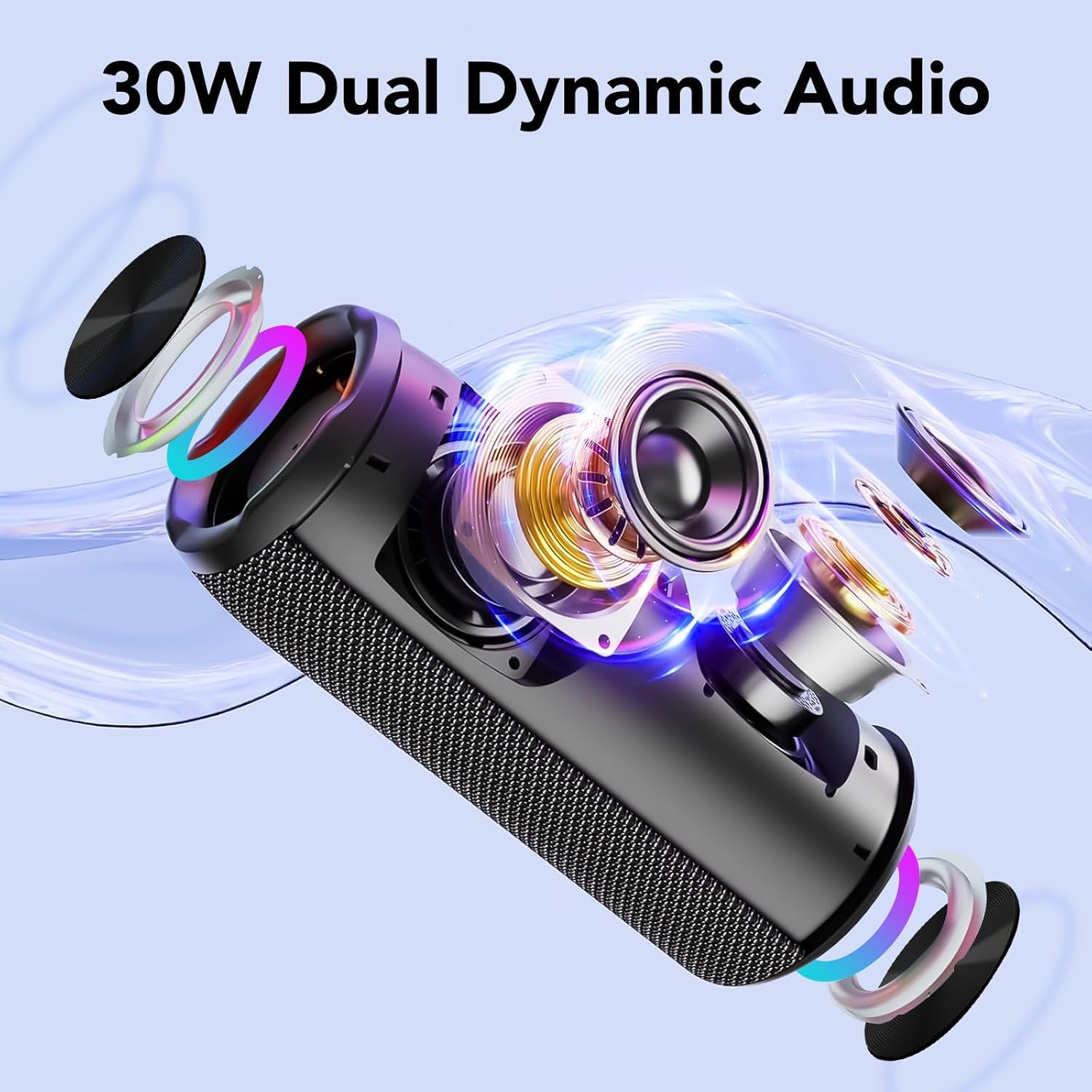
Image: The speaker being splashed with water, illustrating its IPX7 waterproof capability.
8. Troubleshooting
| Problem | Possible Solution |
|---|---|
| Speaker does not power on. |
|
| Cannot pair via Bluetooth. |
|
| No sound or low volume. |
|
| TWS pairing fails. |
|
| RGB lights are not working. |
|
9. Warranty and Support
The taopodo M13 Portable Bluetooth Speaker comes with a Limited Warranty. Please refer to the warranty information provided with your purchase for details on coverage and duration.
For technical support, troubleshooting assistance, or warranty claims, please contact taopodo customer service through the retailer where you purchased the product or visit the official taopodo website for contact information.


