
1. Introduction
This manual provides essential information for the safe and efficient operation of your Woxcker L2 MAX 20W Laser Cutter and Engraver Machine. Please read it thoroughly before initial use and retain it for future reference.
The Woxcker L2 MAX 20W is a high-precision laser engraving and cutting machine designed for a wide range of materials including wood, metal, glass, leather, and acrylic. It features a 20W laser module, a 300x300mm bed size, and a fully enclosed design for enhanced safety and a cleaner working environment.

Image: Woxcker L2 MAX 20W Laser Cutter and Engraver Machine with examples of engraved items.
2. Safety Features
Your Woxcker L2 MAX machine incorporates multiple safety features to ensure user protection during operation:
- Class 1 Laser Certification: The L2 enclosure system meets Class 1 laser safety standards (IEC 60825-1), ensuring safe operation around children and pets.
- 360° Fully Enclosed Design: The orange acrylic cover shields users from direct laser exposure, protecting eyes and reducing injury risk. It also helps contain fumes and dust, promoting a cleaner and healthier work environment.
- Smart Monitoring: The machine features an auto-shutdown function upon detecting a 15° tilt.
- Emergency Stop Button: A prominent emergency stop button is included for immediate shutdown of all machine operations.
- Lid-Open Safety Stop: The machine is equipped with an intelligent sensing system that stops operation when the cover is opened.
- Child Safety Lock: A key lock prevents unauthorized use, particularly by children.
- Built-in Flame Sensor: Detects unusual heat or flames and halts operation to prevent hazards.
- Laser Filter Visual Window and Goggle: The laser cover and included goggles effectively filter out 97% of laser light, allowing safe observation of the engraving process.

Image: Overview of Woxcker L2 MAX safety features.

Image: The machine stops automatically when the lid is opened.

Image: Emergency stop button and child safety lock for secure operation.

Image: Laser filter window and safety goggles for eye protection.
Video: Woxcker L2 Series Laser Engraver overview, demonstrating safety features like tilt stop and lid open safety.
3. Setup
The Woxcker L2 MAX features a new modular assembly design, divided into five main components. This simplified setup makes it easy for beginners to assemble the machine without needing to adjust belts or perform other complex tasks, potentially saving 30 to 40 minutes during installation.
3.1 Unpacking and Initial Assembly
- Carefully unpack all components from the packaging.
- Follow the included quick start guide for step-by-step assembly instructions. The modular design ensures a straightforward process.
- Ensure all connections are secure before proceeding.

Image: Diagram illustrating the modular assembly of the Woxcker L2 MAX.
3.2 Software Installation and Connection
The laser engraving machine boasts extensive compatibility with various software and connection options:
- Supported Software: LightBurn, LaserGRBL, and Cutlabx.
- Connection Methods: Wi-Fi, USB cable, APP, and offline via TF card.
- File Formats: JPEG, JPG, PNG, BMP, SVG, DXF, and AI.
Install your preferred software on your computer (Windows XP/7/8/10/11, Mac OS, Linux) or use the mobile app. Connect the machine using one of the available methods.

Image: Illustration of the machine's wide software and system compatibility.
4. Operating Instructions
4.1 Laser Module Performance
The 20W laser module offers significant performance:
- Cutting Depth: Up to 2x deeper cuts compared to 10W modules.
- Engraving Speed: Up to 4x faster than 5W modules.
- Material Capability: Engraves hard metals (e.g., Stainless Steel) with precision and cuts denser woods (e.g., oak, plywood) cleanly, reducing charring.

Image: Visual representation of laser compression technology and cutting capabilities.
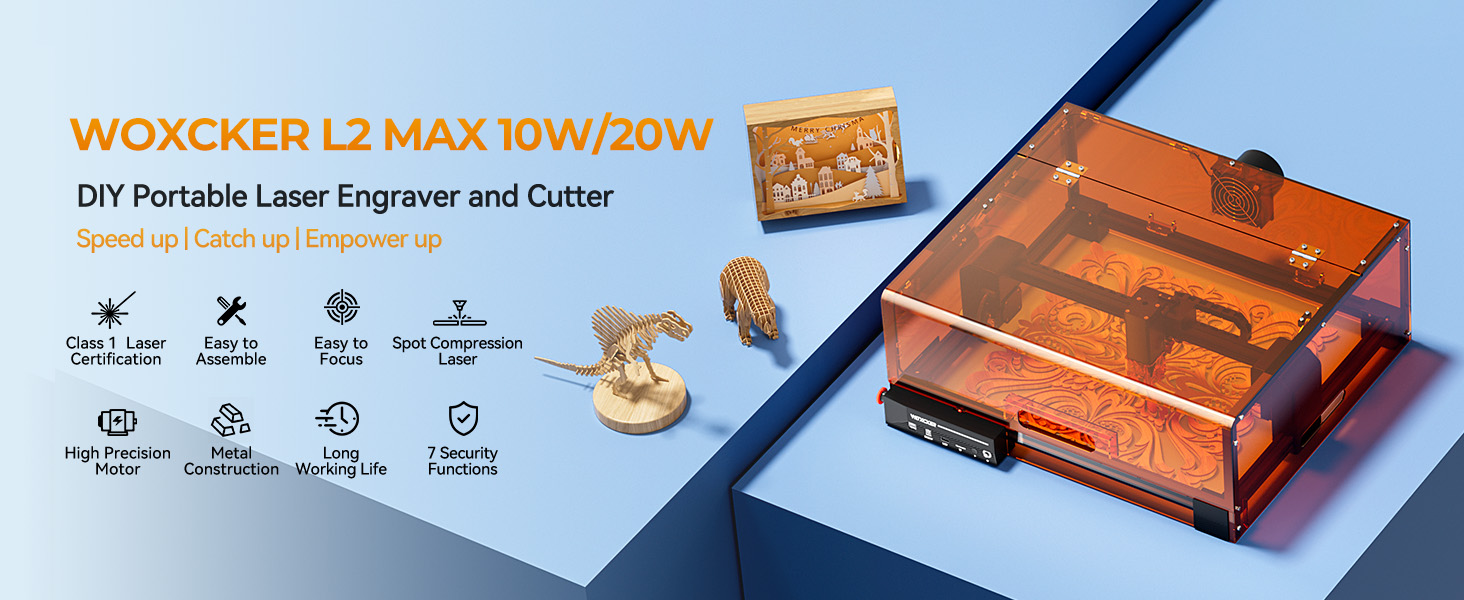
Image: Details on the high-power semiconductor laser and its 0.01mm ultra-fine focus.
4.2 Focusing and Precision
The machine features advanced point compression technology, delivering an ultra-fine 0.01mm square focus for high-precision engraving. This results in smoother, faster, and more accurate engraving.
- Fixed Focus: Equipped with a versatile semiconductor laser, it can easily engrave on a wide range of materials.
- Fast Focus Knob: A built-in focus knob allows for quick and convenient adjustment of the laser module height, enabling deeper cutting focus without removing the cover.

Image: Illustration of the fast focus knob for precise adjustments.
4.3 Material Compatibility and Applications
The Woxcker L2 MAX can engrave on a wide range of materials, including metal, wood, leather, plastic, and even food. Achieve high precision with intricate patterns and clear text.

Image: Chart showing various materials compatible with different laser modules.
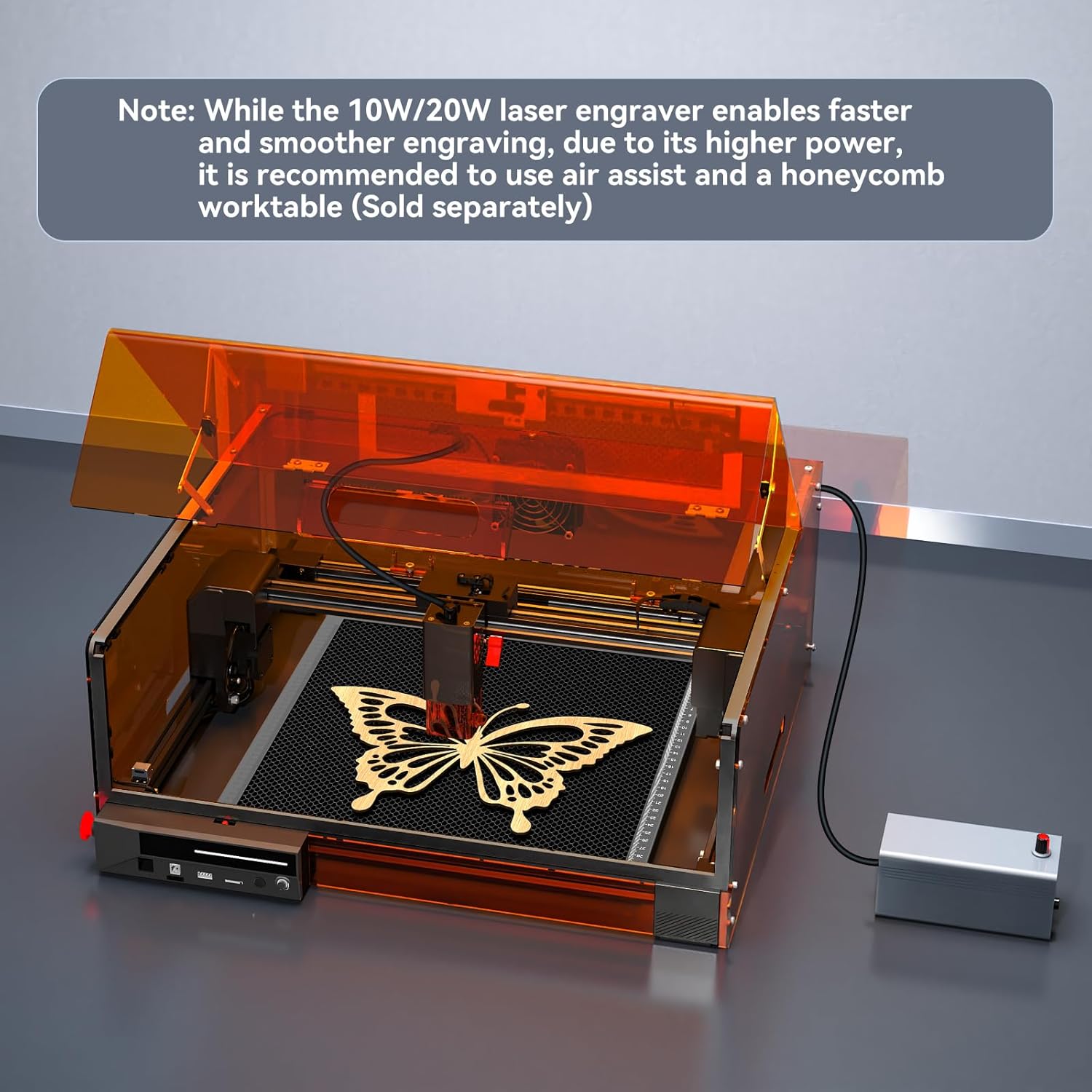
Image: Examples of DIY projects created with the laser engraver.
4.4 Accessories (Sold Separately)
For enhanced functionality and results, consider using the following accessories:
- Air Assist: Improves accuracy and provides cleaner cuts by blowing away smoke and debris.
- Rotary Roller: Enables engraving on cylindrical and curved objects like cups, bottles, and pens.
- Honeycomb Worktable: Prevents damage to your work surface from high-power cutting and aids in heat release.
- Heightening Risers: Allows for engraving on taller objects.

Image: Various accessories available to expand the machine's capabilities.

Image: Close-up of Smart Air Assist, Honeycomb Panel, and Heightening Brackets.

Image: Comparison of engraving with and without honeycomb worktable and air assist.
Video: Demonstration of laser engraver accessories, including air assist and rotary roller.
5. Maintenance
Regular maintenance ensures the longevity and optimal performance of your Woxcker L2 MAX machine.
5.1 Cleaning
- Regularly clean the engraving area and the honeycomb worktable (if used) to remove debris and dust.
- Wipe down the exterior of the machine with a soft, dry cloth.
- Ensure the smoke exhaust fan is clear of obstructions for efficient operation.
5.2 Laser Module Care
- The laser module is air-cooled and designed for a long life of up to 100,000 hours with 24/7 continuous operation.
- The machine features a built-in replaceable laser protection lens to effectively protect the laser and prolong its service life. Inspect and replace as needed.

Image: Illustration of the replaceable laser protection lens.
5.3 Cable and Rail System
- The machine features protective guides for cables, ensuring they are unfrailed and corrosion-resistant, contributing to smoother operation.
- The enhanced optical axis rails belt drive system with a central guide rail and reinforced optical axis maintains accuracy and stability over time.
- Dual Y-axis step motors provide strong power and finer trajectory.

Image: Protective cable guides for enhanced durability.

Image: Illustration of the enhanced optical axis rails belt drive system.

Image: Dual Y-Axis Step Motor Design for improved performance.
6. Troubleshooting
This section provides solutions to common issues you might encounter. For more complex problems, please contact customer support.
6.1 Common Issues
- Machine Not Powering On: Ensure all power cables are securely connected and the power outlet is functional. Check the emergency stop button is disengaged and the child safety lock is in the 'on' position.
- Laser Not Firing: Verify the laser module is correctly installed and focused. Check software settings to ensure the laser power is set appropriately for the material.
- Poor Engraving/Cutting Quality: Adjust laser focus, power, and speed settings. Ensure the material is flat and properly secured. Consider using an air assist for cleaner results.
- Software Connection Issues: Confirm Wi-Fi or USB connections are stable. Restart the software and the machine. Check for updated drivers or software versions.
- Excessive Smoke/Fumes: Ensure the enclosure is properly closed and the exhaust fan is operating. If using an air purifier, verify it is connected and functioning.
7. Specifications
| Feature | Specification |
|---|---|
| Manufacturer | Woxcker |
| Model Number | L2 MAX |
| Item Weight | 16 pounds |
| Product Dimensions | 21.57 x 18.78 x 8.43 inches |
| Size | 300mm 20W |
| Color | Black |
| Style | 20W Enclosure |
| Material | Metal |
| Wattage | 20000 Milliwatts |
| Item Package Quantity | 1 |
| Included Components | Cover, Engraving Materials, Laser Engraver Machine, Multiple Language Menu, Power Adapter |
| Batteries Required? | No |
| First Available Date | May 27, 2025 |
8. Warranty
The Woxcker L2 MAX 20W Laser Cutter and Engraver Machine comes with a 1-year limited warranty. For specific terms and conditions, please refer to the warranty documentation included with your product or contact customer support.
9. Customer Support
For any questions, technical assistance, or support, please contact Woxcker customer service:
- Email: service@woxcker.com
- Woxcker Store: Visit the Woxcker Official Store on Amazon for more products and information.