
1. Product Overview
The Dormakaba Saflok Emergency Lock Power Supply (P#A21100-F) is a crucial tool designed to provide temporary power to Dormakaba lock models with low or dead batteries. This device enables quick and easy access to rooms by allowing the lock to cycle and accept a valid keycard, preventing the need for destructive entry methods like drilling the lock or door.

Figure 1: Dormakaba Saflok Emergency Lock Power Supply
2. Compatibility
This emergency power supply is compatible with the following Dormakaba lock models:
- Quantum lock Models I, II, III, IV, Q90
- Quantum Pixel
- MT RFID Locksets
Important Note: This device will not work on lock models that are programmed with the Aurora software platform.

Figure 2: Compatible Dormakaba Lock Models
3. Key Features
- Compatible with Quantum lock Models I, II, III, IV, Q90, Quantum Pixel and MT RFID Locksets.
- Includes Batteries.
- Emergency Lock Power Supply Tool - Access Locks With Low or Dead Batteries Quickly With Valid Keycard.
- Durable ABS Construction.
- Reusable.
4. Setup
The Dormakaba Saflok Emergency Lock Power Supply is designed for immediate use. It comes with batteries included and requires no complex setup. Simply ensure the device itself has functional batteries before use.
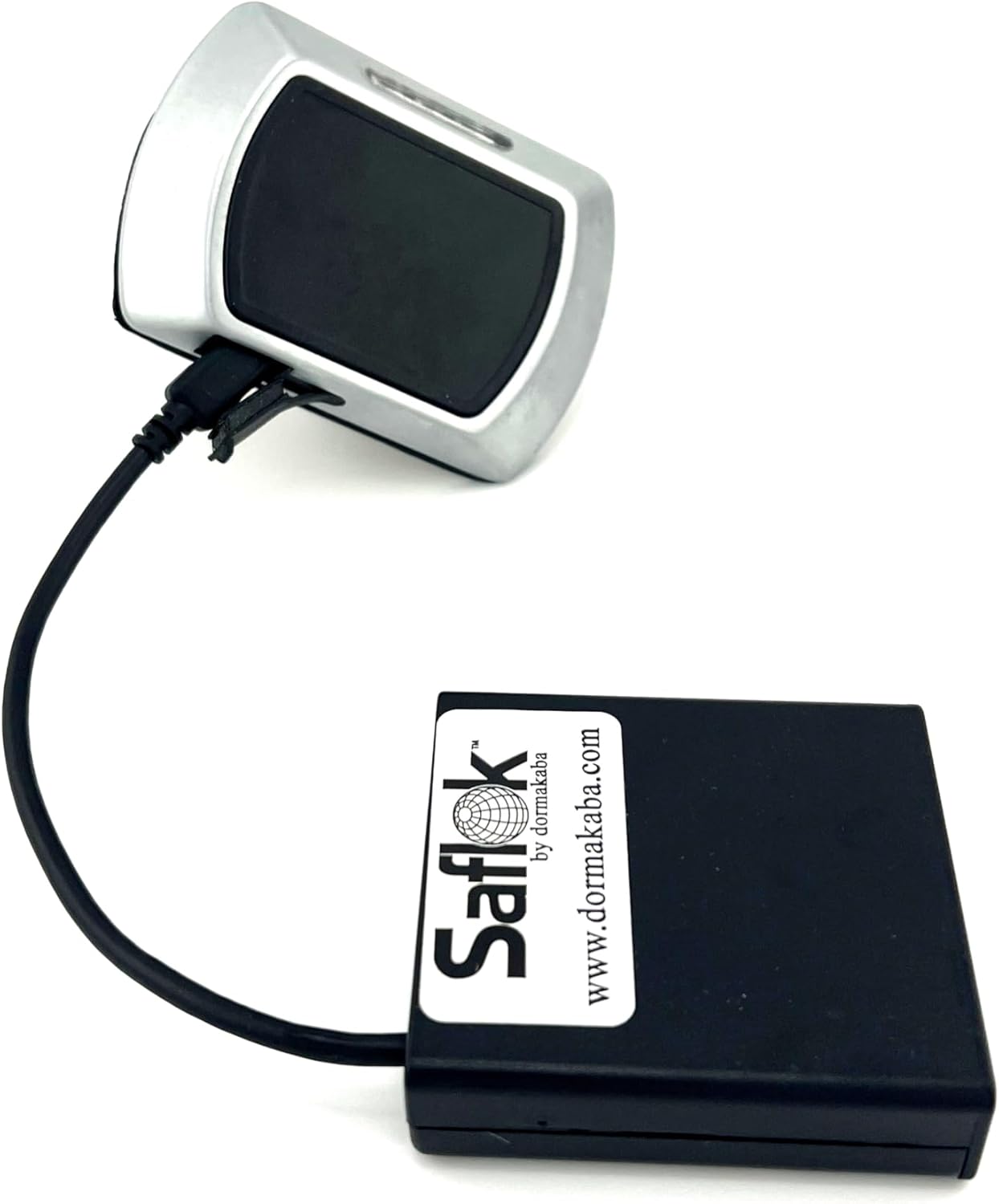
Figure 3: Connecting the power supply to a lock
5. Operating Instructions
Follow these steps to gain access to a Dormakaba lock with low or dead batteries:
- Locate the programming port on the Dormakaba lock. This is typically a mini USB port.
- Connect the mini USB cable from the Emergency Lock Power Supply into the programming port of the lock.
- Upon successful connection, the lock motor will cycle, producing a chattering noise. This indicates the lock is receiving temporary power.
- While the device is connected and the lock motor is active, present a valid keycard to the lock's reader.
- The door should now unlock, allowing access.
- Once the door is open and unlocked, disconnect the emergency power supply.
Instructional Video: Dormakaba Electronic Power Supply How to Use
Video 1: Demonstrates the process of using the emergency power supply to open a Dormakaba lock.
6. Maintenance
After successfully gaining access to a room using the emergency power supply, it is crucial to change the batteries in the Dormakaba lock immediately to restore normal operation and prevent future access issues.
For the emergency power supply itself, ensure it is stored in a dry, cool place. Check its internal batteries periodically and replace them as needed to ensure the device is ready for use when an emergency arises.
7. Troubleshooting
- Device not powering the lock: Ensure the mini USB cable is securely connected to both the power supply and the lock's programming port. Verify that the internal batteries of the emergency power supply are charged and correctly inserted.
- Lock motor does not cycle: If the lock motor does not make a chattering noise after connecting the power supply, double-check the connection. Confirm the lock model is listed under compatible devices (Section 2). Remember, this device is not compatible with locks programmed with the Aurora software platform.
- Keycard not working after power supply connection: Ensure you are using a valid keycard for that specific lock. The power supply only provides temporary power; it does not re-program the lock or validate invalid keycards.
8. Specifications
| Manufacturer | Dormakaba |
| Item Weight | 5.3 ounces |
| Product Dimensions | 2 x 2.25 x 0.75 inches |
| Item Model Number | A21100-F |
| Color | Black |
| Included Components | Batteries included, Emergency Lock Power Supply, Reusable |
| Batteries Included? | Yes |
| Batteries Required? | Yes |
| Battery Cell Type | Alkaline |
9. Warranty and Support
For warranty information and technical support regarding your Dormakaba Saflok Emergency Lock Power Supply, please contact the seller, INNTECH, directly through your purchase platform or their official website. Keep your proof of purchase for any warranty claims.