
Introduction
Thank you for choosing the Relybo R227 Rechargeable High Lumens LED Flashlight. This manual provides essential information for the safe and effective operation, maintenance, and care of your new flashlight. Please read this manual thoroughly before use and retain it for future reference.
What's in the Box
Your Relybo R227 kit includes the following components:
- 1 × Relybo R227 Super Bright Flashlight
- 1 × Rechargeable Battery (pre-installed or separate)
- 1 × USB-C Charging Cable
- 3 × AAA Alkaline Batteries
- 1 × Lanyard
- 1 × AAA Battery Holder & Battery Tube
- 1 × Lightweight Storage Gift Box
- 1 × User Manual (this document)
Product Features
High Lumens Output & Long Range
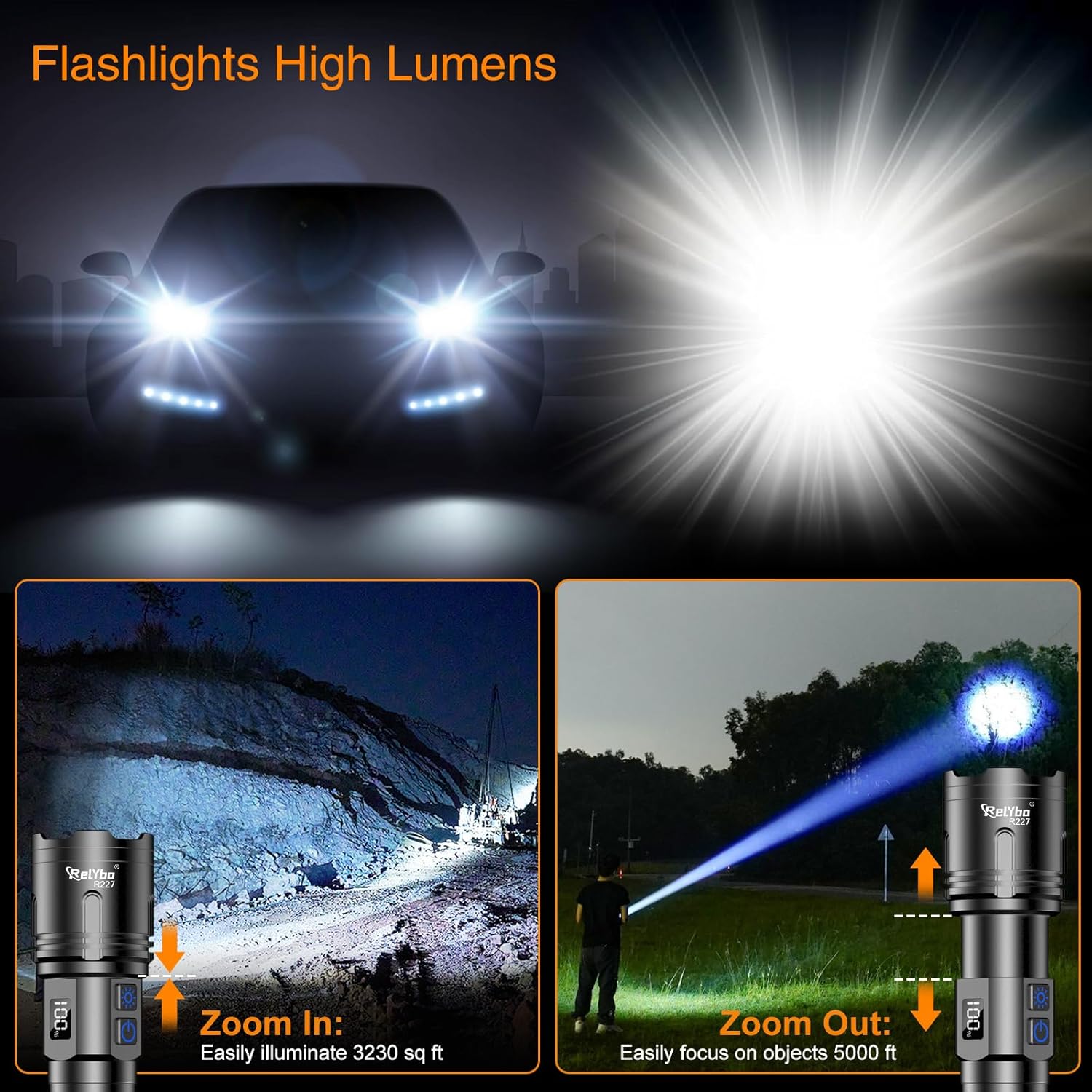
The Relybo R227 features an XHM90.2 LED chip, providing exceptional luminous intensity. It can illuminate a 3,230 sq ft area or spot objects over 5,250 feet away in long-range mode. This powerful beam is designed to penetrate dense dust and heavy fog.

Dual Switches & Multiple Modes
The flashlight is equipped with intuitive dual-switch control offering 4 lighting modes. The top switch activates Strobe and SOS signals for emergencies. The bottom switch toggles between High-Light and Stepless Dimming modes.

Smooth Dimming Control
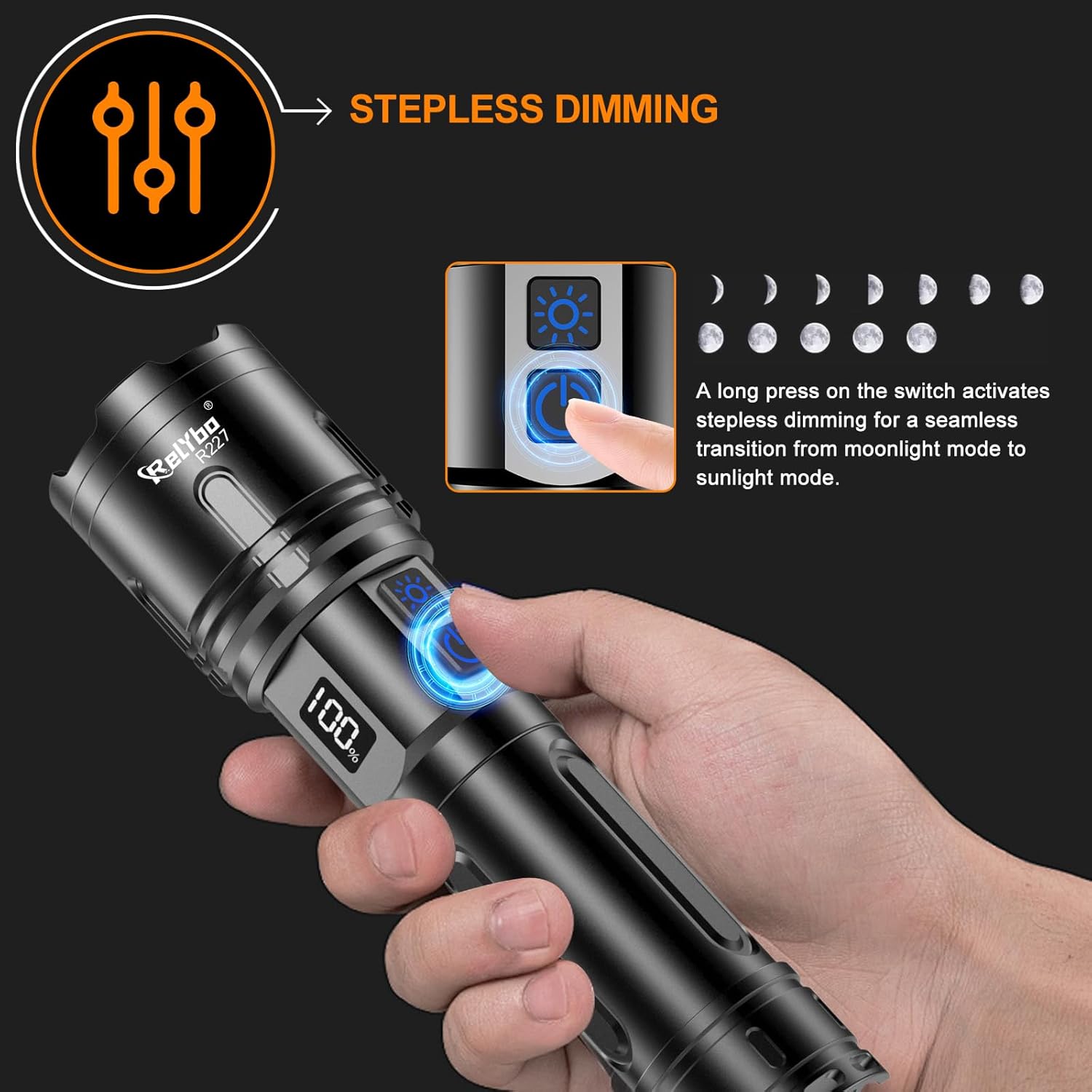
Achieve precise continuous dimming by long-pressing the bottom button. This allows seamless brightness adjustment from 100 to 2600 lumens, adapting to various scenarios without preset mode restrictions.
LCD Screen & USB Output
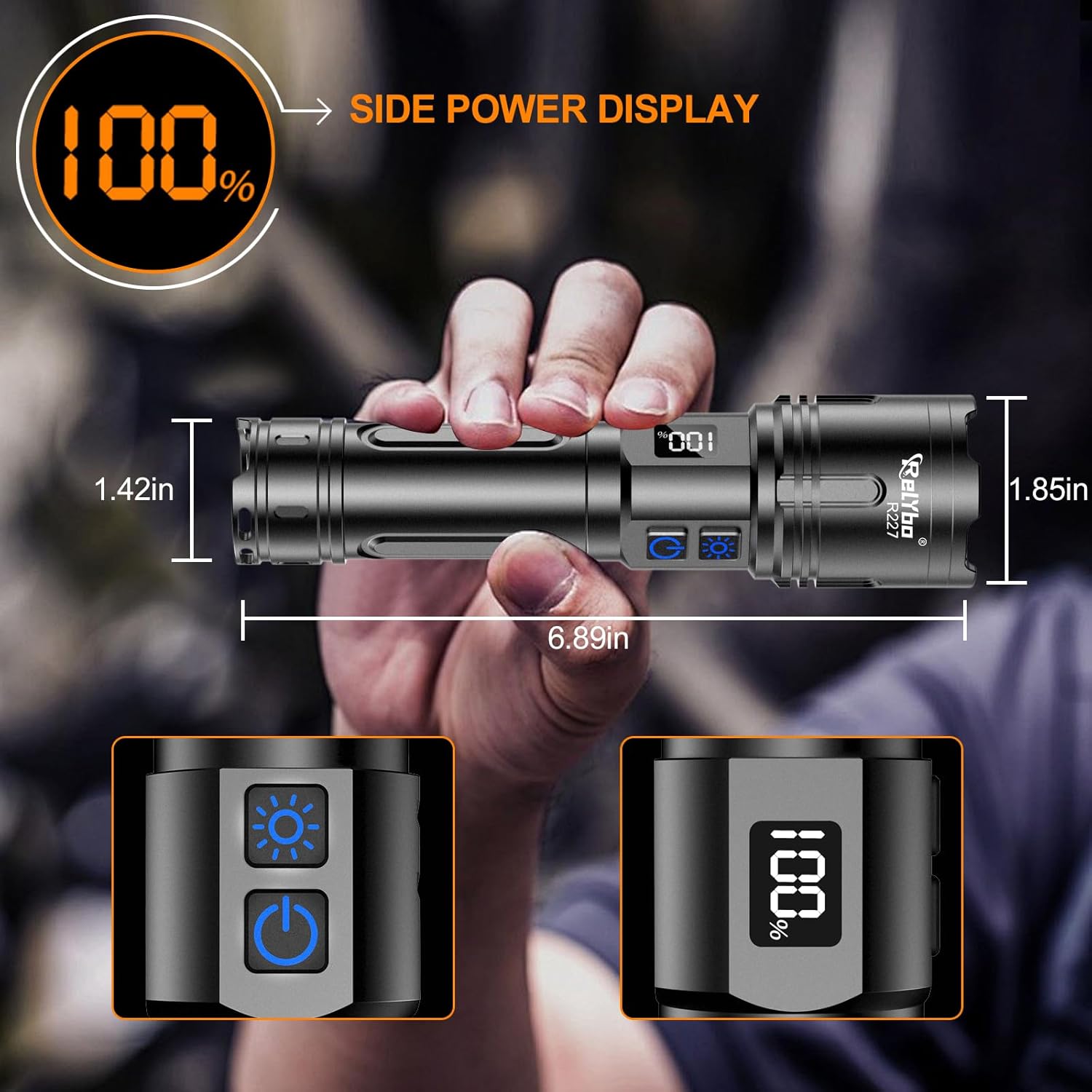
An LCD side display provides clear, detailed battery level percentage. It features a USB-C port for convenient charging and can also function as a power bank to charge other devices, such as a cell phone, in emergencies.

Durable & IPX6 Waterproof Design
Crafted from rugged aviation-grade aluminum with a hardened anodized finish, the flashlight offers superior impact and scratch resistance. Its IPX6 waterproof rating and integrated sealed rubber rings ensure protection against heavy rain and snow.

Setup
Battery Installation
The Relybo R227 flashlight supports two types of power sources: the included rechargeable battery or 3 AAA batteries using the provided holder.
- Using the Rechargeable Battery:
Unscrew the tail cap of the flashlight. Insert the provided rechargeable battery with the positive (+) end facing towards the flashlight head. Screw the tail cap back on securely. - Using AAA Batteries:
Unscrew the tail cap of the flashlight. Place 3 AAA batteries into the provided battery holder, ensuring correct polarity (+/-). Insert the loaded battery holder into the flashlight with the positive (+) end facing towards the flashlight head. Screw the tail cap back on securely.

Operating Instructions
Turning On/Off & Mode Selection
- Press the bottom power button once to turn the flashlight ON in High-Light mode.
- Press the bottom power button again to cycle through brightness levels (Stepless Dimming).
- Press and hold the bottom power button for continuous stepless dimming. Release when desired brightness is reached.
- Press the top switch once to activate Strobe mode.
- Press the top switch again to activate SOS mode.
- To turn the flashlight OFF from any mode, press and hold the bottom power button for approximately 2 seconds.
Adjustable Focus
The flashlight head can be extended or retracted to adjust the beam focus. Extend the head for a narrow, long-range beam, or retract it for a wide floodlight suitable for illuminating larger areas.
Charging the Flashlight
To charge the rechargeable battery:
- Locate the USB-C charging port on the flashlight body, usually protected by a rubber cover.
- Open the rubber cover and insert the USB-C end of the charging cable into the port.
- Connect the other end of the USB cable to a standard USB power source (e.g., wall adapter, computer, power bank).
- The LCD screen will display the charging progress. Charging typically takes 3-5 hours.
- Once fully charged, disconnect the cable and close the rubber cover to maintain water resistance.
Using as a Power Bank
In an emergency, the flashlight can charge other devices:
- Locate the USB-A output port next to the USB-C input port.
- Connect your device's charging cable (USB-A end) to the flashlight's USB-A output port.
- The flashlight's internal battery will provide power to charge your device.
Maintenance
- Keep the flashlight clean and dry. Wipe with a soft, damp cloth as needed.
- Do not disassemble the flashlight head or attempt to modify the internal components, as this may void the warranty and cause damage.
- If not using the flashlight for an extended period, remove the batteries to prevent leakage and corrosion.
- Store the flashlight in a cool, dry place away from direct sunlight and extreme temperatures.
Troubleshooting
- Flashlight not turning on: Check if the batteries are inserted correctly with the correct polarity. Ensure the batteries are charged or replace AAA batteries if using them.
- Dim or flickering light: The battery may be low. Recharge the battery or replace AAA batteries. Ensure battery contacts are clean.
- Charging issue: Ensure the USB-C cable is securely connected to both the flashlight and the power source. Try a different USB-C cable or power adapter.
Specifications
| Feature | Value |
|---|---|
| Brand | Relybo |
| Model Number | R227 |
| Light Source Type | LED (XHM90.2 Chip) |
| Brightness | Up to 2600 Lumens |
| Long Range | Up to 5000 FT |
| Power Source | Battery Powered (Rechargeable Lithium Ion or 3 AAA) |
| Battery Cell Composition | Lithium Ion |
| Wattage | 30 Watt-hours |
| Material | Aluminum (Aviation-grade) |
| Water Resistance Level | IPX6 Waterproof |
| Special Features | 2 Switches, Stepless Dimming, Adjustable Focus, Digital Power Display, USB-C Rechargeable, USB Output |
| Product Dimensions | 2.05"D x 8.27"W x 5.12"H |
| Item Weight | 0.46 Pounds (7.36 ounces) |
Warranty and Support
For warranty information, technical support, or any inquiries regarding your Relybo R227 flashlight, please refer to the contact information provided on the product packaging or visit the official Relybo website. Keep your purchase receipt as proof of purchase for warranty claims.