
MONGMON 1294202
MONGMON Dressing Table with LED Mirror User Manual
Model: 1294202
1. Introduction
Thank you for choosing the MONGMON Dressing Table with LED Mirror. This versatile furniture piece is designed to enhance your bedroom or dressing area with its practical storage solutions, integrated LED lighting, and elegant design. Please read this manual carefully before assembly and use to ensure proper installation and safe operation.
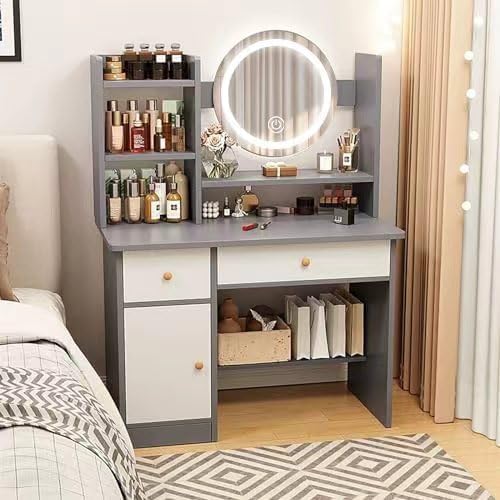
Image 1.1: Overall view of the MONGMON Dressing Table with LED Mirror. This image shows the complete vanity desk with its integrated mirror, drawers, and open shelving, providing a visual reference for the assembled product.
2. Safety Information
- Always assemble the product on a soft, clean surface to prevent scratches.
- Ensure all screws and fasteners are securely tightened before use. Periodically check and re-tighten as necessary.
- Do not overload drawers or shelves. Distribute weight evenly.
- Keep electrical components (LED mirror) away from water or excessive moisture.
- If the product includes anti-tipping hardware, it is highly recommended to install it to prevent accidental tipping, especially in households with children or pets.
- Do not attempt to modify or repair the electrical components of the mirror. Contact qualified personnel for service.
3. Package Contents
Please verify that all components are present before beginning assembly. If any parts are missing or damaged, contact customer support.
- Main Desk Frame
- LED Mirror Unit
- Drawers (x2)
- Shelving Units (various sizes)
- Assembly Hardware (screws, dowels, cam locks, etc.)
- Power Adapter for LED Mirror
- Instruction Manual

Image 3.1: Detailed dimensions of the dressing table. This image provides precise measurements for various sections of the vanity, including height, width, and depth of the desk, mirror, and storage compartments, useful for planning placement and understanding component sizes.
4. Setup and Assembly
Assembly is required for this product. Follow the step-by-step instructions provided in the included assembly guide. Below are general guidelines:
- Unpack and Identify Parts: Lay out all components and hardware. Compare them with the parts list in your separate assembly guide to ensure everything is present.
- Assemble Main Desk Frame: Connect the side panels to the main desktop using the provided hardware. Ensure all connections are secure.
- Install Shelving Units: Attach the open storage shelves to the designated areas on the desk frame.
- Assemble and Insert Drawers: Follow the instructions to assemble the drawer boxes and install the drawer slides. Carefully insert the assembled drawers into their respective compartments.
- Attach LED Mirror Unit: Secure the LED mirror unit to the back of the desktop. Ensure the mirror is stable and properly aligned.
- Connect Power: Plug the power adapter for the LED mirror into the designated port on the mirror unit, then into a standard electrical outlet.
- Final Checks: Verify that all connections are tight and the desk is stable. Clean any dust or debris from the assembly process.

Image 4.1: Overview of the dressing table's storage features. This image highlights the various storage options, including open shelves, hidden drawers, and a locker, demonstrating the product's capacity for organizing cosmetics and other items.
5. Operating Instructions
5.1 LED Mirror Operation
The integrated LED mirror features three adjustable lighting modes to suit your needs:
- Power On/Off: Lightly touch the designated touch switch on the mirror surface to turn the LED lights on or off.
- Change Lighting Mode: With the lights on, touch the switch repeatedly to cycle through the three lighting modes: White Cold Lighting, Yellow Soft Lighting, and Gold Warm Lighting.
- Adjust Brightness: Press and hold the touch switch to dim or brighten the lights within the selected mode. Release when the desired brightness is achieved.

Image 5.1: Illustration of the LED mirror's three adjustable lighting modes. This image visually represents the different light temperatures and brightness levels available, demonstrating how the mirror can be adapted for various makeup and skincare routines.
5.2 Storage Features
The dressing table offers various storage options:
- Open Storage Shelves: Ideal for frequently used items, decorative pieces, or taller bottles.
- Hidden Storage Drawers: Perfect for organizing smaller items, makeup palettes, or personal belongings, keeping the desktop clutter-free.
- Hidden Storage Locker: Provides discreet storage for bulkier items or those you wish to keep out of sight.
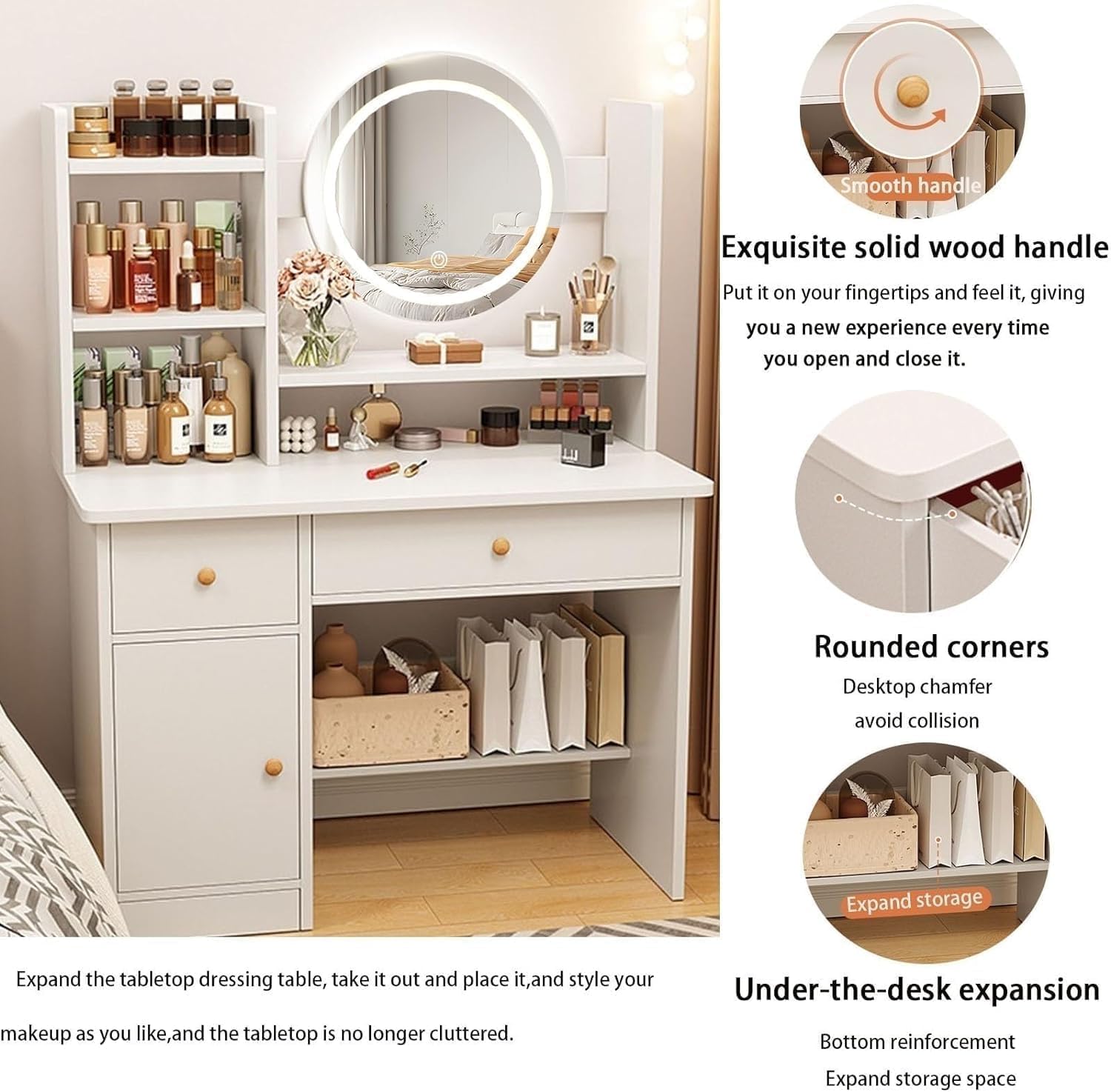
Image 5.2: Close-up views of specific design features. This image highlights details such as the smooth solid wood handles, rounded corners for safety, and the under-desk expansion for additional storage, emphasizing the thoughtful design elements of the vanity.
6. Maintenance
- Cleaning the Surface: Wipe the desk surface with a soft, damp cloth. Avoid harsh chemicals or abrasive cleaners that may damage the finish.
- Cleaning the Mirror: Use a glass cleaner and a lint-free cloth to clean the mirror surface. Spray cleaner onto the cloth, not directly onto the mirror, to prevent liquid from seeping into the electrical components.
- Dusting: Regularly dust all surfaces with a dry, soft cloth to prevent buildup.
- Hardware Check: Periodically check all screws and fasteners to ensure they remain tight. Re-tighten if necessary to maintain stability.
- Avoid Direct Sunlight: Prolonged exposure to direct sunlight may cause fading or damage to the finish.
7. Troubleshooting
- LED Mirror Not Turning On:
- Ensure the power adapter is securely plugged into both the mirror unit and a working electrical outlet.
- Check if the outlet is receiving power by plugging in another device.
- Ensure you are touching the correct sensor area on the mirror.
- LED Lights Flickering:
- Check the power connection.
- Try unplugging and re-plugging the power adapter.
- Drawers Sticking or Not Sliding Smoothly:
- Ensure the drawer slides are properly aligned and free of obstructions.
- Check if the drawer is overloaded or if items are blocking its movement.
- Verify that all assembly screws for the drawer and slides are tightened.
- Desk Wobbles or is Unstable:
- Ensure all assembly hardware is fully tightened.
- Check if the desk is on an uneven surface. Adjust floor levelers if present, or place shims under the legs.
- Confirm that the anti-tipping hardware (if included and installed) is securely fastened to the wall.
8. Specifications
| Feature | Detail |
|---|---|
| Brand | MONGMON |
| Model Number | 1294202 |
| Product Dimensions | 13.39 x 31.5 x 49.21 inches (D x W x H) |
| Item Weight | 39 pounds |
| Color | Grey |
| Frame Material | Wood |
| Mirror Lighting Modes | 3 (White Cold, Yellow Soft, Gold Warm) |
| Storage Capacity | 6 open shelves, 2 hidden drawers, 1 hidden locker |
| UPC | 710329156097 |
9. Warranty and Support
This product comes with a standard manufacturer's warranty against defects in materials and workmanship. For specific warranty details, please refer to the documentation included with your purchase or contact the seller directly.
If you encounter any issues or have questions regarding assembly, operation, or maintenance, please contact our customer support team. Provide your model number (1294202) and a detailed description of the issue for prompt assistance.
Customer Care: We prioritize your satisfaction. Contact us with any concerns, and our responsive team will provide timely support, ensuring your experience with our vanity desk is exceptional.
Ask a question about this manual
Ask about setup, troubleshooting, compatibility, parts, safety, or missing instructions. Manuals+ will review the question and use this page’s manual context to help answer it.