
1. Introduction
This manual provides detailed instructions for the installation, operation, and maintenance of your ikasus Android 13 Double Din Car Stereo Radio. This unit is designed to enhance your driving experience with advanced features including Android 13 OS, a 9.7-inch touchscreen, Wireless Carplay, Wired Android Auto, GPS navigation, Bluetooth, WiFi, FM/RDS radio, DSP, and support for a backup camera. Please read this manual thoroughly before installation and use to ensure proper function and safety.
2. Package Contents
Verify that all items listed below are included in your package:
- 1 x Car MP5 Player
- 1 x Power Cable
- 1 x GPS Antenna
- 1 x Backup Camera
- 1 x RCA Input and Output Cable
- 2 x USB Cables
- 2 x Metal Frames
- 4 x Screws
- 1 x Instruction Manual

Figure 2.1: All components included in the ikasus Android 13 Car Stereo package.
3. Setup and Installation
This car stereo is specifically designed for Ford F250 Super Duty models from 2005-2016. Please note that this is NOT a plug-and-play unit and requires wire cutting for installation. Professional installation is recommended.
3.1 Installation Overview
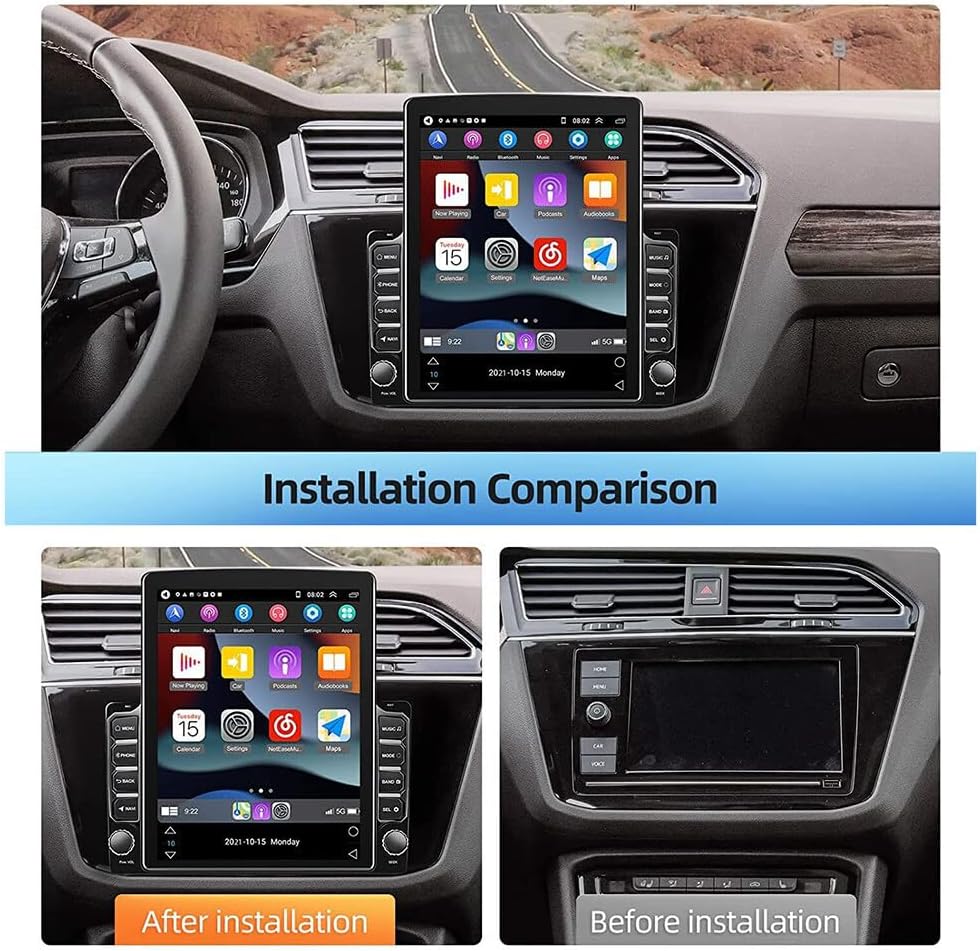
Figure 3.1: Visual comparison of the dashboard before and after the stereo installation.
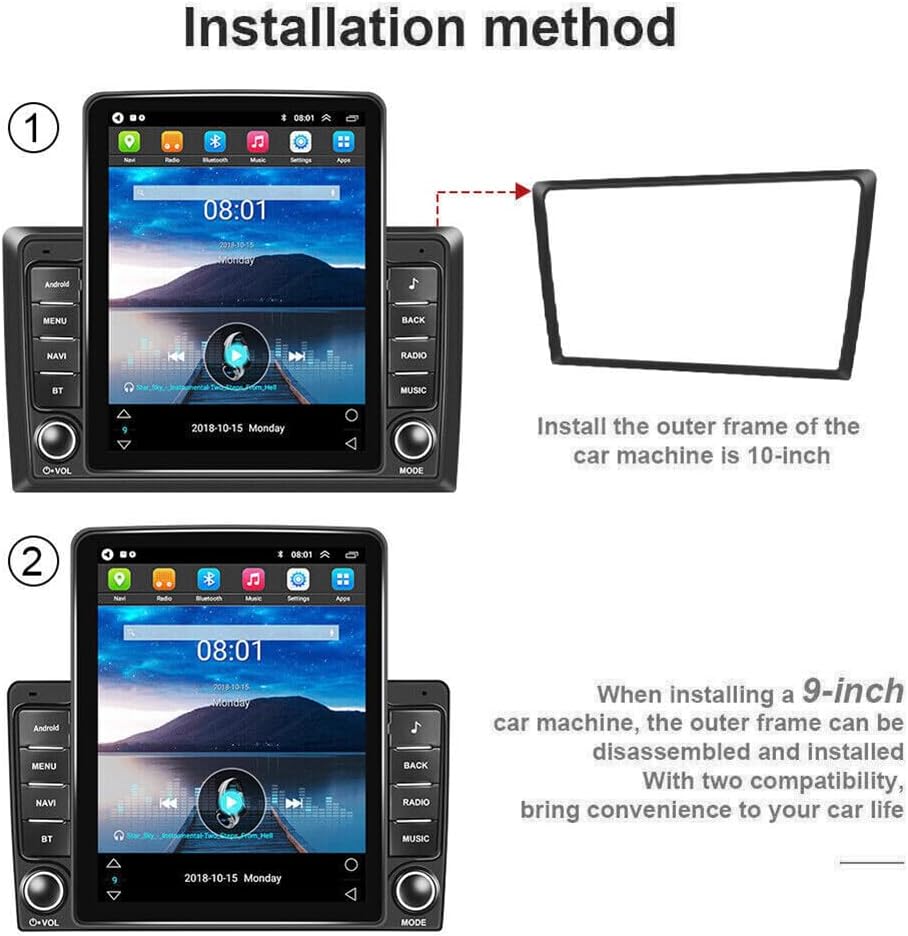
Figure 3.2: Step-by-step diagram illustrating the installation of the outer frame for the car stereo.
3.2 Wiring and Connections
Ensure all wiring is correctly connected according to the provided wiring diagram in the included instruction manual. Pay close attention to power, speaker, and accessory connections.
Video 3.1: Detailed guide on how to connect the Android car radio for Ford F250 models from 2008-2016.
Video 3.2: Step-by-step installation process for the Ford F150/F250/F350 2004-2016 car radio.
4. Operating Instructions
4.1 User Interface (UI) Overview
The unit features an intuitive Android 13 operating system with a responsive 9.7-inch touchscreen. Navigate through apps, settings, and media functions with ease.

Figure 4.1: The car stereo's user interface showing various applications and widgets.
Video 4.1: Demonstration of the car stereo's user interface, navigation, media playback, and climate control features.
4.2 Wireless Carplay & Wired Android Auto
Connect your smartphone for seamless integration with Wireless Carplay (for iOS) or Wired Android Auto (for Android). Access navigation, music, calls, and messages directly from the stereo screen.

Figure 4.2: Overview of Wireless Carplay and Wired Android Auto connectivity.
Video 4.2: Instructions on how to connect Carplay and Android Auto to the Android Screen.
4.3 Bluetooth & WiFi Connectivity
Pair your phone via Bluetooth for hands-free calling and audio streaming. Connect to WiFi for online navigation, app downloads, and internet browsing.
Video 4.3: Guide on connecting Bluetooth, Android Auto, and WiFi functionalities.
4.4 GPS Navigation
The unit supports both online and offline navigation apps. Download maps via WiFi for use in areas without internet access.
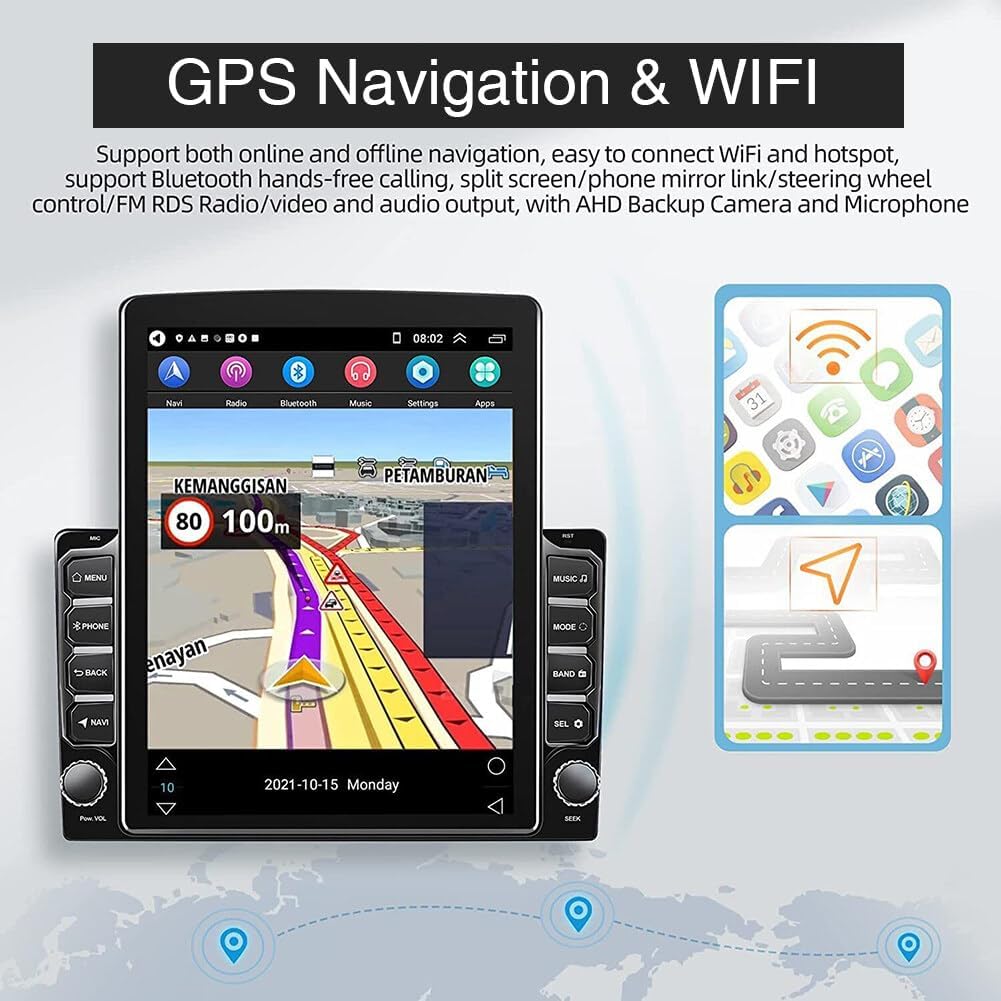
Figure 4.3: GPS navigation screen with real-time road conditions and WiFi status.
4.5 FM/RDS Radio
Enjoy high-quality digital stereo FM radio with RDS (Radio Data System) for automatic station searching and accurate tuning.
4.6 DSP & EQ Sound Effects
Customize your audio experience with the built-in DSP (Digital Signal Processor) and EQ (Equalizer) settings. Choose from various presets like Jazz, Rock, Pop, Classic, or create custom sound profiles.

Figure 4.4: Customizable EQ settings for optimizing audio output.
4.7 Steering Wheel Control
The unit supports original steering wheel controls, allowing you to manage the car radio functions without taking your hands off the wheel.

Figure 4.5: Interface for configuring and learning steering wheel controls.
4.8 Backup Camera Support
The stereo supports rear camera video input, providing an exceptional visual experience for easier reversing and parking.
5. Maintenance
To ensure the longevity and optimal performance of your car stereo, follow these maintenance guidelines:
- Cleaning: Use a soft, dry cloth to clean the touchscreen and unit exterior. Avoid abrasive cleaners or solvents.
- Software Updates: Periodically check for software updates via the system settings to ensure you have the latest features and bug fixes.
- Temperature: Avoid exposing the unit to extreme temperatures for extended periods.
6. Troubleshooting
If you encounter any issues, refer to the following common troubleshooting steps:
- No Power: Check all power connections and fuses. Ensure the vehicle's ignition is on.
- No Sound: Verify speaker connections, volume levels, and EQ settings. Check if the mute function is active.
- GPS Signal Issues: Ensure the GPS antenna is properly installed and has a clear view of the sky.
- Bluetooth/WiFi Connectivity: Ensure Bluetooth and WiFi are enabled on both the stereo and your device. Try restarting both devices.
- Touchscreen Unresponsive: Perform a system reset (refer to the included manual for reset button location).
7. Specifications
| Feature | Detail |
|---|---|
| Product Dimensions | 12.99 x 11.42 x 3.94 inches |
| Item Weight | 1.7 pounds |
| Item Model Number | AUTO-QA1181X-WJYQ-F25005 |
| Operating System | Android 13 |
| Memory (RAM+ROM) | 2GB (RAM) + 32GB (ROM) |
| Screen Size | 9.7 inches |
| Screen Resolution | 1024x600 |
| Connectivity Technology | Bluetooth, USB, Wi-Fi |
| Controller Type | Steering Wheel Control, Mobile App |
| Compatible Devices | Ford F-250 Super Duty 2005-2016 |
| Audio Output Mode | Stereo |
| Video Encoding | MKV, RMVB, AVI, MP4, MDV |
| Work Temperature | -40℃ - 80℃ |