
BUDI SP15B
BUDI Mini Bluetooth Speaker with Magnetic Case (Model SP15B)
Instruction Manual
Introduction
This manual provides detailed instructions for the setup, operation, and maintenance of your BUDI Mini Bluetooth Speaker with Magnetic Case, Model SP15B. Please read this manual thoroughly before using the product to ensure proper function and longevity.
Package Contents
Verify that all items are present in your package:
- TWS Speaker × 2
- Metal Ring Sticker × 2
- Dual-purpose Charging Case (also functions as a phone stand)
- Charging Cable (USB-A to USB-C)
- Instruction Manual (this document)

Image: The BUDI Mini Bluetooth Speakers, showing two speakers and their charging case. The speakers are compact and dark gray, with the 'budi' logo on top. The charging case is also dark gray and holds both speakers for charging.
Product Features
- True Wireless Stereo (TWS) Pairing: Connect two speakers for an immersive stereo audio experience.
- Magnetic Base Design: Speakers feature strong built-in magnets for secure attachment to metallic surfaces.
- RGB Lighting: Integrated 5-color RGB lighting syncs with music, providing visual effects.
- Dual Charging Modes: Charge speakers via the wireless charging case or individually via USB-C ports.
- Phone Stand Functionality: The charging case includes a retractable phone stand.
- Bluetooth 5.3: Ensures quick, stable, and efficient wireless connection up to 33 feet (10 meters).
- Long Battery Life: Up to 8 hours of continuous music playback on a full charge.
Setup and Operation
1. Charging the Speakers
Before first use, fully charge both speakers and the charging case.
- Using the Charging Case: Place the speakers into their respective slots on the charging case. Connect the USB-C charging cable to the case's charging port and a power source. The speakers will begin charging wirelessly.
- Individual Speaker Charging: Each speaker has a USB-C charging port. Connect a USB-C cable directly to each speaker and a power source for independent charging.

Image: A split image demonstrating two charging methods for the BUDI Mini Bluetooth Speakers. On the left, a speaker is shown charging directly via a USB-C cable. On the right, two speakers are placed on the charging case, which is connected via a USB-C cable, illustrating wireless charging through the case.
2. Powering On/Off
To power on or off each speaker, locate the power button on the side of the speaker and press and hold it for approximately 3 seconds.
3. Bluetooth Pairing (Single Speaker)
- Ensure the speaker is powered off.
- Press and hold the power button for 8 seconds until the indicator light flashes, indicating pairing mode.
- On your device (smartphone, tablet, laptop), enable Bluetooth and search for available devices.
- Select "budiSp15" from the list of devices.
- Once connected, the speaker will indicate successful pairing.
4. TWS (True Wireless Stereo) Pairing (Two Speakers)
For an enhanced stereo experience, you can pair two BUDI Mini Bluetooth Speakers together.
- Ensure both speakers are powered off.
- Power on both speakers simultaneously. They will automatically attempt to pair with each other.
- Once successfully paired with each other, one speaker will act as the master and the other as the slave. A voice prompt will confirm left and right channel assignment.
- On your device, enable Bluetooth and search for available devices.
- Select "budiSp15" (only one entry will appear for the TWS pair).
- The speakers are now connected in TWS mode to your device.

Image: Two BUDI Mini Bluetooth Speakers are positioned on a wooden desk, flanking an open laptop. The speakers are illuminated with soft, colorful light, indicating they are active and likely paired for stereo sound. The laptop screen displays a music player interface.

Image: Two BUDI Mini Bluetooth Speakers are placed on a wooden surface in front of a large screen displaying a music player. The speakers emit colorful light and are labeled 'L' and 'R' with sound wave graphics, illustrating their 360-degree TWS stereo sound capability.
5. Light Switching
Each speaker has a dedicated button for controlling the RGB lighting. Press this button to cycle through different light modes or to turn the lights off.

Image: A close-up diagram of the BUDI Mini Bluetooth Speaker's side panel. It highlights the 'Long Press ON/OFF Bluetooth pairing' button, the 'Type-C Charging Port', and the 'Light switching' button, with corresponding labels.
6. Magnetic Placement
The speakers feature strong magnets on their base, allowing them to attach securely to various metallic surfaces such as refrigerators, toolboxes, or magnetic whiteboards.
For non-magnetic surfaces, use the included metal ring stickers. Adhere a metal ring sticker to your desired surface, then attach the speaker to the ring.
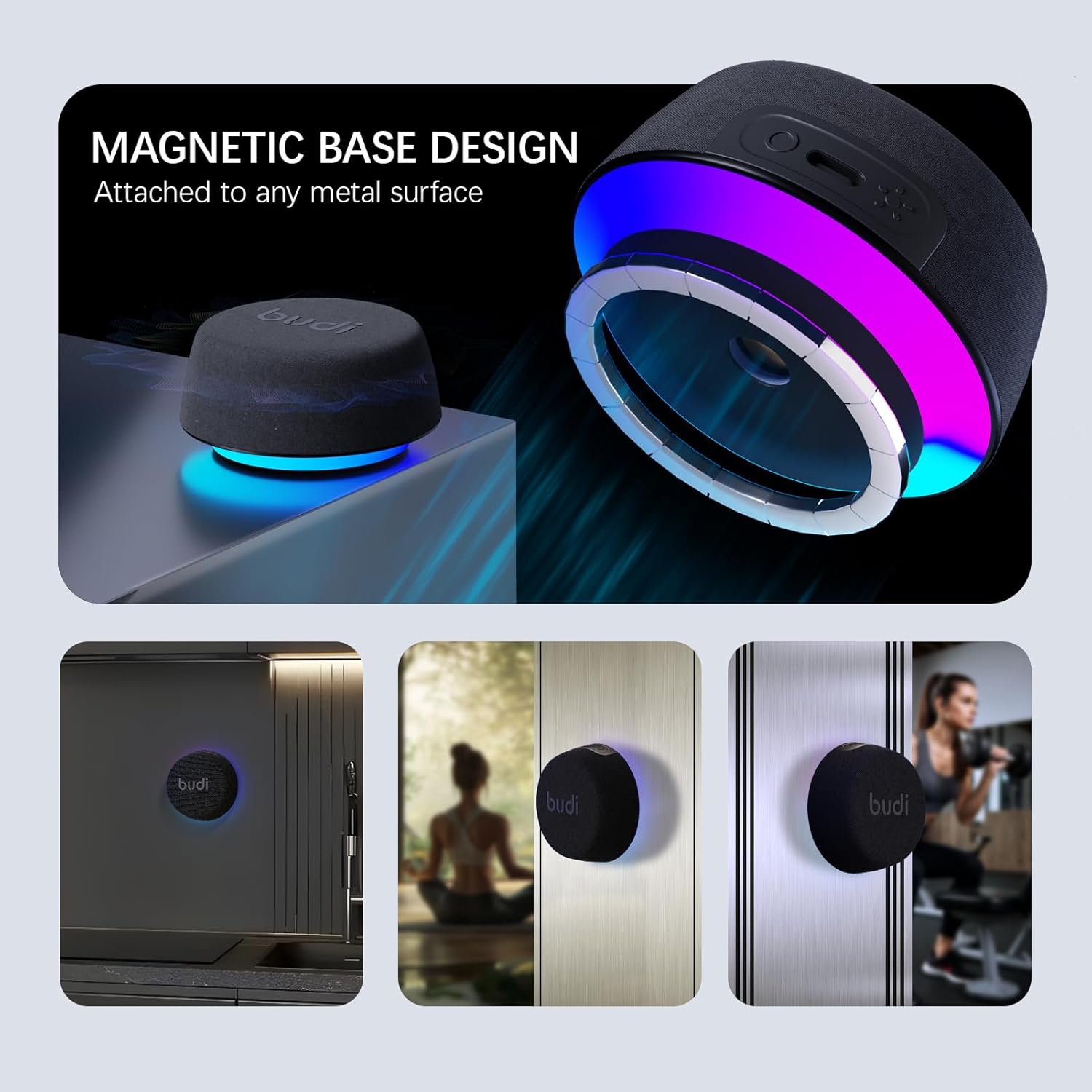
Image: A composite image demonstrating the magnetic base design of the BUDI Mini Bluetooth Speaker. The top section shows a speaker magnetically attached to a metal surface. The bottom section displays three smaller images: a speaker on a refrigerator, a speaker on a wooden door (presumably with a metal ring), and a speaker on a metal gym equipment, highlighting its versatility.

Image: A BUDI Mini Bluetooth Speaker is shown attached to a wall, with a glowing metal ring visible behind it. Text overlay indicates "Metal Ring Sticker For securing speakers by adhering to non-magnetic walls," illustrating how to use the included accessories for versatile placement.
7. Using the Phone Stand
The charging case features a retractable phone stand. Pull out the small tray from the front of the charging case to support your smartphone for hands-free viewing.
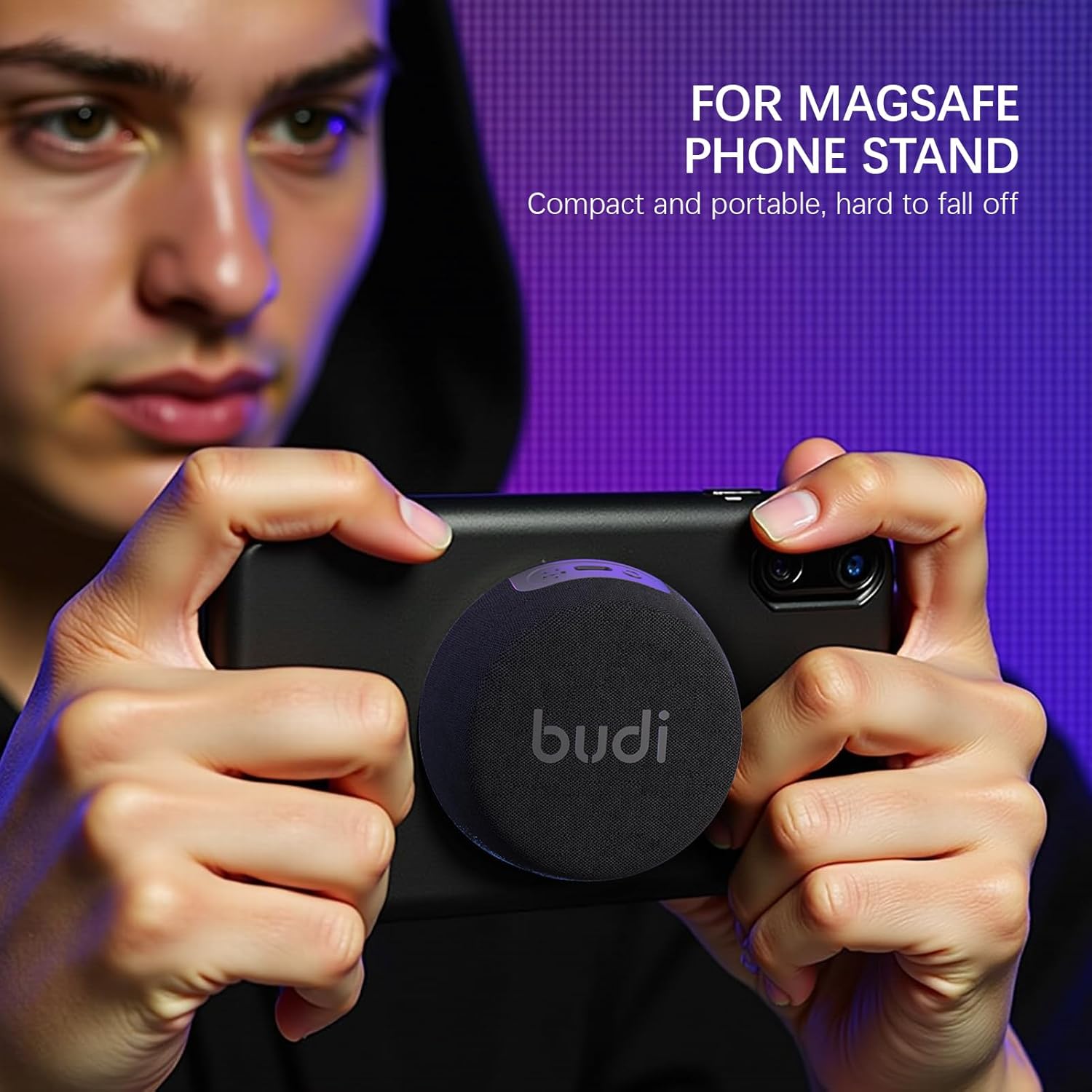
Image: A person is holding a smartphone with a BUDI Mini Bluetooth Speaker magnetically attached to its back. The speaker is positioned to act as a kickstand, allowing the phone to be propped up. The text "FOR MAGSAFE PHONE STAND" is visible, indicating compatibility or similar functionality.
Maintenance
- Keep the speakers and charging case clean by wiping with a soft, dry cloth.
- Avoid exposing the product to extreme temperatures, direct sunlight, or moisture.
- Do not attempt to disassemble or repair the device yourself, as this will void the warranty.
Troubleshooting
| Problem | Possible Solution |
|---|---|
| Speaker does not power on. | Ensure the speaker is fully charged. Connect it to a power source using the USB-C cable or place it in the charging case. |
| Unable to pair via Bluetooth. | Make sure the speaker is in pairing mode (indicator light flashing). Ensure Bluetooth is enabled on your device and it is within 10 meters of the speaker. Forget previous connections on your device and try pairing again. |
| No sound or low volume. | Check the volume levels on both the speaker and your connected device. Ensure the speaker is properly paired. |
| TWS pairing fails. | Ensure both speakers are powered off before attempting TWS pairing. Power them on simultaneously and allow them a few seconds to connect to each other before connecting to your device. |
| Lights are not working. | Press the light switching button on the speaker to cycle through modes or turn them on. |
Specifications
- Model Name: SP15B
- Speaker Type: Portable Bluetooth Speaker
- Connectivity Technology: Bluetooth 5.3
- Wireless Range: Up to 10 meters (33 feet)
- Audio Output Mode: Stereo (with TWS pairing)
- Speaker Maximum Output Power: 8 Watts
- Frequency Response: 20 KHz
- Power Source: Battery Powered
- Battery Life: Up to 8 hours (approximate)
- Control Method: Touch buttons
- Material: Aluminum, Plastic
- Product Dimensions: 3.14"D x 2.68"W x 1.77"H (per speaker, approximate)
- Item Weight: 16 ounces (approximate, for the set)
Official Product Video
Video: An official product video from BUDI showcasing the features of the Magnetic Mini Bluetooth Speaker. It demonstrates the sleek design, multi-device Bluetooth connection, lights dancing with bass, magnetic base for secure placement, dual sound waves for stereo audio, magnetic charging dock, and built-in phone stand for hands-free use. The video is 27 seconds long.
Warranty and Support
Your BUDI Mini Bluetooth Speaker (Model SP15B) comes with a worry-free 12-month warranty. For any product-related inquiries, technical support, or warranty claims, please contact BUDI customer service. Refer to the contact information provided on the product packaging or the official BUDI website for assistance.
Ask a question about this manual
Ask about setup, troubleshooting, compatibility, parts, safety, or missing instructions. Manuals+ will review the question and use this page’s manual context to help answer it.