
1. Safety Information
Warning:
- Keep away from water.
- Do not use with damaged cord or plug.
- To prevent risk of injury, unplug this device during lightning storms or when not in use.
- Keep fingers away from moving parts when opening or closing drawers.
- This product is intended for indoor use only.
2. Product Overview
The LIKIMIO Night Stand (Model HK-NT-06) is a modern bedside table designed for convenience and style. It features integrated charging capabilities, customizable LED lighting, and ample storage.
Key Features:
- Integrated Charging Station: Equipped with 2 AC outlets (125V/12A), 1 USB-A port, and 1 USB Type-C port for convenient device charging.
- Remote Controlled LED Lighting: Offers 29 different modes, over 60,000 colors, dynamic modes, music mode, mic mode, and a timing function for personalized ambiance.
- Two Smooth Glide Drawers: Spacious drawers with soft-close technology for quiet and easy access to your essentials.
- Modern Design: Sleek grey finish with a wood grain pattern, designed to complement contemporary bedroom decor.
- Space-Saving Dimensions: Compact size (13.8"D x 18.9"W x 23.6"H) provides storage without occupying excessive floor space.
Product Dimensions:

Image: Detailed dimensions of the LIKIMIO Night Stand, including overall size and individual drawer measurements.
Sleek Design:

Image: The nightstand's sleek design with smooth chamfered edges to prevent collisions, featuring the illuminated LED light and charging station.
3. Setup and Assembly
The LIKIMIO Night Stand requires assembly. Please follow the included assembly guide carefully. A screwdriver is recommended for assembly.
Assembly Video:
Video: This video provides a visual guide to the assembly process for the LIKIMIO Night Stand, demonstrating how to put the components together.
4. Operating Instructions
4.1. Using the Charging Station
The nightstand features a built-in power strip with 2 standard AC outlets, 1 USB-A port, and 1 USB Type-C port. These are located on the side of the top panel.
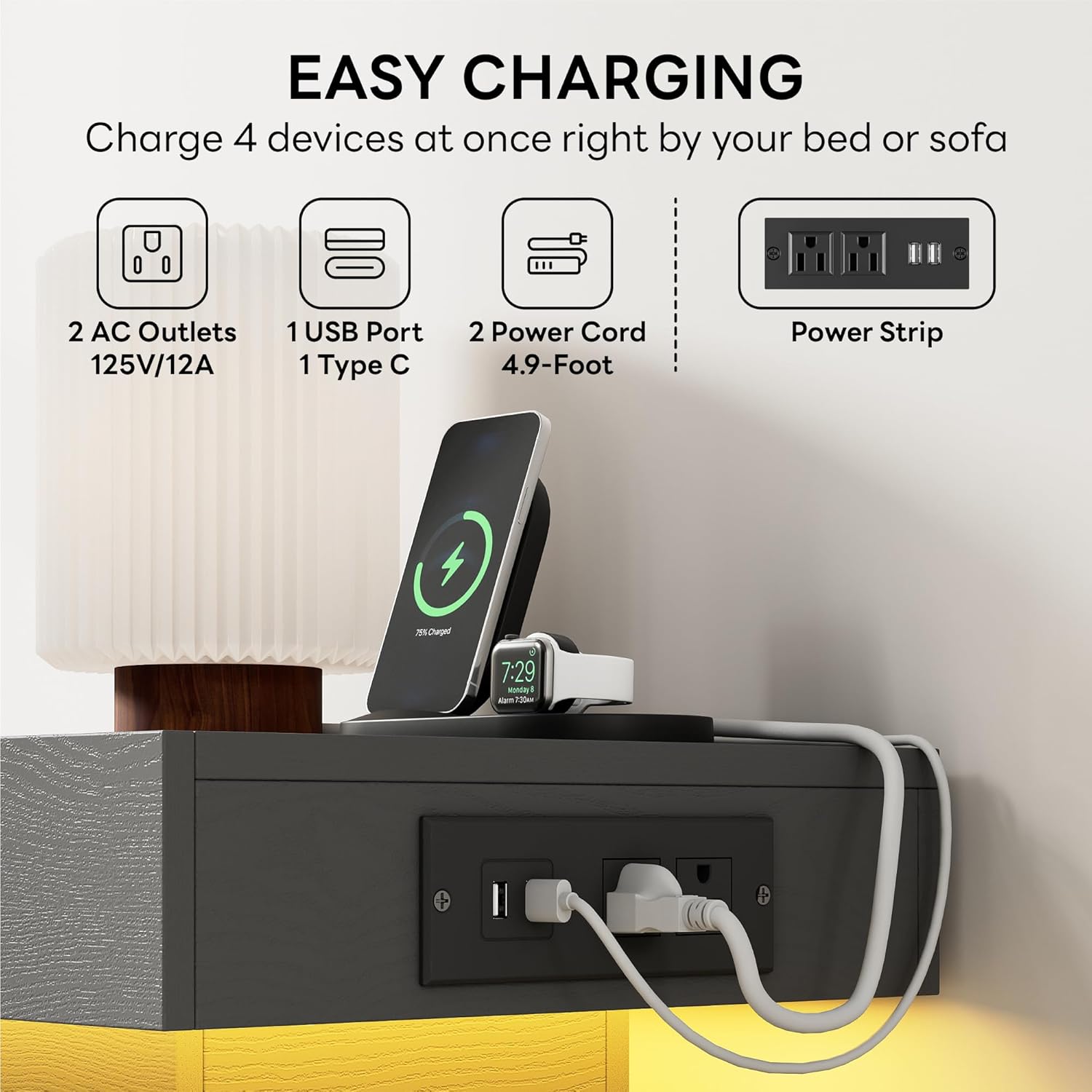
Image: The integrated charging station with AC outlets and USB ports, allowing multiple devices to be charged simultaneously.
- Ensure the nightstand's main power cord is securely plugged into a wall outlet.
- Plug your electronic devices into the appropriate AC outlets or USB ports.
- The charging station is designed to keep your devices powered conveniently by your bedside.
4.2. Controlling the LED Light
The LED light strip is located beneath the top panel and is controlled by the included remote control or a smartphone app.

Image: Overview of the LED light features, including remote and app control, various colors, and dynamic modes.
- Power On/Off: Use the power button on the remote to turn the LED lights on or off.
- Color Selection: Choose from a wide range of colors using the color palette buttons on the remote.
- Brightness Adjustment: Adjust the light intensity using the brightness control buttons.
- Dynamic Modes: Select various pre-programmed lighting effects (e.g., flash, strobe, fade).
- Music/Mic Mode: The lights can synchronize with music or ambient sounds, creating a dynamic visual experience.
- Timing Function: Set a timer for the lights to automatically turn off.
4.3. Using the Drawers

Image: The two spacious drawers of the nightstand, shown open to illustrate storage capacity.
- The two drawers are designed with smooth glide mechanisms for easy opening and closing.
- Soft-close technology ensures quiet operation, preventing slamming.
- Use the drawers to store bedside essentials such as books, glasses, or personal items.
Product Features Overview Video:
Video: This video highlights various features of the LIKIMIO Night Stand, including the LED lighting and charging capabilities.
5. Maintenance
Cleaning Instructions:

Image: The easy-to-clean surface of the nightstand.
- Wipe the surfaces with a dry cloth to remove dust and debris.
- Avoid using abrasive cleaners or harsh chemicals, as these may damage the finish.
- For spills, wipe immediately with a soft, damp cloth and then dry thoroughly.
6. Troubleshooting
LED Lights Not Working:
- Ensure the nightstand's main power cord is securely plugged into a functional wall outlet.
- Check if the LED light's power connection is properly seated.
- Verify that the remote control has working batteries and is pointed directly at the nightstand's sensor.
- If using the app, ensure Bluetooth is enabled and the app is correctly paired with the device.
Charging Station Not Functioning:
- Confirm the nightstand is plugged into a live power outlet.
- Test the outlets/ports with a different device to rule out device-specific issues.
- Ensure cables are fully inserted into the ports.
- Avoid overloading the charging station with too many high-power devices simultaneously.
Drawers Sticking or Not Closing Smoothly:
- Check for any obstructions within the drawer slides.
- Ensure the drawer slides are properly aligned and secured. Refer to the assembly guide if necessary.
- Avoid placing excessively heavy items in the drawers that could cause misalignment.
7. Specifications
| Feature | Detail |
|---|---|
| Brand | LIKIMIO |
| Model Name | Nightstand (HK-NT-06) |
| Product Dimensions | 13.78"D x 18.9"W x 23.62"H |
| Color | Grey |
| Material | Engineered Wood |
| Number of Drawers | 2 |
| Special Feature | Charging Station (2 AC Outlets, 1 USB-A, 1 USB Type-C), LED Lights |
| Item Weight | 35 pounds |
| Room Type | Bedroom |
| Product Care Instructions | Wipe with Dry Cloth |
| Tools Recommended For Assembly | Screw Driver |
8. Warranty and Support
LIKIMIO is committed to providing excellent designs and proven reliability. We offer:
- 24/7 customer service.
- 60 days free replacement for product issues.
If you encounter any problems or are not satisfied with your purchase, please feel free to contact us for assistance.