1. Introduction
Thank you for choosing the Insoma Remote Control Sprinkler Timer. This device is designed to automate your garden watering, providing convenience and water efficiency. Please read this manual carefully before installation and operation to ensure proper use and longevity of your product.
2. Product Overview
Key Features:
- Long-Range Remote Control: Operate the timer from up to 164 feet (50 meters) away using the included RF remote.
- Multi-Timer Management: One remote can pair with and manage multiple Insoma sprinkler timers for customized zone watering.
- Flexible Watering Programs: Six selectable watering time programs and a manual mode for durations from 1 minute to 24 hours.
- Emergency Shut-Off: Instantly stop water flow within 0.3 seconds with a single remote click.
- Battery Fail-Safe: Valves automatically close when battery power is low to prevent overwatering.
- Durable Construction: IP55 waterproof and dustproof sealed body with reinforced brass inlet/outlet connectors and a built-in metal filter.
- High Pressure Resistance: Withstands water pressure up to 116 PSI.
Components:
The Insoma Sprinkler Timer consists of the main timer unit and a remote control.
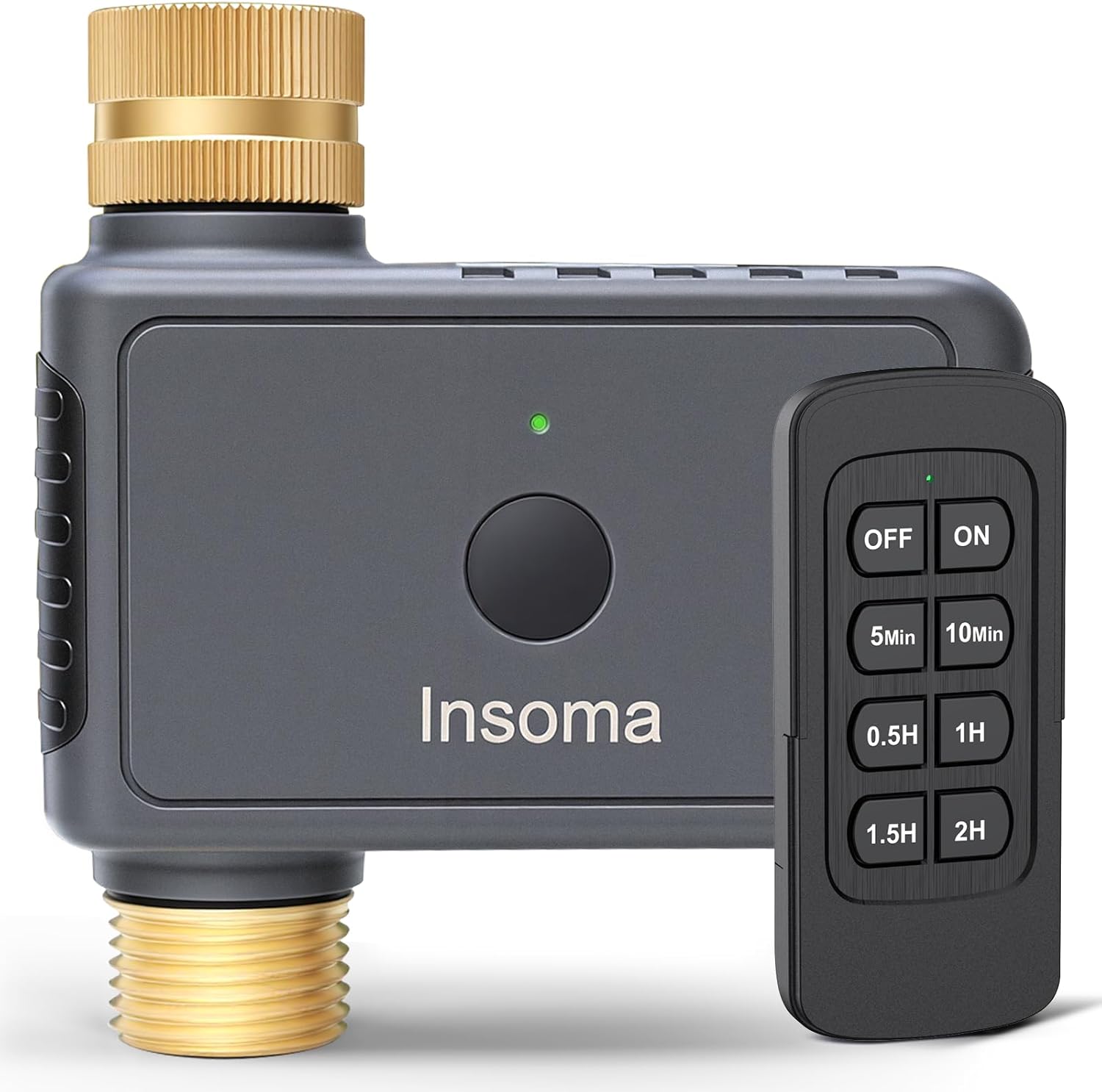
Image: The Insoma Sprinkler Timer connected to a faucet, highlighting its brass inlet, built-in metal filter, and leak-proof sealing gasket. It also indicates a maximum water pressure of 116 PSI.
3. Setup
3.1 Battery Installation
- Locate the battery compartment on the timer unit.
- Open the compartment and insert two (2) AA alkaline batteries, ensuring correct polarity (+/-).
- Close the battery compartment securely to maintain the IP55 waterproof rating.

Image: The Insoma Sprinkler Timer attached to a faucet, with an arrow pointing to the battery compartment, indicating the need for 2 AA alkaline batteries.
3.2 Timer Installation
- Ensure your outdoor faucet is turned off.
- Thread the Insoma Sprinkler Timer onto your outdoor faucet. The timer includes standard 3/4-inch and 1/2-inch quick-connect adapters for universal fit.
- Tighten the connection by hand until secure. Do not overtighten.
- Connect your garden hose, drip system, or soaker hose to the outlet of the sprinkler timer.
- Turn on your outdoor faucet. The timer is designed to operate reliably within a water pressure range of 7.25-116 PSI.
4. Operating Instructions
4.1 Remote Control Functions
The remote control allows you to manage the sprinkler timer from a distance of up to 164 feet (50 meters). Ensure the remote has a clear line of sight or minimal obstructions for optimal performance.

Image: A hand holding the Insoma remote control, showing its various buttons for operation.
4.2 Timed Watering Mode
The timer offers six selectable watering duration programs. To activate a timed watering cycle:
- Press the 'ON' button on the remote to activate the timer.
- Select your desired watering duration by pressing one of the preset buttons: '5min', '10min', '0.5H' (30 minutes), '1H' (60 minutes), '1.5H' (90 minutes), or '2H' (120 minutes).
- The timer will automatically turn off after the selected duration.

Image: The Insoma Sprinkler Timer connected to a faucet, with an overlay showing watering duration options from 5 minutes to 2 hours.
4.3 Manual Mode
For flexible watering outside of the preset programs:
- In manual mode, you can set the watering cycle from 1 minute to 24 hours. Refer to the remote control's specific manual for detailed steps on setting custom durations if available, or use the preset buttons for quick manual starts.
4.4 Emergency Shut-Off
To instantly stop water flow:
- Press the 'OFF' button on the remote control. The water flow will cease within 0.3 seconds. This is useful for unexpected rain or leaks.
4.5 Multi-Timer Management
One remote control can be paired with and manage multiple Insoma sprinkler timers. Follow the pairing instructions provided with each individual timer if you are using multiple units.
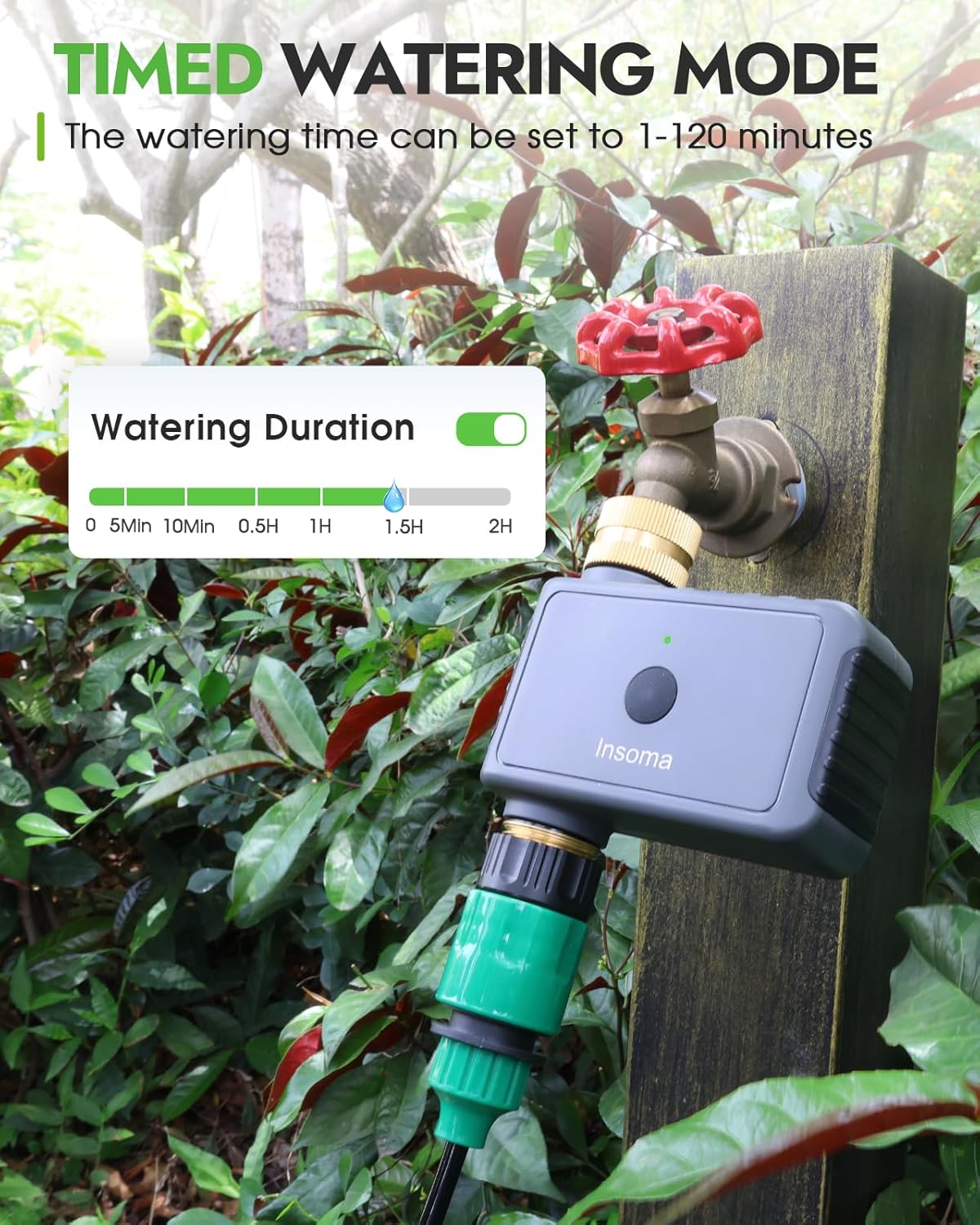
Image: A diagram illustrating the long-range remote control sending an infrared signal to the water timer, demonstrating its operational range of up to 164 feet (50 meters).
5. Maintenance
5.1 Cleaning the Metal Filter
The built-in metal filter protects your irrigation system from sediment and clogging. Periodically inspect and clean the filter:
- Turn off the faucet and disconnect the timer.
- Carefully remove the metal filter from the inlet.
- Rinse the filter under running water to remove any debris. For stubborn clogs, use a soft brush.
- Reinsert the clean filter and reattach the timer to the faucet.
5.2 General Cleaning
Wipe the exterior of the timer with a damp cloth as needed. Do not use abrasive cleaners or solvents.
5.3 Winterization
Before the first frost, disconnect the timer from the faucet and hose. Drain any remaining water from the unit and store it indoors in a dry, protected area to prevent damage from freezing temperatures.
6. Troubleshooting
- No Water Flow:
- Ensure the faucet is fully open.
- Check the timer's batteries. If low, the valves automatically close. Replace with fresh AA alkaline batteries.
- Inspect the metal filter for clogs and clean if necessary.
- Verify the remote control is within range and has fresh batteries.
- Leaking Connections:
- Ensure all connections are hand-tightened securely.
- Check the rubber washers (sealing gaskets) at the inlet and outlet for proper placement and condition. Replace if damaged.
- The brass inlet and metal threads are designed for a tight seal; ensure they are not cross-threaded.
- Remote Control Not Responding:
- Replace the remote control battery.
- Ensure there are no significant obstructions between the remote and the timer.
- Confirm the remote is paired with the timer (if applicable for multi-timer setups).
7. Specifications
| Attribute | Specification |
|---|---|
| Brand | Insoma |
| Model Number | SGW12-T |
| Colour | Black |
| Product Dimensions | 10.16 x 5.08 x 10.16 cm (4 x 2 x 4 inches) |
| Item Weight | 272 g (0.6 lbs) |
| Water Pressure Range | 7.25 - 116 PSI |
| Waterproof Rating | IP55 |
| Remote Control Range | Up to 164 ft (50 m) |
| Power Source | 2 x AA Alkaline Batteries (for timer) |
| Inlet/Outlet Size | Standard 3/4-inch and 1/2-inch adapters |
8. Warranty and Support
Information regarding product warranty and customer support is not available in the provided product details. Please refer to the product packaging or the manufacturer's official website for warranty terms and contact information for support inquiries.


