
1. Introduction
This instruction manual provides essential information for the proper handling, installation, and operation of the IHFMPFKJ CV500U2-T01 T-con Logic Board. This component is designed as a replacement part for specific television models to restore display functionality. Please read this manual thoroughly before attempting any installation or repair.
2. Product Overview
The CV500U2-T01 is a T-con (Timing Controller) Logic Board, a critical component in modern LCD and LED televisions. It is responsible for processing video signals from the main board and converting them into timing signals that control the liquid crystal display panel. A malfunctioning T-con board can lead to various display issues, such as distorted images, no picture, or incorrect colors.
This specific T-con board is suitable for a range of TV models, including but not limited to: K24NE5, NS-50F501NA22, RWOSU5047, 1000133204, 50PUL7973/F7, and 50PUL6673/F7.
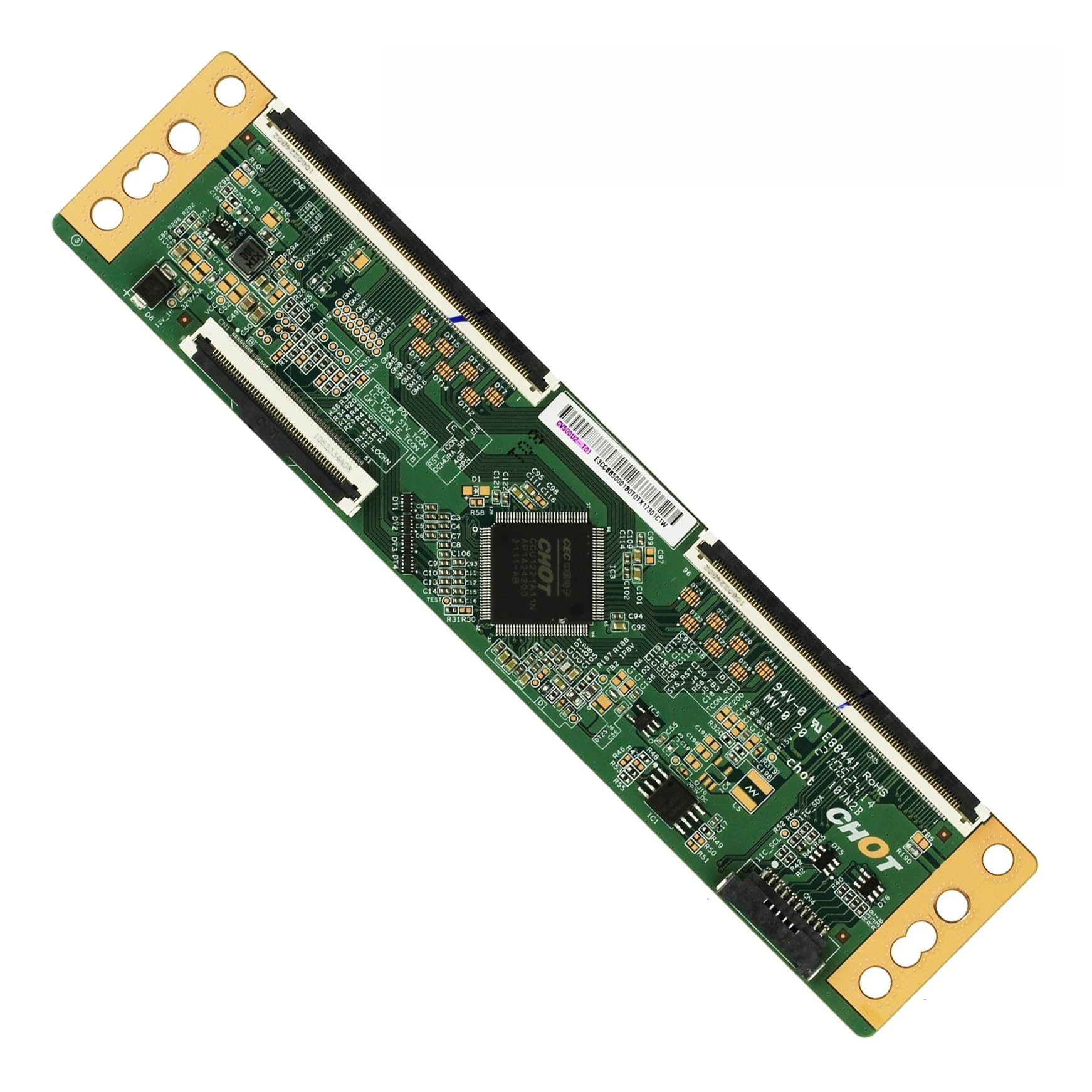
Figure 1: The IHFMPFKJ CV500U2-T01 T-con Logic Board. This image displays the green circuit board with various electronic components and gold-plated connectors at both ends, designed for integration into compatible television sets.
3. Specifications
- Product Name: Logic Board (T-CON)
- Part Model: CV500U2-T01
- Compatible TV Models: K24NE5, NS-50F501NA22, RWOSU5047, 1000133204, 50PUL7973/F7, 50PUL6673/F7
- Item Weight: Approximately 1.76 ounces (50 grams)
- Package Dimensions: Approximately 0.39 x 0.39 x 0.39 inches (1 x 1 x 1 cm) - Note: These dimensions may refer to packaging and not the board itself.
- Manufacturer: dage facai
4. Setup & Installation
Replacing a T-con board requires technical knowledge and careful handling of electronic components. It is recommended that installation be performed by a qualified technician. Improper installation can damage the TV or the new T-con board.
Safety Precautions:
- Always disconnect the TV from the power source before beginning any repair.
- Discharge any residual power by pressing the power button for a few seconds after unplugging.
- Wear anti-static gloves or use an anti-static wrist strap to prevent electrostatic discharge (ESD) damage to sensitive electronic components.
- Work in a clean, well-lit, and organized environment.
Installation Steps (General Guide):
- Carefully remove the back cover of the television, following the manufacturer's service manual for your specific TV model.
- Locate the existing T-con board. It is typically situated at the top or bottom center of the TV panel, often under a metal shield.
- Disconnect all ribbon cables and power connectors attached to the old T-con board. Handle ribbon cables by their edges to avoid damage.
- Unscrew and remove the old T-con board.
- Align the new CV500U2-T01 T-con board with the mounting holes and secure it with the screws.
- Carefully re-connect all ribbon cables and power connectors. Ensure all connections are firm and correctly seated.
- Before re-attaching the TV back cover, perform a preliminary power-on test to verify functionality.
- If the display functions correctly, disconnect power, re-attach the TV back cover, and secure all screws.
5. Operating Principles
Once correctly installed, the CV500U2-T01 T-con Logic Board operates automatically as an integral part of your television's display system. It receives digital video data from the main board and generates the precise timing and control signals required by the LCD/LED panel to display images. It ensures that pixels are activated and deactivated at the correct time, resulting in a clear and stable picture.
After installation, you may need to access your TV's service menu (if applicable and accessible) to adjust screen parameters such as brightness, contrast, or resolution, to ensure optimal viewing comfort and picture quality. Refer to your television's specific user manual for instructions on accessing and adjusting these settings.
6. Maintenance
The IHFMPFKJ CV500U2-T01 T-con Logic Board is a sealed electronic component and does not require routine user maintenance. To ensure its longevity and proper function:
- Keep the television in a clean, dry environment, free from excessive dust and moisture.
- Avoid exposing the television to extreme temperatures or direct sunlight.
- Ensure adequate ventilation around the television to prevent overheating of internal components.
- Do not attempt to clean the T-con board directly with liquids or abrasive materials. If the TV requires internal cleaning, consult a professional technician.
7. Troubleshooting
If you experience issues after installing the CV500U2-T01 T-con Logic Board, consider the following common troubleshooting steps:
- No Picture / Black Screen: Double-check all ribbon cable connections to ensure they are fully seated and not damaged. Verify that the power connector to the T-con board is secure.
- Distorted Image / Incorrect Colors: This can often indicate a loose or improperly connected ribbon cable between the T-con board and the LCD panel. Re-seat these cables carefully.
- Horizontal or Vertical Lines: May suggest a faulty connection or a damaged ribbon cable. Inspect cables for kinks or tears.
- Intermittent Display: Check for loose connections or potential overheating. Ensure the TV's ventilation is not obstructed.
If these steps do not resolve the issue, it is advisable to consult a professional television repair technician. Attempting further repairs without proper tools and expertise may cause additional damage.
8. Warranty & Support
For specific warranty information regarding your IHFMPFKJ CV500U2-T01 T-con Logic Board, please refer to the purchase documentation or contact the seller directly. Warranty terms can vary based on the retailer and region.
For technical support or further assistance, please contact the manufacturer or the point of purchase. When contacting support, have your product model number (CV500U2-T01) and your television's model number readily available.