
1. Product Overview
The Startbuymore DZ40 is a waterproof LCD instrument designed for electric bicycles, specifically compatible with Bafang mid-mounted motors. It provides essential information about your e-bike's performance and settings.
Key Features:
- Intelligent DZ40 Display: Provides comprehensive information about the bike's performance and settings.
- Waterproof Design: IP65 rated ABS shell ensures durability and resistance to various weather conditions.
- Bafang Motor Compatibility: Specifically designed for Bafang BBS01, BBS02, and HD mid-mounted motors.
- Versatile Voltage: Compatible with 24V, 36V, and 48V systems.
- Lightweight and Easy Installation: Weighs only 44g for user-friendly setup.

Image: The Startbuymore DZ40 Electric Bicycle Display, showing its compact design and integrated cable.
2. Setup and Installation
Package Contents:
- DZ40 LCD Instrument (x1)
Installation Steps:
- Mounting the Display: Securely attach the DZ40 display to the left side of your bicycle handlebars. The display is designed for a left-mounted position. Ensure the clamp fits handlebars with a diameter of approximately 22.2mm.
- Cable Connection: Connect the display's cable to the corresponding port on your Bafang mid-mounted motor system. Ensure the connection is firm and secure.
- Power On: Once installed, power on your electric bicycle system. The display should illuminate.
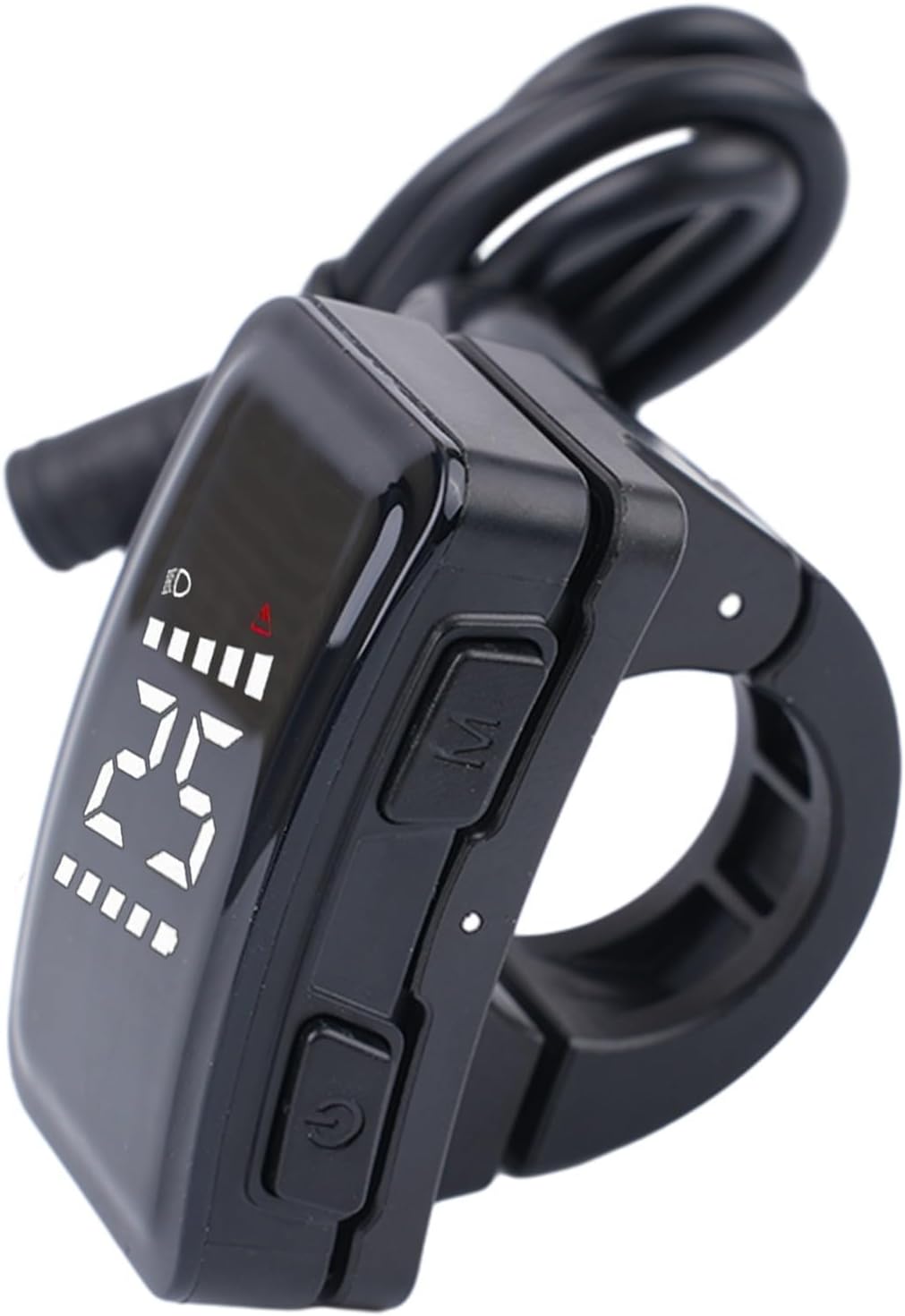
Image: The DZ40 display shown mounted on bicycle handlebars, illustrating its position and button layout.

Image: Rear view of the DZ40 display, highlighting the mounting clamp and a label with model information and QR code. The label indicates "Fit with Ø22.2mm tube Max 0.6NM". For more information, refer to 23030800170015.
3. Operating Instructions
Power On/Off:
Press and hold the Power button (usually marked with a power symbol) to turn the display on or off.
Display Information:
The LCD screen provides real-time data including:
- Current Speed
- Battery Level Indicator
- Assistance Level
- Headlight Indicator (if connected)
- Error/Warning Indicator
Button Functions:
The display typically features two buttons:
- Power Button: Used to power the unit on/off.
- Mode (M) Button: Used to cycle through different display modes or adjust settings. Refer to your Bafang motor controller manual for specific mode functions.

Image: A close-up view of the DZ40 display, showing the 'M' (Mode) button and the Power button.
4. Maintenance and Care
Cleaning:
Wipe the display screen and body with a soft, damp cloth. Avoid using abrasive cleaners or solvents that could damage the ABS material or screen.
Water Resistance:
The DZ40 display has an IP65 waterproof rating, meaning it is protected against dust ingress and low-pressure water jets from any direction. While it can withstand rain and splashes, avoid submerging the unit in water.
Storage:
When not in use for extended periods, store the electric bicycle and display in a dry environment. The recommended storage temperature range is -30°C to 80°C (-22°F to 176°F).
5. Troubleshooting
Display Not Powering On:
- Check all cable connections to ensure they are securely fastened.
- Verify that your e-bike battery is charged and properly connected to the motor system.
- Ensure the power button is pressed and held sufficiently.
Incorrect Readings:
- If speed or other data appears incorrect, consult your Bafang motor system manual to ensure proper sensor calibration and settings.
Water Ingress:
- Despite its IP65 rating, extreme conditions or damage can compromise water resistance. If water is suspected inside the unit, discontinue use and allow it to dry completely in a warm, dry place. Do not attempt to open the unit.
For issues not covered here, please contact your product retailer or a qualified e-bike technician.
6. Product Specifications
| Feature | Detail |
|---|---|
| Model Name | DZ40 LCD Instrument |
| Brand | Startbuymore |
| Rated Current | 18mA |
| Color | Black |
| Storage Temperature | -30℃ to 80℃ (-22°F to 176°F) |
| Voltage Compatibility | 24V, 36V, 48V |
| Weight | 44g (1.55 oz) |
| Product Dimensions | 3.15 x 2.36 x 1.57 inches |
| Item Model Number | 9529520 |
| ASIN | B0F9SXJSSL |
| Manufacturer | Startbuymore |
7. Warranty and Support
For warranty information, please refer to the terms provided by your retailer at the time of purchase. For technical support or inquiries, please contact the Startbuymore customer service or your authorized dealer.