
Introduction
This manual provides instructions for the Lazellz Television TV Remote Control. This remote is designed for use with specific Samsung TV models and requires no programming. Simply install batteries to begin operation.
Setup
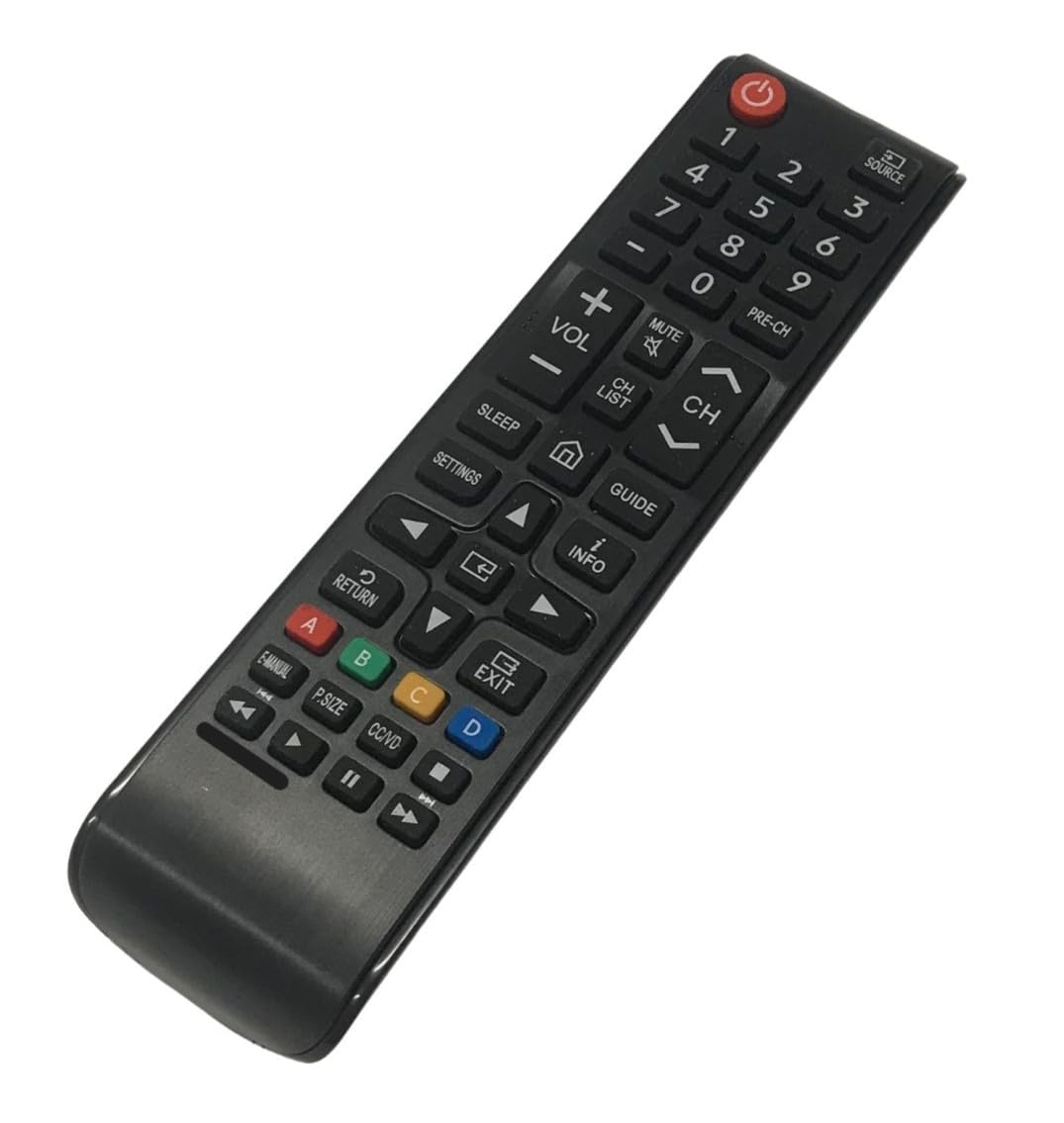
Figure 1: Front view of the Lazellz Television TV Remote Control.
Battery Installation
- Locate the battery compartment on the back of the remote control.
- Slide the battery compartment cover downwards or outwards to open it.
- Insert two (2) AAA batteries, ensuring the positive (+) and negative (-) terminals match the diagrams inside the compartment.
- Close the battery compartment cover securely.
- The remote control is now ready for use. No programming is required.
Operating Instructions
This remote control operates using infrared (IR) technology. Ensure there is a clear line of sight between the remote control and the TV's IR receiver for optimal performance.
Basic Functions
- Power Button: Press to turn the TV on or off.
- Volume Up/Down: Adjusts the TV's volume level.
- Channel Up/Down: Changes the TV channel.
- Number Buttons (0-9): Directly input channel numbers.
- Navigation Pad (Up, Down, Left, Right, Enter): Used to navigate menus and select options on the TV screen.
- Source/Input Button: Switches between different input sources (e.g., HDMI 1, HDMI 2, TV).
- Menu Button: Accesses the TV's main menu.
- Back/Exit Button: Returns to the previous screen or exits a menu.
Maintenance
Cleaning the Remote Control
To clean the remote control, gently wipe it with a soft, dry cloth. For stubborn dirt, slightly dampen the cloth with water or a mild, non-abrasive cleaner. Avoid using harsh chemicals or excessive moisture, as this can damage the remote.
Battery Replacement
Replace batteries when the remote's performance degrades or it stops responding. Always replace both batteries at the same time with new AAA batteries. Do not mix old and new batteries or different types of batteries.
Troubleshooting
| Problem | Solution |
|---|---|
| Remote control is not working. |
|
| Buttons are unresponsive or delayed. |
|
| Remote does not control the TV. |
|
Specifications
- Brand: Lazellz
- Model Name: Television TV Remote Control
- Compatible TV Models: UN55NU7300F, UN55NU7300FXZA, UN55NU6900F, UN55NU6900FXZA
- Connectivity Technology: Infrared (IR)
- Special Feature: No Programming Required, Pre-Programmed
- Controller Type: Button Control
- Maximum Range: 30 Feet
- Number of Supported Devices: 1
- Batteries Required: 2 x AAA (not included)
- Item Weight: 2 Ounces
- Color: Black
Warranty Information
For details regarding the product warranty, please refer to the return policy associated with your purchase. The standard return policy typically covers manufacturing defects for a specified period.
Customer Support
If you encounter issues not covered in this manual or require further assistance, please contact the seller or refer to the product listing on Amazon for support options. When contacting support, please provide your product model number and a detailed description of the issue.