Introduction
Thank you for choosing the MCHEETA Corded Wall Home Phone. This manual provides essential information for the proper setup, operation, and maintenance of your new telephone. Please read these instructions carefully before use to ensure optimal performance and longevity of your device.
Safety Information
- Do not expose the phone to water or excessive moisture.
- Avoid placing the phone near heat sources or direct sunlight.
- Use only the provided accessories and cables.
- Do not attempt to open or repair the phone yourself. Refer all servicing to qualified personnel.
- Keep the phone away from strong magnetic fields.
Package Contents
Verify that all items are present in the package:
- Phone body
- Handset
- Handset Cord
- Phone Line Cord
- Instruction Manual
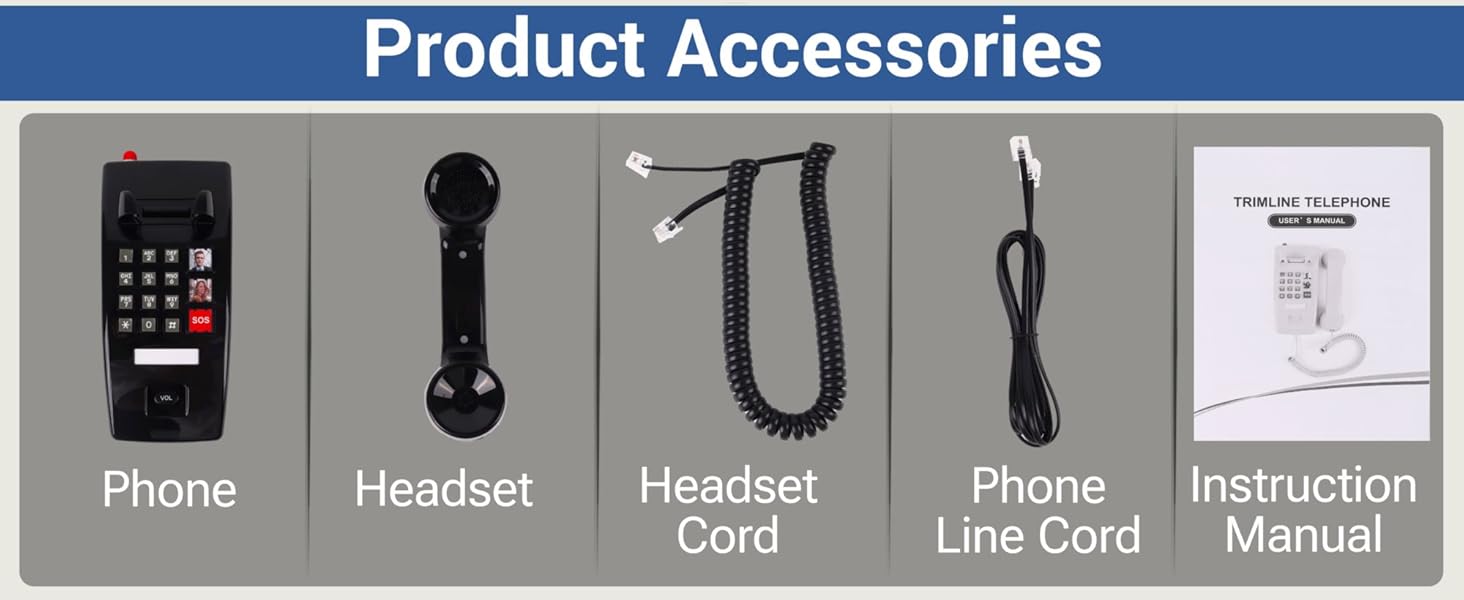
Figure 1: Included Product Accessories
Product Overview
The MCHEETA Corded Wall Home Phone is designed for ease of use, featuring a robust build and essential functions for reliable communication. Key features include:
- One-Touch Dialing: Three programmable buttons for quick access to frequently called numbers, including two custom picture dials and one SOS dial.
- LED Flashing Light: A visual indicator that flashes during incoming calls, useful for individuals with hearing impairments or in noisy environments.
- Adjustable Volume: Independent three-level adjustments for both call volume and ringtone volume.
- Space-Saving Design: Can be mounted on a wall to conserve counter space.
- Durable Construction: Made from plastic with a sturdy handset holder.
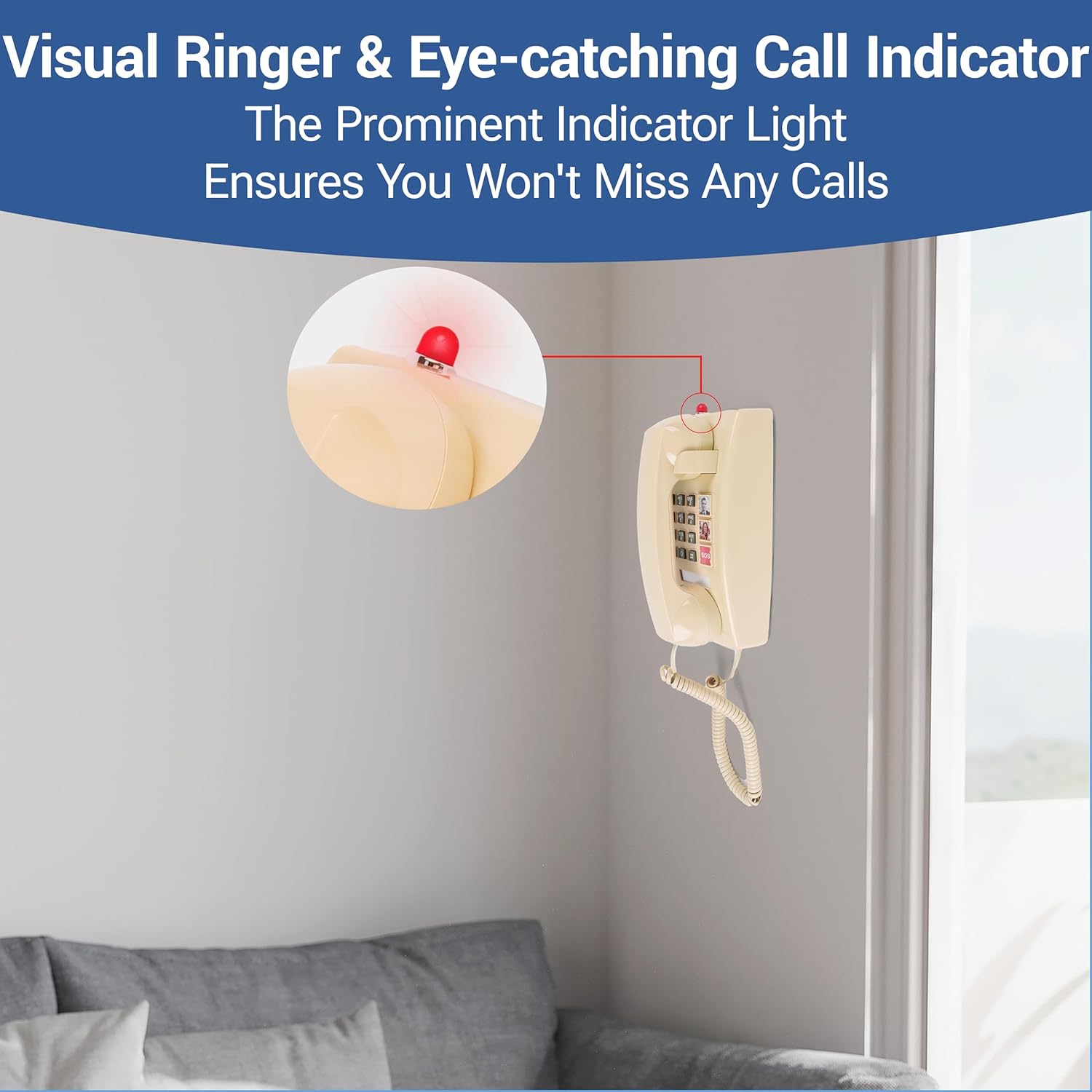
Figure 2: Product Details and Components
Setup
Follow these steps to set up your MCHEETA Corded Wall Home Phone:
- Connect the Handset: Plug one end of the coiled handset cord into the handset and the other end into the handset jack on the side of the phone body.
- Connect the Phone Line: Plug one end of the phone line cord into the telephone line entry jack on the back of the phone. Plug the other end into your wall telephone jack.
- Wall Mounting (Optional): The phone base includes mounting holes for wall installation. Securely attach the phone to a wall using appropriate hardware (not included) to save counter space. Ensure the phone is mounted at a convenient height for use.

Figure 3: Easy Installation - Connecting Cables
Operating Instructions
Making a Call
- Lift the handset.
- Listen for a dial tone.
- Dial the desired phone number using the keypad.
- Wait for the call to connect.
Receiving a Call
- When the phone rings and the LED indicator flashes, lift the handset to answer the call.
- To end the call, place the handset back into its cradle.

Figure 4: Visual Ringer and Call Indicator
Adjusting Volume
The phone features a 'VOL' button, typically located near the bottom of the keypad, to adjust the receiver volume during a call. Press this button to cycle through the three available volume levels. The ringtone volume can also be adjusted via a switch, usually located on the side or back of the phone.
One-Touch Dialing Setup and Use
Your phone includes three one-touch dialing buttons: two customizable picture dials and one dedicated SOS dial. These buttons allow for quick dialing of pre-programmed numbers.
- To Program a Number:
- Lift the handset.
- Press the desired one-touch button (e.g., a picture button or SOS).
- Dial the phone number you wish to save.
- Press the same one-touch button again to save the number.
- Replace the handset.
- To Use One-Touch Dialing:
- Lift the handset.
- Press the desired one-touch button. The phone will automatically dial the stored number.
- Custom Picture Dials: The two picture buttons allow you to insert small photos of the contacts for easy visual identification. The picture size is approximately 0.7 x 0.7 inches.
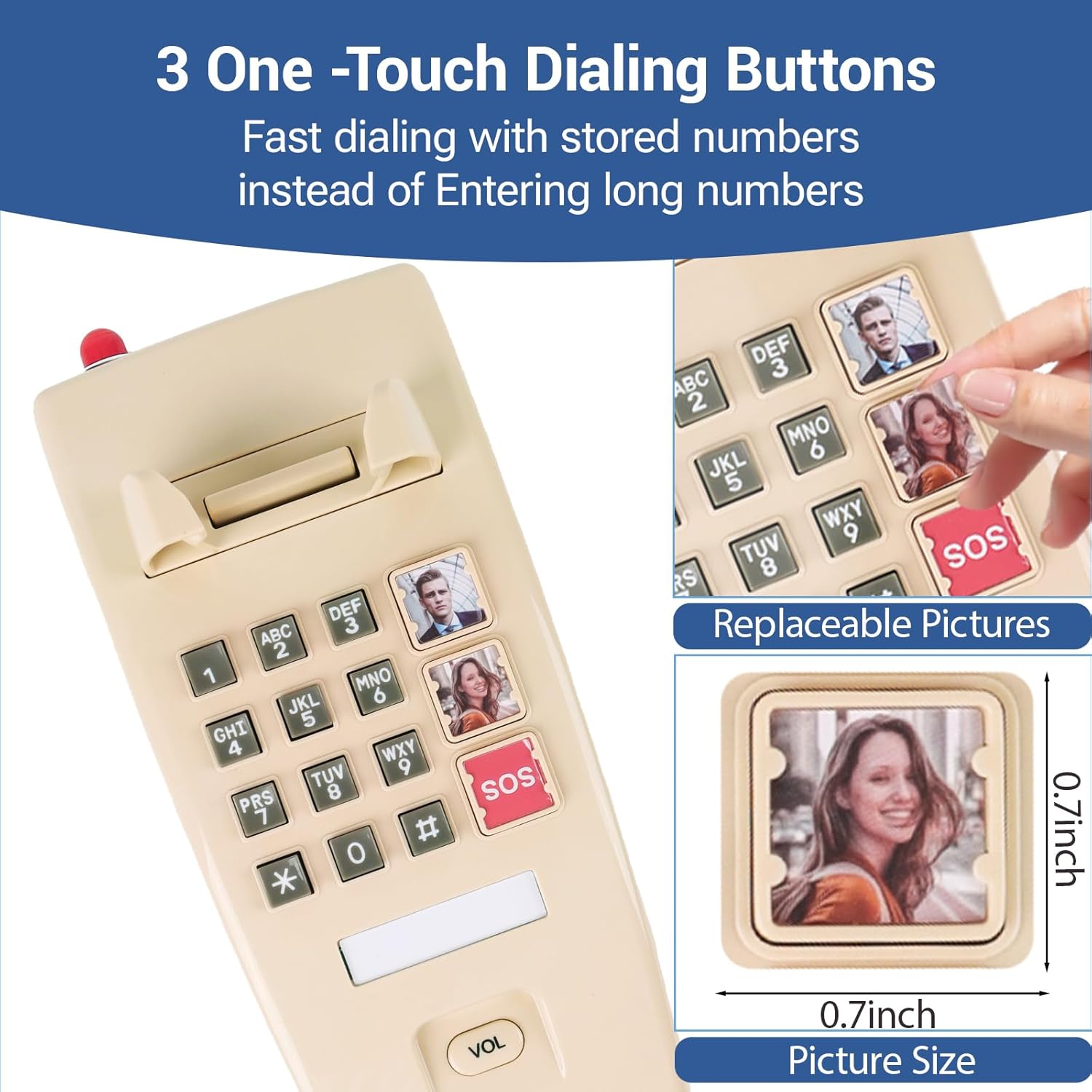
Figure 5: One-Touch Dialing Buttons with Picture Slots
Maintenance
To keep your MCHEETA Corded Wall Home Phone in good condition:
- Cleaning: Wipe the phone's surface with a soft, damp cloth. Do not use harsh chemicals or abrasive cleaners.
- Storage: If storing the phone for an extended period, disconnect it from the wall jack and store it in a cool, dry place.
- Cord Care: Avoid tangling or stretching the coiled handset cord and phone line cord excessively to prevent damage.
Troubleshooting
If you encounter issues with your phone, try the following solutions:
- No Dial Tone:
- Ensure all cables (handset cord, phone line cord) are securely connected.
- Test the wall jack with another working phone to confirm the line is active.
- Cannot Make or Receive Calls:
- Check for a dial tone. If none, refer to 'No Dial Tone' above.
- Verify that the phone line is connected correctly to both the phone and the wall jack.
- Poor Call Quality (Static, Low Volume):
- Adjust the call volume using the 'VOL' button during a call.
- Ensure the handset cord is fully plugged in.
- Try connecting the phone to a different wall jack if available.
- Ringer Not Working / LED Not Flashing:
- Check the ringer volume switch (if applicable) on the phone and ensure it is not set to silent.
- Confirm the phone line is active and receiving incoming calls.
Specifications
| Feature | Detail |
|---|---|
| Brand | MCHEETA |
| Model | B0F9S7PLWQ |
| Color | Beige |
| Telephone Type | Corded |
| Material | Plastic |
| Power Source | Corded Electric (Line Powered) |
| Product Dimensions (L x W x H) | 9.57 x 4.37 x 4.92 inches |
| Item Weight | 1.7 pounds (0.77 Kilograms) |
| Compatible Devices | PSTN, Landline Phones |
| Multiline Operation | Single-Line Operation |
| Caller Identification | No |
Warranty and Support
For product support or inquiries, please contact MCHEETA customer service. While specific warranty details are not provided in this manual, standard consumer rights and return policies apply. Please refer to your purchase documentation or the retailer's website for detailed warranty information.
You can visit the official MCHEETA store for more products and information: MCHEETA Store