
Product Overview
The Philips 3300 Series Fully Automatic Espresso Machine with LatteGo offers an effortless way to enjoy fresh bean coffees. This machine allows you to prepare 6 hot and refreshing drinks with a perfect crema, aroma, and temperature, all at the touch of a button. The integrated LatteGo system automatically creates silky smooth milk froth for your milky coffees and is designed for quick setup and cleaning in as little as 10 seconds.

Figure 1: The Philips 3300 Series Fully Automatic Espresso Machine, showcasing its sleek black chrome design and intuitive control panel.
Key Features
- SilentBrew Technology: Enjoy coffee brewing with 40% less noise compared to earlier models, thanks to sound shielding and quiet grinding. Quiet Mark certified.
- LatteGo Milk System: Automatically prepares silky-smooth milk froth for various milky coffees, including plant-based alternatives, using powerful cyclonic frothing technology.
- AquaClean Filter: Allows for up to 5000 cups without descaling by simply changing the filter when prompted, ensuring clear and purified water.
- Durable Ceramic Grinder: Extracts full flavor from coffee beans with 12 adjustable steps from fine to coarse.
- HomeID App Integration: Provides access to machine insights and new coffee recipes.
- 6 One-Touch Beverages: Offers Espresso, regular Black Coffee, Cappuccino, Latte Macchiato, Iced Coffee, and Hot Water.
- Easy-to-Clean LatteGo: Features a two-part, tube-free design that can be cleaned in 10 seconds under tap water or in a dishwasher.
- Customization Options: Modern touchscreen display with colored icons allows for easy selection and adjustment of coffee strength, length, and milk froth level.
Setup and First Use
- Unpacking: Carefully remove all packaging materials and place the machine on a stable, level surface.
- Water Tank: Remove the water tank from the side of the machine. Fill it with fresh tap water up to the MAX indication. Reinsert the water tank securely.
- Bean Container: Open the lid of the bean container located at the top of the machine. Fill it with fresh coffee beans. Close the lid.
- Power On: Plug the machine into a grounded power outlet. Press the power button to turn on the machine. The machine will perform an automatic rinse cycle.
- Initial Rinse: Place a cup under the coffee spout. The machine will dispense some hot water as part of its self-cleaning process.
- LatteGo Assembly (for milk-based drinks): Attach the LatteGo milk system to the machine if you plan to make milk-based beverages. Ensure it clicks into place.

Figure 2: Filling the bean container with fresh coffee beans. Ensure the lid is properly closed after filling.
Operating Instructions
- Place Cup: Position your cup under the coffee spout. The spout height can be adjusted to fit various cup sizes.
- Select Beverage: Use the touchscreen display to select your desired beverage (e.g., Espresso, Coffee, Cappuccino).
- Customize (Optional): For most beverages, you can adjust the coffee strength (amount of beans) and volume (amount of water) using the "My Coffee Choice" function on the display.
- Start Brewing: Press the play/start button to begin the brewing process. The machine will grind the beans and dispense your selected coffee.
- For Milk-Based Drinks: If making a Cappuccino or Latte Macchiato, ensure the LatteGo system is attached and filled with milk. The machine will automatically froth and dispense the milk after the coffee.

Figure 3: The machine brewing two perfect espresso shots, demonstrating its dual-spout capability.

Figure 4: The LatteGo system in action, frothing milk directly into your cup for creamy milk-based beverages.
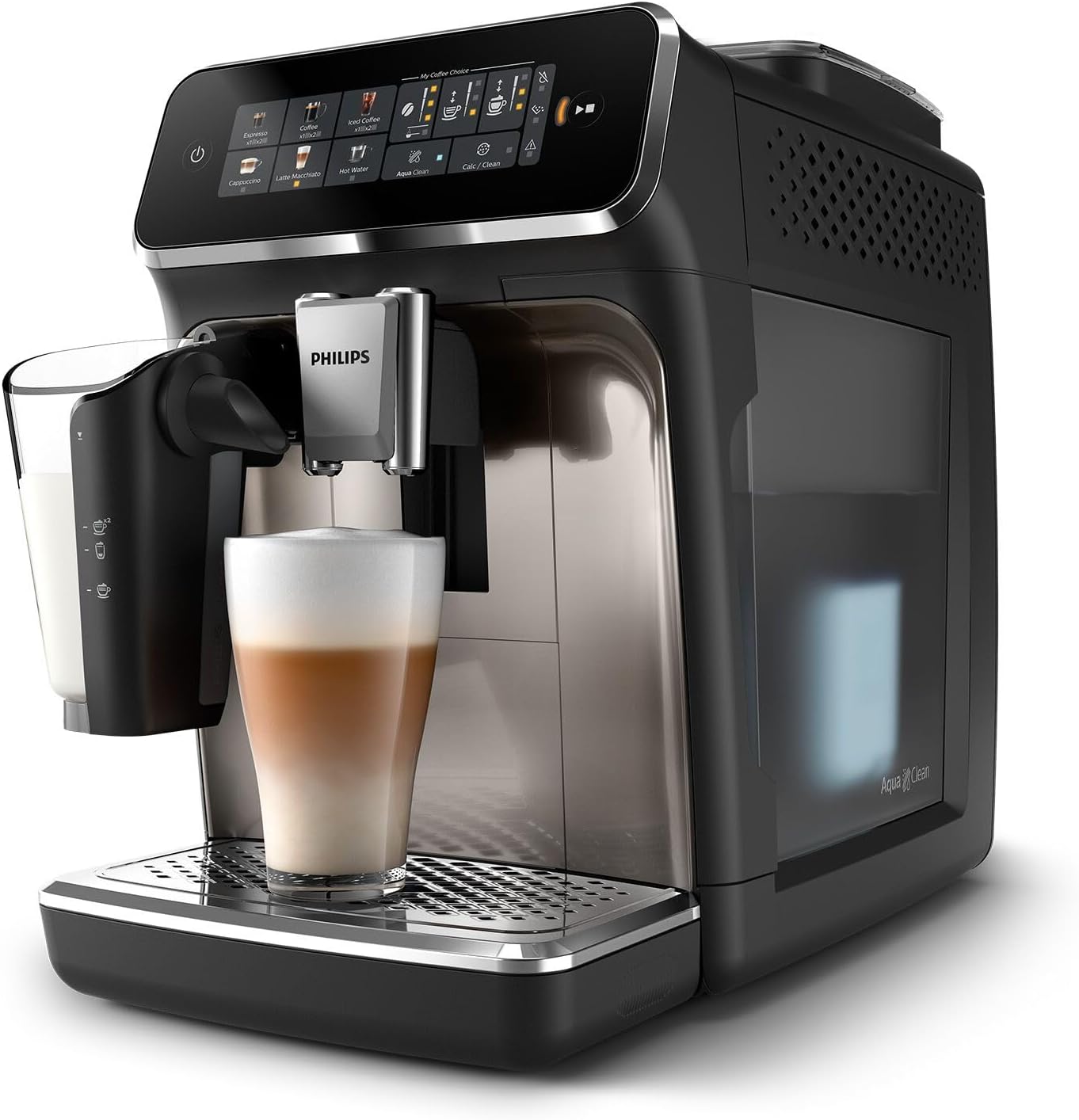
Figure 5: A freshly prepared latte being dispensed, showcasing the layered perfection of coffee and frothed milk.
Maintenance and Cleaning
Regular maintenance ensures optimal performance and longevity of your Philips Espresso Machine. All removable parts are designed for easy cleaning.
- LatteGo System: After each use, detach the two-part LatteGo system. Rinse it under running tap water for about 10 seconds. It is also dishwasher-safe for thorough cleaning.
- Drip Tray and Coffee Grounds Container: Empty and rinse the drip tray and the coffee grounds container daily or when prompted by the machine.
- Water Tank: Refill the water tank with fresh water as needed. For best results and to extend descaling intervals, use the AquaClean filter and replace it when indicated.
- Brew Group: The brew group should be rinsed weekly under tap water. Refer to the full manual for detailed instructions on removing and reinserting the brew group.
- Descaling: The machine will indicate when descaling is required. Follow the on-screen instructions or consult the full user manual for the descaling procedure. Using the AquaClean filter significantly reduces the frequency of descaling.
Troubleshooting
If you encounter issues with your Philips Espresso Machine, refer to the following common solutions. For more complex problems, please consult the comprehensive user manual or Philips customer support.
| Problem | Possible Cause | Solution |
|---|---|---|
| No coffee is dispensed. | Water tank empty, brew group clogged, or coffee beans low. | Refill water tank, clean brew group, or add coffee beans. |
| Milk is not frothing properly. | LatteGo system not clean or milk type unsuitable. | Clean LatteGo system thoroughly. Use cold, fresh milk (dairy or plant-based suitable for frothing). |
| Machine is noisy during grinding. | Normal operation, or foreign object in grinder. | Some noise is normal. If excessive, check bean hopper for foreign objects. |
Technical Specifications
- Brand: Philips
- Model Name: 3300 Lattego (EP3347/90)
- Color: Black Chrome
- Product Dimensions: 17"D x 9.5"W x 14.5"H
- Item Weight: 17.9 pounds
- Coffee Maker Type: Espresso Machine
- Operation Mode: Fully Automatic
- Voltage: 120 Volts
- Filter Type: Aquaclean
- Coffee Input Type: Whole Beans
- UPC: 196592000655
Warranty and Support
For detailed warranty information, product registration, and customer support, please visit the official Philips website or contact their customer service department. Keeping your proof of purchase is recommended for warranty claims.
You can find more information and support on the Philips Store on Amazon or through the HomeID app mentioned in the features.