
Introduction
This manual provides detailed instructions for the installation, operation, and maintenance of your SUPLIFE 8-Inch Room to Room Air Transfer Fan. Designed for efficient air circulation and temperature balancing between rooms, this fan features a reversible airflow design, 10-speed settings, and programmable functions. Please read this manual thoroughly before use to ensure proper function and safety.
Safety Information
- Always disconnect power before installation or maintenance.
- Ensure proper wiring and grounding according to local electrical codes.
- Do not operate the fan with a damaged cord or plug.
- Keep fingers and other objects away from moving fan blades.
- This appliance is not intended for use by persons (including children) with reduced physical, sensory or mental capabilities, or lack of experience and knowledge, unless they have been given supervision or instruction concerning use of the appliance by a person responsible for their safety.
- Children should be supervised to ensure that they do not play with the appliance.
Package Contents
- 1 x SUPLIFE 8-Inch Room to Room Air Transfer Fan
- 1 x Remote Control
- 1 x User Manual
- 1 x Installation Template
- Mounting Hardware (screws, anchors)
- Power Cord (approximately 6 feet long)
Setup
1. Pre-Installation Check
Before beginning installation, perform a power-on test to ensure the fan is functioning correctly. Familiarize yourself with the fan's components and controls.
2. Selecting Installation Location
Choose a wall location between the two rooms where you wish to balance temperature. Ensure there are no electrical wires, plumbing, or structural elements within the wall at the chosen location. The fan is designed for in-wall mounting and can accommodate wall thicknesses from 3.5 inches up to 6.2 inches.
3. Marking and Cutting the Opening
Use the provided installation template to mark the precise cutting area on both sides of the wall. Carefully cut the circular opening for the fan's main body and drill pilot holes for the mounting screws. Measure twice, cut once to ensure accuracy.

Image: The fan efficiently circulates air between two rooms, balancing temperature. It is shown installed in a wall, moving air from a living area to another room.
4. Mounting the Fan
Insert the fan body into the prepared opening. The adjustable sleeve allows for a snug fit within various wall thicknesses. Secure the fan to the wall using the provided mounting hardware, ensuring it is level and stable. The fan can be hardwired or plugged into a standard 110V outlet using its 6-foot power cord.
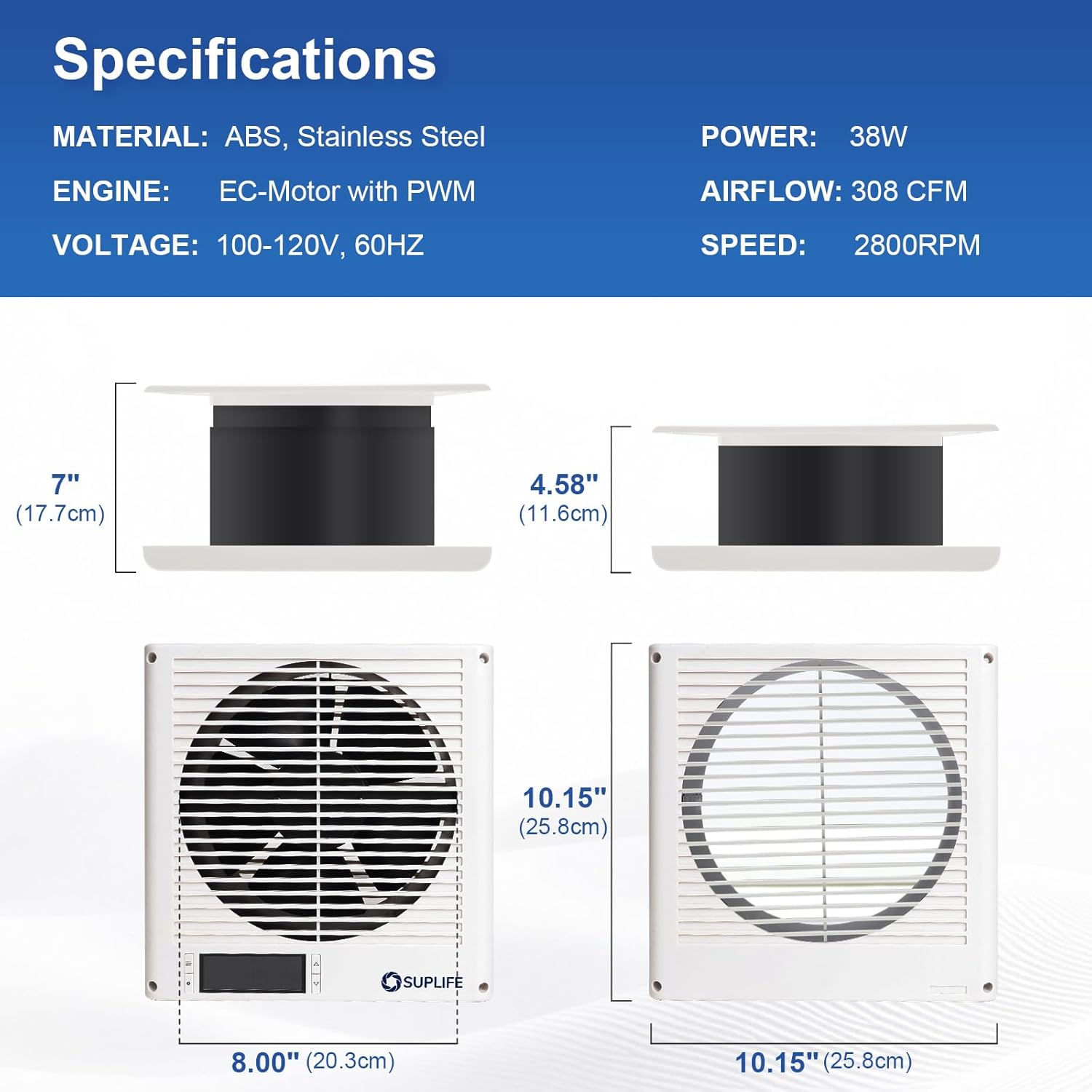
Image: Detailed dimensions of the fan, including its 10.15 x 10.15 x 4.58 inch size and 8-inch fan diameter, are provided for accurate installation.
5. Power Connection
Connect the power cord to a suitable electrical outlet. If hardwiring, ensure connections are made by a qualified electrician.
Video: This video demonstrates the unboxing and basic setup of the SUPLIFE 8-inch through-wall fan, highlighting its components and initial power-on. It shows the fan's display and control buttons.
Operating Instructions
The fan can be controlled via the integrated control panel or the included remote control. The intelligent controller features 10 precise fan speeds with temperature, timer, and cycle programming.

Image: The programmable control panel features buttons for mode selection, setting adjustments, and increasing/decreasing values, along with a digital display for temperature and settings.
1. Power On/Off
Press the power button on the control panel or remote to turn the fan on or off. The fan has a memory retention feature, resuming its last settings upon power restoration.
2. Mode Selection
Press the 'Mode' button to cycle through available operating modes: Continuous Operation, Cold Trigger Mode, and Hot Trigger Mode.
- Continuous Operation: The fan runs continuously at the selected speed, regardless of temperature.
- Cold Trigger Mode: The fan activates to blow cold air into the room when the ambient temperature exceeds the set temperature. Ideal for cooling.
- Hot Trigger Mode: The fan activates to blow hot air into the room when the ambient temperature falls below the set temperature. Ideal for heating.
Video: This video provides a detailed overview of the fan's operational modes, including continuous, cold trigger, and hot trigger, and demonstrates how to switch between them using the control panel and remote.
3. Temperature Setting
In Cold or Hot Trigger Mode, use the 'Up/Down' buttons to set your desired temperature. The fan will automatically adjust its operation based on this setting.
4. Fan Speed Adjustment
Use the 'Up/Down' buttons to select one of the 10 available fan speeds. Higher speeds provide greater airflow (up to 300 CFM) but may produce more noise. Lower speeds are ultra-quiet, operating below 25 decibels.
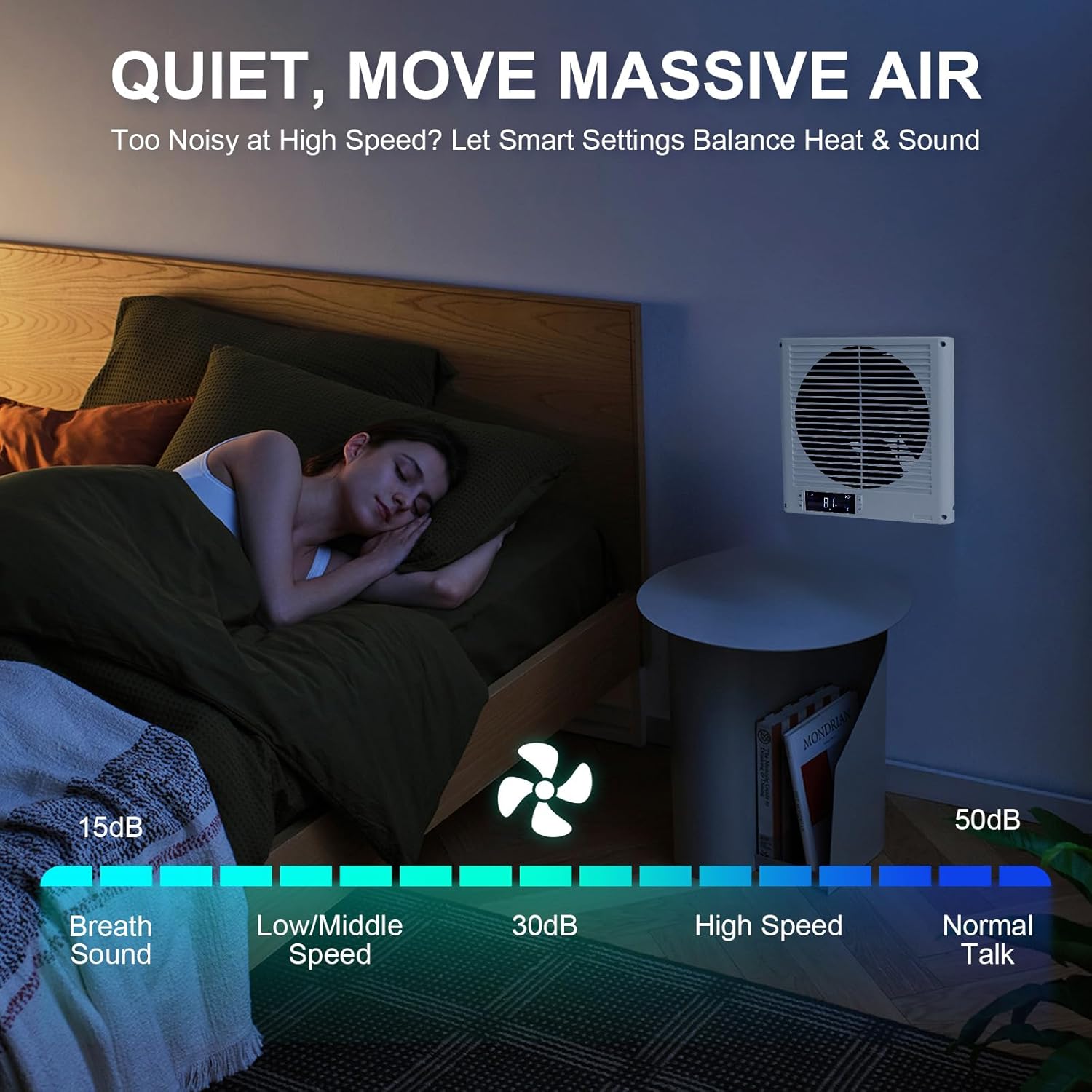
Image: A visual representation of the fan's quiet operation, showing noise levels ranging from 15dB (breath sound) at low speeds to 50dB (normal talk) at high speeds.
5. Reversible Airflow
The fan features a unique reversible airflow design. Press the dedicated 'Reverse' button on the control panel or remote to change the direction of airflow, allowing you to either pull air into a room or exhaust it out.

Image: This diagram illustrates the fan's two-way airflow capability, showing both intake (pulling air in) and exhaust (pushing air out) functions.
6. Timer and Cycle Programming
Utilize the intelligent controller to set a timer for automatic on/off operation or to program a cycle mode for specific ventilation patterns.
Video: This video showcases the SUPLIFE through-wall fan's quiet operation and its ability to move a significant amount of air, demonstrating its effectiveness in various room settings.
Maintenance
1. Cleaning the Fan Blades and Grille
Regularly clean the fan blades and grilles to prevent dust buildup, which can reduce efficiency and airflow. Use a soft, dry cloth or a vacuum cleaner with a brush attachment. Do not use abrasive cleaners or solvents.
2. Motor Care
The fan uses a next-gen EC motor with PWM control and dual ball bearings, designed for a longer lifespan and quieter operation. No special lubrication or maintenance is required for the motor.
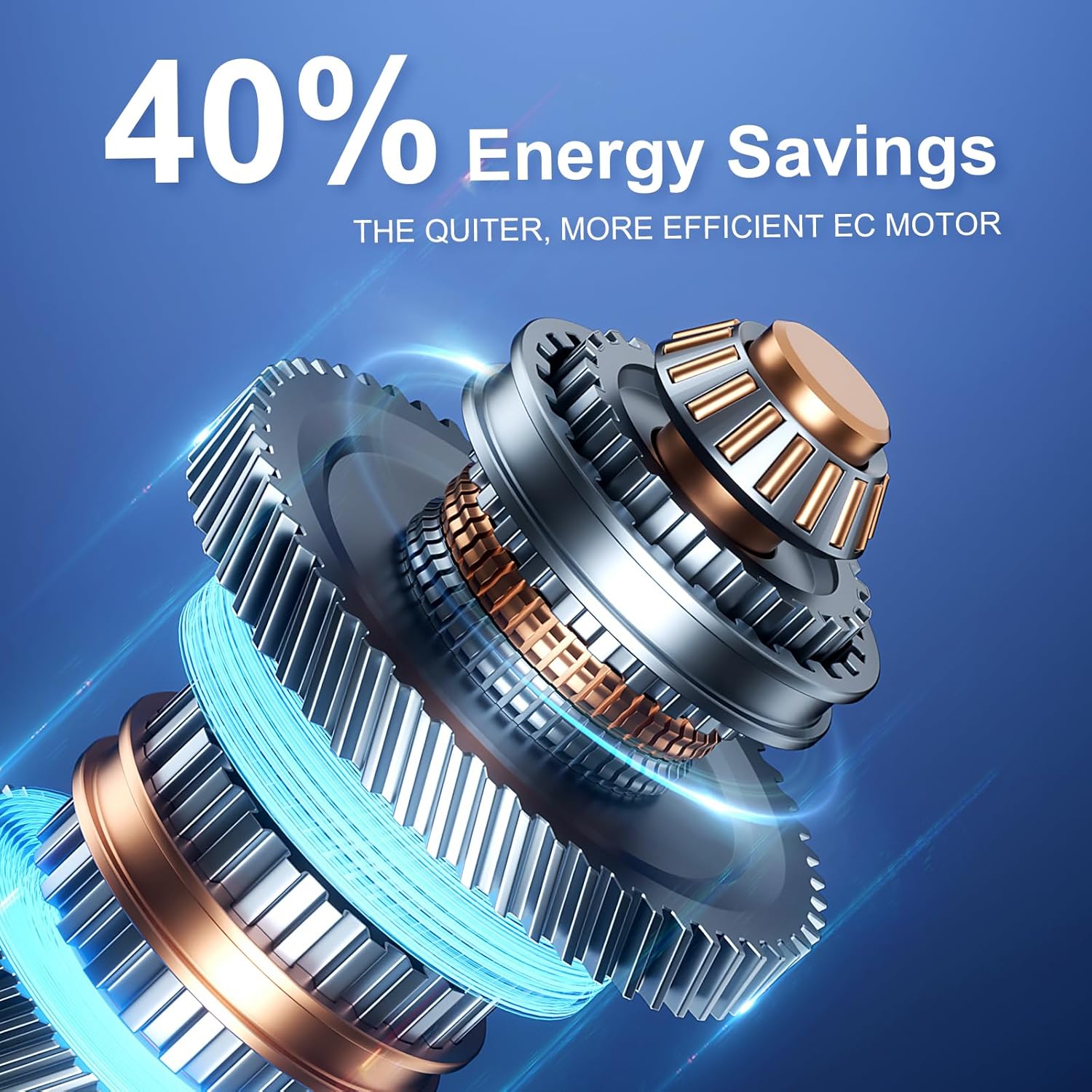
Image: An illustration of the advanced EC motor with PWM control and dual ball bearings, emphasizing its energy efficiency and quiet performance.
Troubleshooting
- Fan not turning on: Check power connection, ensure the outlet is functional, and verify the power button is pressed.
- Low airflow: Clean fan blades and grilles. Ensure the fan is set to an appropriate speed.
- Unusual noise: Check for any obstructions around the fan blades. Ensure the fan is securely mounted.
- Temperature not balancing: Verify the correct mode (Cold Trigger/Hot Trigger) and desired temperature are set. Ensure there are no significant drafts or open windows affecting temperature readings.
Specifications
| Feature | Specification |
|---|---|
| Brand | suplife |
| Model Name | Room to Room Fan 8" |
| Item Model Number | RTRF-8 |
| Product Dimensions | 10.15"D x 4.7"W x 10.15"H |
| Fan Diameter | 8 inch |
| Air Flow Capacity | 300 Cubic Feet Per Minute (CFM) |
| Number of Power Levels | 10 |
| Voltage | 110 Volts |
| Wattage | 18 watts |
| Control Method | Push Button / Remote Control |
| Special Feature | Reversible Airflow, Temperature Control, Timer, Cycle Mode |
| Mounting Type | In-Wall |
| Item Weight | 4.88 pounds (2.22 Kilograms) |
Warranty
This SUPLIFE Room to Room Air Transfer Fan comes with a 2-Year Warranty from the date of purchase. This warranty covers defects in materials and workmanship under normal use. Please retain your proof of purchase for warranty claims. The warranty does not cover damage caused by misuse, accident, unauthorized modification, or improper installation.
Support
For any questions, technical support, or warranty claims, please contact SUPLIFE US customer service through the Amazon platform. Our team is available to assist you with any inquiries regarding your product.