
Multi-Wits HT5009
HABOTEST HT5009 Brake Fluid Tester User Manual
Model: HT5009 | Brand: Multi-Wits
1. Introduction
The HABOTEST HT5009 Brake Fluid Tester is a precision instrument designed to accurately measure the water content in various types of brake fluid, including DOT3, DOT4, and DOT5.1. This device helps users determine the quality of their vehicle's brake fluid, ensuring optimal braking performance and safety. It features a flexible probe for easy access, a backlit display with color-coded indications, and both visual and auditory alarms for clear results.

Figure 1: HABOTEST HT5009 Brake Fluid Tester. This image shows the main unit of the brake fluid tester with its flexible probe and digital display.
2. Safety Information
Please read and understand all safety warnings and operating instructions before using this device. Failure to do so may result in injury or damage to the device.
- Do not expose the device to extreme temperatures or direct sunlight.
- Keep the device away from water and other liquids, except for the brake fluid being tested.
- Ensure the probe is clean before and after each use to maintain accuracy.
- Do not attempt to disassemble or modify the device.
- Store the device in a dry, cool place when not in use.
- Always wear appropriate personal protective equipment, such as gloves and eye protection, when handling brake fluid.
3. Product Components
Familiarize yourself with the different parts of your HT5009 Brake Fluid Tester:

Figure 2: Diagram illustrating the key components of the HT5009 Brake Fluid Tester, including the metal hose, LED illumination lamp, display screen, function switch key, power button, data hold/lighting key, and detection head.
- Metal Hose: Flexible conduit for the probe.
- LED Illumination Lamp: Provides light for testing in dark areas.
- Display Screen: LCD screen showing measurement results and indicators.
- Function Switch Key (F): Used to switch between different brake fluid types (DOT3, DOT4, DOT5.1).
- Power Button: Turns the device on and off.
- Data Hold/Lighting Key (H/C): Toggles data hold function and LED illumination.
- Detection Head: The part of the probe that is immersed in the brake fluid for testing.
4. Setup and Battery Installation
The HT5009 requires two 1.5V AAA batteries (not included) for operation.
- Locate the battery compartment cover on the back of the device.
- Slide or unclip the cover to open the compartment.
- Insert two 1.5V AAA batteries, ensuring correct polarity (+/-) as indicated inside the compartment.
- Close the battery compartment cover securely.

Figure 3: Image showing the battery compartment of the HT5009 tester, indicating where to insert two 1.5V AAA batteries.
5. Operating Instructions
5.1 Power On/Off
- Press the Power Button to turn the device on.
- The device will automatically power off after a period of inactivity to conserve battery.
5.2 Selecting Brake Fluid Type
- After powering on, press the Function Switch Key (F) to cycle through the brake fluid types: DOT3, DOT4, and DOT5.1.
- Ensure the selected type on the display matches the brake fluid you are testing.
5.3 Performing a Test
- Ensure the brake fluid reservoir cap is removed and the fluid level is accessible.
- Carefully immerse the metal detection head of the probe into the brake fluid. Ensure the probe is fully submerged for accurate readings.
- Hold the probe in the fluid for approximately 3 seconds.
- Observe the display for the water content percentage and the color-coded backlight indication.
- Remove the probe from the fluid and clean it thoroughly after testing.
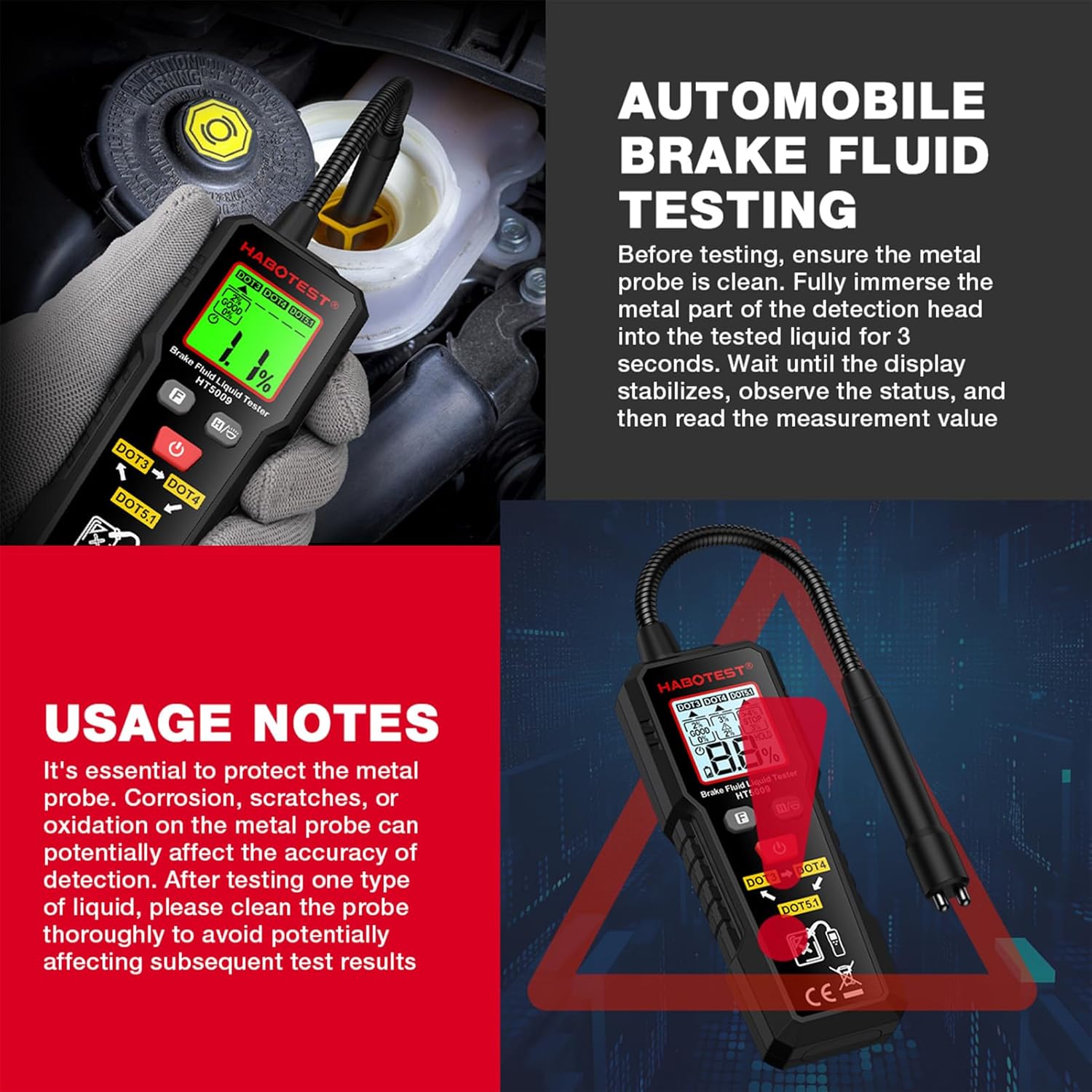
Figure 4: Image demonstrating the HT5009 being used to test brake fluid in a vehicle's reservoir. The probe is submerged in the fluid.
5.4 Interpreting Results (Three-Color Backlight Indication)
The HT5009 provides clear visual feedback through its three-color backlit display and auditory alarms:
- Green Backlight (0-2% water content): Indicates that the brake fluid is in good condition and still usable.
- Yellow Backlight (2-3% water content) with Slow Beep: Indicates that the brake fluid is starting to degrade and should be considered for replacement soon.
- Red Backlight (>3% water content) with Fast Beep: Indicates an urgent need to replace the brake fluid immediately.

Figure 5: Visual representation of the HT5009's three-color backlight system, showing green for good, yellow for caution, and red for immediate replacement, based on water content percentage.
5.5 Data Hold and Illumination
- Press the Data Hold/Lighting Key (H/C) briefly to hold the current reading on the display. Press again to release.
- Press and hold the Data Hold/Lighting Key (H/C) to turn the LED illumination lamp on or off.
6. Maintenance
Proper maintenance ensures the longevity and accuracy of your HT5009 Brake Fluid Tester.
- Probe Cleaning: After each use, especially when testing different types of brake fluid, thoroughly clean the detection head with a clean, dry cloth. Residual fluid can affect subsequent readings.
- Storage: Store the device in a clean, dry environment, away from direct sunlight and extreme temperatures.
- Battery Replacement: Replace batteries when the low battery indicator appears on the display to ensure consistent performance.
- Calibration Resistor Socket: The device includes a built-in calibration resistor socket. By inserting the probe into this socket, you can simulate different measurement environments to verify the accuracy of the detector. Refer to the specific calibration procedure if provided in a separate advanced manual or by the manufacturer.
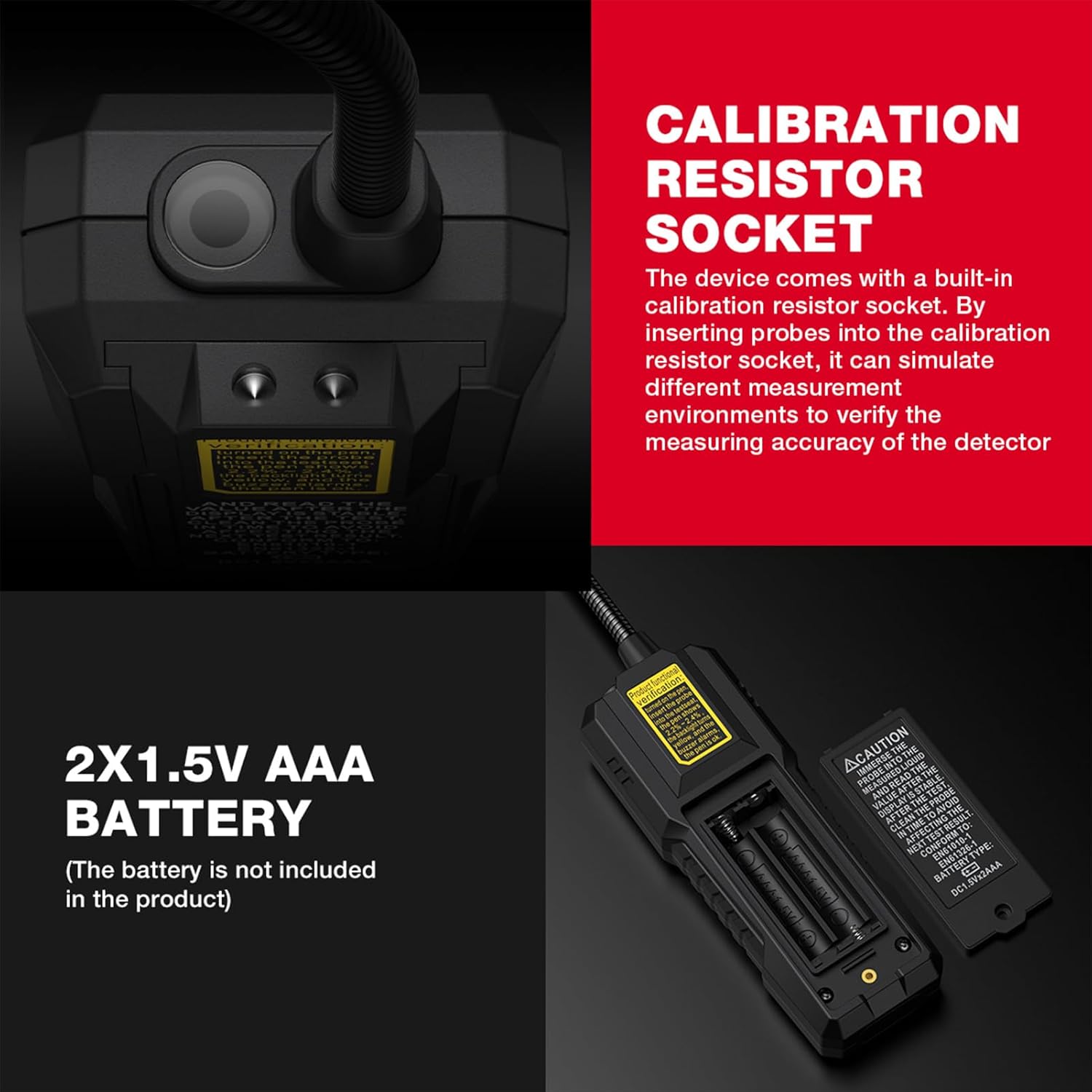
Figure 6: Close-up view of the HT5009 showing the calibration resistor socket, used for verifying the accuracy of the device.
7. Troubleshooting
| Problem | Possible Cause | Solution |
|---|---|---|
| Device does not power on. | Batteries are dead or incorrectly inserted. | Check battery polarity; replace with new 1.5V AAA batteries. |
| Inaccurate readings. | Probe is dirty; incorrect brake fluid type selected; probe not fully submerged. | Clean the probe thoroughly; ensure correct DOT type is selected; fully immerse the probe for 3 seconds. |
| Display is dim or flickering. | Low battery. | Replace batteries. |
| No alarm sound. | Buzzer malfunction; water content too low to trigger alarm. | Ensure water content is above 2% for yellow/red alarm; if problem persists, contact support. |
8. Specifications
| Parameter | Value |
|---|---|
| Model | HT5009 |
| Material | ABS |
| Detection Range | 0~4% (Water Content) |
| Accuracy | ±0.3% |
| Brake Oil Types Supported | DOT3, DOT4, DOT5.1 |
| Display | LCD with Trichromatic Backlight |
| Auto Power Off | Yes |
| Low Battery Indication | Yes |
| Flashlight | Yes |
| Buzzer Alert | Yes |
| Power Source | 2 x 1.5V AAA batteries (Not Included) |
| Item Size | 340 x 45 x 28mm (13.38 x 1.77 x 1.10in) |
| Item Weight | 97g (3.42oz) |
9. Warranty and Support
For warranty information or technical support, please refer to the documentation provided with your purchase or contact the manufacturer directly. Keep your purchase receipt as proof of purchase for warranty claims.
Manufacturer: Multi-Wits
Ask a question about this manual
Ask about setup, troubleshooting, compatibility, parts, safety, or missing instructions. Manuals+ will review the question and use this page’s manual context to help answer it.