
1. Product Overview
The Commercial Electric Slim LED Color Changing Recessed Kit is a versatile lighting solution designed for both new construction and retrofit projects. This 4-inch fixture offers adjustable color temperatures from warm white (2700K) to daylight (5000K), along with a dedicated night light function. Its ultra-slim profile eliminates the need for a traditional can, allowing for easy installation in various ceiling types. With a rated life of 50,000 hours and 650 lumens of brightness, it provides efficient and long-lasting illumination.

Image Description: This image displays the complete Commercial Electric Slim LED Recessed Kit. It shows the main LED light fixture connected by a cable to a separate junction box. An inset in the bottom right corner illustrates the difference between the bright main light mode and the softer amber night light mode.
2. Safety Information
Please read and understand all instructions before beginning installation. Failure to do so may result in electric shock, fire, or other hazards that could cause injury or property damage.
- Always turn off power at the circuit breaker before installing or servicing the fixture.
- Consult a qualified electrician if you are unsure about the installation process.
- Ensure all electrical connections are made in accordance with local codes and ordinances.
- Do not install in areas with excessive moisture or direct water exposure unless specifically rated for such environments.
- Do not attempt to modify the fixture in any way.
3. Package Contents
Verify that all components are present before proceeding with installation:
- LED Wall Pack Light (includes integrated LED fixture and remote junction box)
4. Product Specifications
| Feature | Specification |
|---|---|
| Model Number | 1005596102 |
| Light Source Type | LED |
| Brightness | 650 Lumens (4-inch model) |
| Color Temperature | Selectable: 2700K, 3000K, 3500K, 4000K, 5000K |
| Night Light Function | Yes (Amber) |
| Rated Life | 50,000 hours |
| Voltage | 120 Volts |
| Power Source | Hardwired |
| Material | Aluminum |
| Certification | ETL |

Image Description: This image presents a visual comparison of four different sizes of canless recessed lights: 3-inch (550 Lumens, 10-Watts), 4-inch (650 Lumens, 11-Watts), 6-inch (900 Lumens, 15-Watts), and 8-inch (1800 Lumens, 30-Watts). The image helps to illustrate the range of available products, with the 4-inch model being the subject of this manual.
5. Setup and Installation
5.1 Pre-Installation
Before installing the fixture, select your desired color temperature using the slide switch located on the side of the metal junction box. This setting cannot be changed after installation without removing the junction box.

Image Description: A close-up view of the metal housing box (junction box) for the recessed light. A small slide switch is visible on the side, with labels indicating different color temperature options: 2700K, 3000K, 3500K, 4000K, and 5000K. This switch allows the user to pre-select the light's color output.
5.2 Wiring
- Turn off power at the circuit breaker.
- Open the cover of the remote junction box.
- Connect the supply wires to the wires inside the junction box using appropriate wire connectors: black to black (live), white to white (neutral), and green/bare copper to green (ground).
- Secure the junction box cover.
5.3 Mounting
The fixture is designed for easy installation into a ceiling cutout. Ensure the cutout diameter matches the fixture size (4 inches).
- Connect the LED fixture cable to the junction box cable, ensuring a secure connection.
- Push the junction box through the ceiling cutout.
- One at a time, flip the spring clamps on the fixture upward and insert the fixture into the opening in the ceiling.
- Once both clamps are inside the cutout, gently push the fixture upward until the trim is flush with the ceiling surface. The spring clamps will hold the fixture securely in place.

Image Description: This image provides a close-up of the underside of the LED downlight, highlighting the spring-loaded clamps used for installation. The text overlay emphasizes the 'Ultra-Slim' design, suitable for low clearance or sloped ceilings.

Image Description: An underside view of the 4-inch LED recessed light fixture. The image clearly shows the two spring clips on opposite sides of the fixture, which are used to secure the light within the ceiling opening.
6. Operating Instructions
6.1 Changing Light Modes (Main Light / Night Light)
This fixture features two distinct light modes: a bright white main light and a soft amber night light. You can switch between these modes using your existing wall switch or dimmer switch.
- To change modes, quickly flip the wall switch (or dimmer switch) OFF and then ON again within 3 seconds.
- Each quick cycle will alternate between the main white light mode and the accent/nightlight mode.

Image Description: A diagram showing how to operate the light modes. It illustrates a standard wall switch and a dimmer switch, demonstrating that flipping the switch ON/OFF/ON within 3 seconds will toggle between the 'White Light Mode' and 'Accent/Nightlight Mode'.

Image Description: This image shows two recessed lights installed in a ceiling. The top light is illuminated in 'MAIN LIGHT' mode, displaying a bright white light. The bottom light is in 'NIGHT LIGHT' mode, emitting a soft, warm amber glow.

Image Description: A split image showing a kitchen area. The left side depicts the kitchen illuminated by the bright, main white light mode of the recessed fixtures. The right side shows the same kitchen with the lights set to the softer, amber night light mode, creating a different ambiance.
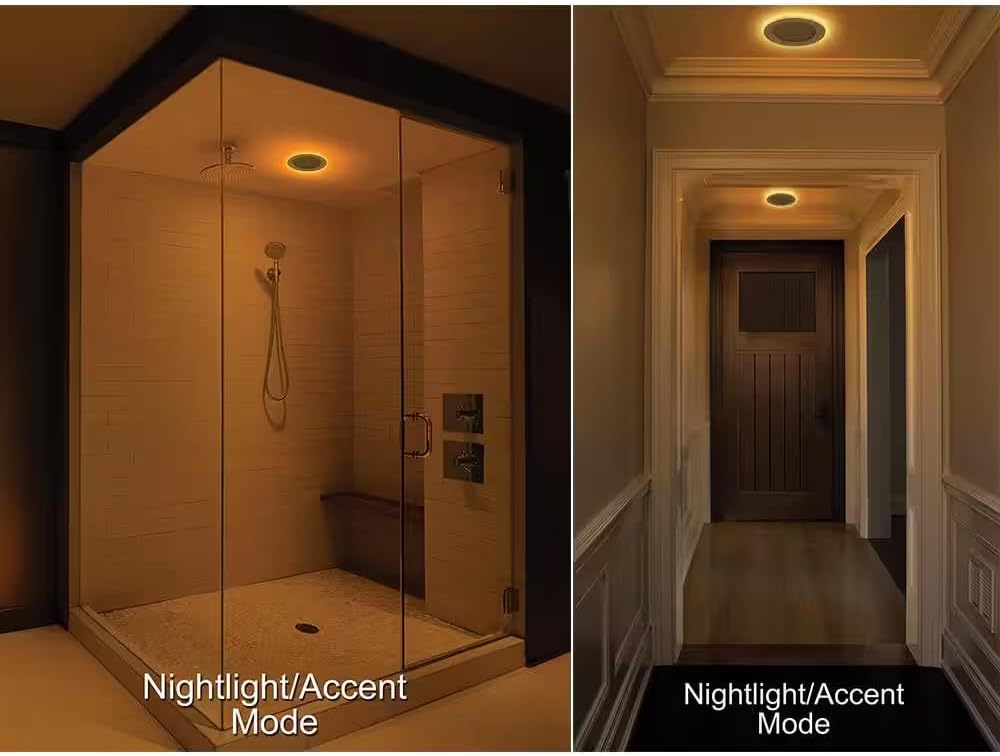
Image Description: This image displays two different interior settings utilizing the nightlight/accent mode. On the left, a shower area is softly lit with an amber glow from a recessed light. On the right, a hallway also features the same warm, subtle illumination from a recessed night light.
6.2 Color Temperature Adjustment
The color temperature (2700K, 3000K, 3500K, 4000K, 5000K) is selected via a slide switch on the junction box during pre-installation. This setting is static once installed and cannot be changed without accessing the junction box.
6.3 Dimming
This fixture is dimmable. Ensure you use a compatible LED dimmer switch for optimal performance. Refer to your dimmer switch's instructions for proper operation.
7. Maintenance
The LED light source is integrated and does not require replacement. For cleaning, ensure the power is off at the circuit breaker.
- Wipe the fixture with a soft, dry, or slightly damp cloth.
- Do not use harsh chemicals, abrasive cleaners, or solvents, as these may damage the finish or electrical components.
8. Troubleshooting Guide
If you experience issues with your LED recessed kit, refer to the following table for common problems and solutions:
| Problem | Possible Cause | Solution |
|---|---|---|
| Light does not turn on | No power to the fixture; Loose wiring connection; Faulty switch. | Check circuit breaker; Verify all wiring connections are secure; Test the wall switch. |
| Light flickers or dims improperly | Incompatible dimmer switch; Loose wiring. | Ensure an LED-compatible dimmer is used; Check wiring connections. |
| Cannot change color temperature | Color temperature switch is set internally. | Color temperature is set on the junction box before installation. It cannot be changed via the wall switch. |
| Night light mode not working | Incorrect switching sequence. | Ensure you are cycling the wall switch OFF/ON within 3 seconds to toggle modes. |
9. Warranty Information
This Commercial Electric product is backed by a manufacturer's warranty against defects in materials and workmanship. Please retain your proof of purchase for warranty claims. For specific warranty terms and duration, refer to the product packaging or contact customer support.
10. Customer Support
If you have any questions, require technical assistance, or need to report a problem, please contact Commercial Electric customer support. Contact information can typically be found on the product packaging or the manufacturer's official website.


