
Introduction
This manual provides detailed instructions for the HZDHCLH Bedside Digital Clock. This clock features a large, clear display showing time, date, day of the week, temperature, and humidity. It is battery-operated and includes functions such as an alarm with snooze, a 5-second backlight, and automatic time synchronization via radio signals.
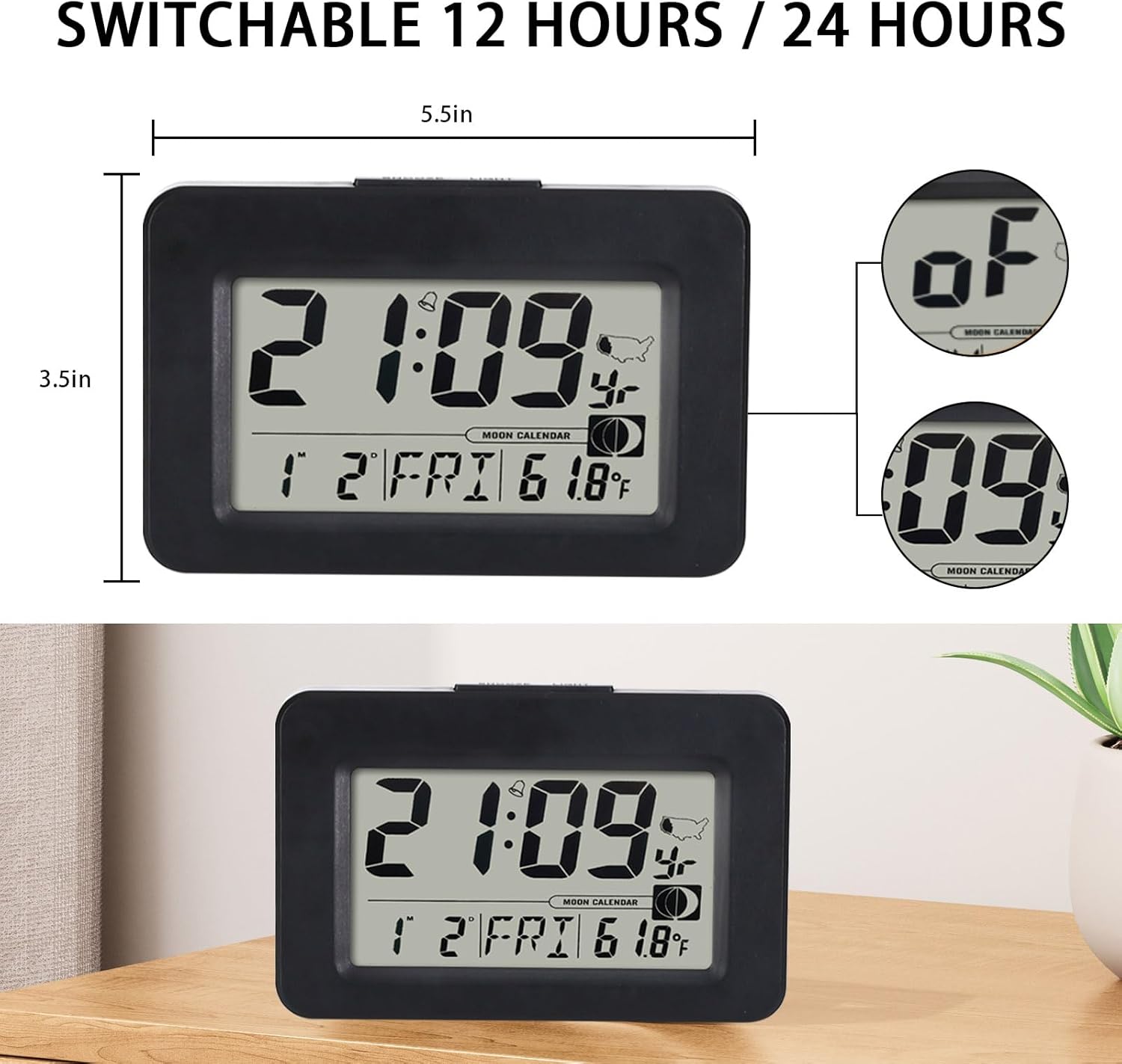
Image: The HZDHCLH Bedside Digital Clock displayed on a wooden nightstand, showing its clear digital display.
Setup
1. Battery Installation
The HZDHCLH Bedside Digital Clock is powered by two AAA batteries (not included). To install the batteries:
- Locate the battery compartment on the back of the clock.
- Open the battery compartment cover.
- Insert two AAA batteries, ensuring correct polarity (+/-).
- Close the battery compartment cover securely.
A low-battery indicator will appear on the screen when the batteries require replacement.
2. Initial Time Setting and Atomic Synchronization
This alarm clock is designed to receive radio signals from the United States to automatically set and adjust the time. This feature ensures precise timekeeping and automatic recognition of daylight saving time (summer and winter time) without manual adjustment.
Upon initial power-on, the clock will attempt to synchronize with the atomic time signal. Place the clock in an area with good signal reception, away from electronic interference, for optimal synchronization.
If the atomic signal is not immediately received or if manual adjustment is preferred, refer to the 'Operating the Clock' section for manual time setting instructions.

Image: The rear view of the HZDHCLH Digital Clock, showing the battery compartment, hanging hole, and control buttons labeled SET, UP, DOWN, WAVE, and Reset.
Operating the Clock
1. Time Display Format (12/24-Hour)
The clock supports both 12-hour and 24-hour time formats. To switch between formats, use the designated button on the back of the clock, typically labeled '12/24H' or integrated with the 'WAVE' button for forced reception/exit.

Image: A visual representation of the clock's display, illustrating the switchable 12-hour and 24-hour time formats.
2. Alarm and Snooze Function
To set the alarm:
- Press the 'SET' button repeatedly until the alarm setting mode is displayed.
- Use the 'UP' and 'DOWN' buttons to adjust the alarm time.
- Press 'SET' again to confirm and exit alarm setting.
When the alarm sounds, you can activate the snooze function by tapping the 'SNOOZE' button (often combined with the 'LIGHT' button) on the top of the alarm clock. This will pause the alarm for approximately five minutes, allowing for additional rest.

Image: The digital alarm clock with an overlay highlighting the 5-minute snooze function, showing a hand reaching for the top button.
3. Backlight Function
The clock is equipped with a 5-second silent backlight. To illuminate the display in dark conditions, press the 'LIGHT' button (often combined with the 'SNOOZE' button) located on the top of the alarm clock. The backlight will activate for approximately 5 seconds, making it easy to read the display.

Image: A person in bed reaching to press the 'SNOOZE/LIGHT' button on the top of the digital clock, demonstrating the backlight feature in a dark room.
Maintenance
Cleaning
To clean the clock, gently wipe the surface with a soft, dry cloth. Avoid using abrasive cleaners, solvents, or chemical sprays, as these may damage the display or casing.
Battery Replacement
When the low-battery indicator appears on the display, replace the two AAA batteries promptly to ensure continuous and accurate operation. Follow the battery installation steps outlined in the 'Setup' section.
Troubleshooting
- Time is Incorrect or Not Synchronizing: If the time is consistently incorrect or the atomic signal is not being received, try repositioning the clock to an area with better signal reception, away from potential electronic interference. If issues persist, manually set the time using the 'SET', 'UP', and 'DOWN' buttons on the back of the clock.
- Display Appears Faint or Unclear: The LCD screen's clarity can sometimes be affected by the viewing angle. Ensure you are viewing the clock from a direct or slightly downward angle for optimal display clarity.
- Backlight Not Staying On: The backlight is designed for a temporary 5-second illumination. It is not a continuous glow feature. This is normal operation.
- Low Battery Indicator: If the low battery indicator appears, replace the AAA batteries as soon as possible.
Specifications
| Feature | Detail |
|---|---|
| Brand | HZDHCLH |
| Model | B0F9NK8YSV |
| Color | Black |
| Display Type | Digital |
| Style | Modern |
| Special Feature | Multiple time zones, Atomic Operation, Alarm, Snooze, Backlight, Calendar, Humidity, Temperature |
| Product Dimensions | 5.5"W x 3.5"H |
| Power Source | 2 x AAA Batteries (not included) |
| Shape | Square |
| Indoor/Outdoor Usage | Indoor |
| Frame Material | Plastic |
| Mounting Type | Tabletop |

Image: The HZDHCLH Digital Clock with its dimensions (5.5 inches wide by 3.5 inches high) clearly indicated on the image.
Warranty and Support
After-sales Service Guarantee
If you experience any product issues or have questions regarding your HZDHCLH Bedside Digital Clock, please contact our dedicated online customer service team. We are committed to providing prompt and attentive service to ensure your satisfaction.
Contact Support
For assistance, please refer to the contact information provided with your purchase or visit the official HZDHCLH brand store online. When contacting support, please have your product model number (B0F9NK8YSV) available.


