1. Introduction
Thank you for choosing the BAYSQUIRREL Smart 52-inch Ceiling Fan with Lights and Bluetooth Speaker. This manual provides essential information for the safe installation, operation, and maintenance of your new ceiling fan. Please read these instructions thoroughly before installation and retain them for future reference.
This smart ceiling fan integrates a powerful 6-speed DC reversible motor, full-spectrum eye-care LED lighting with adjustable color temperature, and a built-in Bluetooth 5.0 speaker, all controllable via a remote or a smartphone application.
2. Safety Information
WARNING: To reduce the risk of fire, electric shock, or personal injury, always follow these basic precautions:
- Read all instructions before installing the fan.
- All wiring must be in accordance with national and local electrical codes. Consult a qualified electrician if you are unfamiliar with wiring.
- Disconnect power at the main circuit breaker before installation or servicing.
- Ensure the installation site allows for a minimum clearance of 7 feet (2.1 meters) from the floor to the fan blades and 18 inches (45 cm) from the wall to the blade tips.
- The outlet box and support structure must be securely mounted and capable of reliably supporting a minimum of 35 lbs (15.9 kg).
- Do not operate the fan with damaged blades or any visible defects.
- This fan is damp rated. Do not expose to direct rain.
3. Package Contents
Verify that all components listed below are present and undamaged before beginning installation. If any parts are missing or damaged, contact customer support.
- Ceiling Fan Motor Assembly
- Fan Blades (5x) - Reversible (White/Wood finish)
- LED Light Kit
- Remote Control
- Mounting Bracket
- Downrods (various lengths)
- Hardware Pack (screws, wire nuts, etc.)
- Instruction Manual

Image 1: Overview of the BAYSQUIRREL Smart 52-inch Ceiling Fan and its primary control accessories.
4. Installation Guide
Professional installation is recommended. Ensure power is disconnected at the circuit breaker before proceeding.
4.1 Pre-Installation
- Unpack all components and inspect for damage.
- Ensure the electrical box is rated for ceiling fan support.
- Determine the desired downrod length.
4.2 Mounting the Bracket
Secure the mounting bracket to the ceiling outlet box using the provided screws. Ensure it is firmly attached to a structural beam or a fan-rated electrical box.
4.3 Wiring Connections
Connect the fan's electrical wires to the household wiring according to the wiring diagram in the detailed manual (not provided here). Use the provided wire connectors. Ensure all connections are secure.
4.4 Attaching the Motor and Blades
Carefully lift the fan motor assembly and hang it on the mounting bracket. Attach the fan blades to the motor housing using the provided screws. Ensure blades are securely fastened.
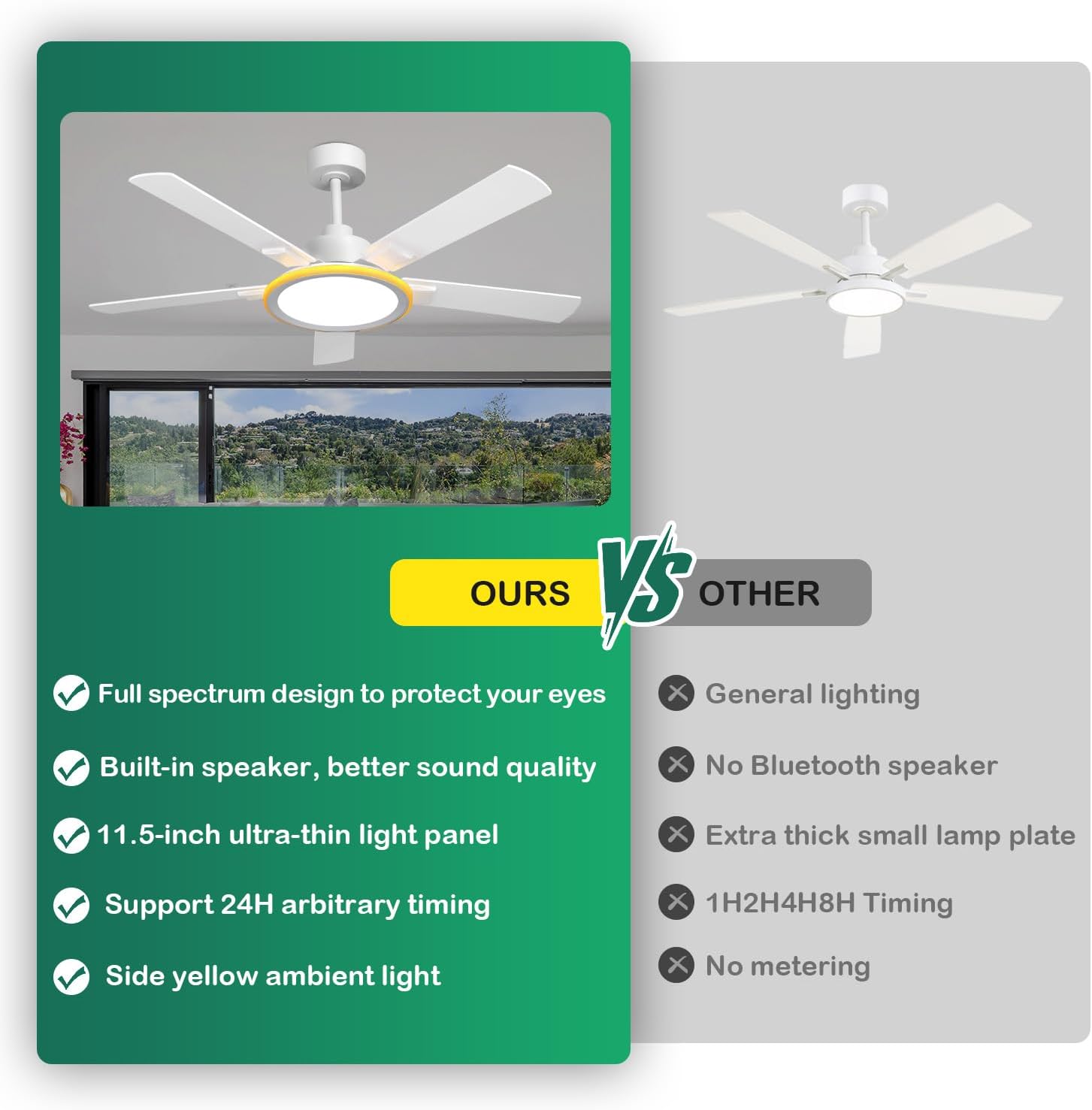
Image 2: Fan dimensions and reversible blade options for installation planning.
4.5 Installing the Light Kit
Connect the light kit wires to the fan motor assembly wires. Secure the light kit to the bottom of the fan motor housing.

Image 3: The fan is damp rated, suitable for covered outdoor areas but not direct rain exposure.
5. Operating Instructions
Your BAYSQUIRREL Smart Ceiling Fan can be controlled using the included remote control or the "Smart Light Pro" smartphone application.
5.1 Power On/Off
Restore power at the circuit breaker. The fan is now ready for operation.
5.2 Fan Control
- Speed Adjustment: The fan features 6 adjustable speeds. Use the remote or app to cycle through speeds 1 (soft wind) to 6 (cool wind).
- Forward/Reverse Function: The DC motor allows for reversible airflow. In summer, the fan operates in forward mode to create a cooling breeze. In winter, reverse the airflow to circulate warm air trapped near the ceiling.
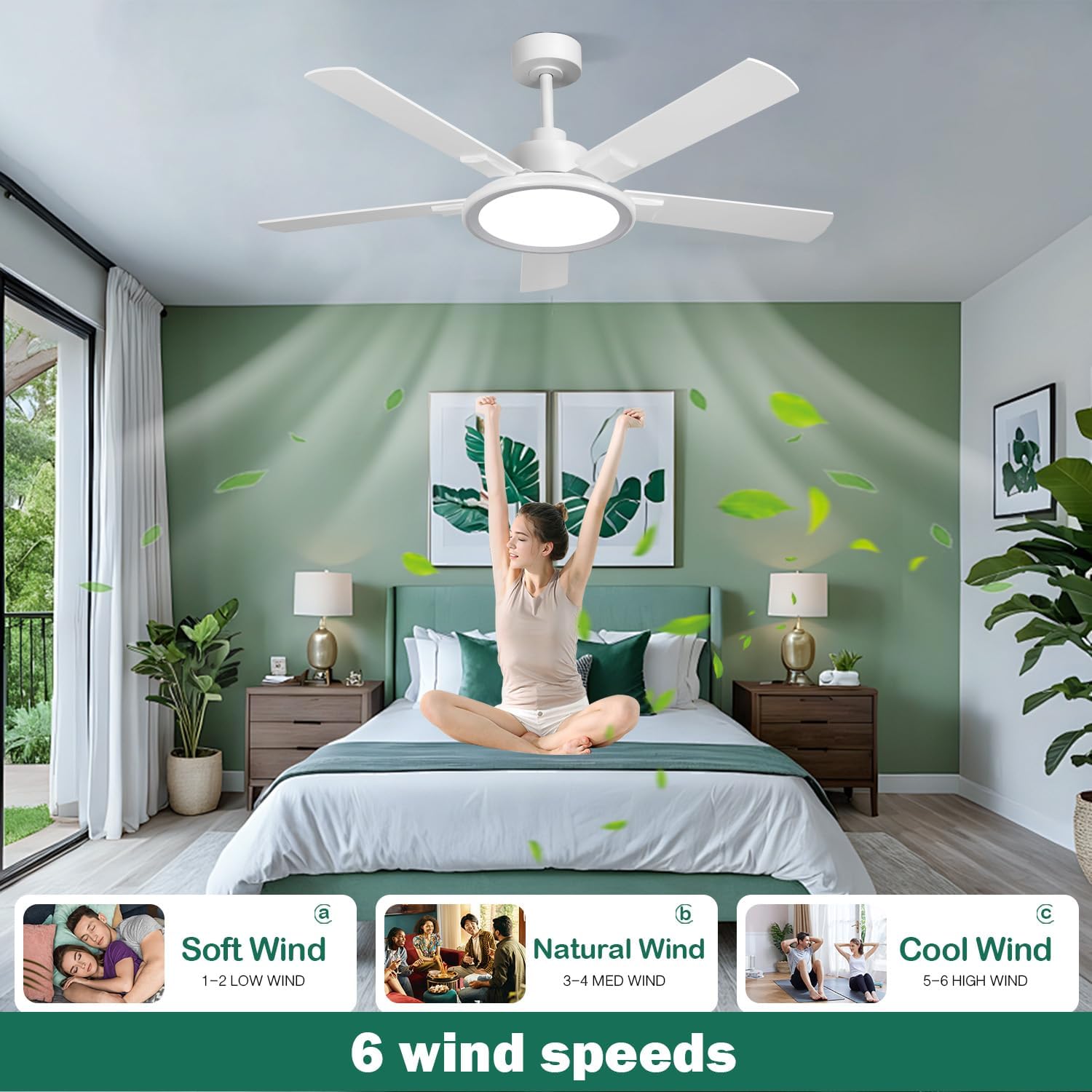
Image 4: Six wind speed settings for various comfort levels.

Image 5: Fan forward and reverse modes for year-round comfort.
5.3 Light Control
- Color Temperature: Adjust between 3000K (Warm Light), 4500K (Natural Light), and 6000K (White Light) to suit your preference or activity.
- Brightness Adjustment: Dim or brighten the light from 10% to 100%.
- Full-Spectrum Eye Care: The integrated LED panel mimics natural sunlight, reducing blue light exposure for eye comfort.
- Side Ambient Lighting: The fan includes independently controlled side ambient lighting for layered illumination.

Image 6: Three color temperature settings and brightness adjustment.

Image 7: Full Spectrum Lighting technology for eye protection.
5.4 Bluetooth Speaker
The fan features a built-in Bluetooth 5.0 speaker for audio playback.
- Pairing: Enable Bluetooth on your smartphone or tablet. Search for "i-light" in the available devices and connect.
- Audio Playback: Once paired, audio from your device will play through the fan's speaker, providing 360° surround sound.

Image 8: Connecting to the integrated Bluetooth speaker.

Image 9: Professional-grade audio experience from the built-in speaker.
5.5 Control Methods & Memory Function
- Remote Control: Use the included multi-function remote to control fan speeds, light settings, and music playback.
- Smartphone App: Download the "Smart Light Pro" app for advanced control options and customization.
- Memory Function: The fan retains your last settings (light mode, fan speed) after power off, eliminating the need for repetitive adjustments.
- Timer Function: Set a 24-hour timer for automatic shutdown, useful for sleeping.

Image 10: Quiet DC motor operation and 24-hour timer function for undisturbed sleep.
6. Maintenance
Regular maintenance ensures optimal performance and longevity of your ceiling fan.
- Cleaning: Periodically clean the fan blades and motor housing with a soft, damp cloth. Do not use abrasive cleaners or solvents.
- Blade Balance: If the fan wobbles, check that all blade screws are tight and blades are properly balanced.
- Light Source: The LED light source is integrated and not user-replaceable. Contact customer support if the light fails.
7. Troubleshooting
If you encounter issues with your fan, refer to the following common problems and solutions:
- Fan Does Not Start: Check power supply, circuit breaker, and all wire connections. Ensure the remote control batteries are functional.
- Light Does Not Work: Verify power supply. Check light kit connections. If the LED is faulty, contact support.
- Bluetooth Not Connecting: Ensure Bluetooth is enabled on your device and the fan is powered on. Try restarting both devices.
- Excessive Noise: Ensure all screws are tight, especially on the blades and mounting bracket. Check for any obstructions.
- Fan Wobbles: Check blade screws and ensure blades are balanced. Use a balancing kit if necessary.
8. Specifications
| Feature | Specification |
|---|---|
| Brand | BAYSQUIRREL |
| Model Name | BS-9002-FL-HWSS |
| Size | 52 Inch |
| Motor Type | DC Reversible Motor |
| Wind Speeds | 6 Speeds (with Natural Wind Mode) |
| Light Source | Integrated LED (Full-Spectrum, 3-Color Temperature) |
| Color Temperature | 3000K (Warm), 4500K (Natural), 6000K (White) |
| Special Features | Bluetooth Speaker 5.0, Eye-Care Lighting, Timer Function, Memory Function |
| Control Method | Remote Control, Smartphone App ("Smart Light Pro") |
| Voltage | 110 Volts (DC) |
| Material | Metal, Plastic |
| Item Weight | 14.21 pounds |
| Indoor/Outdoor Usage | Indoor, Damp Rated Outdoor (not direct rain) |

Image 11: Detailed dimensions and key specifications of the fan.

Image 12: Energy efficiency of the DC motor.
9. Warranty and Support
BAYSQUIRREL products are designed for quality and reliability. This product comes with a standard manufacturer's warranty. For specific warranty details, claims, or technical support, please refer to the warranty card included in your package or visit the official BAYSQUIRREL website.
For assistance, please contact BAYSQUIRREL customer service through the contact information provided on our website or your purchase platform.