
Introduction
This manual provides detailed instructions for the assembly, operation, and maintenance of your WAMPAT 23.7" Tall Modern Nightstand with Charging Station. Please read carefully before beginning assembly or use to ensure proper function and safety.
Important Safety Information
- Always unplug the charging station when not in use.
- Do not overload the table with heavy items. Maximum weight recommendation: 88 Pounds.
- Secure the table to the wall to prevent tip-over.
- Keep the charging station away from water and heat sources.
- Do not insert foreign objects into the charging station.
Product Overview
The WAMPAT 23.7" Tall Modern Nightstand is designed with two storage drawers and a built-in charging station. Its curved profile and raised legs offer both aesthetic appeal and practical functionality.
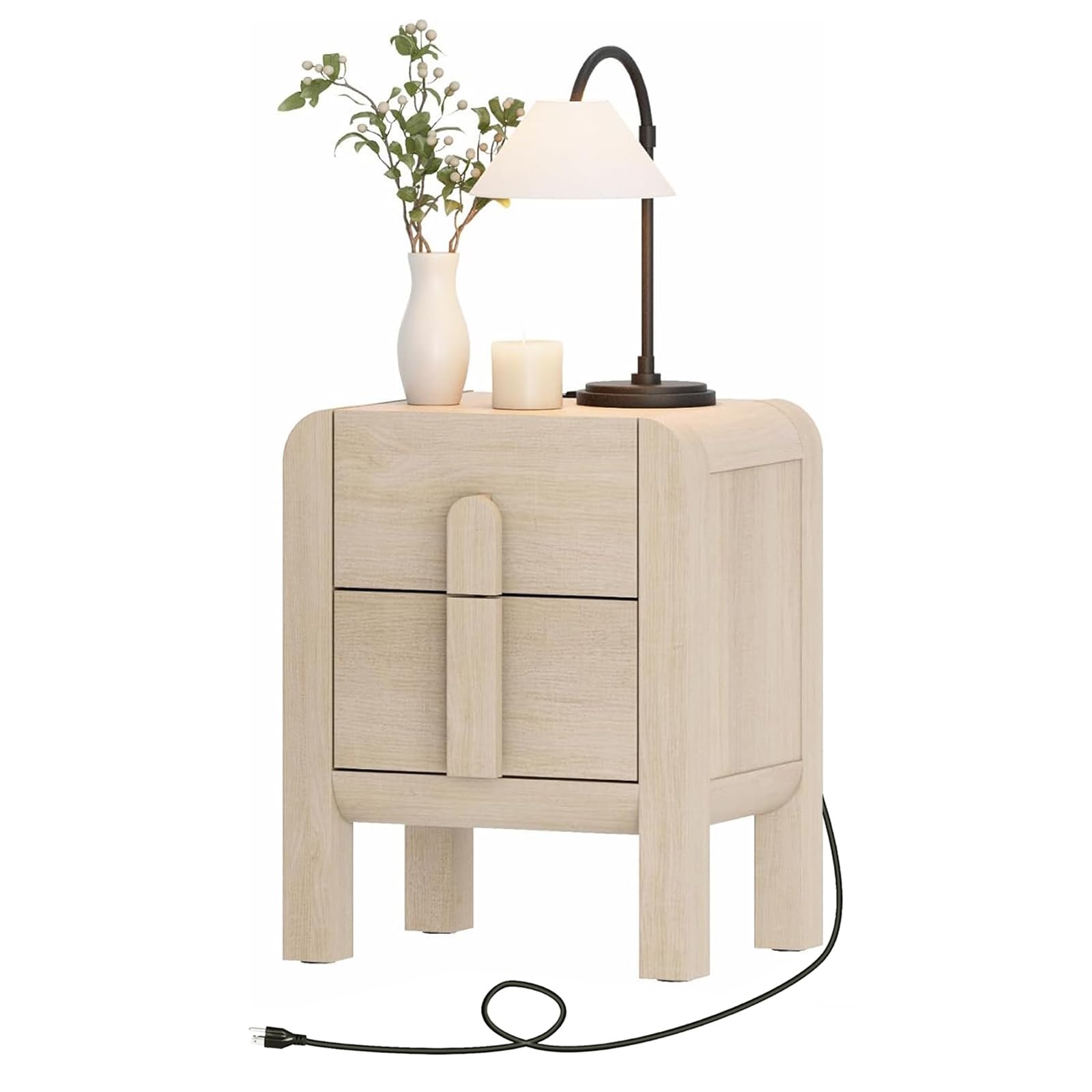
Figure 1: WAMPAT 23.7" Tall Modern Nightstand, Beige color.

Figure 2: Product dimensions and drawer capacity details.
Assembly Instructions
Please ensure all parts are present before beginning assembly. A screwdriver is recommended for assembly. Follow the steps below or refer to the assembly video for visual guidance.
Video 1: Official WAMPAT Assembly Guide for the 23.7" Tall Modern Nightstand.
Step-by-Step Assembly
- Prepare Components: Unpack all components and verify against the parts list in your packaging. Ensure you have all necessary hardware.
- Assemble Base: Attach the side panels to the base using the provided cam bolts and cam locks. Ensure they are securely fastened.
- Install Back Panel: Carefully slide the back panel into the designated grooves at the bottom of the assembly.
- Attach Top Panel: Secure the top panel to the assembled frame using cam locks and screws.
- Install Charging Station: Insert the charging station into the pre-cut opening on the top panel and secure it with screws.
- Assemble Drawers: Construct the two drawers by attaching the side, front, and back panels. Install the drawer slides.
- Insert Drawers: Carefully slide the assembled drawers into the nightstand. If a drawer does not go in smoothly, press or lift the plastic release lever on the slider bracket, or loosen the screws on the slider brackets to adjust.
- Attach Footpads: Stick the footpads to the bottom of the wooden legs to protect your floor.

Figure 3: Close-up of the built-in charging station with 2 AC outlets, 1 USB port, and 1 Type-C port.
Operating Instructions
Using the Charging Station
The nightstand is equipped with a built-in charging station. To use:
- Ensure the nightstand's power cord is securely plugged into a wall outlet.
- Connect your electronic devices (phone, tablet, lamp, etc.) to the available 2 AC outlets, 1 USB port, or 1 Type-C port.
- Always unplug devices and the nightstand from the wall when not in use.
Drawer Operation
The nightstand features two smooth-gliding drawers for storage. To open, gently pull the arc handles. To close, push the drawers firmly until they are fully seated.

Figure 4: Open drawers demonstrating ample storage for various items.
Maintenance
Cleaning
Wipe the surface of the nightstand with a dry cloth. The surface is scratch-resistant and stain-resistant for easy cleaning.
General Care
- Avoid prolonged exposure to direct sunlight or extreme temperatures.
- Do not use harsh chemicals or abrasive cleaners, as these may damage the finish.
- Periodically check all screws and connections to ensure they remain tight.

Figure 5: The nightstand features a water-resistant surface for easy cleaning.
Troubleshooting
| Problem | Possible Cause | Solution |
|---|---|---|
| Drawer does not slide smoothly. | Misaligned drawer slides or loose screws. | Press or lift the plastic release lever on the slider bracket. Loosen and re-tighten screws on slider brackets to adjust alignment. |
| Charging station not working. | Not plugged into wall outlet, loose connection, or device issue. | Ensure the nightstand's power cord is fully plugged into a functional wall outlet. Check device's charging cable. |
| Nightstand feels unstable. | Loose assembly connections. | Check and tighten all cam locks and screws. Ensure the anti-tipping device is properly installed if applicable. |
Product Specifications
| Brand | WAMPAT |
| Model Name | W06G205BQ |
| Product Dimensions | 15.7"D x 19.7"W x 23.7"H |
| Item Weight | 43.3 Pounds |
| Maximum Weight Recommendation | 88 Pounds |
| Frame Material | Engineered Wood |
| Color | Beige |
| Number of Drawers | 2 |
| Special Features | Easy Assembly, Scratch Resistant, Space Saving, Built-in Charging Station (2 AC Outlets, 1 USB, 1 Type-C) |
| Product Care Instructions | Wipe with Dry Cloth |
| Required Assembly | Yes |
Warranty Information
This WAMPAT product comes with a Limited Warranty. For specific details regarding coverage and duration, please refer to the warranty documentation included with your purchase or contact WAMPAT customer support.
Customer Support
If you have any questions, require assistance with assembly, or encounter any issues not covered in this manual, please contact WAMPAT customer support for further assistance.
Visit the official WAMPAT Store: WAMPAT Store on Amazon