
Introduction
The Hidrate Spark PRO 2 is an advanced smart hydration bottle designed to help you achieve your daily water intake goals. It features automatic tracking, personalized reminders, and seamless integration with health applications. This manual provides essential information for setting up, operating, and maintaining your Hidrate Spark PRO 2 bottle.
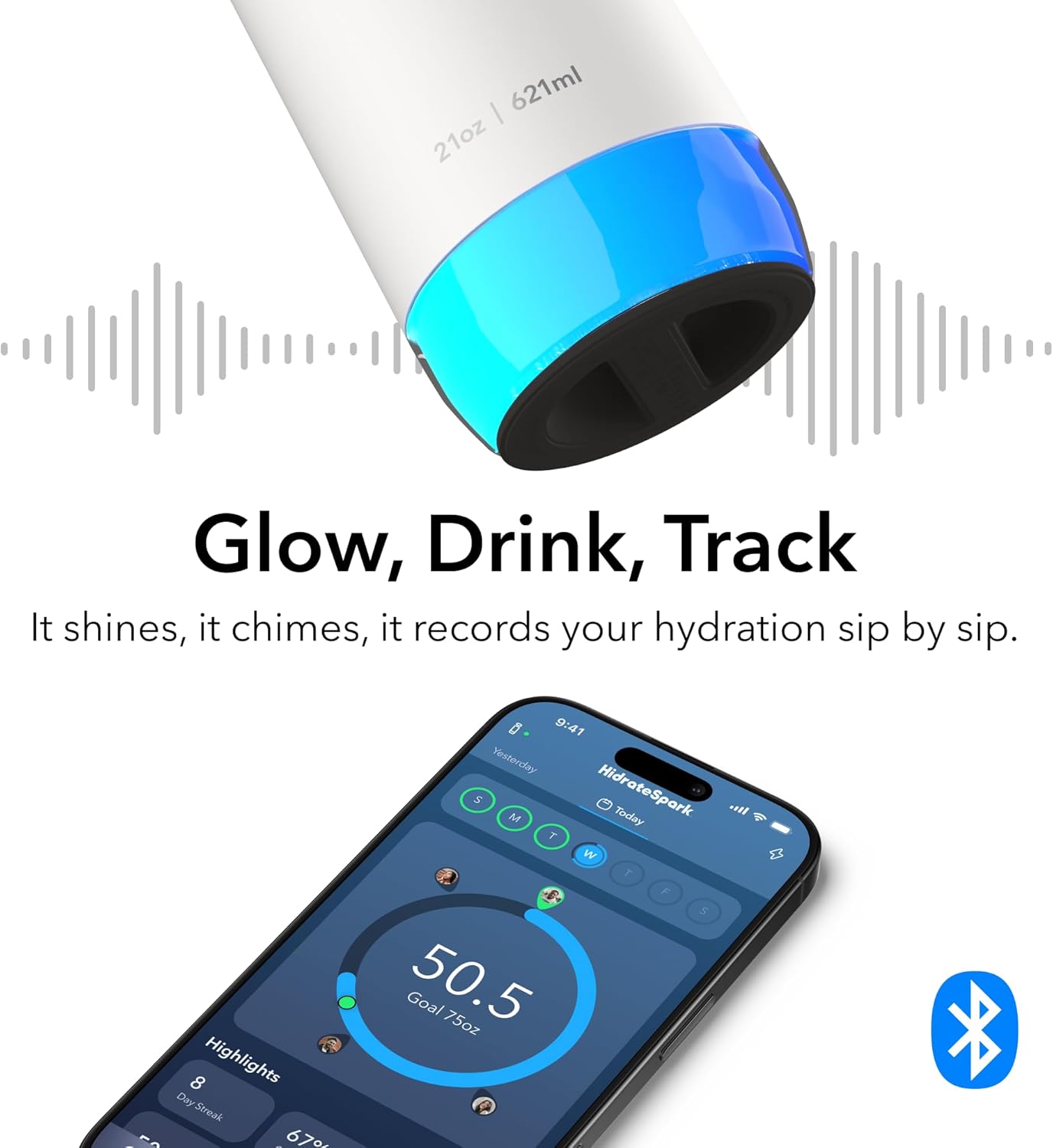
Figure 1: Hidrate Spark PRO 2 Smart Water Bottle in white with a chug lid.
Key Features:
- Automatic Hydration Tracking: SipSense powered sensor tracks every sip and syncs with the app.
- Bluetooth Sync & Free App Integration: Connects to the HidrateSpark app for progress tracking, personalized goals, and history viewing.
- Smart Drink Reminders: Customizable 360° glow alerts and optional sound reminders.
- Apple Find My Compatible: Locate your bottle using the Apple Find My app.
- 24 Hours Cold, Leakproof & Travel Friendly: Double-wall vacuum insulated recycled 18/8 stainless steel construction.
- USB-C Rechargeable Sensor: Up to 21 days of battery life per charge.
Product Overview Video:
Video 1: An official product video demonstrating the key features of the Hidrate Spark PRO 2, including its smart reminders, tracking capabilities, and Apple Find My integration.
Setup
1. Charge the Sensor Puck:
Before first use, fully charge the removable sensor puck using the provided USB-C cable. The sensor is located at the bottom of the bottle. A full charge provides up to 21 days of battery life.
2. Download the HidrateSpark App:
Download the free HidrateSpark app from your device's app store. The app is compatible with iOS and Android devices.
3. Pair Your Bottle via Bluetooth:
- Open the HidrateSpark app and create an account or log in.
- Follow the on-screen instructions to add a new bottle.
- Ensure your phone's Bluetooth is enabled and the sensor puck is charged and inserted into the bottle.
- The app will guide you through the pairing process.
4. Set Personalized Hydration Goals:
Within the app, input your personal data (age, weight, activity level) to receive a personalized daily hydration goal. The app can also adapt goals based on local weather conditions.

Figure 2: The Hidrate Spark app calculates personalized hydration goals based on user data.
Operating Instructions
Automatic Hydration Tracking:
The Hidrate Spark PRO 2 uses SipSense technology to automatically track your water intake. Every sip you take is measured and synced to the HidrateSpark app, contributing to your daily goal.
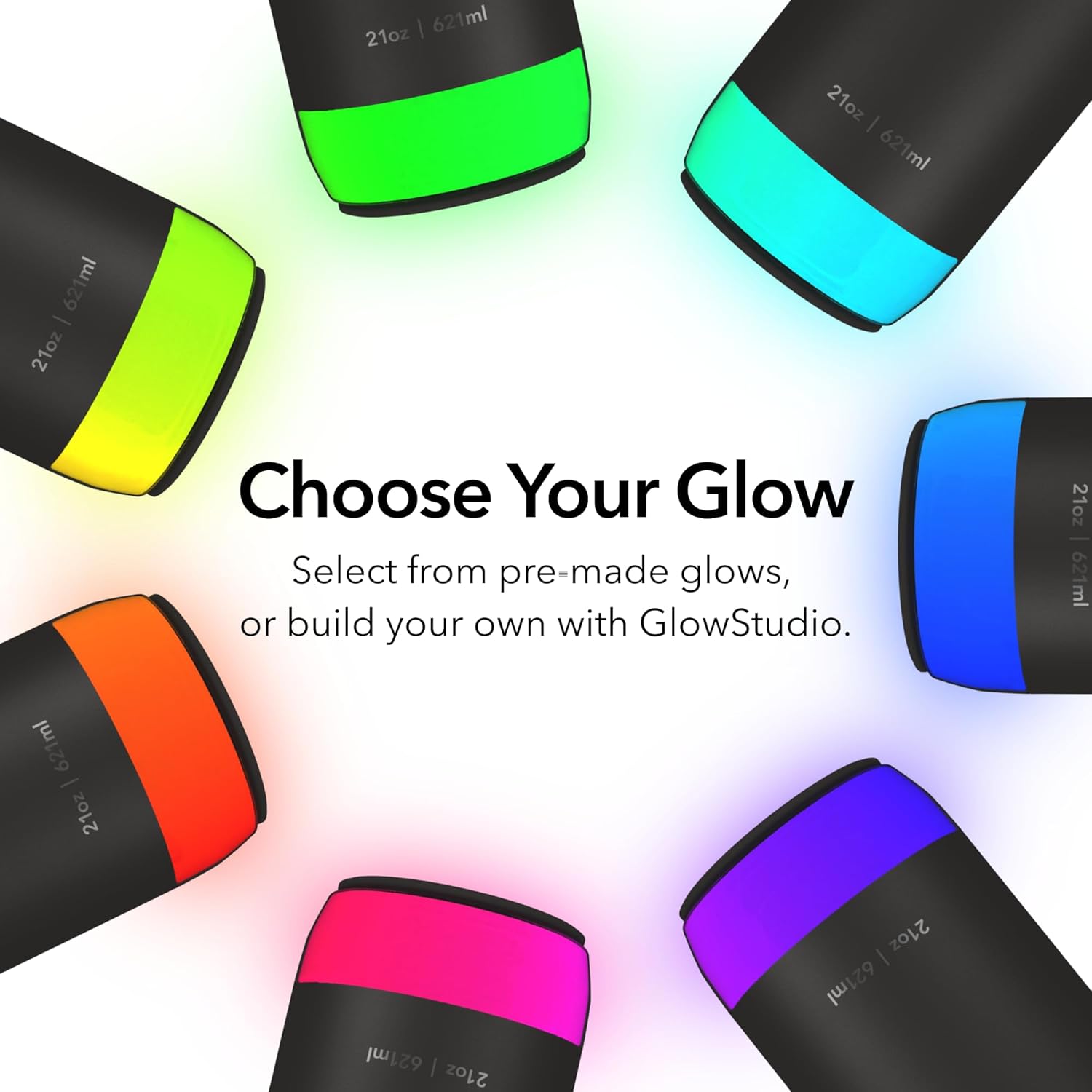
Figure 3: The bottle's sensor tracks water intake, which is reflected in the app.
Smart Drink Reminders:
Your bottle will glow and can emit optional sounds to remind you to drink water. You can customize the glow color, pattern, timing, and sound settings within the HidrateSpark app.

Figure 4: Customize your bottle's glow to suit your preferences.
Apple Find My Capability:
If you misplace your bottle, you can use the Apple Find My app on your iPhone, iPad, Mac, or Apple Watch to locate it on a map.

Figure 5: Use the Apple Find My app to track your bottle's location.
Maintenance
Cleaning Instructions:
- Bottle Body: Hand wash only. Do not place the stainless steel body in a dishwasher.
- Lid: The chug lid is top-rack dishwasher safe.
- Sensor Puck: The sensor puck is not dishwasher safe. Remove it from the bottle before cleaning. Wipe the sensor with a damp cloth if needed. Do not submerge the sensor in water.
Sensor Care:
Always ensure the sensor puck is dry before reinserting it into the bottle. Avoid harsh chemicals or abrasive cleaners on any part of the bottle or sensor.
Battery and Charging:
The sensor puck is rechargeable via USB-C. Charge the sensor when the battery indicator in the app shows low power or when the glow reminders become less frequent. The battery is a Lithium Metal type and is included.

Figure 6: Exploded view highlighting key components and features for maintenance.
Troubleshooting
- Bottle Not Syncing:
- Ensure Bluetooth is enabled on your device.
- Check if the sensor puck is charged and properly seated in the bottle.
- Restart the HidrateSpark app.
- Try unpairing and re-pairing the bottle in the app settings.
- Glow Reminders Not Working:
- Verify that glow reminders are enabled in the app settings.
- Check the sensor puck's battery level.
- Ensure the bottle is within Bluetooth range of your paired device.
- Inaccurate Water Tracking:
- Ensure the sensor puck is clean and free of debris.
- Confirm the bottle is placed on a flat, stable surface when not in use for accurate readings.
- Avoid placing the bottle on soft surfaces that might interfere with the sensor.
- Lid Issues:
- If the chug lid is difficult to open or close, ensure it is clean and free of any obstructions.
- Periodically check the lid's gasket for wear or damage.
Specifications
| Feature | Detail |
|---|---|
| Brand | Hidrate Spark |
| Model Name | HidrateSpark PRO 2 |
| Item Model Number | HI-21C-01 |
| Capacity | 21 Ounces (621 Milliliters) |
| Color | White |
| Style | Chug Lid |
| Material | Recycled 18/8 Stainless Steel |
| Item Weight | 1.06 pounds (0.48 Kilograms) |
| Product Dimensions | 3"W x 10.9"H |
| Special Features | Apple Find My Capability, Bluetooth Syncing to Free App, Hydration Reminders (Glow, Sound, App notifications), Rechargeable Sensor (USB-C up to 21 days per charge), Water Tracker |
| Included Components | Charger, Chug lid, Sensor |
| Battery Type | 1 Lithium Metal battery (included) |
| Product Care Instructions | Hand Wash Only (bottle body), Top-rack dishwasher safe (lid) |
Warranty and Support
The Hidrate Spark PRO 2 comes with a manufacturer's warranty. For specific warranty details, product support, or to contact customer service, please refer to the official Hidrate Spark website or the contact information provided in the product packaging. Keep your purchase receipt for warranty claims.