
Introduction
This manual provides detailed instructions for the setup, operation, maintenance, and troubleshooting of your Hidrate Spark PRO 2 Smart Hydration Bottle. Please read this manual thoroughly to ensure proper use and to maximize the benefits of your smart bottle.
The Hidrate Spark PRO 2 is designed to help you maintain optimal hydration by tracking your water intake and providing timely reminders. It features SipSense technology, customizable glow and sound alerts, and seamless integration with the HidrateSpark app and other health platforms.
Setup
1. Unboxing and Initial Inspection
Carefully remove all components from the packaging. Ensure you have the Hidrate Spark PRO 2 bottle, chug lid, sensor, and USB-C charger. Inspect all parts for any visible damage.

Image: The Hidrate Spark PRO 2 bottle in black, shown alongside a smartphone displaying the HidrateSpark app interface, which tracks daily hydration goals and progress. The bottle's base is illuminated with a blue glow.
2. Charging the Sensor
The sensor is located at the bottom of the bottle. Gently twist and remove the sensor puck from the base of the bottle. Connect the provided USB-C charging cable to the sensor. The sensor will glow green while charging and stop glowing when fully charged. A full charge provides up to 21 days of battery life.
3. App Installation and Pairing
- Download the free HidrateSpark app from your device's app store (available for iOS and Android).
- Open the app and create an account or log in.
- Follow the on-screen instructions to add your Hidrate Spark PRO 2 bottle. Ensure your device's Bluetooth is enabled.
- The app will guide you through the pairing process. Once paired, the bottle will sync automatically via Bluetooth.
4. Personalized Goal Setting
Within the HidrateSpark app, you can set personalized daily hydration goals based on your weight, activity level, and other personal data. The app will adjust these goals automatically based on factors like weather and activity, or you can manually adjust them.
Video: An official product video from HidrateSmart LLC demonstrating the features of the 21oz HidrateSpark PRO 2, including its smart tracking capabilities and app integration.
Operating Instructions
1. Automatic Hydration Tracking (SipSense)
The Hidrate Spark PRO 2 features SipSense technology, which uses advanced weight sensing to automatically track every sip you take. This data is then synced to the HidrateSpark app, contributing to your daily hydration goal without manual input.
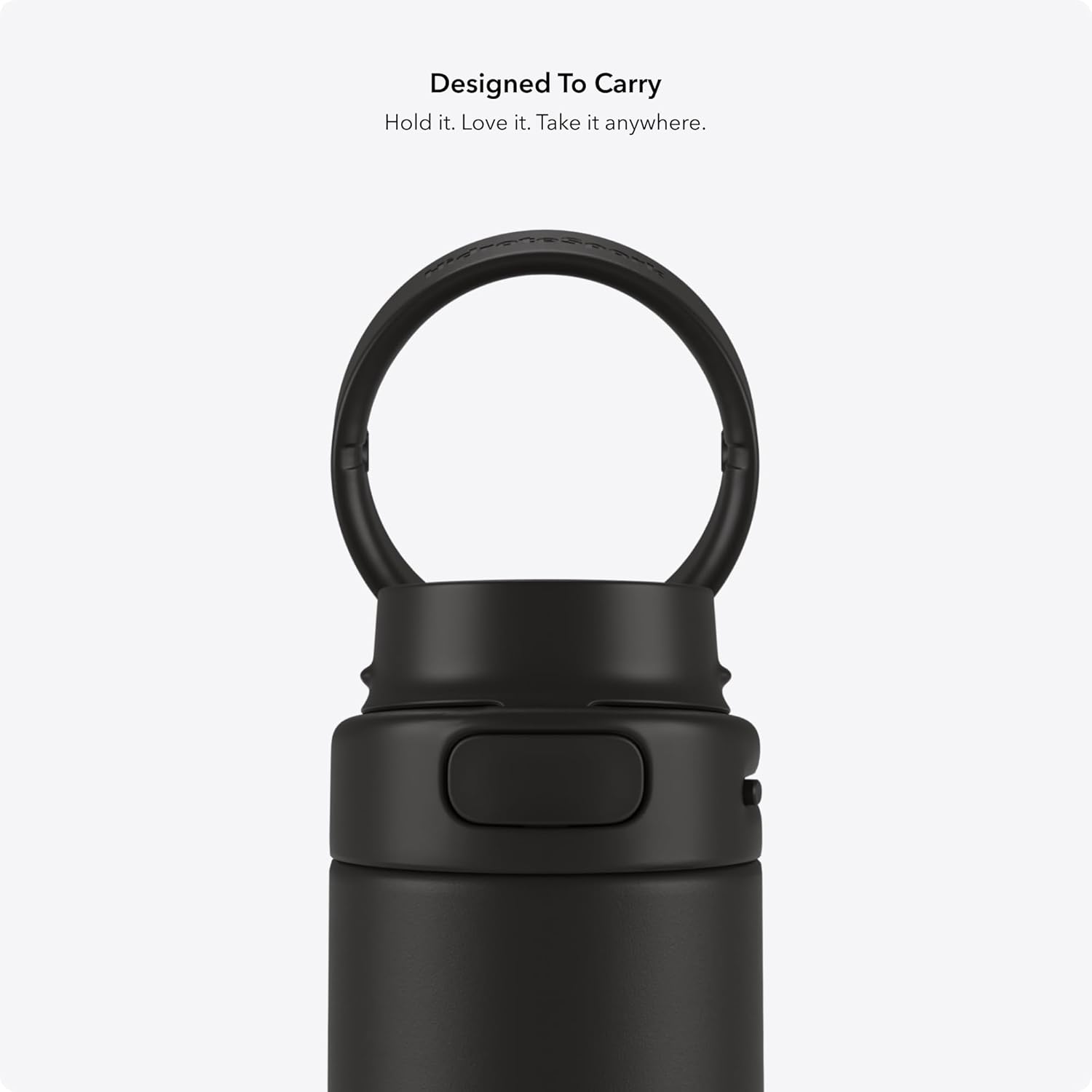
Image: A detailed view of the Hidrate Spark PRO 2 sensor, highlighting SipSense technology for precise tracking, the USB-C charging port, and the integration with Apple Find My for location tracking.
2. Smart Drink Reminders
The bottle provides customizable 360-degree glow alerts and optional sound reminders to prompt you to drink. You can personalize the glow color, pattern, timing, sound type, frequency, and volume through the HidrateSpark app to suit your preferences.

Image: Multiple Hidrate Spark PRO 2 bottles showcasing different customizable glow colors at their base, alongside a smartphone screen displaying the 'Glow Options' section of the HidrateSpark app.
3. Apple Find My Compatibility
The Hidrate Spark PRO 2 is compatible with Apple's Find My network. If you misplace your bottle, you can locate it on a map using the Find My app on your iPhone, iPad, Mac, or Apple Watch. This feature helps prevent loss and provides peace of mind.

Image: A smartphone displaying the HidrateSpark app, showing personalized hydration goals, earned trophies, and integrations with various health applications like Apple Health and Fitbit. A smart watch also displays hydration progress.
4. Chug Lid Operation
The bottle comes with a chug lid designed for easy drinking. To open, slide the locking mechanism and press the button to release the lid. To close, simply push the lid down until it clicks securely into place. The lid is leakproof when properly closed.

Image: A close-up view of the Hidrate Spark PRO 2 chug lid, highlighting its secure locking mechanism and integrated carry handle, emphasizing its leakproof and travel-friendly design.
Maintenance
1. Cleaning Instructions
The Hidrate Spark PRO 2 bottle and lid are designed for easy cleaning. To clean, first remove the sensor puck from the bottom of the bottle. The bottle and lid should be hand washed only with warm, soapy water. Do not wash the sensor puck. Ensure all parts are thoroughly dry before reassembling.

Image: An exploded diagram of the Hidrate Spark PRO 2 bottle, illustrating its various components: the locking chug lid, recycled 18/8 stainless steel body, double-wall vacuum insulation, improved grip, BPA-free materials, sweat-proof exterior, 24-hour cold retention, SipSense technology, USB-C charger, and Apple Find My compatibility.
2. Battery Care
The sensor's battery is rechargeable via USB-C. Charge the sensor when the app indicates low battery or when the glow reminders become less frequent. Avoid exposing the sensor to water during cleaning or charging.
Troubleshooting
- Bottle not syncing with app: Ensure Bluetooth is enabled on your device and the bottle is within range. Check if the sensor is properly seated and charged. Restart both the app and your device if issues persist.
- Sensor not tracking sips: Verify the sensor is clean and correctly installed. Ensure the bottle is placed on a flat, stable surface for accurate readings. If the issue continues, try recalibrating the sensor through the app.
- Glow reminders not working: Check your app settings to confirm glow reminders are enabled and configured to your preferences. Ensure the sensor is charged.
- Apple Find My not locating bottle: Ensure the Find My feature is properly set up and enabled in the HidrateSpark app and your Apple device settings. Location services must be active. If you experience persistent issues with Find My, ensure your app and device software are up to date.
- Lid leaking: Confirm the lid is securely closed and the locking mechanism is engaged. Inspect the silicone seal for any damage or debris that might prevent a tight seal.
For further assistance, refer to the in-app help section or contact Hidrate Spark customer support.
Specifications
| Feature | Detail |
|---|---|
| Brand | Hidrate Spark |
| Model Name | HidrateSpark PRO 2 |
| Model Number | HI-21C-02 |
| Capacity | 621 Milliliters (21 Ounces) |
| Color | Black |
| Material | Recycled Stainless Steel |
| Product Dimensions | 3"W x 10.9"H |
| Item Weight | 0.47 Kilograms (1.03 pounds) |
| Special Features | Apple Find My Capability, Bluetooth Syncing to Free App, Hydration Reminders (Glow, Sound, App notifications), Rechargeable Sensor (USB-C up to 21 days per charge), Water Tracker |
| Included Components | Charger, Chug lid, Sensor |
| Product Care | Hand Wash Only (bottle and lid) |
| Battery Type | 1 Lithium Metal battery (included) |
| UPC | 810099251272 |
Warranty and Support
For warranty information and customer support, please refer to the official Hidrate Spark website or contact their customer service directly. Details regarding product registration, warranty claims, and technical assistance can typically be found there. Keep your purchase receipt as proof of purchase.

