
Introduction
This manual provides detailed instructions for the setup, operation, and maintenance of your UUM G200 Portable Bluetooth 5.4 Speaker. Please read this manual thoroughly before using the product to ensure proper function and longevity.
What's in the Box
- UUM G200 Portable Bluetooth Speaker
- USB Type-C Charging Cable
- User Manual
- Magnetic Ring (for phone attachment)

Image: Display of all parts included in the UUM G200 speaker package.
Setup
1. Power On/Off
- To Power On: Long press the power button for 3 seconds. The LED lights will illuminate, and you will hear an audible confirmation.
- To Power Off: Long press the power button for 3 seconds. The LED lights will turn off, and you will hear an audible confirmation.
2. Bluetooth Pairing (Single Speaker)
- Ensure the speaker is powered on and in pairing mode (LEDs may flash).
- On your device (phone, tablet, laptop), navigate to Bluetooth settings.
- Search for available devices and select "UUM-G200" from the list.
- Once connected, the speaker will provide an audible confirmation, and the LED lights will stabilize.
3. TWS Pairing (Two Speakers for Stereo Sound)
To achieve True Wireless Stereo (TWS) sound, you can pair two UUM G200 speakers together.
- Power on both UUM G200 speakers simultaneously.
- Connect one of the speakers to your phone or device via Bluetooth as described in step 2. This will be your primary speaker.
- On the other speaker (the secondary speaker), quickly double-click the power button. It will automatically search for and pair with the primary speaker.
- Once successfully paired, both speakers will provide an audible confirmation, and the LED lights will synchronize. You can now enjoy stereo audio.
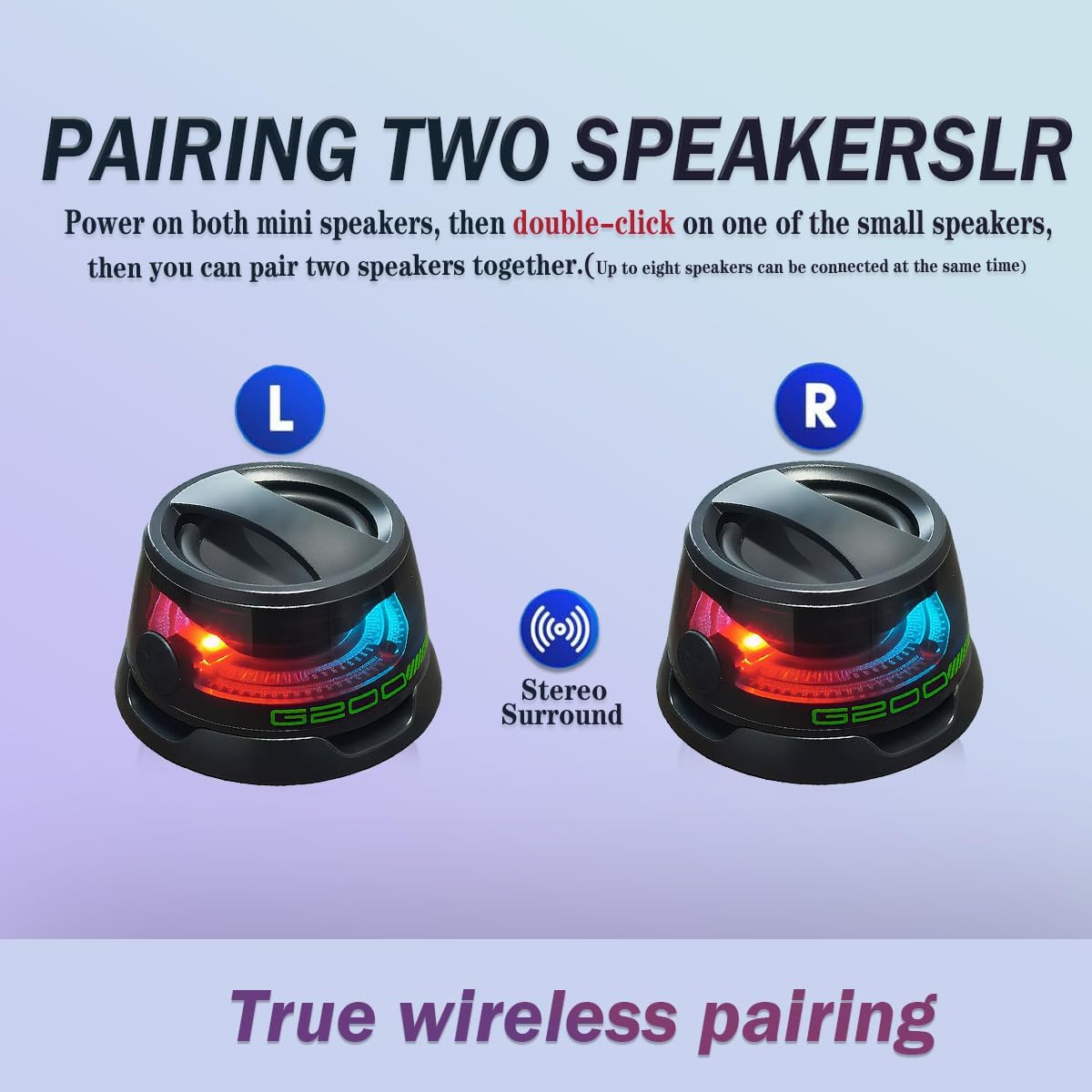
Image: Visual representation of TWS pairing for stereo sound.
4. Magnetic Stand Usage
The UUM G200 speaker features a magnetic base that allows it to attach to compatible devices, functioning as a phone stand.
- If your phone or device is not natively magnetic, use the included magnetic ring. Remove the white sticker from the magnetic ring.
- Stick the magnetic ring to the back of your audio device, ensuring it is centered for optimal stability.
- Align the UUM G200 speaker's magnetic base with the magnetic ring on your device. The speaker will securely attach, allowing your phone to stand upright.
Video: Demonstration of powering on the speaker, switching between game/music modes, and attaching the magnetic ring to a phone for use as a stand.
Operating Instructions
1. LED Light Modes (Game Mode / Music Mode)
The UUM G200 speaker features dynamic multicolor LED lights that can be switched between different modes.
- To switch modes: Double-click the power button. The speaker will cycle between Game mode (typically faster, more reactive lighting) and Music mode (typically smoother, rhythmic lighting).
2. Charging
To charge the UUM G200 speaker, connect the provided USB Type-C cable to the charging port on the speaker and a compatible USB power source. The charging time is approximately 2.5 hours.
Specifications
| Feature | Specification |
|---|---|
| Model Name | UUM-G200 |
| Wireless Technology | Bluetooth 5.4 |
| Speaker Type | Portable Bluetooth |
| Audio Output Mode | Stereo (with TWS pairing) |
| Speaker Maximum Output Power | 5 Watts |
| Frequency Response | 20 Hz |
| Audio Latency | 8 Milliseconds |
| Maximum Range | 33 Feet (10 meters) |
| Power Source | Battery Powered (1 A battery included) |
| Charging Time | 2.5 Hours |
| Special Features | LED Light, Magnetic Phone Stand, Multi-device Compatibility, Portable, TWS Pairing |
| Compatible Devices | Android, Computer, Laptop, Pad, Phone |
| Mounting Type | Magnetic |
| Material | Plastic |
| Product Dimensions | 2.5"D x 2.5"W x 2.8"H |
| Item Weight | 6 Ounces |
| Water Resistance Level | Not Water Resistant |
Safety Information
- Do not expose the speaker to water or excessive moisture, as it is not water resistant.
- Avoid extreme temperatures.
- Do not disassemble or attempt to repair the speaker yourself. Contact customer support for assistance.
- Keep out of reach of children.
- Use only the provided charging cable or a certified equivalent.
Troubleshooting
| Problem | Possible Solution |
|---|---|
| Speaker does not power on. | Ensure the speaker is charged. Connect it to a power source using the USB Type-C cable. |
| Cannot pair with Bluetooth device. | Make sure the speaker is in pairing mode. Turn off and on your device's Bluetooth. Ensure the speaker is within the 33-foot range. |
| No sound or low volume. | Check the volume levels on both the speaker and your connected device. Ensure the speaker is properly paired. |
| TWS pairing fails. | Ensure both speakers are powered on. Connect one speaker to your device first, then double-click the power button on the second speaker to initiate TWS pairing. |
Warranty and Support
For warranty information or technical support, please refer to the contact details provided on the product packaging or the official UUM website. Keep your purchase receipt as proof of purchase.