
GM95-145600-D / 772629417650
User Manual: Car Refrigerator Power Adapter
Model: GM95-145600-D / 772629417650
Brand: Generic
1. Product Overview
This power adapter is designed to provide stable and efficient power to your car refrigerator. It converts standard AC power to the required DC voltage, allowing you to operate your car refrigerator from a wall outlet. This model, GM95-145600-D, delivers 14.5V at 6.0A, providing 87W of power, compatible with 12V/24V systems.
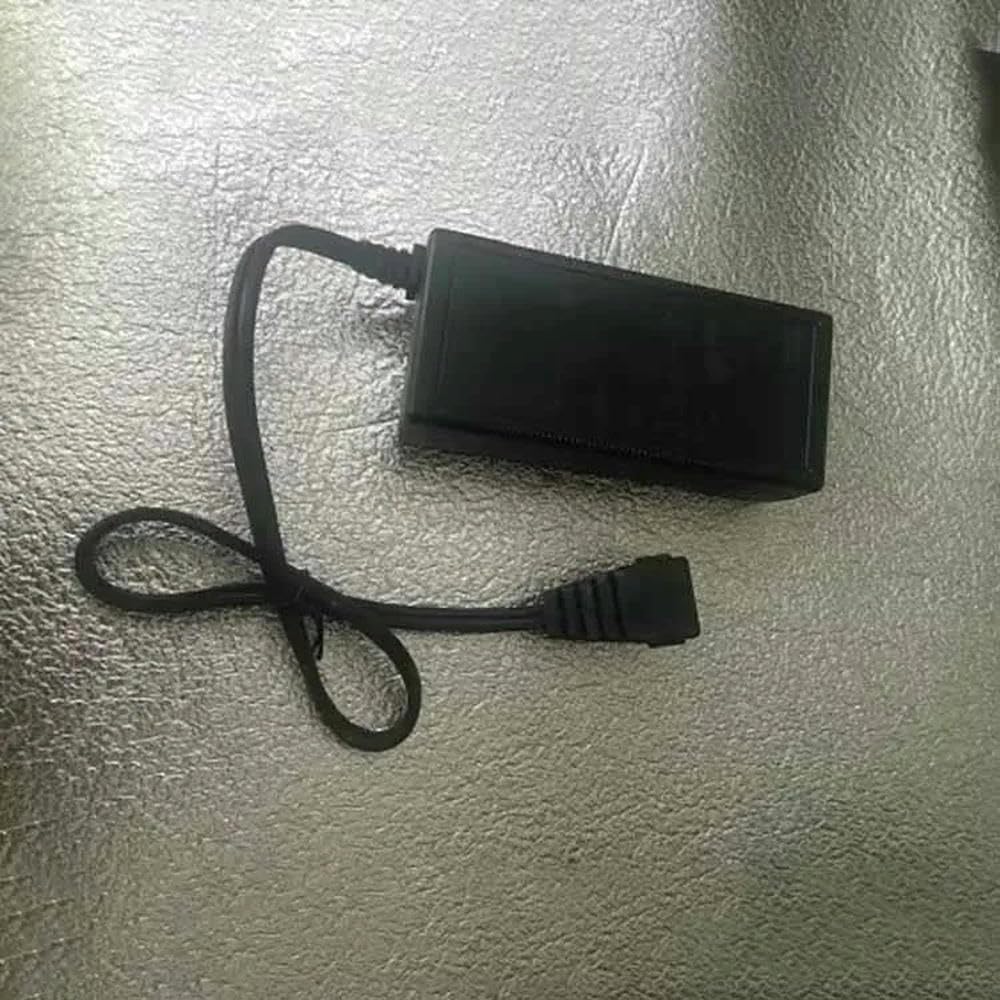
Image 1.1: The Generic Car Refrigerator Power Adapter, showing its compact black casing and integrated power cable with connector.
2. Safety Information
Please read all safety instructions carefully before using this product. Failure to follow these instructions may result in electric shock, fire, or serious injury.
- Do not expose the adapter to rain, moisture, or extreme temperatures.
- Ensure the power outlet voltage matches the adapter's input requirements.
- Do not disassemble or modify the adapter. Refer all servicing to qualified personnel.
- Keep the adapter away from heat sources and direct sunlight.
- Unplug the adapter from the power outlet when not in use or during electrical storms.
- Do not use the adapter if the cord or plug is damaged.
3. Package Contents
Verify that all items are present in the package:
- 1 x Car Refrigerator Power Adapter (GM95-145600-D)
- 1 x User Manual (this document)
4. Setup Instructions
- Step 1: Ensure your car refrigerator is turned off before connecting the adapter.
- Step 2: Connect the DC output plug of the power adapter to the DC input port of your car refrigerator. Ensure a firm and secure connection.
- Step 3: Plug the AC input cable of the power adapter into a standard wall outlet (100-240V AC).
- Step 4: Once connected, you can turn on your car refrigerator.
5. Operating the Adapter
The power adapter operates automatically once connected. It provides a stable 14.5V DC output to power your car refrigerator. No user intervention is required during operation.
- Always ensure proper ventilation around the adapter to prevent overheating.
- Avoid placing the adapter on soft surfaces that may block ventilation openings.
- If the adapter feels excessively hot, disconnect it immediately and allow it to cool down before re-use.
6. Maintenance
Proper maintenance ensures the longevity of your power adapter.
- Cleaning: Disconnect the adapter from all power sources before cleaning. Use a soft, dry cloth to wipe the surface. Do not use liquid cleaners or aerosols.
- Storage: When not in use, store the adapter in a cool, dry place, away from direct sunlight and moisture. Avoid tightly coiling the cable to prevent damage.
- Inspection: Periodically inspect the power cord and adapter casing for any signs of damage, such as cuts, fraying, or cracks. If damage is found, discontinue use and replace the adapter.
7. Troubleshooting
| Problem | Possible Cause | Solution |
|---|---|---|
| Adapter not powering the refrigerator. | No power from outlet; loose connection; faulty adapter. | Check wall outlet with another device; ensure all connections are secure; try a different outlet. If problem persists, the adapter may be faulty. |
| Adapter is unusually hot. | Poor ventilation; overloaded; internal fault. | Ensure adapter is in a well-ventilated area; check if the refrigerator's power draw exceeds adapter capacity. Discontinue use if overheating persists. |
| Refrigerator not cooling properly when using adapter. | Insufficient power; refrigerator issue. | Verify adapter specifications match refrigerator requirements. Test refrigerator with its original power source if available. |
8. Specifications
| Feature | Detail |
|---|---|
| Model Number | GM95-145600-D / 772629417650 |
| Input Voltage | 100-240V AC |
| Output Voltage | 14.5V DC |
| Output Current | 6.0A |
| Power Output | 87W |
| Compatibility | 12V/24V Car Refrigerators |
| Manufacturer | Generic |
| ASIN | B0F9L9TYWC |
| Date First Available | May 22, 2025 |
9. Warranty and Support
This product is covered by a standard manufacturer's warranty against defects in materials and workmanship. For specific warranty terms and conditions, please refer to the product packaging or contact the seller directly.
For technical support or inquiries, please contact your retailer or the manufacturer's customer service department. Please have your model number (GM95-145600-D / 772629417650) and purchase information ready when contacting support.
Related Documents - GM95-145600-D / 772629417650
 |
Anker SOLIX EverFrost 2 40L Electric Cooler User Guide and Safety Information Comprehensive user guide and safety information for the Anker SOLIX EverFrost 2 40L Electric Cooler, covering important safety instructions, battery handling, WEEE disposal, FCC statements, and Bluetooth information in multiple languages. |
 |
Anker EverFrost Powered Cooler 50 User Manual and Safety Guide Comprehensive user manual for the Anker EverFrost Powered Cooler 50, detailing its features, operation, safety precautions, specifications, troubleshooting, and warranty information. Learn how to power, use, and maintain your portable cooler. |
 |
Anker EverFrost Powered Cooler 40 User Manual | Features, Safety, and Operation Comprehensive user manual for the Anker EverFrost Powered Cooler 40 (Model A17A1). Learn about setup, operation, safety instructions, specifications, troubleshooting, and warranty information. |
 |
Anker EverFrost Powered Cooler 30 User Manual User manual for the Anker EverFrost Powered Cooler 30, detailing safety instructions, product overview, operation, power options, settings, specifications, troubleshooting, FAQ, and warranty information. |
 |
Anker EverFrost Powered Cooler 40 User Manual - Safety, Specifications, and Operation Guide Comprehensive user manual for the Anker EverFrost Powered Cooler 40. Includes safety instructions, operating guide, specifications, troubleshooting, and warranty information. |
 |
Aiper Scuba V3 Pro Cordless Robotic Pool Cleaner User Manual User manual for the Aiper Scuba V3 Pro Cordless Robotic Pool Cleaner, providing instructions on setup, operation, maintenance, safety, and troubleshooting. |
Ask a question about this manual
Ask about setup, troubleshooting, compatibility, parts, safety, or missing instructions. Manuals+ will review the question and use this page’s manual context to help answer it.