
1. Product Overview
This manual provides instructions for the Hikity 9-inch Android Car Stereo, designed for Honda CRV models from 2012 to 2016. This system integrates advanced features such as Wireless CarPlay, Android Auto, WiFi, GPS Navigation, Bluetooth, Digital Sound Processor (DSP), FM/RDS radio, and includes a backup camera for enhanced driving experience.
The stereo operates on the Android system, offering a responsive interface and access to various applications. It features a 4-core CPU, 2GB RAM, and 64GB ROM for smooth performance.

Image: Hikity Android Car Stereo installed in a Honda CRV dashboard.
2. Setup and Installation
2.1 Compatibility Check
Before installation, verify the compatibility of your vehicle's original CD player back panel with the provided images. This unit is compatible with Honda CRV models from 2012 to 2016. Ensure your vehicle's original CD player matches 'Picture A' for proper fitment. If it matches 'Picture B' or 'Picture C', the product is not compatible.
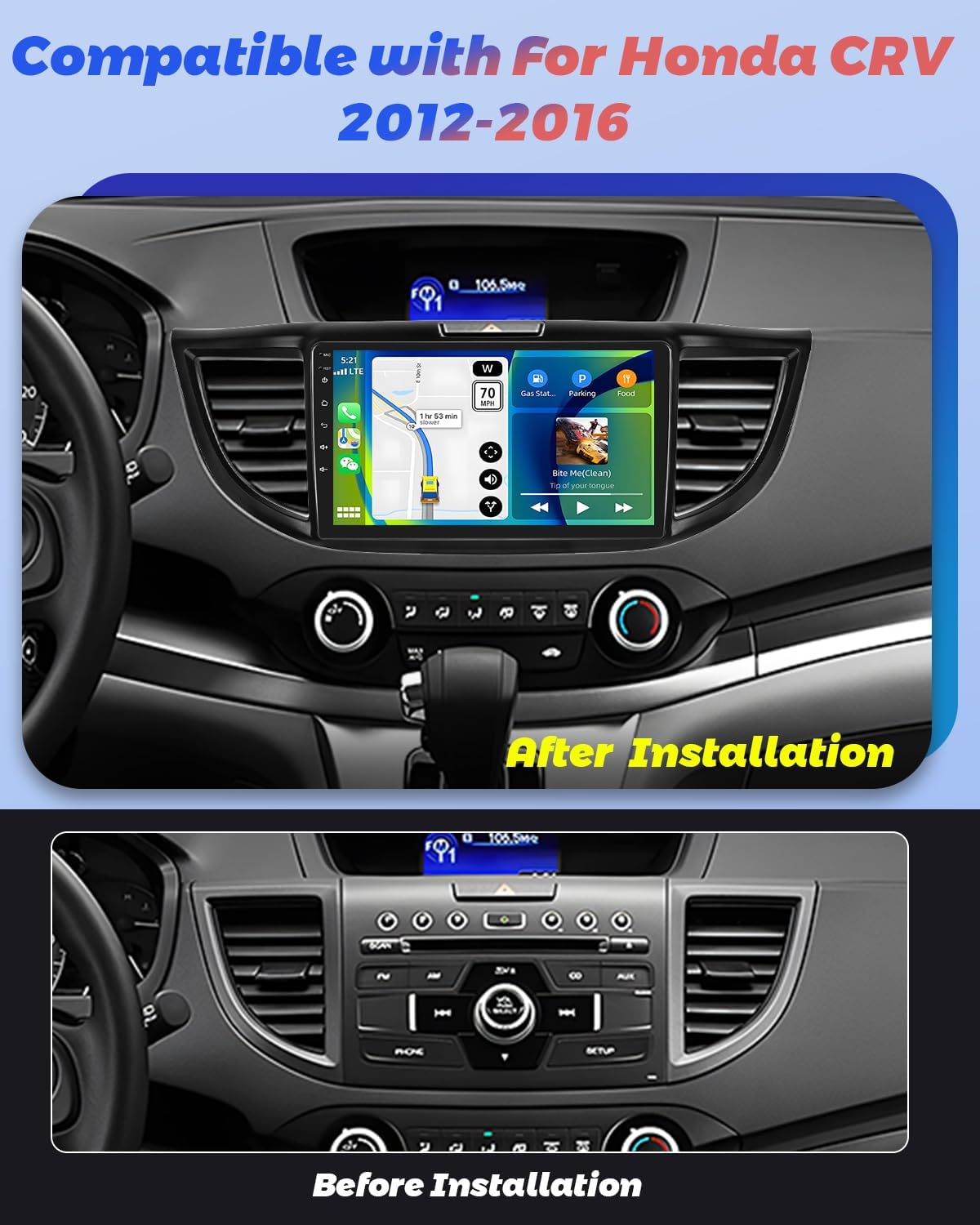
Image: Comparison of Honda CRV dashboard before and after installation of the Hikity Android Car Stereo.
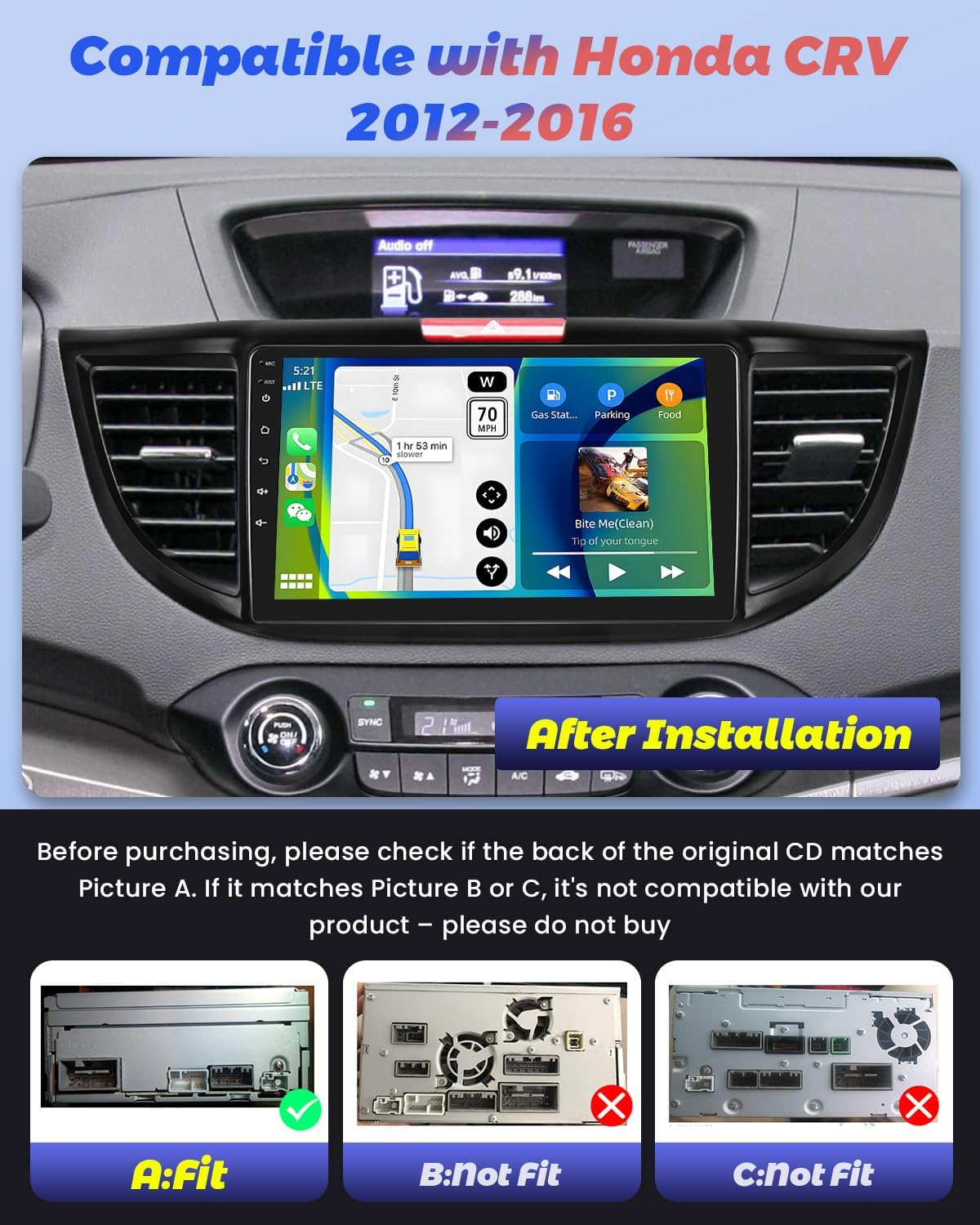
Image: Detailed compatibility check showing the back of the original CD player. Only 'A: Fit' is compatible.
2.2 Package Contents
Verify that all components are present in the package before beginning installation:
- 1 x Android Car Stereo
- 1 x Power cable
- 1 x Backup camera
- 2 x USB adapter
- 1 x Radio Antenna
- 1 x GPS Antenna
- 1 x CAM-VIN cable
- 1 x User Manual
- 1 x Installation Tool
- 1 x RCA Cable
- 1 x Reverse Line
- 1 x Microphone
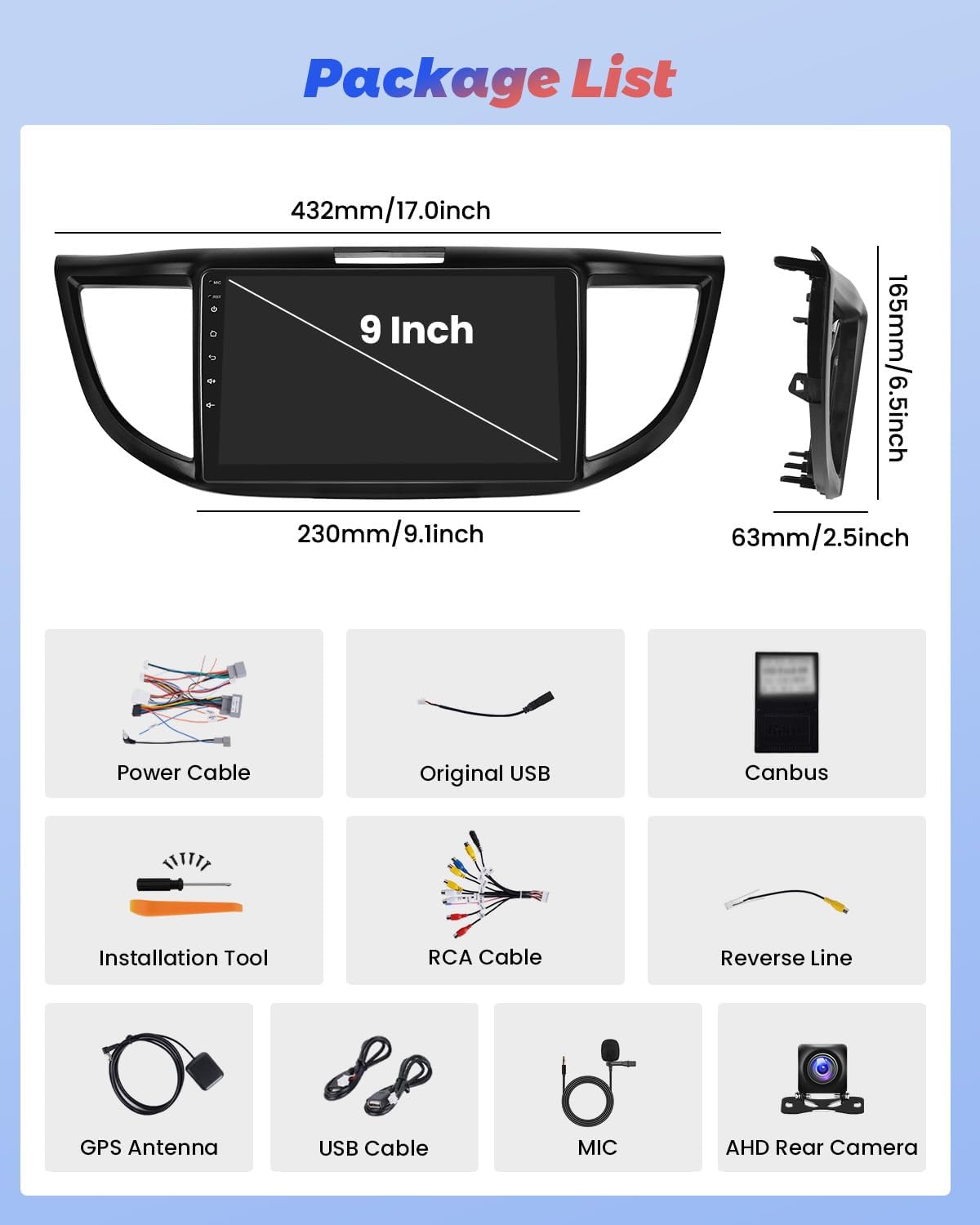
Image: Visual representation of all items included in the product package.
2.3 Wiring Diagram
Refer to the following diagram for proper connection of the car stereo components. Ensure all cables are securely connected to their respective ports.

Image: Detailed wiring diagram showing connections for power, RCA, USB, camera input, radio antenna, and GPS antenna.
3. Operating Instructions
3.1 Wireless CarPlay & Android Auto
The car stereo supports both wireless and wired CarPlay and Android Auto. Connect your smartphone via Bluetooth or a USB data cable to access your phone's apps, navigation, and voice control features (Siri or Google Assistant).
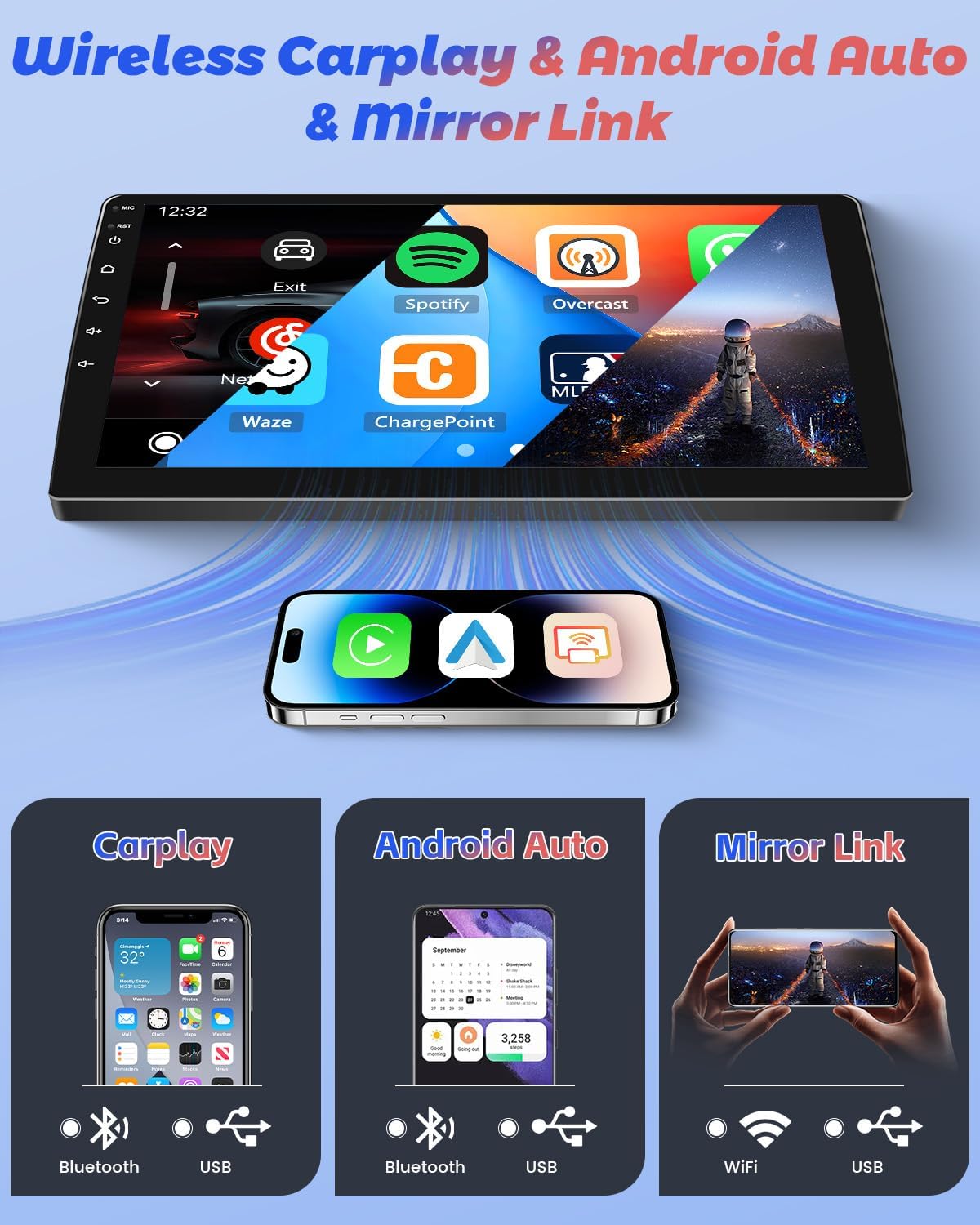
Image: Overview of Wireless CarPlay, Android Auto, and Mirror Link functionalities.
3.2 GPS Navigation
Utilize the built-in GPS navigation system with support for both online and offline maps. Connect to WiFi or a mobile hotspot to receive real-time traffic updates and avoid congestion.
3.3 WiFi & Bluetooth Connectivity
Connect to the internet via WiFi or a mobile hotspot to browse, stream videos, and download applications. Bluetooth 4.2 ensures fast and stable connections for hands-free calling, phonebook synchronization, and music streaming.
3.4 DSP & FM/RDS Radio
The integrated Digital Sound Processor (DSP) allows for precise audio adjustments, including frequency and sound effects, for crystal-clear audio output. The FM/RDS radio provides access to local stations, traffic information, and weather forecasts.
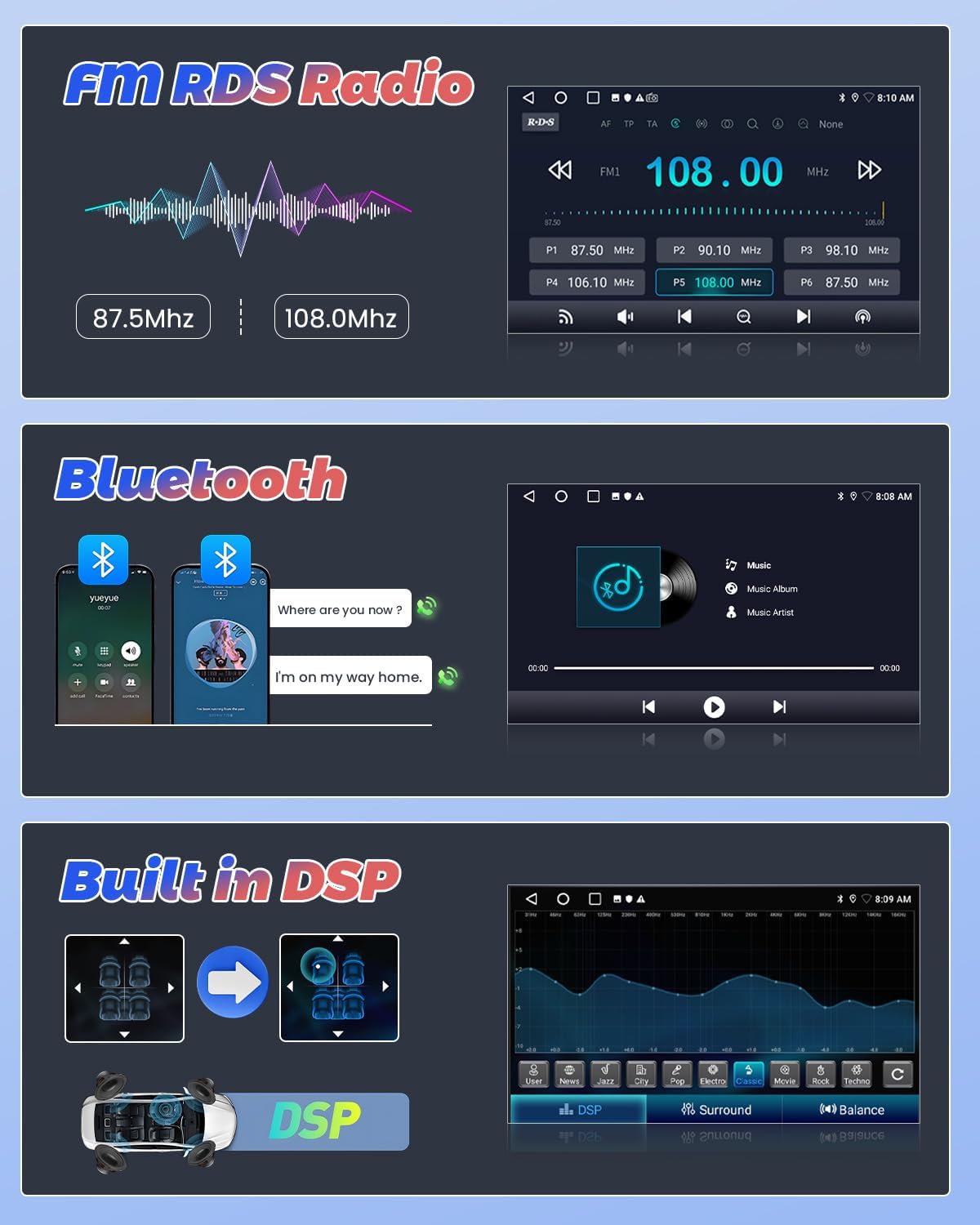
Image: Display of FM RDS radio interface, Bluetooth music streaming, and DSP sound settings.
3.5 AHD Backup Camera
The included AHD backup camera provides a 170-degree wide-angle view with night vision, automatically displaying the rearview when reversing for safe parking.
3.6 Steering Wheel Control (SWC)
The unit supports steering wheel controls, allowing you to manage audio, calls, and navigation without taking your hands off the wheel. Configuration may be required in the settings menu.
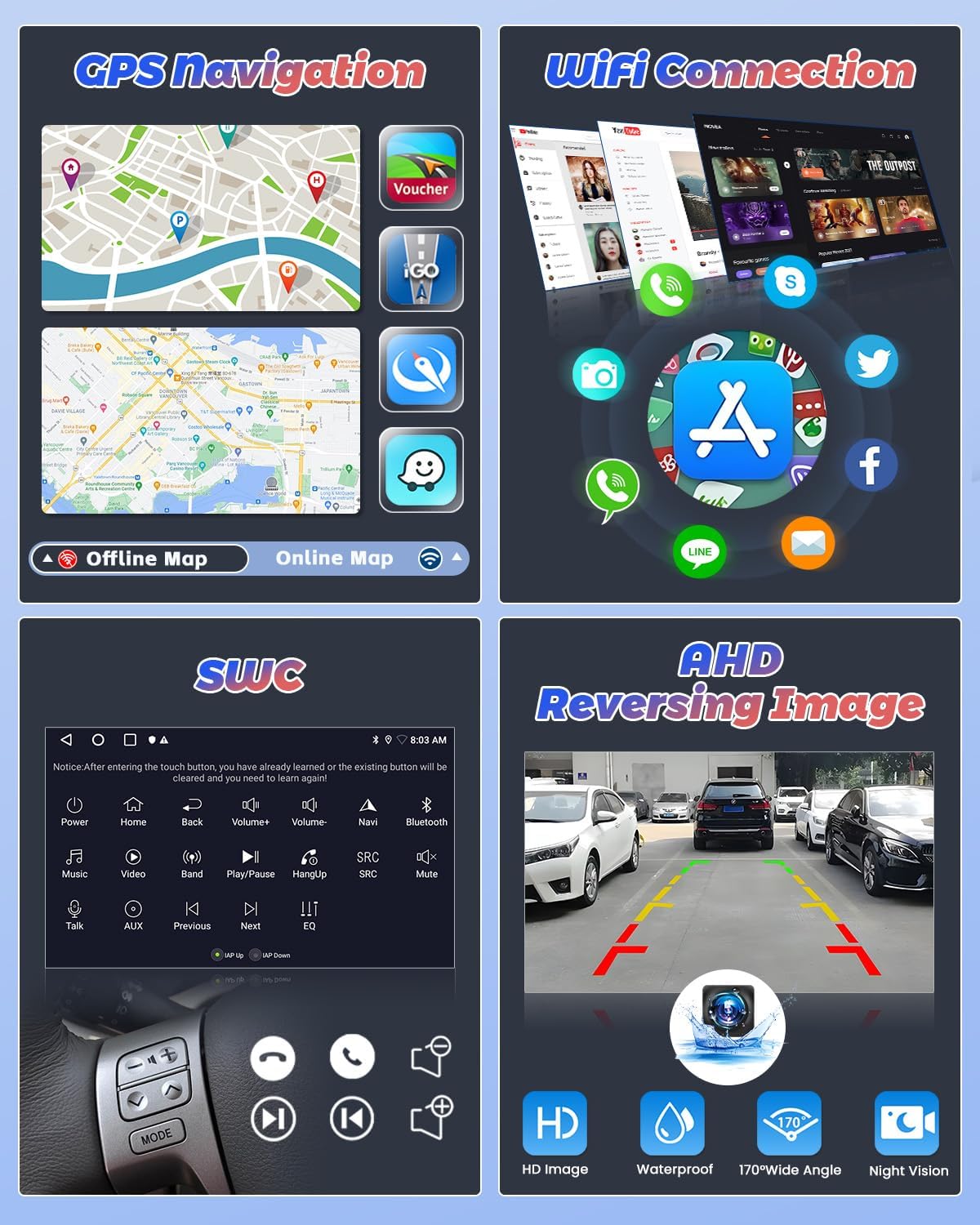
Image: Visuals demonstrating GPS navigation, WiFi connectivity, steering wheel control functions, and the AHD reversing camera display.
3.7 Split Screen Function & UI Themes
Enhance multitasking with the split-screen function, allowing two applications to run simultaneously. Customize your interface with various UI themes available in the system settings.
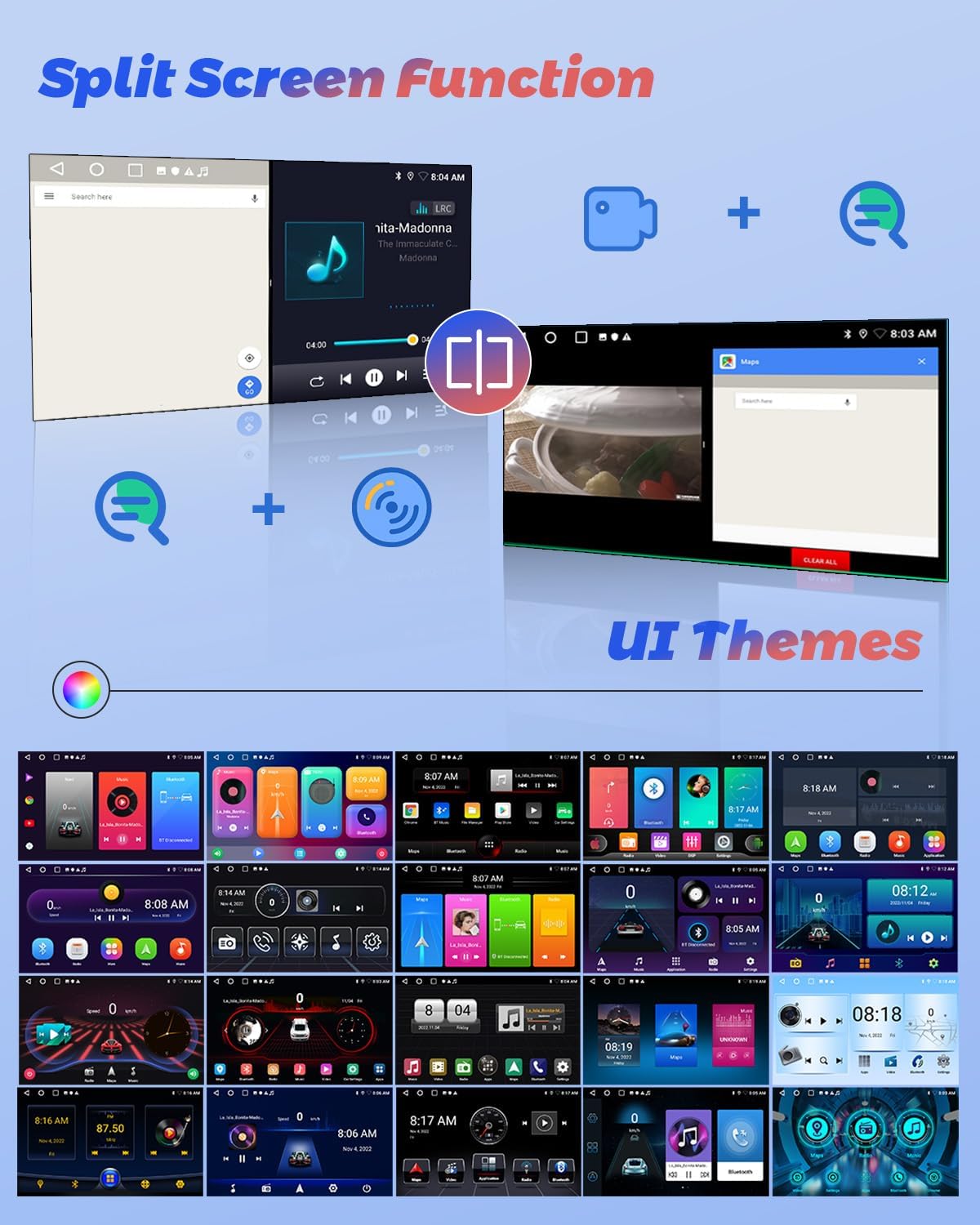
Image: Demonstration of the split-screen feature and a selection of customizable user interface themes.
3.8 Video Demonstration
Watch this video for a comprehensive overview of the Hikity Android Car Stereo's features and user interface.
Video: Hikity Android Car Stereo with Carplay Android Auto MT8163 - Demonstrates various features and UI navigation.
4. Maintenance
To ensure the longevity and optimal performance of your Hikity Android Car Stereo, follow these maintenance guidelines:
- Cleaning: Use a soft, dry cloth to clean the touchscreen and exterior. Avoid abrasive cleaners or solvents.
- Software Updates: Periodically check for system software updates through the device settings to ensure you have the latest features and security patches.
- Temperature: Avoid exposing the unit to extreme temperatures, both hot and cold, for extended periods.
- Power Management: Ensure your vehicle's electrical system is in good condition to prevent power fluctuations that could affect the stereo.
5. Troubleshooting
5.1 Amplifier Not Working
If the amplifier is not working after installation, ensure the amplifier cable is correctly connected to the red ACC (Accessory) cable. This connection provides power to the amplifier when the vehicle's ignition is on.
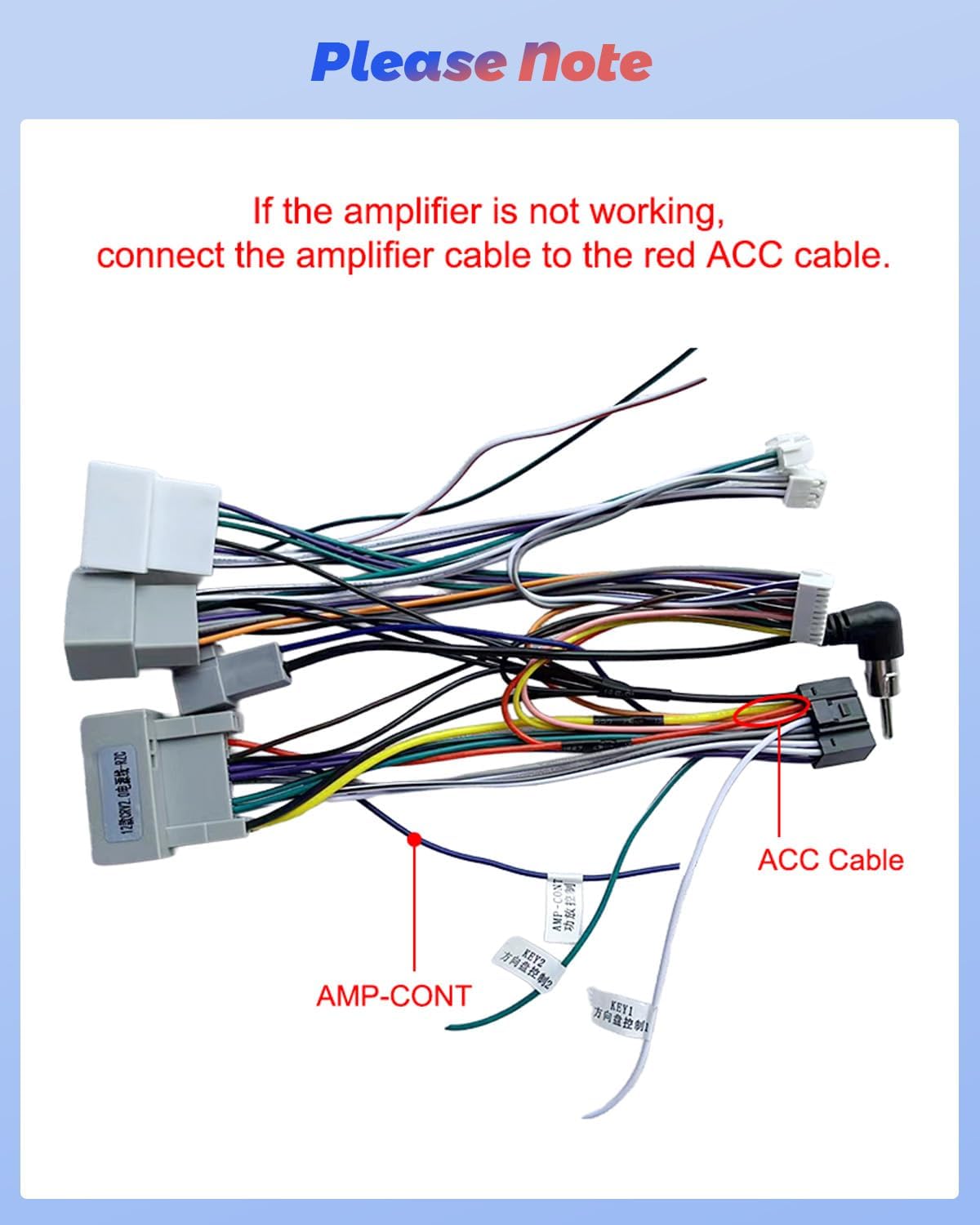
Image: Wiring detail showing the connection of the AMP-CONT cable to the red ACC cable for amplifier functionality.
5.2 General Issues
- No Power: Check all power connections, including the ACC and battery wires. Ensure the vehicle's fuse for the stereo is intact.
- No Sound: Verify speaker connections, amplifier connection (as above), and audio settings (volume, mute, DSP settings).
- Bluetooth Connection Issues: Ensure Bluetooth is enabled on both the stereo and your phone. Delete previous pairings and try re-pairing. Check device visibility settings.
- GPS Signal Loss: Ensure the GPS antenna is properly installed and has a clear line of sight to the sky.
- Touchscreen Unresponsive: Try restarting the unit. If the issue persists, a factory reset might be necessary (refer to system settings).
6. Specifications
| Feature | Detail |
|---|---|
| Brand | Hikity |
| Model | B0F9L41DWK |
| Vehicle Service Type | Car, SUV, Truck, for Honda CRV 2012-2016 |
| Screen Size | 9 Inches |
| Operating System | Android |
| Memory Storage Capacity | 64 GB |
| Special Features | Touchscreen, Wireless Carplay, Wireless Android Auto, Bluetooth, GPS Navigation, WiFi, FM RDS, EQ, DSP |
| Connectivity Technology | Bluetooth, USB, FM, AUX, Wireless, WiFi |
| Map Type | Worldwide |
| Audio Output Mode | Stereo |
| Mounting Type | Dashboard Mount |
| Touch Screen Type | Capacitive |
| Display Type | LCD |
| Human-Interface Input | Dial, Microphone, Touchscreen |
| Compatible Devices | Car Speaker, iOS Phone, Android Phone, Smartphone |
| Control Method | App, Remote, Touch, Voice |
| Supported Satellite Navigation System | GPS |
| Item Dimensions L x W x H | 16.77"L x 6.44"W x 1.95"H |
7. Warranty and Support
Hikity offers the following support for this product:
- Money-Back Guarantee: 15-day money-back policy.
- Replacement Warranty: 12-month replacement warranty.
- Technical Support: Life-time technical support.
For further assistance, please contact Hikity electronic directly through the seller contact options on the purchase platform.