
1. Introduction
This manual provides instructions for the Meliya VeryFit Smartwatch Charger Cable. This 2-pin magnetic charging cable is designed for various VeryFit smartwatches and other compatible models, ensuring efficient and safe charging for your device.
2. Setup and Compatibility
Before using the charger, it is crucial to verify compatibility with your smartwatch. This charger is specifically designed for smartwatches with a 2-pin magnetic charging port and a pin spacing of 2.84mm (0.11 inches).

This image illustrates the critical 2.84mm pin spacing required for compatibility. Please measure your smartwatch's charging port to ensure it matches this dimension. The image also shows the magnetic poles (N+S) on the charger and the corresponding points on the smartwatch.

This image highlights the difference between compatible (2.84mm) and incompatible (4mm) charging port spacing. Ensure your smartwatch has a 2-pin magnetic charging port with a 2.84mm distance between the pins for proper function.
2.1 Connecting the Charger
- Verify Pin Spacing: Confirm your smartwatch's charging port has a 2-pin configuration with 2.84mm spacing.
- Align Magnetically: Gently bring the magnetic end of the Meliya charger close to the charging contacts on the back of your smartwatch. The strong magnetic force will automatically align and secure the charger in the correct position.
- Connect to Power: Plug the USB-A end of the charging cable into a compatible USB power source.

The USB connector allows for flexible charging from multiple sources such as a computer, laptop, power strip, wall adapter, or power bank, providing convenience wherever you are.
Compatible devices include: IDW26, IDW25, IDW23, IDW21, IDW19, IDW17, IDW16, IDW15, IDW13, ID208(BT), ID206, ID205L, Letsfit, Yamay, Willful SW023 ID205L, VeryFitPro, Wyze Watch 47, Uwatch, Fitpolo, Letscom, and some models from TOZO, SKG, RERE, ENOMIR, Tensky Umidigi.
3. Operation
Once connected to a power source and your smartwatch, the Meliya charger will initiate the charging process. The magnetic connection ensures a stable and secure contact throughout charging.
3.1 Safety Features
The charger is equipped with internal voltage regulation to protect your smartwatch from potential damage. It includes:
- Over-voltage Protection: Prevents damage from excessive voltage.
- Over-current Protection: Safeguards against high current flow.
- Short-circuit Protection: Protects the device in case of a short circuit.

The Meliya charger includes integrated protection mechanisms to safeguard your smartwatch from potential damage due to over-voltage, over-current, and short-circuit conditions during charging.

This image shows the Meliya charger connected to a smartwatch and a laptop's USB port, indicating the charging process. The charger provides smart charging with short circuit and overcurrent protection.
4. Maintenance
To ensure the longevity and optimal performance of your Meliya charger, follow these maintenance guidelines:
- Keep Clean: Regularly wipe the magnetic contacts and cable with a dry, soft cloth to remove dust or debris.
- Avoid Damage: Do not bend the cable excessively or expose it to sharp objects.
- Storage: Store the charger in a cool, dry place away from direct sunlight and extreme temperatures.
4.1 Durable Construction
The charger is built with high-quality ABS + PVC material and copper wire, designed to resist daily wear and tear and ensure stable current transmission.
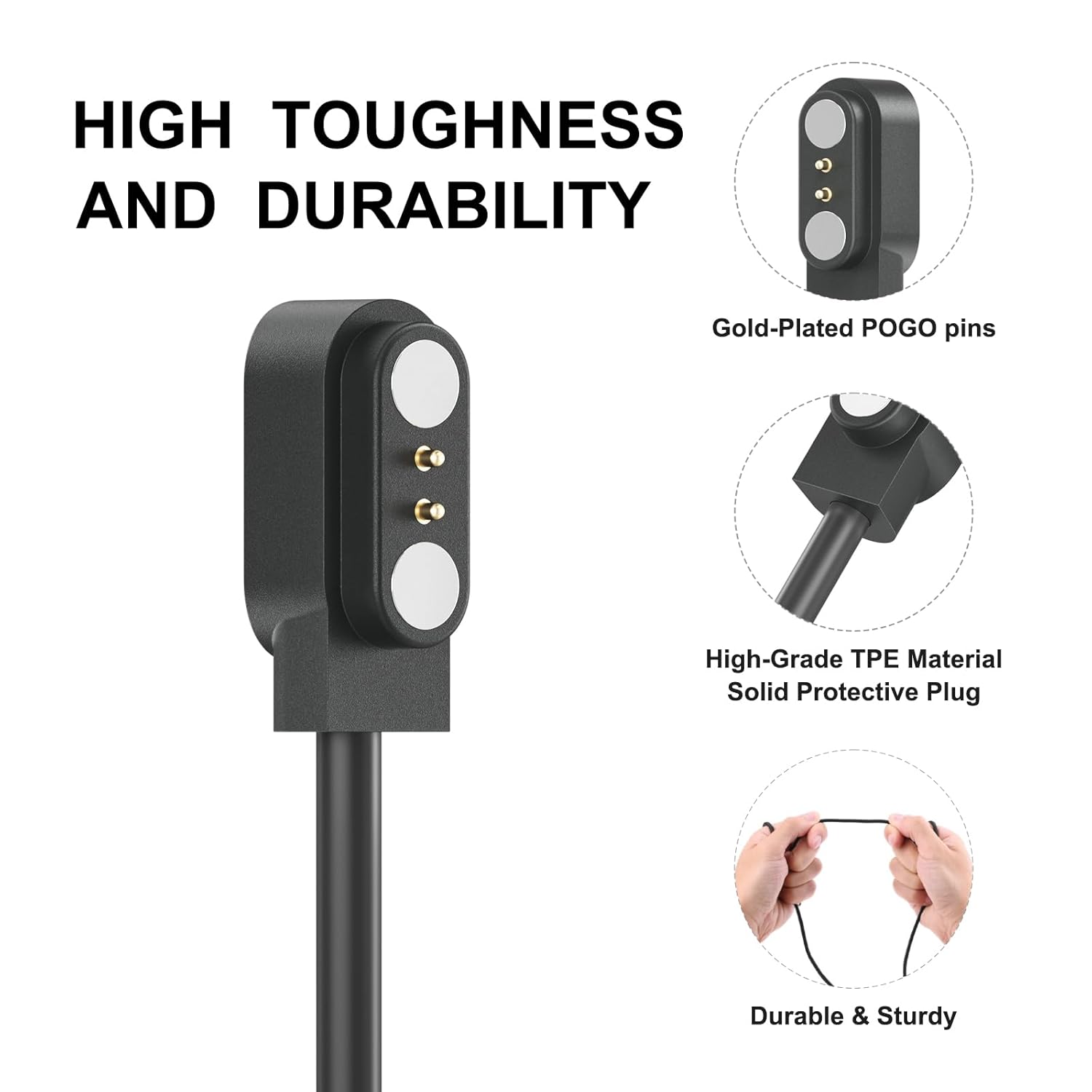
The charger is constructed with durable materials for longevity. It features gold-plated POGO pins for reliable connection and high-grade TPE material for the cable, ensuring flexibility and resistance to wear.
5. Troubleshooting
- Charger Not Attaching Securely:
- Ensure the magnetic contacts on both the charger and your smartwatch are clean and free of obstructions.
- Verify that the magnetic poles are correctly aligned. The charger is designed to snap into place only when correctly oriented.
- Smartwatch Not Charging:
- Confirm that your smartwatch model is compatible with the 2.84mm pin spacing.
- Check if the USB-A end of the cable is fully inserted into a working power source (e.g., computer, wall adapter, power bank).
- Try a different USB power source to rule out issues with the power outlet or adapter.
- Ensure the magnetic connection to the smartwatch is firm and uninterrupted.
- Slow Charging:
- Some USB ports (e.g., older computer ports) may provide lower power output, resulting in slower charging. Try connecting to a dedicated wall adapter for faster charging.
- Ensure the cable is not damaged.
6. Specifications
| Feature | Detail |
|---|---|
| Brand | Meliya |
| Model | FGWY |
| Connector Type | USB Type A |
| Cable Type | USB |
| Compatible Devices | Letsfit, Yamay, Willful SW023 ID205L, VeryFitPro, Wyze Watch 47, Uwatch, Fitpolo, Letscom, IDW26, IDW25, IDW23, IDW21, IDW19, IDW17, IDW16, IDW15, IDW13, ID208(BT), ID206, ID205L |
| Special Feature | Lightweight, Tangle Free |
| Number of Pins | 2 |
| Pin Spacing | 2.84mm / 0.11 inches |
| Maximum Voltage | 5 Volts |
| Cable Length | 3.3 FT / 100 CM |
| Included Components | 1-Pack 3ft USB cable |
7. Warranty and Support
For warranty information or technical support regarding your Meliya VeryFit Smartwatch Charger Cable, please refer to the Meliya official website or contact customer service through your purchase platform. Keep your purchase receipt for warranty claims.