
1. Introduction
The IMAYCC 12V 360W AC to DC Power Converter (Model 243B) is designed to convert alternating current (AC) from a standard wall outlet (110V or 220V) into direct current (DC) at 12V. This power supply is suitable for a wide range of 12V DC devices, including diesel heaters, car stereos, LED strip lights, CCTV camera systems, and 3D printers. It features robust protection mechanisms and an efficient cooling system to ensure reliable operation.

Image 1.1: Overview of the IMAYCC 12V 360W AC to DC Power Converter, highlighting its input/output specifications and operating temperature range.
2. Safety Instructions
Read all safety instructions carefully before operating this device. Failure to follow these instructions may result in electric shock, fire, or serious injury.
- Indoor Use Only: This power converter is designed for indoor use in dry environments. Do not expose it to rain, moisture, or high humidity.
- Proper Ventilation: Ensure adequate ventilation around the unit. Do not block ventilation openings. Overheating can damage the device.
- Voltage Selection: Before connecting to AC power, verify the input voltage switch is set correctly (110V or 220V) to match your local power supply. Incorrect voltage selection can cause severe damage to the unit.
- Grounding: Always connect the power converter to a grounded electrical outlet.
- Avoid Overload: Do not exceed the maximum output power of 360W or current of 30A. Overloading can cause damage and pose a fire hazard.
- Disconnect Power: Always disconnect the AC power before making any connections or disconnections to the DC output terminals.
- Professional Installation: If you are unsure about any installation steps, consult a qualified electrician.
- Keep Away from Children: Store the device out of reach of children.
3. Package Contents
Please check the package for the following items:
- IMAYCC 12V 360W AC to DC Power Converter (Model 243B)
- AC Power Cord
- 2 Sets of Copper Clamps and Wires for DC output connection
- Instruction Manual (this document)

Image 3.1: The power converter shown with its included AC power cord and two sets of copper clamps for DC connections.
4. Product Features
- High Power Output: Provides a stable 12V DC output with a maximum power of 360W and current of 30A.
- Adjustable AC Input: Supports both 110V and 220V AC input voltages, selectable via a switch.
- Effective Cooling System: Equipped with a built-in cooling fan to prevent overheating and ensure stable, efficient operation within a temperature range of 14°F to 140°F (-10°C to 60°C).
- Enhanced Protection: Features multiple safety protections including overload, overvoltage, short circuit, and leakage protection.
- Safety Certifications: The converter, power cord, and plug are UL, CE, and RoHS certified.
- Convenient On/Off Switch: Integrated power switch for safe and easy operation.
- Thickened Copper Post Terminals: Ensures stable and secure DC connections.
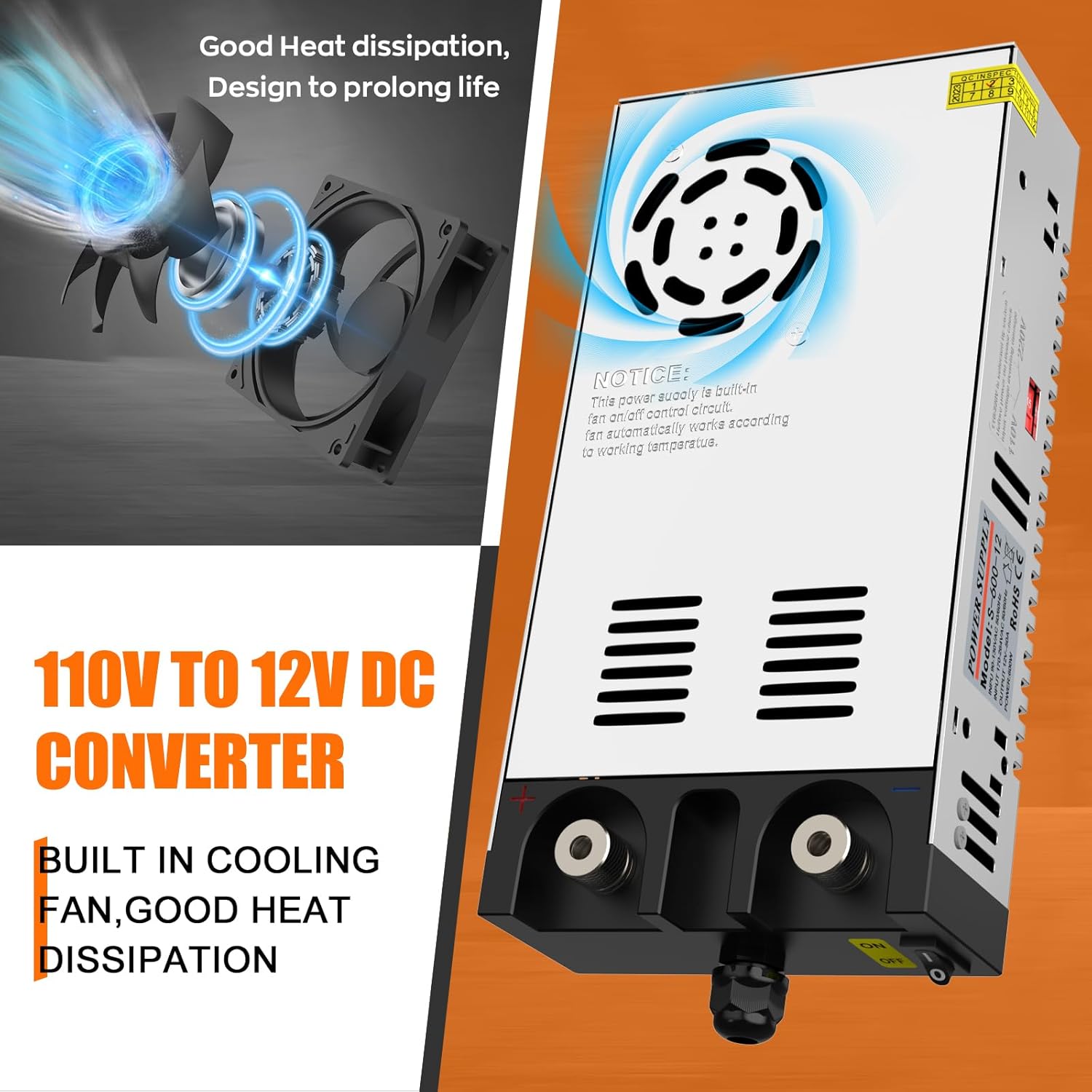
Image 4.1: Illustration of the built-in cooling fan, emphasizing good heat dissipation for prolonged life.

Image 4.2: The power converter displaying its dimensions and icons representing its enhanced protection features.
5. Setup
Follow these steps to set up your IMAYCC Power Converter:
- Select Input Voltage: Locate the red switch on the side of the converter. Set it to '115V' for 110V-120V AC power (common in the US) or '230V' for 220V-240V AC power (common in Europe and other regions). Ensure this is set correctly before plugging into a power outlet.

Image 5.1: Detail of the input voltage selector switch, indicating settings for 110V and 220V.
- Connect AC Input: Plug the provided AC power cord into the converter's AC input port, then plug the other end into a grounded wall outlet.
- Connect DC Output: Use the provided copper clamps and wires to connect your 12V DC device to the output terminals of the converter. Ensure correct polarity (red to positive, black to negative). The thickened copper post terminals provide a secure connection.

Image 5.2: The power converter with DC output connections made using the included copper clamps, ready for a 12V device.
- Mounting (Optional): The converter features a wall-mounted design for convenient installation. Secure the unit to a stable surface using appropriate fasteners (not included), ensuring proper ventilation.

Image 5.3: A user demonstrating the wall-mounted design of the power converter during installation.
6. Operating Instructions
Once the setup is complete, operate the power converter as follows:
- Power On: Ensure all connections are secure and the input voltage switch is correctly set. Flip the integrated ON/OFF switch to the 'ON' position. The unit will power on, and the cooling fan may activate depending on the load and temperature.

Image 6.1: Close-up view of the power converter's integrated ON/OFF switch.
- Power Off: To turn off the unit, flip the ON/OFF switch to the 'OFF' position. Disconnect the AC power cord from the wall outlet when not in use for extended periods.
The IMAYCC power converter is widely applicable for various 12V devices, including:
- 12V Diesel Heaters
- Car Stereos
- LED Display and Strip Lights
- CCTV Camera Systems
- 3D Printers
- PCP Compressors
- Radios
- Portable Air Compressors
- Tire Inflators
- Vacuum Cleaners
- Car Refrigerators

Image 6.2: Examples of various 12V devices that can be powered by the IMAYCC converter, demonstrating its versatile application.
7. Maintenance
Regular maintenance helps ensure the longevity and optimal performance of your power converter.
- Cleaning: Periodically clean the exterior of the unit with a soft, dry cloth. Do not use liquid cleaners or solvents.
- Ventilation Check: Ensure that the ventilation openings and the cooling fan are free from dust and debris. A clogged fan can lead to overheating.
- Connection Check: Regularly inspect all electrical connections (AC input and DC output) to ensure they are secure and free from corrosion.
- Storage: When not in use for extended periods, store the converter in a cool, dry place, away from direct sunlight and moisture.
8. Troubleshooting
If you encounter issues with your power converter, refer to the following troubleshooting guide:
| Problem | Possible Cause | Solution |
|---|---|---|
| No power output |
|
|
| Output voltage is incorrect |
|
|
| Unit overheats |
|
|
| Unusual noise from fan |
|
|
9. Specifications
| Specification | Value |
|---|---|
| Model Number | 243B |
| Input Voltage | 110 Volts (AC) / 220 Volts (AC) selectable |
| Output Voltage | 12 Volts (DC) |
| Max Output Current | 30A |
| Max Output Power | 360W |
| Working Temperature | 14°F to 140°F (-10°C to 60°C) |
| Package Dimensions | 12.4 x 6.22 x 2.8 inches |
| Item Weight | 2.51 pounds |
| Plug Format | Type A, B, E, F |
| Total Power Outlets | 1 (DC output terminals) |
10. Warranty and Support
IMAYCC products are manufactured to high-quality standards. For warranty information, technical support, or service inquiries, please refer to the contact information provided with your purchase or visit the official IMAYCC website. Please retain your proof of purchase for warranty claims.