Introduction
This manual provides essential information for the proper installation, operation, and maintenance of your BOSS Audio SB18BRGB ATV UTV Sound Bar. Please read this manual thoroughly before using the product to ensure optimal performance and safety. The SB18BRGB is an 18-inch sound bar designed for ATV/UTV applications, featuring Bluetooth audio streaming, an amplified USB port, and customizable RGB multicolor illumination, all within an IPX5 water-resistant enclosure.
Safety Information
- Professional Installation Recommended: For proper and safe functionality, professional installation of this product is strongly encouraged.
- Power Source: Ensure the sound bar is connected to a compatible 12V DC power source. Incorrect voltage can damage the unit.
- Water Resistance: The unit is IPX5-rated for weather and dust resistance. While it can withstand splashes and rain, it is not designed for submersion. Do not submerge the unit in water.
- Wiring: All wiring should be properly insulated and secured to prevent short circuits and electrical hazards.
- Operating Temperature: Avoid operating the unit in extreme temperatures outside its specified range.
- Volume Levels: Prolonged exposure to high volume levels may cause hearing damage. Adjust volume to a comfortable level.
Package Contents
Please verify that all items are present in the package:
- BOSS Audio SB18BRGB Sound Bar
- Multi-Fit Clamp System (pre-attached or separate)
- Wireless Remote Control
- Power Cable with Cigarette Lighter Adapter
- Auxiliary Input Cable
- RCA Output Cables

This image displays the BOSS Audio SB18BRGB sound bar, showcasing its robust design, adjustable mounting clamps, and the various input/output cables including power, USB, auxiliary, and RCA connections. The sound bar features blue LED illumination.
Product Features
- Integrated Amplifier: Class A/B amplifier for powerful audio output.
- Speaker Configuration: (2) 4-inch high-power full-range speakers and (2) 1-inch soft dome tweeters.
- Bluetooth Connectivity: Wireless audio streaming from compatible devices.
- USB Port: Amplified USB port for media playback and 1A charging.
- Auxiliary Input: 3.5mm Aux-In for wired audio connections.
- RCA Outputs: For connecting to external amplifiers or additional audio equipment.
- Multicolor Illumination: Customizable RGB lighting with illuminated soft-touch controls.
- Weatherproof Design: IPX5-rated for resistance against water splashes and dust.
- Mounting System: Multi-fit clamp system compatible with 1.75-inch and 2-inch O.D. roll bars.
- Remote Control: Wireless remote for convenient operation.
Setup & Installation
Mounting the Sound Bar
The SB18BRGB comes with a multi-fit clamp system designed for easy installation on ATV/UTV roll bars or frames. Ensure the mounting location is secure and does not obstruct your view or vehicle controls.
- Identify a suitable mounting location on your vehicle's roll bar (1.75" or 2" O.D.).
- Attach the clamps securely to the sound bar and the roll bar using the provided hardware.
- Tighten all fasteners to ensure the sound bar is firmly in place and will not vibrate loose during operation.
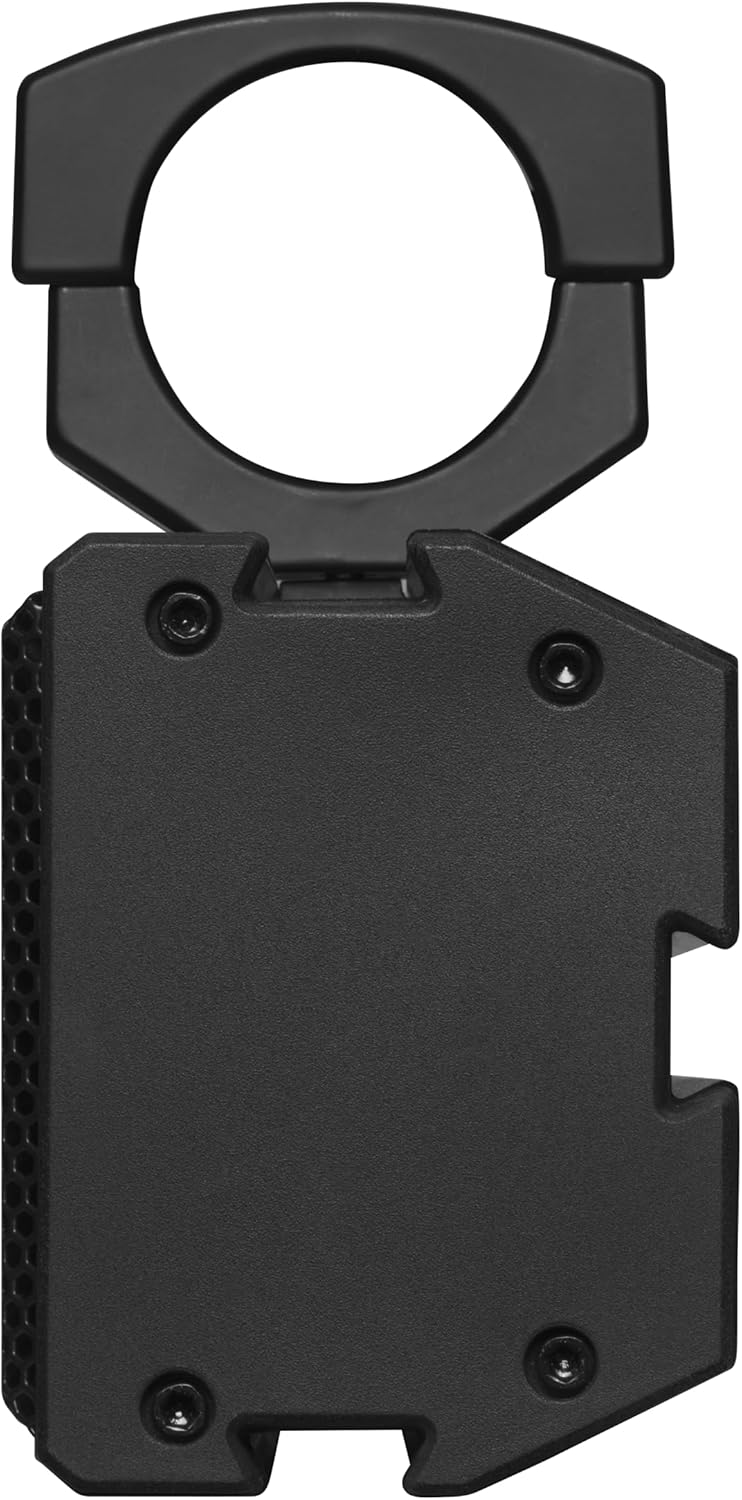
A close-up side view of the BOSS Audio SB18BRGB sound bar, illustrating one of the adjustable mounting clamps. This view highlights the sturdy construction and the mechanism for securing the sound bar to a vehicle's roll bar or frame.
Wiring Connections
Connect the sound bar to your vehicle's power system and any external audio sources or outputs.
- Power Connection: Connect the included power cable with the cigarette lighter adapter to a 12V DC power outlet on your vehicle. Ensure the connection is secure.
- USB Port: The integrated USB port can be used for playing audio files from a USB drive or for charging compatible devices (1A output).
- 3.5mm Aux-In: Connect external audio devices (e.g., MP3 players, smartphones) using the 3.5mm auxiliary input cable.
- RCA Outputs: If connecting to an external amplifier or additional speakers, use the RCA output cables. Refer to the external device's manual for proper connection.
Operating Instructions
The SB18BRGB can be controlled via its illuminated soft-touch controls on the unit or the wireless remote control.

A direct front view of the BOSS Audio SB18BRGB sound bar, emphasizing the central control panel with illuminated buttons for volume, mode, and track navigation. The speaker grilles are visible, glowing with red LED lighting, indicating the multicolor illumination feature.
Power On/Off
- Press and hold the Power/Mode button on the unit or remote to turn the sound bar on or off.
Volume Control
- Press the VOL+ or VOL- buttons on the unit or remote to adjust the volume level.
Mode Selection
- Press the Mode button to cycle through available input sources: Bluetooth, USB, and Aux-In.
Bluetooth Pairing
- Ensure the sound bar is powered on and in Bluetooth mode. The Bluetooth indicator will flash.
- On your mobile device, enable Bluetooth and search for available devices.
- Select "BOSS Audio SB18BRGB" from the list. Once paired, the indicator will become solid.
USB Playback
- Insert a USB drive containing audio files into the USB port.
- Switch the sound bar to USB mode. Playback should begin automatically.
- Use the Previous/Next Track buttons to navigate through tracks.
- Press the Play/Pause button to pause or resume playback.
Aux-In Operation
- Connect your external audio device to the 3.5mm Aux-In port.
- Switch the sound bar to Aux-In mode. Audio will be played from the connected device.
Multicolor Illumination
- The sound bar features customizable RGB lighting. Use the dedicated lighting controls (if available on the unit or remote) to change colors or lighting modes. Refer to the specific button labels for illumination control.
Maintenance
- Cleaning: Use a soft, damp cloth to clean the exterior of the sound bar. Do not use harsh chemicals or abrasive cleaners.
- Water Exposure: While IPX5-rated, avoid direct high-pressure water jets. After exposure to water, allow the unit to dry completely before prolonged use.
- Connections: Periodically check all wiring connections to ensure they are secure and free from corrosion.
Troubleshooting
| Problem | Possible Cause | Solution |
|---|---|---|
| No power | Loose power connection; Vehicle power outlet issue; Blown fuse. | Check power cable connection. Test vehicle's 12V outlet. Inspect and replace fuse if necessary. |
| No sound | Volume too low; Incorrect input mode; Bluetooth not connected; Aux cable faulty. | Increase volume. Select correct input mode (Bluetooth, USB, Aux). Re-pair Bluetooth device. Test with a different Aux cable. |
| Bluetooth connection issues | Device too far; Interference; Sound bar not in pairing mode. | Move device closer to the sound bar. Turn off other Bluetooth devices. Ensure sound bar is in Bluetooth pairing mode. Forget device on phone and re-pair. |
| USB playback not working | Unsupported file format; USB drive corrupted; Sound bar not in USB mode. | Ensure audio files are in a supported format. Try a different USB drive. Switch sound bar to USB mode. |
Specifications
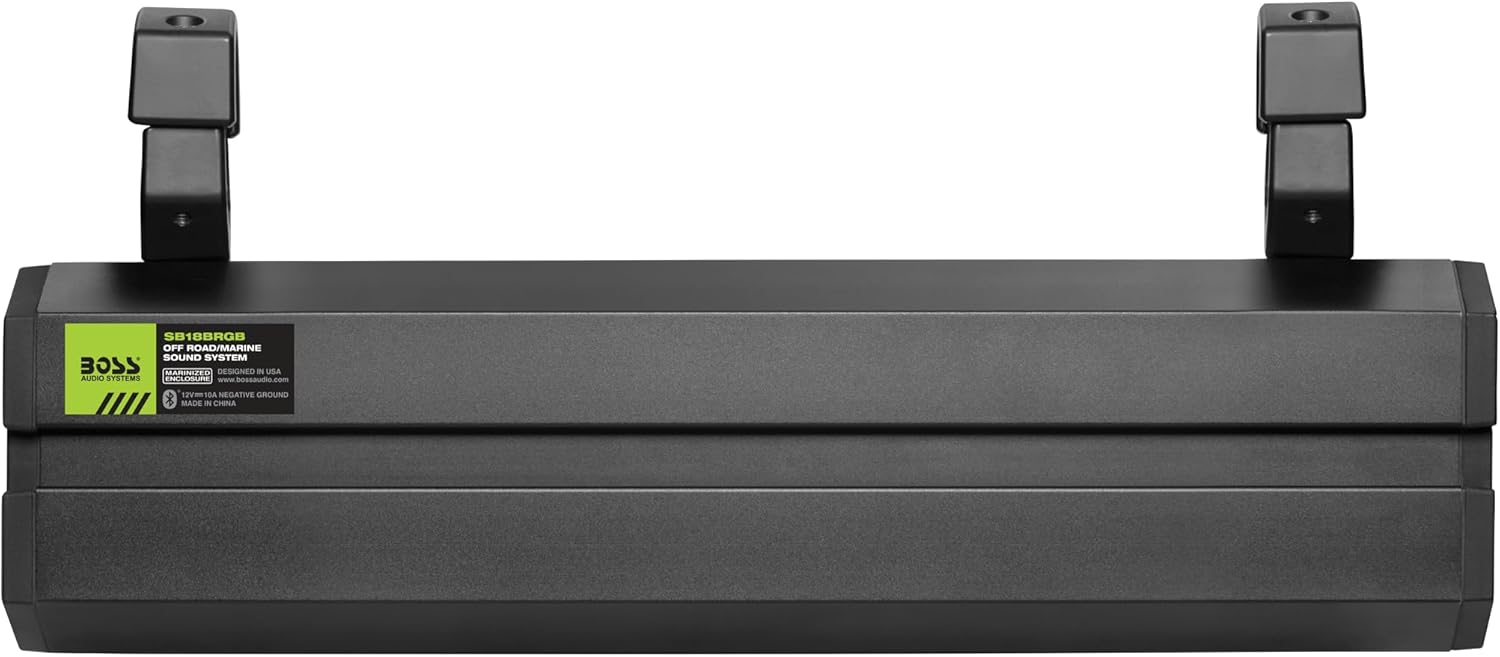
This image shows the rear of the BOSS Audio SB18BRGB sound bar, featuring the product identification label. The label provides details such as the model number (SB18BRGB), designation as an 'OFF ROAD/MARINE SOUND SYSTEM', and manufacturing information.
| Feature | Detail |
|---|---|
| Model Name | SB18BRGB |
| Product Dimensions | 3.74 x 18.11 x 4.88 inches |
| Item Weight | 11 pounds |
| Speaker Configuration | (2) 4" High Power Speakers + (2) 1" Soft Dome Tweeters |
| Amplifier Type | Class A/B |
| Connectivity Technology | Bluetooth |
| Wireless Communication | Bluetooth |
| Power Source | Battery Powered (1 Nonstandard Battery required for remote) |
| Maximum Output Power | 500 Watts |
| Water Resistance Rating | IPX5-Rated (Weatherproof/Dustproof) |
| Mounting Type | Multi-Fit Clamp System (1.75", 2" O.D.) |
| Included Components | Remote |
| Color | Black |
| UPC | 724129268317 |
Warranty & Support
Warranty Information
BOSS Audio Systems provides a powerful 3-year platinum online dealer warranty for this product, provided the purchase is made through an authorized retailer like Amazon.com. Please retain your proof of purchase for warranty claims.
Customer Support
For technical assistance, troubleshooting beyond this manual, or warranty inquiries, please contact BOSS Audio Systems customer support. Visit the official BOSS Audio Systems website for the most current contact information, including phone numbers and support email addresses.
As noted in the safety information, professional installation of this product is strongly encouraged to ensure proper and safe functionality, which can also help prevent issues that might not be covered under warranty due to improper setup.