
1. Introduction
This manual provides essential information for the installation, operation, and maintenance of the EDRIWYIM MX3G-43C-22MRT Human Machine Interface (HMI). The MX3G-43C-22MRT is an all-in-one HMI solution featuring a 4.3-inch LCD touch panel, built-in analog input and output capabilities (5AD2DA), and support for MODBUS RTU, RS485, and RS232 communication protocols. It is designed for industrial control applications requiring a compact and integrated interface.
Key Features:
- 4.3-inch LCD Touch Panel for intuitive user interaction.
- Integrated 5-channel Analog Input (AD) and 2-channel Analog Output (DA).
- Supports MODBUS RTU communication protocol.
- Multiple serial communication interfaces: RS485 and RS232.
- Compact all-in-one design for various industrial applications.
2. Setup and Installation
Careful installation is crucial for the reliable operation of your HMI. Ensure all power is disconnected before proceeding with any wiring.
2.1 Unpacking and Inspection
Upon receiving the MX3G-43C-22MRT, carefully unpack the unit and inspect it for any signs of damage during transit. Report any damage to your supplier immediately. Confirm all components are present.
2.2 Mounting
The HMI is designed for panel mounting. Ensure adequate space for ventilation and cable routing. Refer to the dimension drawings for precise cutout requirements. Secure the unit using the provided mounting clips or screws.
2.3 Wiring Connections
Connect power, communication, and analog I/O cables according to the wiring diagrams provided in the detailed product documentation (not included in this general manual).
- Power Supply: Connect to a stable DC power source within the specified voltage range. Observe polarity.
- Serial Communication (RS485/RS232): Connect to your PLC or other devices using appropriate cables. Ensure correct pin assignments for data transmission.
- Analog Inputs (5AD): Connect sensors or analog signal sources to the designated analog input terminals.
- Analog Outputs (2DA): Connect actuators or devices that require analog control signals to the designated analog output terminals.
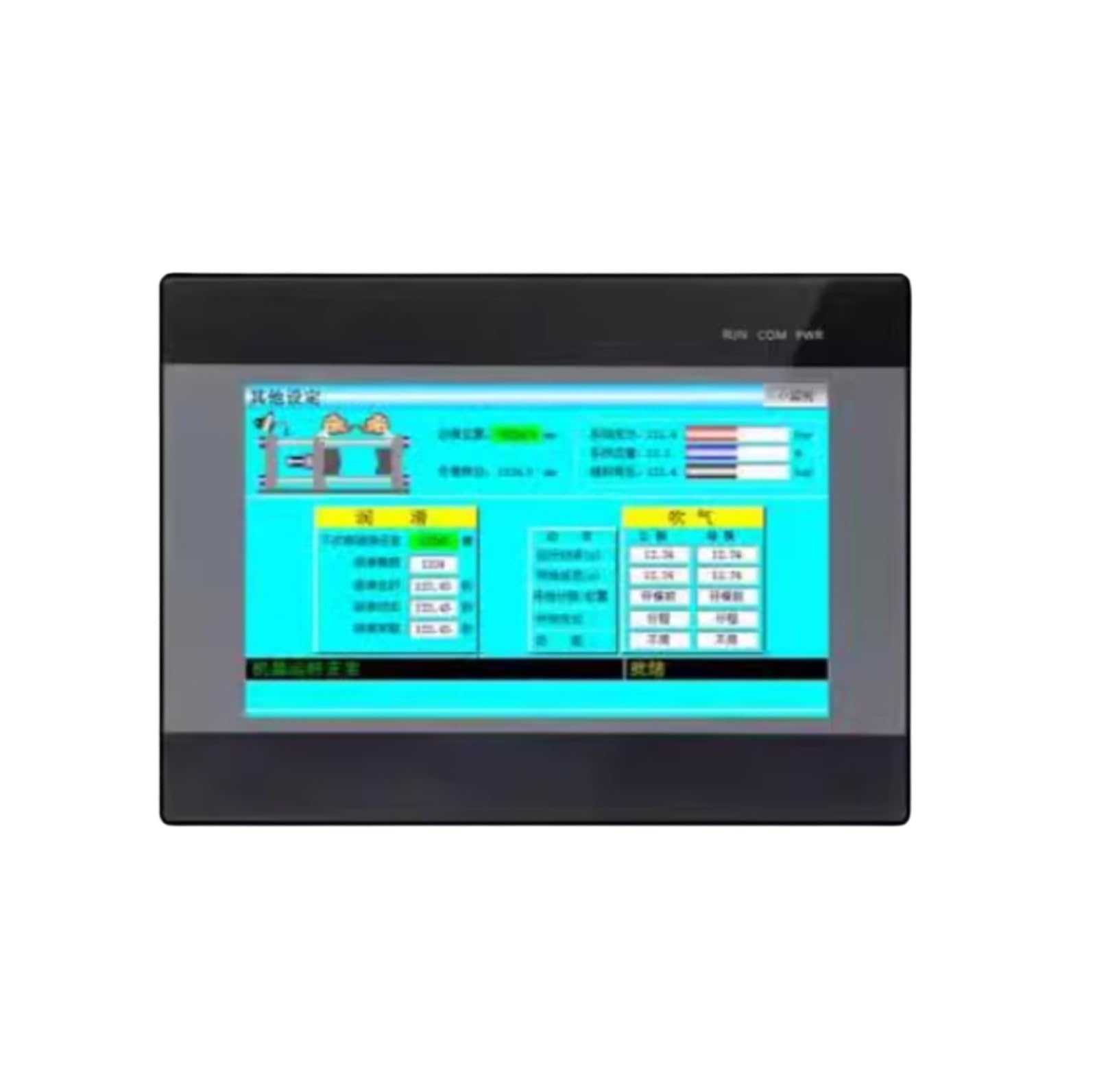
Figure 1: EDRIWYIM MX3G-43C-22MRT HMI unit. This image shows the front panel with the touch screen and the general form factor of the device, indicating where connections would typically be made on the rear or sides.
3. Operating Instructions
The MX3G-43C-22MRT HMI operates based on the project loaded into its memory. This project defines the user interface, control logic, and communication parameters.
3.1 Powering On
Once all connections are secure, apply power to the HMI. The device will boot up and display the configured startup screen or the last active screen of the loaded project.
3.2 Touch Screen Interaction
Interact with the HMI using the touch screen. Buttons, data entry fields, and display elements are defined within the HMI project. Follow the on-screen prompts and interface design for specific operations.
3.3 Project Download and Configuration
The HMI requires a project file created using compatible programming software (e.g., a dedicated HMI development environment). This software allows you to design screens, define communication tags, configure analog I/O scaling, and implement control logic. The project is typically downloaded to the HMI via a USB or serial connection. Refer to the software's documentation for detailed programming and download procedures.
4. Maintenance
Regular maintenance ensures the longevity and optimal performance of your HMI.
4.1 Cleaning
- Wipe the screen and casing with a soft, damp cloth.
- Do not use abrasive cleaners, solvents, or harsh chemicals, as these can damage the display and plastic components.
- Ensure no liquid enters the device.
4.2 Environmental Considerations
- Operate the HMI within its specified temperature and humidity ranges.
- Avoid exposing the device to direct sunlight, excessive dust, or corrosive gases.
- Ensure proper ventilation around the unit to prevent overheating.
4.3 Firmware Updates
Periodically check the manufacturer's website for firmware updates. Firmware updates can provide performance improvements, bug fixes, or new features. Follow the provided instructions carefully when performing firmware updates.
5. Troubleshooting
This section provides solutions to common issues you might encounter.
| Problem | Possible Cause | Solution |
|---|---|---|
| HMI does not power on. | No power supply or incorrect wiring. | Check power cable connection and ensure power supply is active and within specified voltage. Verify wiring polarity. |
| Touch screen is unresponsive. | Screen calibration issue or hardware fault. | Restart the HMI. If the issue persists, attempt screen recalibration (if available in system settings) or contact support. |
| Communication error with PLC/device. | Incorrect communication settings, wrong cable, or device offline. | Verify communication protocol (MODBUS RTU), baud rate, data bits, stop bits, parity, and device address in the HMI project. Check cable integrity and ensure the connected device is powered on and functioning. |
| Analog input readings are incorrect. | Sensor wiring issue, incorrect scaling, or sensor fault. | Check sensor wiring and ensure it matches the HMI's input type. Verify analog input scaling settings in the HMI project. Test the sensor independently. |
6. Specifications
The following are general specifications for the EDRIWYIM MX3G-43C-22MRT HMI. Specific details may vary.
- Model: MX3G-43C-22MRT
- Brand: EDRIWYIM
- Display Size: 4.3 inches (also available in 7 inches for MX3G-70C series)
- Display Type: LCD Touch Panel
- Analog Inputs: 5 channels (AD)
- Analog Outputs: 2 channels (DA)
- Communication Protocols: MODBUS RTU
- Serial Interfaces: RS485, RS232
- Item Weight: Approximately 50 Grams
- Unit Count: 1.0 Count
7. Warranty and Support
EDRIWYIM products are manufactured to high-quality standards. For warranty information, please refer to the warranty card included with your product or visit the official EDRIWYIM website.
For technical support, troubleshooting assistance beyond this manual, or service inquiries, please contact your local distributor or EDRIWYIM customer service. Please have your product model number (MX3G-43C-22MRT) and purchase details ready when contacting support.