
1. Introduction
This manual provides comprehensive instructions for the ABVPO AI Voice Recorder Z01. It covers device setup, operational procedures, and advanced features such as AI transcription and summarization. Please read this manual thoroughly to ensure proper use and to maximize the functionality of your device.
2. Product Overview and Components
The ABVPO AI Voice Recorder Z01 is a compact, AI-powered device designed for high-fidelity audio recording, transcription, and summarization. It features dual microphones, AI noise cancellation technology, and 64GB of internal storage.
2.1 Package Contents
- 1 ABVPO NOTE AI Voice Recorder
- 1 Black Magnetic Case
- 1 Metal Ring
- 1 Magnetic Charging Cable
- 1 OTG Adapter
- 1 User Manual
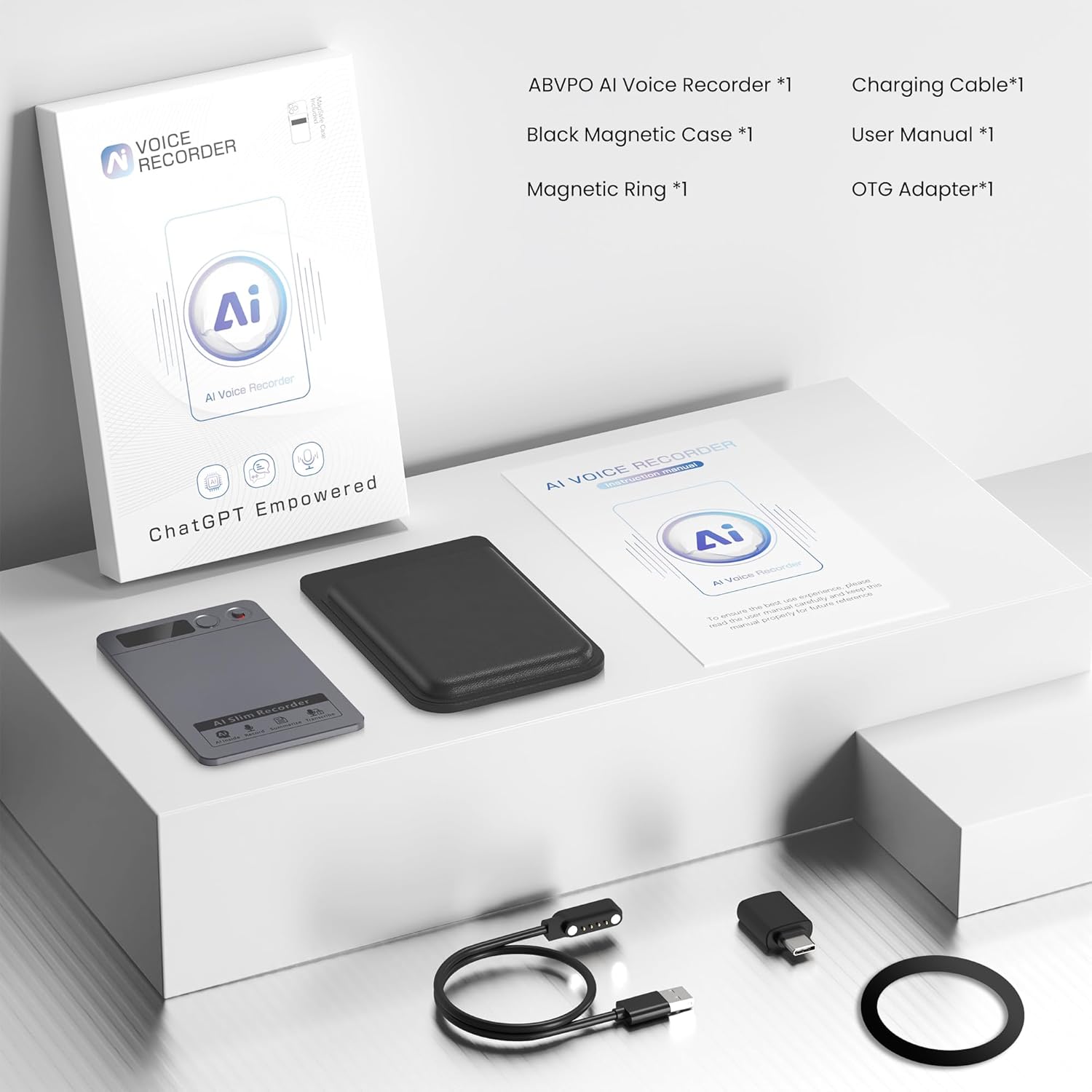
Figure 2.1: Contents of the ABVPO AI Voice Recorder Z01 package, including the recorder, case, magnetic ring, charging cable, OTG adapter, and user manual.
2.2 Device Layout

Figure 2.2: The ABVPO AI Voice Recorder Z01 in gray, shown alongside a smartphone running the DOWAY application. The recorder is slim and rectangular, with control buttons visible on its top edge. The phone screen displays AI-related graphics and text, indicating transcription and summarization capabilities.
3. Initial Setup
3.1 Charging the Device
Connect the magnetic charging cable to the ABVPO AI Voice Recorder Z01 and a compatible USB power source. The device will indicate its charging status. A full charge provides up to 35 hours of continuous recording.
3.2 DOWAY App Installation
Download and install the DOWAY application from your smartphone's app store. The app is essential for accessing AI transcription, summarization, and cloud synchronization features.
3.3 Device Pairing
Follow the on-screen instructions within the DOWAY app to pair your ABVPO AI Voice Recorder Z01 with your smartphone via Bluetooth 5.3. No Wi-Fi connection is required for initial pairing.
4. Operating Instructions
4.1 Basic Recording
To start a recording, press the designated record button on the device. The device supports both call capture and general voice note recording. To stop recording, press the button again.
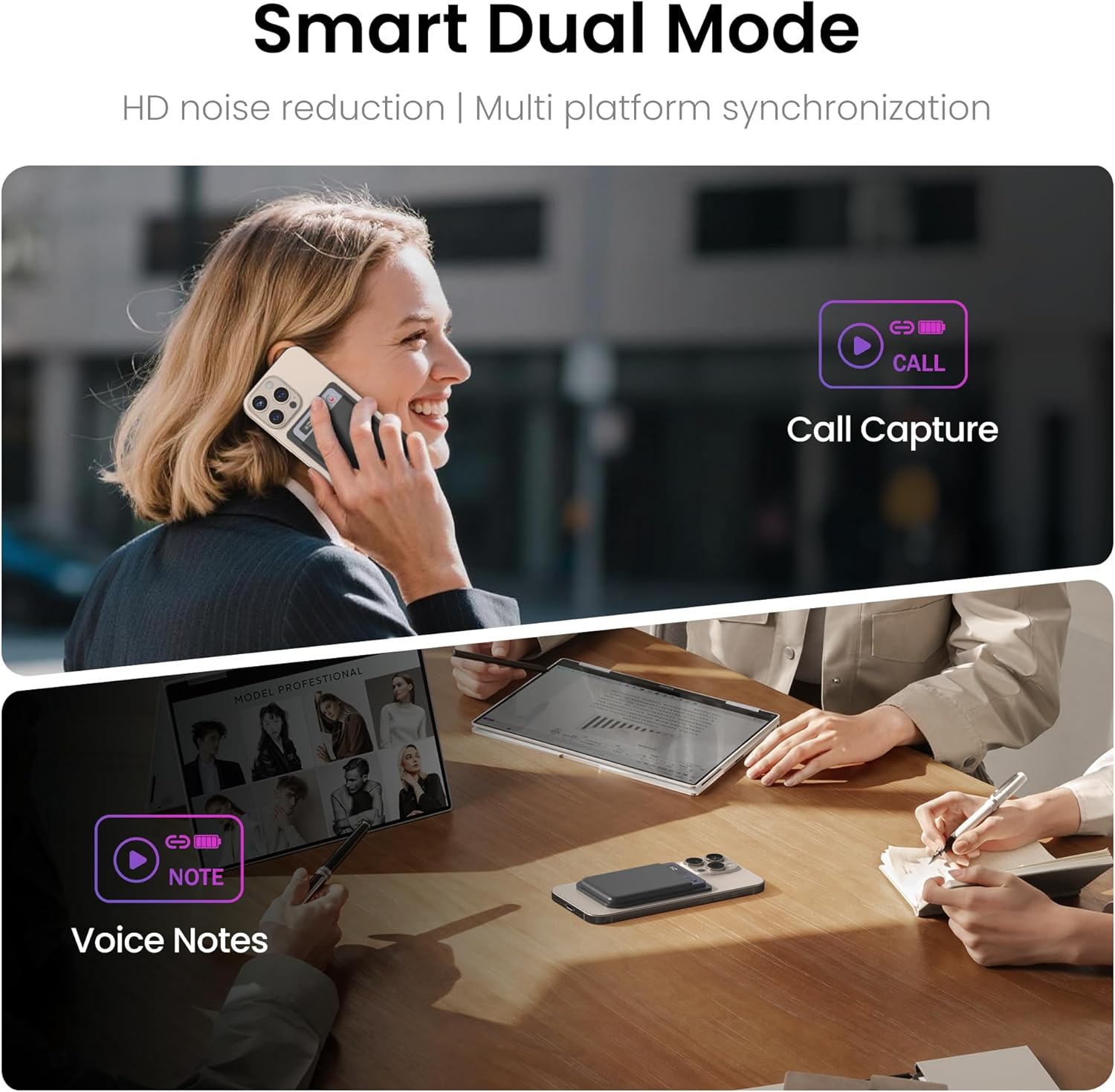
Figure 4.1: Illustration of the ABVPO AI Voice Recorder Z01's dual functionality for call capture and voice notes.
4.2 AI Transcription and Summarization
Once recorded, audio files can be uploaded to the DOWAY app for AI-powered transcription and summarization. The device leverages GPT-4o for accurate speech-to-text conversion and contextual summaries, eliminating the need for manual editing.
4.3 Language Support
The recorder supports transcription and summarization in 152 languages. Select your desired language within the DOWAY app for accurate processing across various dialects.
4.4 Noise Cancellation
The ABVPO AI Voice Recorder Z01 features a Hybrid Pro Microphone System with dual MEMS silicon and bone conduction mics. Lab-grade AI algorithms isolate speech and suppress over 90% of background noise, ensuring studio-quality clarity in diverse environments.
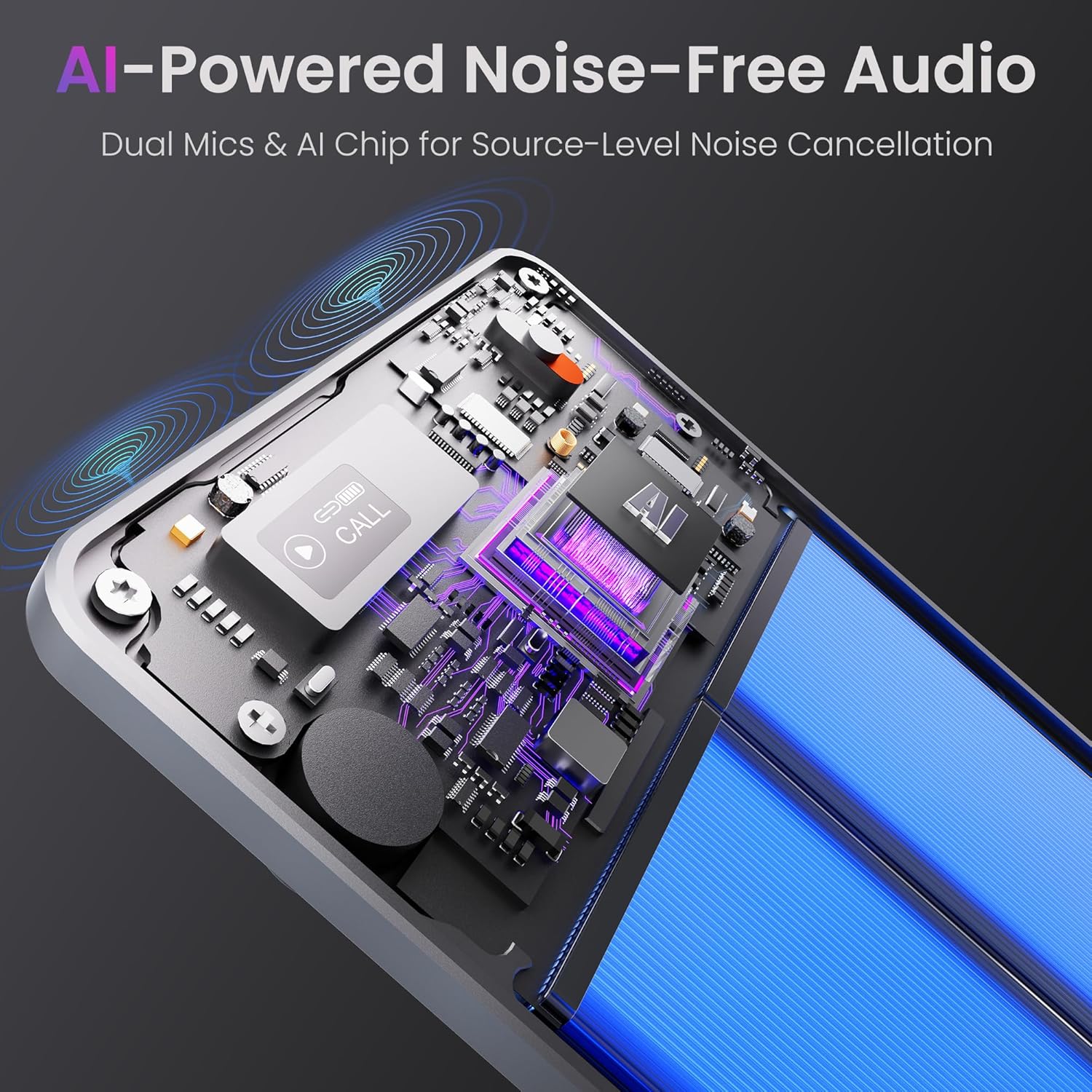
Figure 4.2: An internal diagram of the ABVPO AI Voice Recorder Z01 highlighting its dual microphone technology and integrated AI chip for noise cancellation.
4.5 Storage and Cloud Sync
The device includes 64GB of internal storage, capable of holding over 500 hours of high-fidelity audio. Automatic backups to encrypted cloud storage are available through the DOWAY app, providing secure access to your files worldwide.
5. DOWAY App and Premium Features
The DOWAY app enhances the functionality of your ABVPO AI Voice Recorder Z01, offering advanced tools for managing and processing your recordings.
5.1 Premium Suite Benefits
Your purchase includes a 1-year unlimited premium access to DOWAY, providing limitless transcription, AI-powered professional templates, and smart note-organization tools. This transforms raw recordings into structured documents for various professional and academic needs.

Figure 5.1: This table outlines the features and benefits of various DOWAY membership tiers, including supported languages, transcription duration, professional templates, customizable templates, visual mind map, speaker identification, DOWAY Private, audio editing, audio import, multi-format export, subscription costs, and recharge options.
6. Technical Specifications
| Feature | Specification |
|---|---|
| Model Number | Z01 |
| Package Dimensions | 5.94 x 3.98 x 0.75 inches |
| Item Weight | 1.02 ounces (29 Grams) |
| ASIN | B0F9FJ2435 |
| Batteries | 1 Nonstandard Battery (included) |
| Brand | ABVPO |
| Hardware Interface | Bluetooth 5 |
| Microphone Form Factor | Built-In |
| Audio Format | MP3 Audio |
| Headphones Jack | No headphones jack |
| Memory Storage Capacity | 64 GB |
| Manufacturer | Shenzhen Fuallwin Technology Company Ltd |

Figure 6.1: The ABVPO AI Voice Recorder Z01 emphasizing its compact dimensions, 30-hour non-stop recording, 166-day standby, and 64GB storage.
7. Troubleshooting Guide
7.1 Device Not Turning On
- Ensure the device is fully charged. Connect it to a power source using the magnetic charging cable.
- Press and hold the power button for several seconds to attempt a restart.
7.2 Recording Quality Issues
- Ensure the microphone is not obstructed by clothing or other objects.
- Record in a quieter environment if possible to minimize external noise.
- Verify that the noise cancellation feature is active in the DOWAY app settings.
7.3 App Connection Problems
- Ensure Bluetooth is enabled on your smartphone and the recorder is within range.
- Restart both the recorder and the DOWAY app.
- Check for any available app updates in your smartphone's app store.
7.4 Transcription Inaccuracies
- Speak clearly and at a moderate pace during recording.
- Minimize background noise to improve speech recognition accuracy.
- Verify the correct language is selected in the DOWAY app for transcription.
8. Care and Maintenance
- Keep the device dry and away from extreme temperatures or direct sunlight.
- Clean the exterior of the recorder with a soft, dry cloth. Avoid using abrasive cleaners or solvents.
- Store the device in its protective case when not in use to prevent scratches and damage.
- Avoid dropping the device or subjecting it to strong impacts.
9. Warranty and Customer Support
For detailed warranty information, technical support, or any inquiries regarding your ABVPO AI Voice Recorder Z01, please refer to the official ABVPO website or contact their customer service department.
A detailed user guide in PDF format is also available for download: ABVPO AI Voice Recorder User Guide (PDF)