
Wucotc Z1
Wucotc Z1 Digital Voice Recorder User Manual
Model: Z1 | Brand: Wucotc
Introduction
This manual provides comprehensive instructions for the operation and maintenance of your Wucotc Z1 Digital Voice Recorder. Please read this manual thoroughly before using the device to ensure proper functionality and to maximize its features.
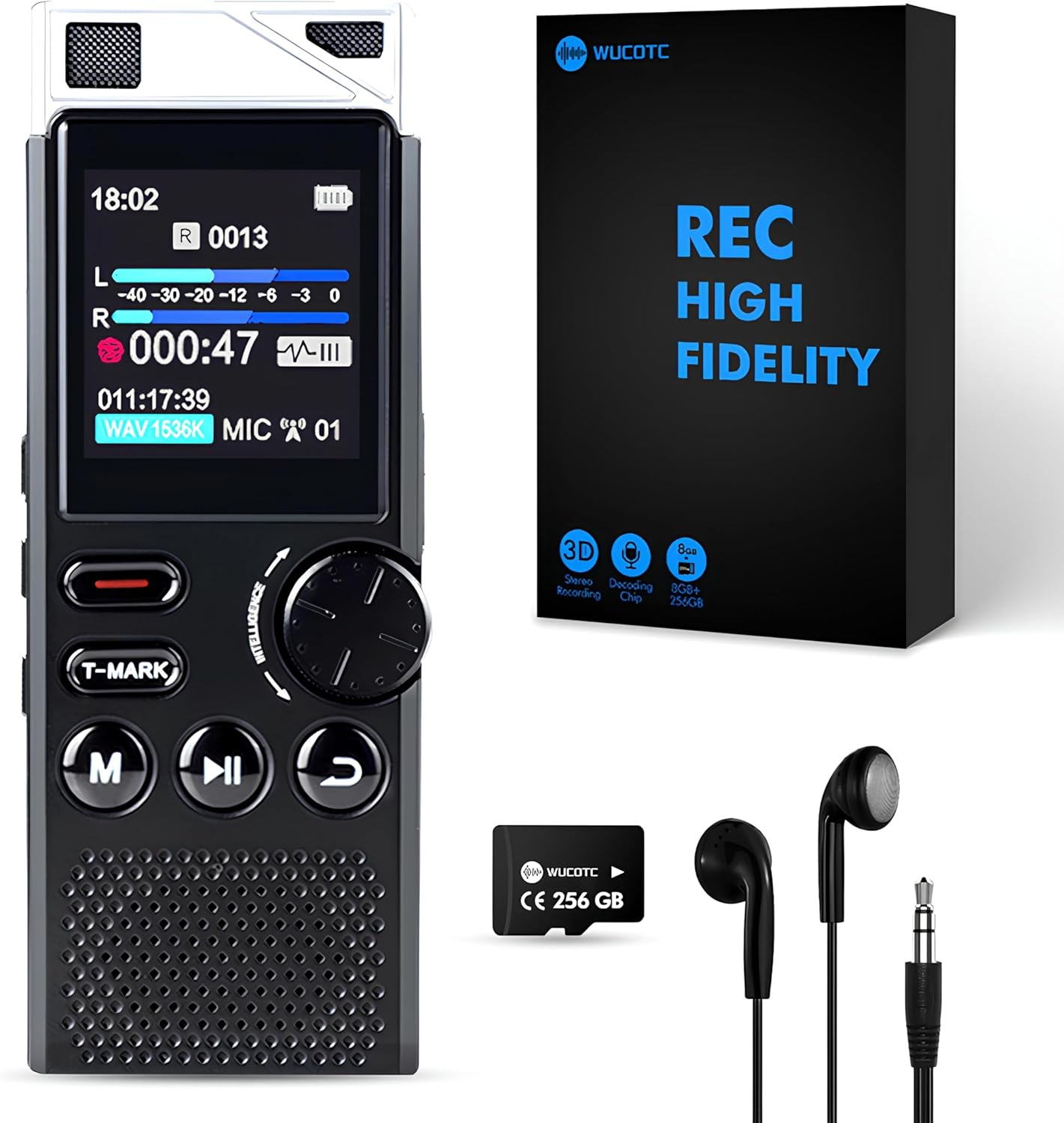
Figure 1: Wucotc Z1 Digital Voice Recorder and Accessories.
Package Contents
Verify that all items are present in the package:
- Wucotc Z1 Digital Voice Recorder (8GB built-in memory)
- 256GB TF Card (pre-installed)
- USB Type-C Charging Cable
- Headphones
- User Manual (this document)
Device Overview
Familiarize yourself with the physical components and controls of the Wucotc Z1 Digital Voice Recorder.

Figure 2: Diagram of Product Functions and Ports.
- Recording Slot: Top-mounted microphones for audio input.
- Headphone Jack (3.5mm): For connecting headphones for audio playback.
- Noise Reduction Switch: Activates or deactivates hardware-level noise reduction.
- Previous/Next Song Buttons: Navigates between audio files or tracks.
- Delete Key: Deletes selected files.
- Reset Key: Resets the device.
- Line Indicator: Shows recording interface status.
- Type-C Interface: For charging and data transfer.
- Lock Keys Switch: Locks or unlocks the device buttons.
- TF Card Slot: For inserting or removing the expandable memory card.
- Save Recording Button: Saves the current recording.
- Bookmark/Reread Button: Marks key content during recording or playback.
- Confirm Key: Confirms selections in the menu.
- Dial Key/Volume: Rotates for menu navigation and adjusts volume.
- Backspace Key: Returns to the previous menu or deletes characters.
- Play/Pause Button: Starts or pauses playback/recording.
Setup
- Initial Charge: Before first use, fully charge the device using the provided USB Type-C cable connected to a computer or a compatible USB power adapter. The device supports fast charging.
- Insert TF Card: The 256GB TF card is pre-installed. If removed, ensure it is correctly inserted into the TF card slot.
- Power On/Off: To power on the device, slide the ON/OFF switch (located on the side) downwards for three seconds. To power off, slide it upwards.
- Language Settings: Upon first power-on, you may be prompted to select a language. Use the dial key to navigate and the confirm key to select.
- Date and Time: Set the correct date and time for accurate timestamping of your recordings. Navigate to the settings menu to adjust these parameters.

Figure 3: Setting up password protection for your recordings.
Operating Instructions
Basic Recording
- Start Recording: Press the red "REC" button (one-click recording). The screen will display recording time and audio levels.
- Pause/Resume Recording: During recording, press the Play/Pause button to pause. Press it again to resume.
- Stop and Save Recording: Press the red "REC" button again to stop the recording. The file will be automatically saved with a timestamp (YYYY-MM-DD-HH-MM-SS.WAV).

Figure 4: High-quality PCM recording in progress.
Voice Activated Recording (VOR)
The voice control function automatically records when sound reaches a set decibel level and stops when there is no sound, saving memory space.
- Navigate to the settings menu.
- Select "Voice Control" or "VOR Settings".
- Adjust the sensitivity level (7 levels available, from 50DB to 70DB). Higher levels require louder sounds to activate.
- Activate VOR mode before starting a recording.

Figure 5: Voice Activated Recording (VOR) sensitivity levels.
Playback
- Access Recordings: From the main menu, navigate to "Recordings" or "Explorer" to view your saved files.
- Play: Select a file using the dial key and press the Play/Pause button to begin playback.
- Adjust Volume: Rotate the dial key to increase or decrease the playback volume.
- Fast Forward/Rewind: Use the fast forward and rewind buttons to skip through the audio.
- A-B Repeat: During playback, press the A-B repeat button to mark a start point (A) and an end point (B) for continuous looping of a specific section.
- Variable Speed Playback: Adjust playback speed in the playback settings menu.

Figure 6: Fast forward and playback features.
Other Functions
- MP3 Player: The device can function as an MP3 player. Transfer music files to the device via the USB-C cable.
- Bookmark Function (T-MARK): Press the T-MARK button during recording or playback to mark important sections. These marks can be easily navigated during review.
- Password Protection: Set a password to protect your recordings from unauthorized access. This option is available in the settings menu.
- Line Input: Connect external audio sources via the line input port for direct recording.
- Automatic Gain Control (AGC): The device features AGC to automatically adjust microphone sensitivity for optimal recording quality, especially in varying sound environments.

Figure 7: Multifunctionality of the Wucotc Z1 recorder.

Figure 8: T-MARK bookmark function for marking key content.
Maintenance
- Cleaning: Use a soft, dry cloth to clean the device. Avoid using liquid cleaners or solvents.
- Storage: Store the device in a cool, dry place away from direct sunlight and extreme temperatures.
- Battery Care: To prolong battery life, avoid fully discharging the device frequently. Charge it regularly, even if not in use for extended periods. The device automatically saves recordings when the battery is low.
- Data Management: Regularly transfer important recordings to a computer or other storage device to prevent data loss and free up memory.

Figure 9: Automatic save feature when battery is low.
Troubleshooting
| Problem | Possible Cause | Solution |
|---|---|---|
| Device does not power on. | Low battery; device is locked. | Charge the device; check the lock switch on the side. |
| Cannot record. | Memory full; device is locked; incorrect mode. | Delete old files or transfer them to a computer; unlock the device; ensure you are in recording mode. |
| Poor audio quality. | Noise reduction off; microphone obstructed; recording distance too far. | Activate noise reduction; ensure microphones are clear; adjust recording distance or enable AGC. |
| Cannot connect to computer. | Faulty USB cable; driver issue; incorrect connection mode. | Try a different USB-C cable; ensure the device is powered on and connected correctly; check computer's USB ports. |
Specifications
- Model: Z1
- Brand: Wucotc
- Memory Capacity: 8GB Built-in + 256GB TF Card (expandable)
- Recording Capacity: Up to 18,000 hours
- Battery: 800mAh
- Battery Life: 100+ hours continuous recording (512kbps), 48 hours playback
- Recording Quality: 1536kbps HD stereo
- Microphone: Dual-channel, built-in
- Noise Reduction: Hardware-level AI noise cancellation
- Screen: 1.44 Inches TFT Color Screen
- Audio Format: MP3, WAV
- Interface: USB 3.0 Type-C, 3.5mm Headphone Jack
- Dimensions: 5.43 x 3.62 x 1.54 inches
- Item Weight: 7 ounces
Warranty and Support
The Wucotc Z1 Digital Voice Recorder comes with a two-year warranty from the date of purchase. For any technical assistance, troubleshooting, or warranty claims, please contact our customer support team. We offer 24-hour service to assist you.
For further support, please visit the official Wucotc store on Amazon: Wucotc Store
Video Guide
Watch the official product video for a visual demonstration of the Wucotc Z1 Digital Voice Recorder's features and operation.
Video 1: Overview of the 264GB High Capacity Digital Voice Recorder, demonstrating its features and ease of use.
Related Documents - Z1
 |
Pulsajet 10000AUH-03-Z1 Automatic Spray Nozzle - Spraying Systems Co. Technical data sheet for the Spraying Systems Co. Pulsajet 10000AUH-03-Z1, an electrically actuated automatic spray nozzle designed for Zone 1 hazardous areas. Features include ATEX certification, FM approval, and various material options. |
 |
Puretec Z1 Tripla Black Series Quick Twist Filter System User Guide and Installation Manual Comprehensive user guide and installation manual for the Puretec Z1 Tripla Black Series Quick Twist Filter System with Tripla Matt Black Mixer Tap. Includes setup instructions, operation, maintenance, performance data, and warranty information. |
 |
ASMAX Z1 Bluetooth Voice Control Helmet Intercom Headset Quick Start Guide A quick start guide for the ASMAX Z1 Bluetooth Voice Control Helmet Intercom Headset, featuring mesh communication system, voice commands, and app integration. |
 |
Kalley Black Z1 Smartphone Quick Start Guide A concise guide to setting up and using the Kalley Black Z1 smartphone, covering SIM card insertion, battery charging, basic functions, communication, and connectivity. |
 |
How to Use the Silent Angel Orbiter Plugin for Z1 and Z1 Plus A comprehensive guide detailing the installation and usage of the Orbiter Plugin with Silent Angel Z1 and Z1 Plus audio devices. Learn how to connect, manage, and play music from various sources using the VitOS Orbiter and VitOS Manager applications. |
 |
ASMAX Z1 Bluetooth Intercom Headset User Manual Comprehensive user manual for the ASMAX Z1 Bluetooth intercom headset, covering setup, features, operations, and app integration. Learn how to install, pair, and use voice commands for calls, music, and intercom functions. |