
Introduction
This manual provides detailed instructions for the installation, operation, and maintenance of your STSVA 3MP 2K Window Security Camera, Model STSVA-019. This indoor camera features 2K resolution, 2.4G & 5G WiFi connectivity, color night vision, 24/7 recording, and smart motion detection. Please read this manual thoroughly before use to ensure proper functionality and safety.
Package Contents
Verify that all items listed below are included in your package:
- Window Camera
- Instruction Manual
- Power Adapter
- Mounting Sticker
- Mounting Screw
- USB Cable
- Metal Plate
- Wire Fasteners

Figure 1: Included components of the STSVA Window Camera package.
Setup and Installation
1. Camera Components Overview
Figure 2: Diagram showing the microphone, lens, SD card slot, reset key, speaker, Type-C port, and magnetic holder.
2. SD Card Installation
- Locate the SD card slot on the camera.
- Insert a 32-128GB Micro SD card (not included) into the slot before connecting the camera to power or Wi-Fi. Ensure it clicks into place.
Note: Installing the SD card after Wi-Fi connection may result in a "no SD card found" error. Always insert the SD card first.
3. Mounting Options
The camera supports multiple installation methods:
- Window Adhesion: Clean the window surface, peel off the sticker, apply the sticker, and then attach the camera.
- Magnetic Mounting: Use the magnetic holder to attach the camera to metallic surfaces.
- Horizontal Placement: Place the camera on a flat surface like a desk or shelf.
- Drilling Installation: Use the provided mounting screws for a more permanent fixture.

Figure 3: Step-by-step guide for window adhesion installation: 1. Clean the window, 2. Peel off sticker, 3. Apply sticker, 4. Insert SD card, 5. Attach camera.
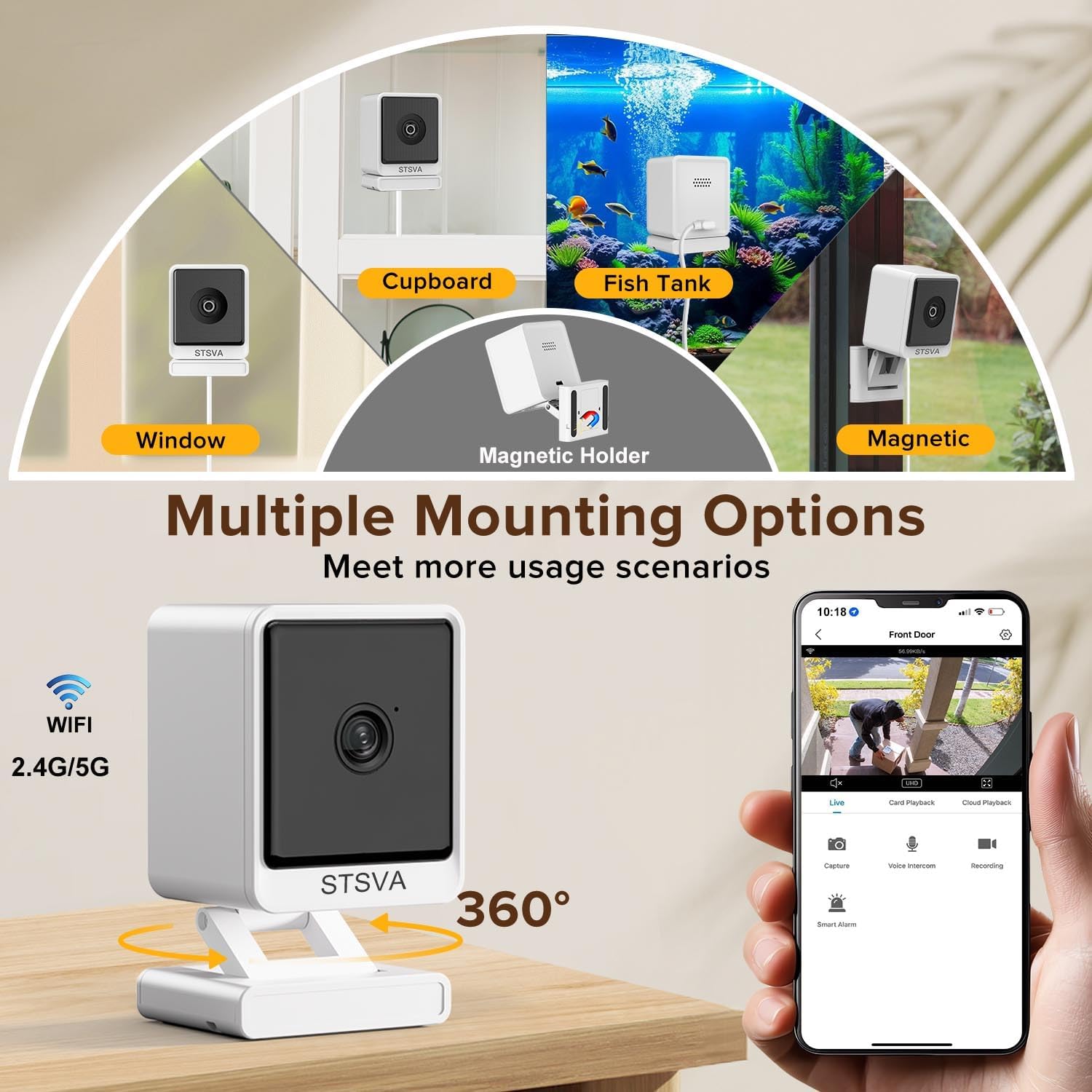
Figure 4: Examples of mounting options including window, magnetic, cupboard, fish tank, and desktop placement.
4. Network Connection
Configure the camera through your smartphone's Bluetooth and Wi-Fi. The camera supports both 2.4G and 5G Wi-Fi networks for stable connectivity.
- Download the dedicated mobile application (refer to the instruction manual for app name and QR code).
- Follow the in-app instructions to pair the camera using Bluetooth.
- Connect the camera to your home Wi-Fi network (2.4G or 5G).
Operating Instructions
1. Live View and Recording
Once connected, access the live feed through the mobile application. The camera supports 24/7 continuous recording.
- Live View: Monitor your premises in real-time.
- Recording: Footage can be stored on an inserted SD card (32-128GB) or via optional US-based cloud storage.
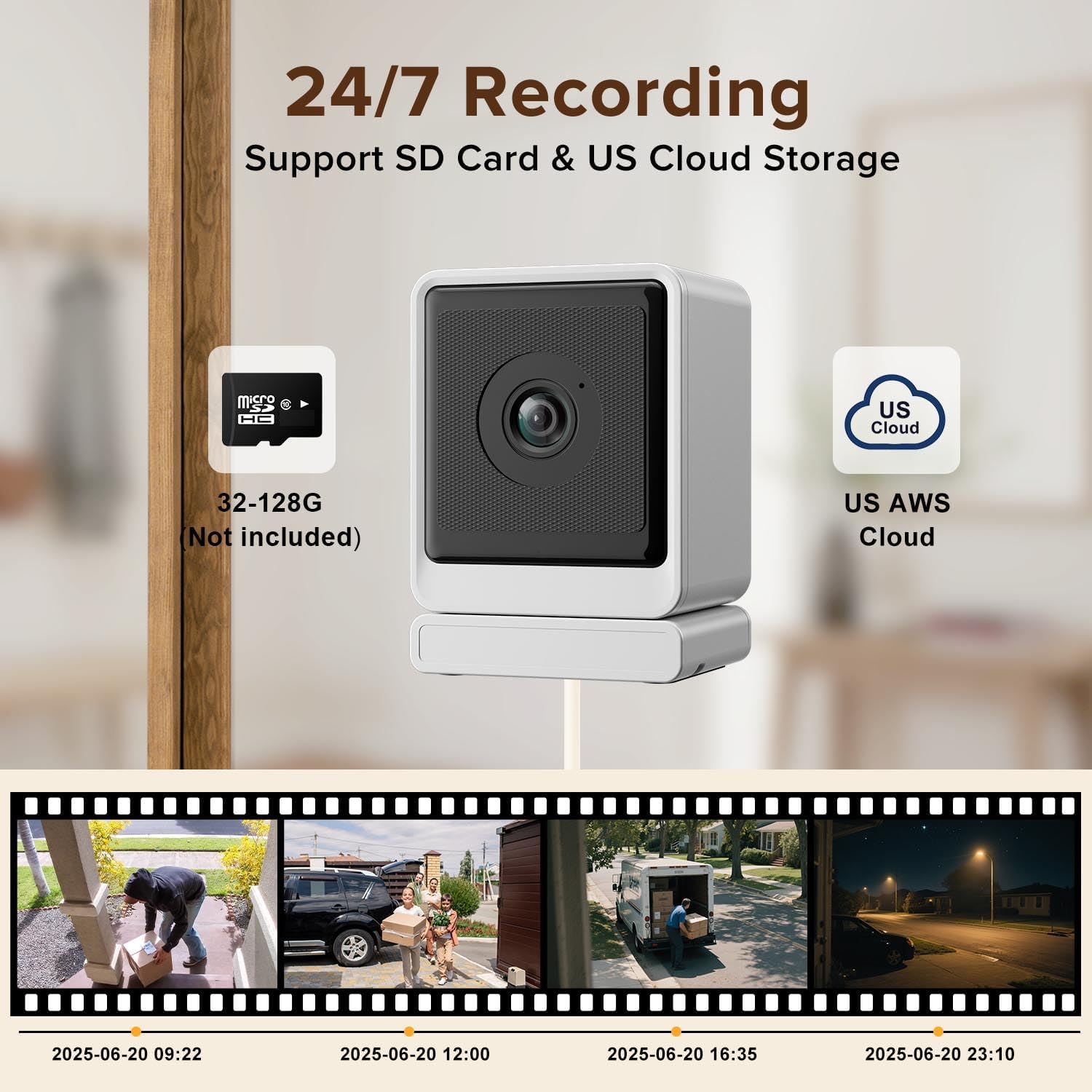
Figure 5: Illustrates 24/7 recording capability with support for SD card (32-128G, not included) and US AWS Cloud storage.
2. Color Night Vision
The camera features Starlight AI Color Night Vision, providing clear and vivid images even in low-light or dark environments.
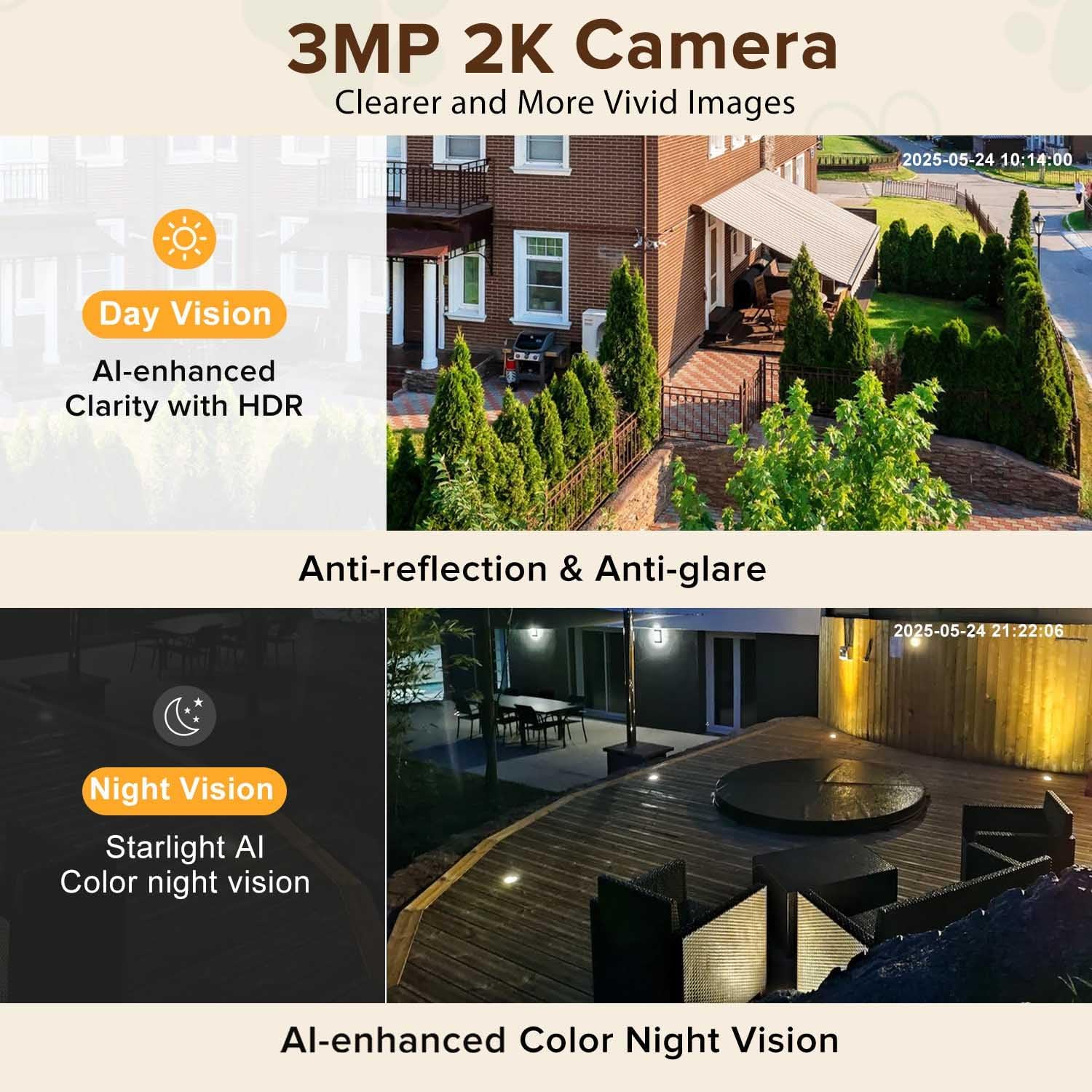
Figure 6: Comparison of day vision with AI-enhanced clarity and HDR, and night vision with Starlight AI Color Night Vision.
3. Motion Detection and Alerts
The camera is equipped with smart motion detection. Upon detecting biological activities, it sends instant alert messages to your bound mobile phone.
- Detection Angle: Approximately 110 degrees.
- Alerts: Receive real-time notifications on your smartphone.

Figure 7: Depicts smart motion detection triggering an alarm message on a mobile phone, with a 4x zoom feature.
4. Multi-Camera Management and Sharing
- Multiple Cameras: One mobile phone can manage up to four cameras simultaneously.
- Family Sharing: Easily share access to your cameras with family members through the application.

Figure 8: Illustration of one phone managing up to four cameras for comprehensive home protection.

Figure 9: Depicts sharing camera access with multiple family members.
Maintenance
- Cleaning: Use a soft, dry cloth to clean the camera lens and body. Avoid abrasive cleaners or solvents.
- Placement: Ensure the camera is placed in a stable location, away from direct sunlight, extreme temperatures, and moisture.
- Software Updates: Regularly check the mobile application for firmware updates to ensure optimal performance and security.
Troubleshooting
- Camera not connecting to Wi-Fi: Ensure your Wi-Fi password is correct and the camera is within range of your router. Verify that you are connecting to a 2.4G or 5G network as supported.
- "No SD card found" error: Ensure the SD card was inserted before powering on the camera and connecting to Wi-Fi. If the issue persists, try reinserting the card or using a different compatible SD card (32-128GB).
- Poor night vision quality / Reflection issues: If experiencing reflections during night vision, try adjusting the camera's position to minimize glare from nearby light sources. Ensure the window surface is clean.
- Motion detection not working: Check the motion detection settings in the mobile application. Ensure the sensitivity is set appropriately and the detection area is configured correctly.
- App issues: Ensure your mobile application is updated to the latest version. Try restarting the app or your smartphone.
Specifications
| Model Name | STSVA-019 |
| Resolution | 3MP 2K |
| Indoor/Outdoor Usage | Indoor |
| Connectivity | 2.4G & 5G Wi-Fi |
| Power Source | Corded Electric |
| Controller Type | Amazon Alexa, Google Assistant |
| Mounting Type | Window Mount, Magnetic, Desktop, Drilling |
| Storage Options | SD Card (32-128GB, not included), US Cloud Storage (optional) |
| Special Features | Color Night Vision, Smart Motion Detection, 24/7 Recording, Anti-reflection & Anti-glare |
| Product Dimensions | 2 x 1.7 x 2.9 inches |
| Item Weight | 7 ounces |
Warranty and Support
For warranty information and technical support, please refer to the contact details provided on the product packaging or visit the official STSVA website. Keep your purchase receipt for warranty claims.


