
1. Important Safety Instructions
Before operating the THERUN Home Treadmill, please read and understand all safety instructions. Retain this manual for future reference.
- General Safety: Always consult with a physician before starting any exercise program. Stop exercising immediately if you feel faint, dizzy, or experience pain.
- Placement: Place the treadmill on a solid, level surface with at least 2 meters (6.5 feet) of clear space behind it and 0.6 meters (2 feet) on each side. Do not place the treadmill on thick carpet, as this may interfere with ventilation.
- Children and Pets: Keep children and pets away from the treadmill at all times, especially during operation.
- Weight Limit: The maximum user weight for this treadmill is approximately 300 lbs (136 kg). Do not exceed this limit.
- Emergency Stop: Always attach the safety key clip to your clothing before starting your workout. In case of an emergency, pull the safety key to immediately stop the treadmill.
- Power Supply: Use a grounded electrical outlet. Do not use extension cords or adapters.
- Maintenance: Perform regular maintenance as described in this manual to ensure safe and optimal operation.
2. Product Overview
The THERUN Home Treadmill X-T420 is designed for home fitness, offering a range of features to support various workout intensities. Key components include the running deck, console, handlebars, and folding mechanism.
Key Features:
- Speed Range: 0.5 to 9 Miles per Hour (0.8 to 14.5 km/h).
- Auto Incline: Automatic incline adjustment from 0% to 12%.
- Motor: 3.0 Horsepower peak motor.
- Running Belt: 43.3 inches (110 cm) long x 16.5 inches (42 cm) wide.
- LED Strip: Integrated LED lighting on the running deck.
- Heart Rate Monitoring: Sensors integrated into the side handlebars.
- Shock Absorption: Dual internal dampers and silicone base absorbers for joint comfort.
- Foldable Design: Easy folding mechanism for space-saving storage.
- Programs: 12 pre-set workout programs.
Console Display:
The 18-inch user-friendly console provides real-time workout data and controls.

Image: Console display showing workout metrics and controls.
3. Assembly Instructions
The THERUN Home Treadmill is designed for quick setup, arriving 90% pre-assembled. Follow these steps to complete the assembly:
- Unpacking: Carefully remove all components from the packaging. Ensure all parts listed in the packing list are present.
- Unfolding: Gently lift the console and handlebar assembly into the upright position. Secure it using the provided locking pins or knobs.
- Connecting Cables: Connect any pre-labeled cables between the console and the main frame, ensuring they are securely fastened.
- Attaching Accessories: Install any remaining accessories such as bottle holders or tablet holders if applicable.
- Final Check: Before plugging in, ensure all bolts, nuts, and connections are tightened and secure.

Image: Treadmill components and tools, illustrating the pre-assembled state.
4. Operation Guide
4.1 Starting the Treadmill
- Plug the power cord into a grounded outlet.
- Attach the safety key to the designated slot on the console and clip the other end to your clothing.
- Press the 'START' button on the console. The treadmill will begin with a short countdown before the belt starts moving at a low speed.
4.2 Speed Adjustment
Use the 'SPEED +' and 'SPEED -' buttons on the console or handlebars to adjust the running speed. The speed can be set from 0.5 to 9 mph.
4.3 Incline Adjustment
The treadmill features an automatic incline system. Use the 'INCLINE +' and 'INCLINE -' buttons on the console to adjust the incline level from 0% to 12%. Adjusting the incline simulates different terrains and can increase workout intensity.

Image: Treadmill in use, demonstrating the auto incline feature.

Image: Illustrating calorie expenditure at different incline settings.
4.4 Workout Programs
The treadmill includes 12 pre-set workout programs. Press the 'PROGRAM' or 'MODE' button to cycle through the available programs. Each program offers varying speed and incline profiles to target different fitness goals.

Image: Examples of various workout types and intensities on the treadmill.
4.5 Heart Rate Monitoring
Grasp the heart rate sensors on the side handlebars with both hands to monitor your pulse during your workout. Your heart rate will be displayed on the console.
4.6 Folding and Storage
To fold the treadmill for storage:
- Ensure the treadmill is stopped and unplugged.
- Lift the running deck until it locks into the upright position.
- The treadmill can then be easily moved using the built-in transport wheels.
To unfold, gently release the locking mechanism and lower the running deck to the floor.

Image: Demonstrating the treadmill's folding mechanism for compact storage.

Image: Treadmill in use at night, showcasing the integrated LED lighting.
5. Maintenance and Care
Regular maintenance ensures the longevity and safe operation of your treadmill.
5.1 Lubrication
The running belt requires periodic lubrication to reduce friction and wear. Lubricant is included with your treadmill. Refer to the specific instructions provided with the lubricant for application frequency and method.
5.2 Cleaning
- After Each Use: Wipe down the console and handlebars with a damp cloth to remove sweat and dust.
- Weekly: Vacuum under the treadmill to prevent dust and debris from accumulating in the motor area.
- Do not use abrasive cleaners or solvents, as these can damage the treadmill's surfaces.
5.3 Running Belt Adjustment
Over time, the running belt may become misaligned or loose. Refer to the detailed instructions in the included user manual for how to adjust the belt tension and centering using the provided tools.
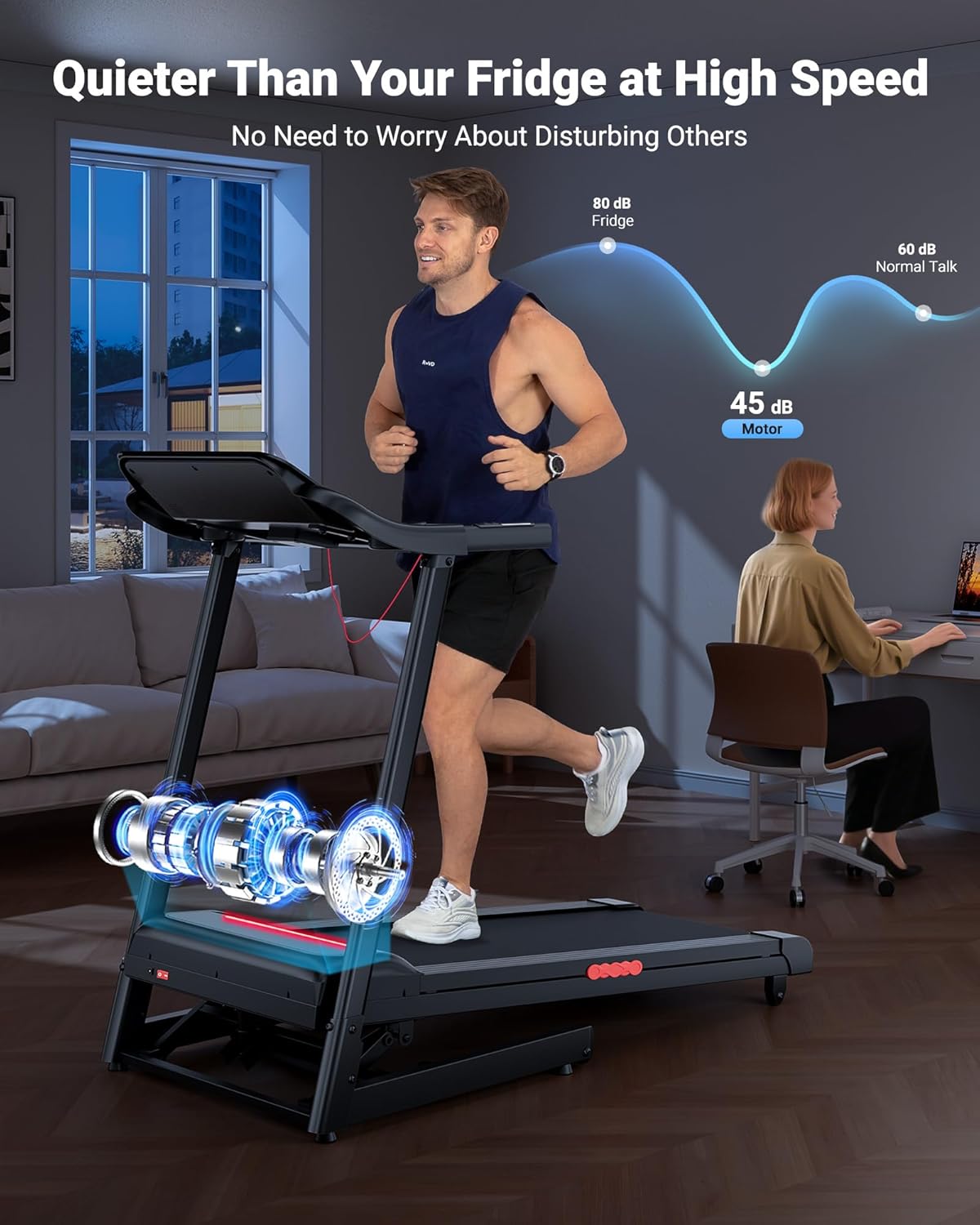
Image: Illustrating the quiet operation of the treadmill motor.

Image: Detail of the treadmill's shock absorption system.
6. Troubleshooting
If you encounter issues with your treadmill, refer to the following common problems and solutions:
- Treadmill Not Starting:
- Ensure the power cord is securely plugged into a grounded outlet.
- Verify the safety key is correctly placed in the console.
- Check the circuit breaker on the treadmill (if present) and your home's electrical panel.
- Running Belt Slipping:
- The running belt may need tension adjustment. Refer to the maintenance section or the full user manual for instructions.
- Ensure the belt is properly lubricated.
- Unusual Noises:
- Check for loose parts or debris under the running deck.
- Ensure the treadmill is on a level surface.
- If the noise persists, contact customer support.
- Incline Not Adjusting:
- Ensure the treadmill is powered on and the safety key is in place.
- Check for any obstructions under the incline mechanism.
For issues not listed here or if problems persist, please contact THERUN Customer Service.
7. Product Specifications
| Feature | Specification |
|---|---|
| Brand | THERUN |
| Model Number | X-T420 |
| Motor Horsepower | 3.0 HP |
| Speed Range | 0.5 - 9 MPH |
| Incline Range | 0 - 12% Auto Incline |
| Running Belt Dimensions | 43.3" L x 16.5" W |
| Product Dimensions (Unfolded) | 152.91 x 74.68 x 130.3 cm (60.2" L x 29.4" W x 51.3" H) |
| Product Dimensions (Folded) | 45.3" H x 25.8" W x 28.9" D (Approx. 5.2 sq ft footprint) |
| Item Weight | 47.99 kg (105.8 lbs) |
| Maximum User Weight | Approx. 300 lbs (136 kg) |
| Display Type | LED |
| Number of Programs | 12 |
| Material | Alloy Steel |
| Included Components | Lubricant, Power Cord, Safety Key, Tool Kit, User Manual |

Image: Treadmill dimensions in both operational and folded configurations.
8. Warranty and Customer Support
THERUN provides comprehensive after-sales and technical support for your treadmill. If you have any questions, require assistance with operation, or need troubleshooting guidance, please contact our professional customer service team.
For specific warranty details, please refer to the warranty card included with your product or contact THERUN customer service directly.
Contact Information: Please refer to the contact details provided in your product packaging or on the official THERUN website.